Glove Knock AI Video Generator: Cartoon Boxing Gloves Bonk Your Face
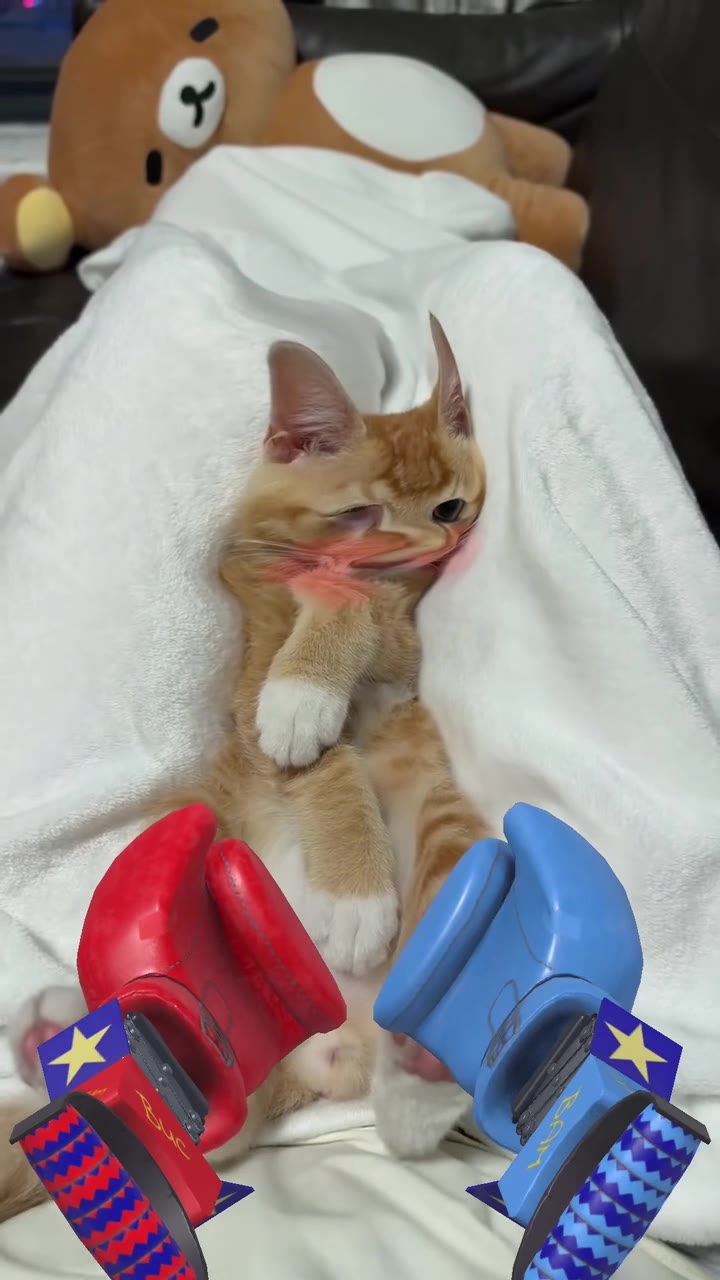
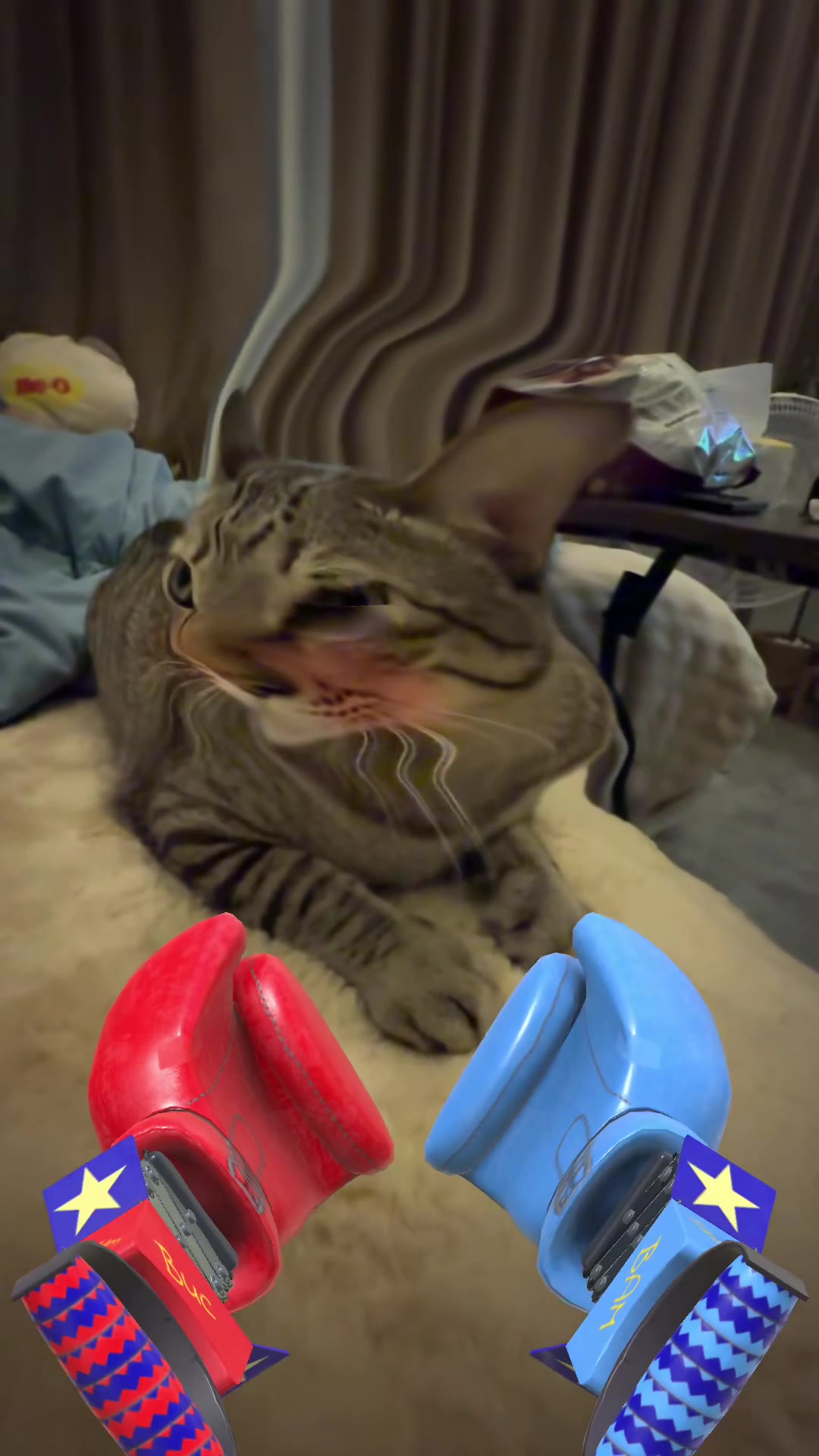
Two cartoon boxing gloves on springs pop up and bonk your face until it squashes like rubber. One photo of you or your pet is all it takes.
Updated : Page published.

1Add your photo
What you'll get
Trend remakes · inspiration only
Front-facing, well-lit selfies work best. One face per photo.
Choose your video2
Your video template · Face knock · 12s
2Choose quality
By generating you confirm you have permission to use the people in your photos. Terms
No subscription needed · Ready in 4–6 minutes · Failed renders are free
Glove Knock, also called the DunPig Effect or boxing glove filter, is a live TikTok camera effect from November 2026 in which red and blue cartoon boxing gloves on springs punch your face until it squashes and blushes; videosi makes it from one photo of you
1 photo in, a 12-second video out with the trend's original sound, no watermark. $8.90 for the first video on a new account, a one-time payment with no subscription. Ready in 4–6 minutes.
- Fast facts
- First seen
- Stage
- Spreading
- Started on
- TikTok
- Sound
- Most posts use the effect's own short punch-and-boing sound; we did not find a song title. Some pet clips use their own music.
- Meaning
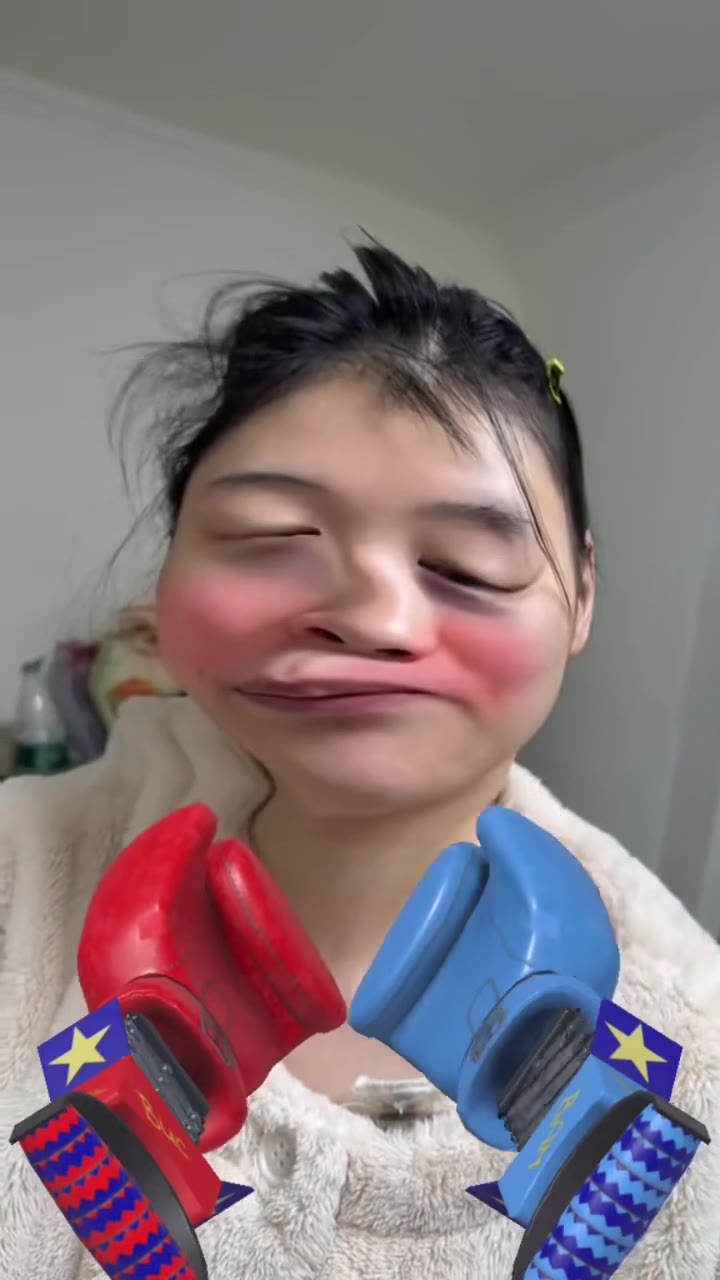
- Glove Knock is a TikTok camera effect in which red and blue cartoon boxing gloves on springs pop up from the bottom of the screen and bonk the face in frame until it squashes and blushes.
- Related trends
- Boxing Dog AI, Shadow Boxing AI, WWE AI Video
Page updates
- November 28, 2026 — Page published.
What prompt and AI model make the Glove Knock AI video?
Glove Knock AI is made with Seedance 2.0 / 2.5 by ByteDance. The prompt behind it has 5 parts, and the timing is what makes or breaks it.
- Model
- Seedance 2.0 / 2.5
- Mode
- Photo + motion reference to video
- Length
- 12 seconds, 9:16, 1:1 or 16:9
- Input
- 1 photo
- Pick the scene Face knock uses a person reference clip; Pet gets knocked uses a kitten reference clip. Each has its own sound.
- Replace the subject Only the person or pet in the clip is swapped for the one in your photo; the gloves and the room stay.
- Identity lock Face, skin or fur, hair and clothes come only from your photo, even while the face squashes.
- Key action One line names the action: spring gloves bonk the cheek, the face squashes and blushes, a dizzy wobble.
- Rules No text, no watermark, and the cartoon gloves stay red and blue on springs.
Replace the young woman with dark hair in a bun, a yellow hair clip and a cream fleece pajama top…
Why it goes wrong when you do it yourself
- Call the clip a loose motion reference and the model keeps the woman from the reference and only borrows your hair.
- The face fills the frame, so a weak replace line leaves her face shape behind under your skin tone.
- Ask for the squash too strongly and the face melts for good; too weakly and the gloves just touch the cheek.
- Each try costs model credits and several minutes, and a text-only prompt draws different gloves every time.
More videos from this trend
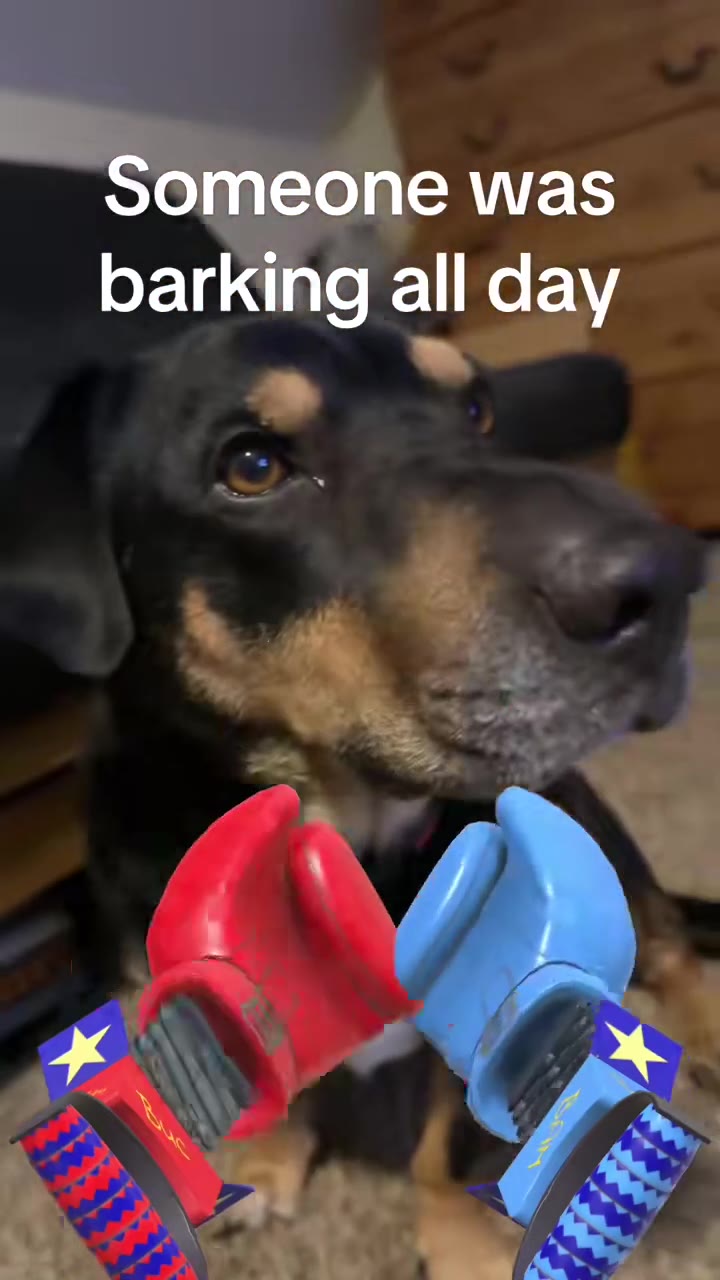
These clips were made and posted by other creators, not by videosi. Credits link to the original posts.
How do you make the Glove Knock AI video?
Upload one photo
A sharp, front-facing photo of one person, or of one dog or cat with its whole face in view.
Pick a scene
Face knock for a person, Pet gets knocked for a dog or cat. Both are 12 seconds with the trend sound.
Pick a format and generate
Choose 9:16 for TikTok, Reels and Shorts, 1:1 or 16:9, then press Generate. There is nothing to write.
Download and post
The MP4 has no watermark and comes with the original punch sound. Label it as AI-generated when you post.
What are the ways to make the Glove Knock AI video?
| Way | Cost | What you need | What you get |
|---|---|---|---|
| videosi (this page) | $8.90 for the first video, one-time, no subscription | 1 photo | A 12-second video with the trend's original sound, no watermark, ready in 4–6 minutes. |
| The live TikTok effect | Free in the TikTok app | The person or pet in front of your camera, filmed live | The original look, but no way to use an old photo or someone who is not with you. |
| Text prompt in an AI video model | Paid per attempt on the model's site | A written prompt for spring gloves and a squashing face, several tries | Random gloves and a face that is not yours; the rubber squash is hard to get without melting the face. |
Compared on November 28, 2026.
What is the Glove Knock AI trend?
Updated · videosi is an independent tool. It is not affiliated with TikTok, Instagram, YouTube, or with the owners of any trend, song, game or brand named on its pages.
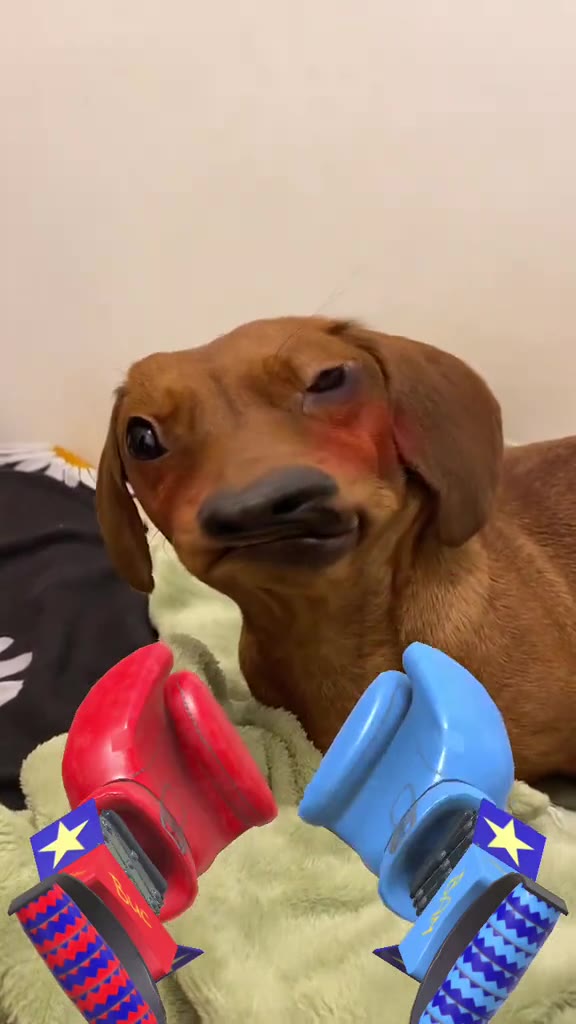
Glove Knock, also called the DunPig Effect or the boxing glove filter, is a live TikTok camera effect: a red and a blue cartoon boxing glove, each on a metal spring, sit at the bottom of the screen and take turns shooting up to bonk the face in frame. To make it from your own photo, upload one picture of you or your pet to videosi and it renders a finished 12-second Glove Knock video with the gloves and the original sound; there is nothing to film and no prompt to write. After each hit the face squashes and stretches like rubber, the cheeks go red and puffy, and stars spin over the head. People point it at themselves, their dad, their partner, their baby or, most of all, their dog or cat, who has no idea what is happening.
The posts are tagged #DunpigEffect, and the earliest we found come from the account that launched the effect: the first #DunpigEffect post is dated 2026-11-17. That account's most viewed clip, posted on 2026-11-19, a woman in fleece pajamas getting knocked around her living room, had about 26.6 million views when we checked on 2026-11-28, and a baby clip from 2026-11-18 had about 15.5 million. Tutorials calling it the Glove Knock AI trend or the boxing glove filter followed from 2026-11-21 to 2026-11-23, and our trend radar moved glove knock to spreading on 2026-11-25.
Most posts keep the effect's original sound, a short punch-and-boing track that comes with the effect; some pet clips swap in their own music. The video you download from videosi comes with the sound of the scene you pick, lined up with the punches.
The real effect runs live on your camera, so you need the person or pet in front of you. videosi rebuilds it as a finished 12-second video from one photo with ByteDance's Seedance model: pick the face knock scene for a person or the pet scene for a cat or dog, and the gloves, the squash and the blush are added for you. The rubber-face squash is the hardest part for the model: some renders squash the face clearly, others only push the cheek, so treat it as a close version of the effect, not an exact copy.
What happens in the Face knock video, shot by shot?
- 0–1 s
Gloves ready
You look into the camera with the red and blue spring gloves waiting at the bottom of the frame.
- 1–3 s
First bonk
The blue glove springs up and hits your cheek; one eye squints shut.
- 3–5 s
Red hook
The red glove swings in from the other side and knocks your head sideways.
- 5–9 s
Rubber face
More hits land; your face squashes and stretches like rubber and your cheeks turn red and puffy.
- 9–12 s
Dizzy finish
A last blue punch, you wobble dizzily and turn away from the camera.
How do you get the best Glove Knock AI video?
Face the camera
The gloves hit the cheeks, so a straight-on face close to the camera gives the clearest knock and the best likeness.
Good light
Daylight keeps your skin tone or your pet's coat. Dark or blurry photos drift toward the person or dog in the reference.
One face only
Crop to the one person or pet you want knocked. Two faces in the photo can merge into one.
Pets: eyes in view
For a dog or cat, use a photo where both eyes and the nose are visible; side views lose the markings.
What should you know before making the Glove Knock AI video?
- This is a video made from your photo, not the live TikTok effect: you cannot react in real time.
- The squash and stretch is cartoon warping; how strong it looks varies from render to render.
- Likeness is not guaranteed, especially during the hardest hits when the face is most distorted.
How much does the Glove Knock AI video cost?
- On a new account, this video costs $8.90, a one-time payment with no subscription: the first video takes 10 credits, covered by the Single pack (10 credits).
- From then on, this 12-second video is 10 credits on the Standard model at 720p. Other models and resolutions show their price before you start.
- There is no free generation on this page. Every account gets one free 5-second Muse video (watermarked, view only) and one free watermarked image in the AI tools. Credit packs start at $8.90 for 10 credits and never expire; plans start at $29.90 a month.
- Purchases are final. A failed, timed-out or blocked render returns its credits automatically.
- You pick the model before you generate: Seedance 2.0 Mini (Standard), Seedance 2.0 Fast (Fast), Seedance 2.5 Flash (Pro), Seedance 2.5 (Ultra).
Glove Knock AI: more questions
What is the Glove Knock trend on TikTok?
Glove Knock is a live TikTok camera effect, also called the DunPig Effect or boxing glove filter, in which two cartoon boxing gloves on springs punch the face in frame until it squashes; videosi makes a 12-second version from one photo. The first #DunpigEffect post is dated 17 Nov 2026, and the most viewed one had about 26.6 million views on 28 Nov 2026.
How do I make a Glove Knock video from a photo?
Upload one photo to videosi, pick the Face knock scene for a person or Pet gets knocked for a dog or cat, choose 9:16, 1:1 or 16:9 and press Generate. You write no prompt. The 12-second clip takes several minutes and is saved in My creations if you close the page.
Is there a Glove Knock AI video generator or website?
Yes: videosi (videosi.io) is a Glove Knock AI video generator that turns one photo into a 12-second clip with the spring boxing gloves, the rubber-face squash and the original punch sound built in. There is no prompt to write, and the MP4 has no watermark.
How do I get the Glove Knock filter on TikTok?
Glove Knock is a live TikTok camera effect tagged #DunpigEffect; tutorials from 23 Nov 2026 open it from a post that uses it, and some point to a CapCut template, which we have not confirmed. It only works on someone in front of your camera. To make the clip from a photo, videosi renders a 12-second version from one picture. videosi is not affiliated with TikTok or CapCut.
What AI model makes the Glove Knock video?
The videosi Glove Knock video is made with ByteDance's Seedance model (Seedance 2.0 Mini by default; Fast, Pro and Ultra are one click away) from a short replace prompt plus a 12-second motion reference of the real effect. Doing it yourself takes several tries because the model keeps the reference face or loses the gloves. Seedance does not always reproduce the full rubber-face squash; some renders show only a light squash.
Why doesn't the face in my Glove Knock video look like me?
On videosi the Glove Knock video takes your look from 1 photo, so a mismatch usually comes from that photo: a side view, sunglasses, two faces in frame or poor light. The face is also squashed on purpose after each hit, so likeness is weakest at the hardest punches. Use one sharp, front-facing photo.
Can I do the Glove Knock filter on my dog or cat?
Yes. Pick the Pet gets knocked scene on videosi and upload one photo of your dog or cat; the 12-second clip keeps its fur and markings while the gloves bonk its cheeks. Dogs and cats are the most common Glove Knock subjects on TikTok. Use a photo of your own pet or one you have the right to use.
What does Glove Knock mean?
Glove Knock means the TikTok effect in which red and blue cartoon boxing gloves on springs knock the face on screen, posted with #DunpigEffect from November 2026; videosi makes it from one photo. The joke is the deadpan or confused face, human or pet, taking hit after hit as it squashes like rubber.
Is Glove Knock the same as the boxing glove effect or the DunPig Effect?
Yes. Glove Knock, the boxing glove effect, the boxing glove filter and the DunPig Effect (#DunpigEffect) are names for the same TikTok camera effect from November 2026, with red and blue cartoon gloves on springs punching the face. videosi makes it as a 12-second video from one photo of a person or a pet.
What sound is used in Glove Knock videos?
Most Glove Knock posts use the effect's original sound, a short punch-and-boing track that comes with the effect, and the 12-second videosi video comes with that sound lined up with the punches. We found no song title for it, and some pet clips use their own music.
Is the Glove Knock trend still trending?
As of 28 Nov 2026 the Glove Knock trend is spreading: the first #DunpigEffect post is from 17 Nov 2026, the two most viewed (about 26.6 and 15.5 million views on 28 Nov) from 18–19 Nov, tutorials followed on 21–23 Nov, and our radar moved it to spreading on 25 Nov. A videosi version made now is still early in the wave.
Can I put my dad or a friend in a Glove Knock video?
Yes, if you have their OK: videosi makes the 12-second Glove Knock clip from one photo of whoever you upload. Pranking dads and partners is one of the most common Glove Knock formats. The punches are cartoon slapstick with no injury, and you should label the post as AI-generated.
Trending this week
All trends this week



Go deeper on Glove Knock AI
Make your Glove Knock AI video
Two cartoon boxing gloves on springs pop up and bonk your face until it squashes like rubber. One photo of you or your pet is all it takes.
Get the next trend first
One email when new trends land on videosi, about once a week. Unsubscribe in one click.
See videosi first on Google
Add videosi as a preferred source and our trend pages show up first in your Top Stories and AI answers on Google.