WWE AI Video Generator: Jump the Barrier and Win the Match
You stand in the front row of a packed arena, vault the barrier, climb into the ring and drop the wrestler on the mat. One photo of you is enough; add a friend's photo to make them the wrestler.
Updated : Page published.
1Add up to 2 photos, one person each
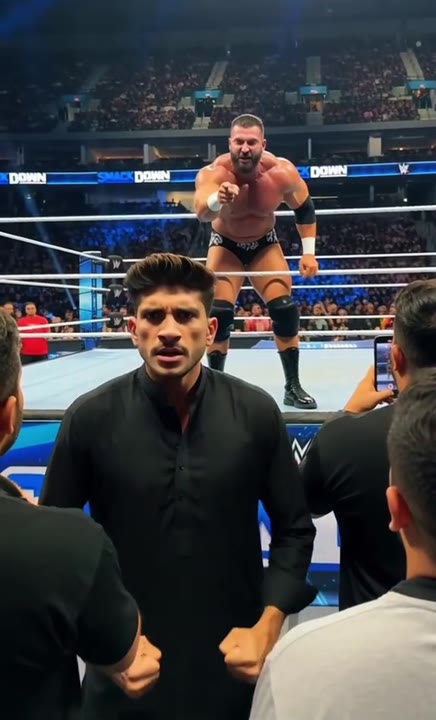
Photo 1 · You, the fan who jumps in
What you'll get
Trend remakes · inspiration only
Front-facing, well-lit selfies work best. One face per photo; they don't need to be taken together.
2Choose quality
By generating you confirm you have permission to use the people in your photos. Terms
No subscription needed · Ready in 4–6 minutes · Failed renders are free
A WWE AI video, also searched as "WWE fight AI", is a 15-second clip in which a fan in the front row of a wrestling arena jumps the barrier, climbs into the ring and knocks the wrestler flat; videosi makes it from one photo of you.
1 photo (up to 2) in, a 15-second video out with the trend's original sound, no watermark. $8.90 for the first video on a new account, a one-time payment with no subscription. Ready in 4–6 minutes.
- Fast facts
- First seen
- Stage
- Just starting
- Started on
- TikTok (unconfirmed)
- Sound
- Most posts keep the template's short instrumental bed labelled 'original sound'; its title is not confirmed.
- Meaning
- The WWE AI video trend, also called WWE fight AI, is an AI-made clip in which an ordinary fan jumps from the front row into a wrestling ring and beats the professional wrestler.
- Related trends
- WWE Tag Team Partner AI Photo, Bathroom Fight AI, Shadow Boxing AI, Boxing Dog AI
Page updates
- November 26, 2026 — Page published.
What prompt and AI model make the WWE AI Video?
WWE AI Video is made with Seedance 2.0 / 2.5 by ByteDance. The prompt behind it has 5 parts, and the timing is what makes or breaks it.
- Model
- Seedance 2.0 / 2.5
- Mode
- Photo + motion reference to video
- Length
- 15 seconds, 9:16, 1:1 or 16:9
- Input
- 1–2 photos
- Who gets replaced The front-row fan becomes the person in your photo; the wrestler becomes your friend's photo or an unknown wrestler.
- Motion reference A 15-second clip of the trend supplies the barrier jump, the exchange of blows and the slam.
- Scene A packed arena with the ring, ringside fans and phones, kept from first shot to last, with plain apron signs.
- Action One sentence names the beats that matter: yell, vault, rush in, slam, stand over the wrestler.
- Limits A staged comedy match: no blood, no injuries, no text or watermark.
Replace the young man with dark swept-back hair in the long black shirt and black trousers, who stands in the front row, jumps the barrier…
Why it goes wrong when you do it yourself
- Without a reference the model never shows the barrier jump and starts the clip inside the ring.
- During the slam the two bodies tangle and your face drifts onto the wrestler, or the other way round.
- The reference wrestler's beard and build survive unless the prompt names them for removal.
- Each try costs credits and a few minutes, and the takedown often needs several tries to look clean.
More videos from this trend
These clips were made and posted by other creators, not by videosi. Credits link to the original posts.
How do you make the WWE AI Video?
Add your photo
Photo 1 is you, the fan who jumps into the ring. Face the camera, head and shoulders in frame.
Add a friend (optional)
Add photo 2 to make a friend the wrestler you beat. Leave it empty and you fight an unknown wrestler.
Pick the model and format
Choose the model and resolution, then 9:16 for TikTok, Reels and Shorts, 1:1 or 16:9.
Generate and post
Press Generate. The 15-second MP4 has no watermark and the trend's sound already on it. Add the platform's AI label when you post.
What are the ways to make the WWE AI Video?
| Way | Cost | What you need | What you get |
|---|---|---|---|
| videosi (this page) | $8.90 for the first video, one-time, no subscription | 1 photo (up to 2) | A 15-second video with the trend's original sound, no watermark, ready in 4–6 minutes. |
| CapCut AI wrestling ring template | Not checked; depends on CapCut's plan | The CapCut app and one photo of you | The template behind most clips since 19 Nov 2026; tutorials show it in CapCut's AI section. |
| Your own prompt in an AI video model | Paid per attempt on the model's site | A reference clip, your photo, a written prompt, several tries | Without a reference the barrier jump is skipped or your face drifts into the wrestler's during the slam. |
Compared on November 26, 2026.
What is the WWE AI Video trend?
Updated · videosi is an independent tool. It is not affiliated with TikTok, Instagram, YouTube, or with the owners of any trend, song, game or brand named on its pages.
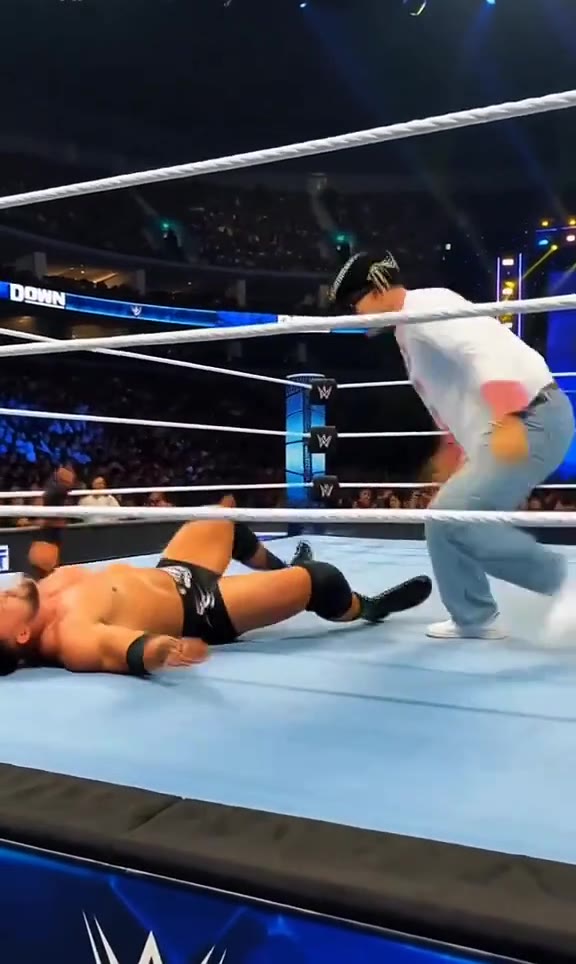
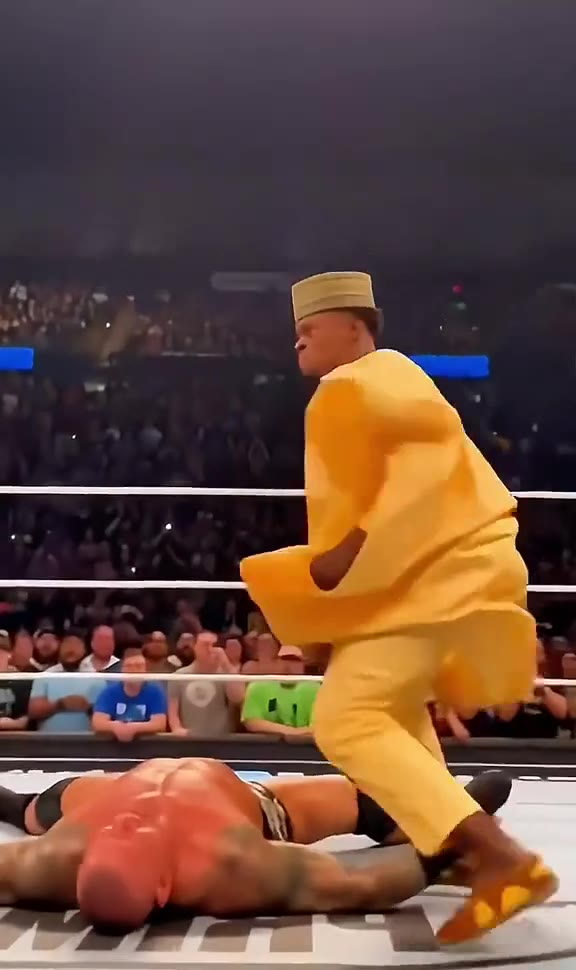
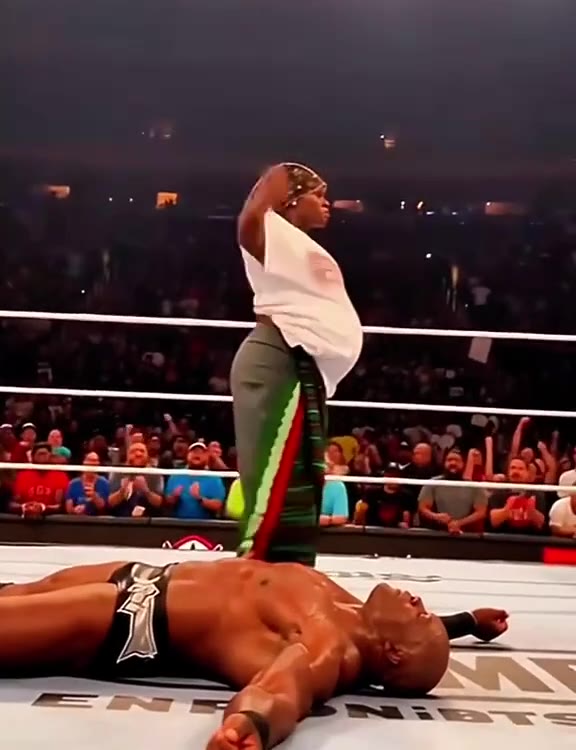
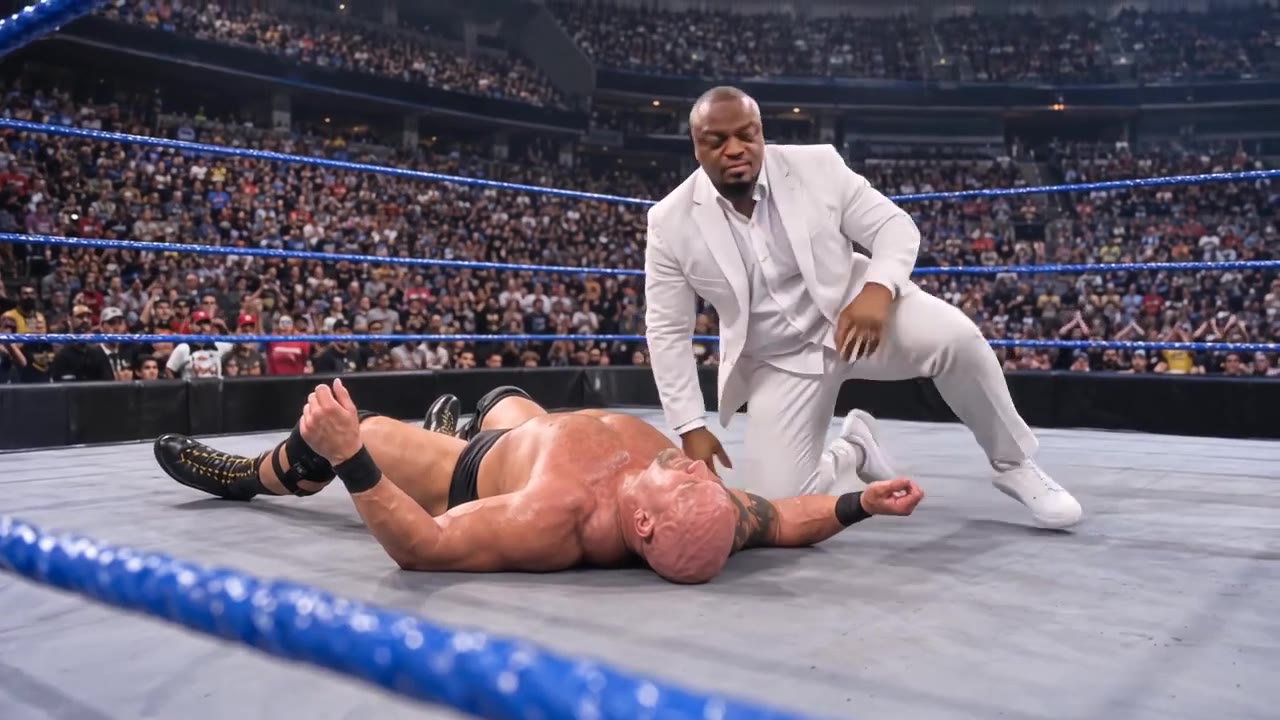
The WWE AI video trend, also searched as "WWE fight AI", is a short, fake wrestling-arena clip in which an ordinary fan jumps from the front row into the ring and beats the wrestler; on videosi you make it from one photo of yourself. It opens on the fan in the front row, shouting at a muscular wrestler who is posing in the ring. The fan vaults the barrier, scrambles under the ropes, trades blows with the wrestler and flips him onto the mat, then stands over him with fists in the air while the crowd films on their phones.
The clips are made with an AI template rather than filmed. The version we found most often appeared on TikTok from 19 November 2026, with remakes and how-to videos following over the next days, many in French and Spanish as well as English. An earlier wrestling template from late September 2026 put people in the ring against The Undertaker. The format has only just started to spread.
There is no single song: most posts keep the template's own short music bed, and we have not confirmed its title.
On videosi you upload one photo of yourself and, if you like, a second photo of a friend to play the wrestler. The result is a 15-second MP4 with the trend's sound on it. It plays as a staged comedy match, with no blood and no injuries, and the arena signs are plain rather than WWE-branded.
What happens in the WWE AI Video, shot by shot?
- 0–3 s
The stare-down
You stand in the front row, fists clenched, shouting at the wrestler who points back from the ring.
- 3–6 s
Over the barrier
You lunge past the fans filming on phones and vault the barrier toward the ring apron.
- 6–9 s
In the ring
Wide shot from ringside: you square up to the wrestler and trade blows in the middle of the ring.
- 9–12 s
The slam
You grab him and flip him onto the mat with a big takedown.
- 12–15 s
The win
The wrestler lies flat while you stand over him, fists raised, and the crowd cheers.
How do you get the best WWE AI Video?
Use a sharp front-facing photo
The clip opens on a close shot of your face, so a clear, evenly lit face carries the likeness through the whole match.
Show your shoulders and clothes
Your clothes come from the photo. A tight face crop leaves the model to invent your outfit.
Pick a friend who looks different
Different hair or build keeps the two of you apart when you grapple and fall.
Leave sunglasses and hats off
Covered eyes make the face drift once the camera moves to the wide ring shot.
What should you know before making the WWE AI Video?
- The clip is 15 seconds with one fixed story: front row, barrier jump, fight, slam, victory pose. You do not pick the moves.
- It is a staged comedy match: no blood, no injuries and no weapons. The arena signs are plain, not WWE-branded.
- Hands and the tangle of bodies during the slam are where invented detail shows first, and likeness is not guaranteed.
- The video comes with the trend's sound already on it.
- Use photos of adults who agreed to appear. This is not affiliated with WWE.
How much does the WWE AI Video cost?
- On a new account, this video costs $8.90, a one-time payment with no subscription: the first video takes 10 credits, covered by the Single pack (10 credits).
- From then on, this 15-second video is 13 credits on the Standard model at 720p. Other models and resolutions show their price before you start.
- There is no free generation on this page. Every account gets one free 5-second Muse video (watermarked, view only) and one free watermarked image in the AI tools. Credit packs start at $8.90 for 10 credits and never expire; plans start at $29.90 a month.
- Purchases are final. A failed, timed-out or blocked render returns its credits automatically.
- You pick the model before you generate: Seedance 2.0 Mini (Standard), Seedance 2.0 Fast (Fast), Seedance 2.5 Flash (Pro), Seedance 2.5 (Ultra).
WWE AI Video: more questions
What is the WWE AI video trend?
The WWE AI video trend, also called WWE fight AI, is a 15-second AI clip in which a fan in the front row of a wrestling arena jumps the barrier, climbs into the ring and slams the wrestler. The format we found most often appeared on TikTok from 19 November 2026. videosi makes it from one photo of you.
How do I make a WWE AI video of myself?
To make a WWE AI video on videosi, upload 1 photo of yourself, optionally add a friend's photo as the wrestler, pick the model and the 9:16, 1:1 or 16:9 format, and press Generate. The 15-second video renders in a few minutes, and you write no prompt.
Is there a WWE AI video generator website?
Yes. videosi (videosi.io) is a web tool that makes the WWE AI ring-rush clip from 1 photo, or 2 if a friend plays the wrestler. The shots and the prompt are built in, so you choose only the photos and the format, and you get a 15-second MP4 with no watermark.
Is there a WWE AI filter on TikTok or a CapCut template?
Most clips in November 2026 come from a CapCut AI template, judging by the tutorials; it is not a live TikTok filter. videosi is independent and not affiliated with TikTok, CapCut or WWE. On videosi you add 1 photo in a browser and download a 15-second MP4 with the trend's sound on it.
What AI model or prompt makes the WWE AI video?
The WWE AI video on videosi is made with ByteDance's Seedance video model (Standard, Seedance 2.0 Mini, by default; Fast, Pro (Seedance 2.5 Flash) and Ultra (Seedance 2.5) are one click away) from a short replacement prompt plus a 15-second reference of the ring rush. Doing it yourself usually takes several tries because the barrier jump gets skipped. On videosi the prompt is built in.
Why doesn't my WWE AI video look like me?
On videosi, the WWE AI video loses likeness most often when the photo is small, dark or covered by sunglasses, because the camera moves from a close shot to a wide ring shot within 15 seconds. Use 1 sharp, front-facing photo with your shoulders in frame, and a friend's photo that looks clearly different from yours.
Can I make my friend the wrestler I beat?
Yes. The WWE AI video page on videosi takes an optional second photo: whoever is in photo 2 becomes the wrestler you take down, so it is a me-vs-my-friend video in 15 seconds. Use adults who agreed to it, and leave photo 2 empty to fight an unknown wrestler instead.
Can I fight a real WWE wrestler like The Undertaker?
Not on videosi: the WWE AI video replaces the wrestler with your friend's photo or an unknown, made-up wrestler, and the arena signs are plain. That keeps the 15-second video clear of real wrestlers' likenesses and WWE branding. Post it with the platform's AI label.
What does the WWE AI video trend mean?
The WWE AI video trend, or WWE fight AI, means an AI-made clip in which an ordinary fan jumps from the front row into a wrestling ring and beats the professional wrestler. The joke is the underdog win in front of a cheering crowd. videosi makes the 15-second version from 1 photo.
What song is used in the WWE AI video trend?
There is no confirmed song for the WWE AI video trend as of November 2026. Most posts keep the template's short instrumental bed labelled 'original sound', and some creators swap in their own music. The videosi video comes with that sound already on it, so you can post it as it is.
Is the WWE AI video trend still trending?
Yes, it is just starting. As of 26 November 2026 the WWE AI video trend is emerging: the ring-rush clips we found date from 19 November 2026, with remakes and tutorials still appearing in several languages. videosi has the 15-second version ready.
Trending this week
All trends this week



Make your WWE AI Video
Upload two photos and press Generate. 13 credits, refunded if it fails.
Get the next trend first
One email when new trends land on videosi, about once a week. Unsubscribe in one click.
See videosi first on Google
Add videosi as a preferred source and our trend pages show up first in your Top Stories and AI answers on Google.