Christmas Princess Carriage AI: Step Out of the Carriage as the Princess
A glittering heel steps out of a glass carriage onto the snow, the skirt swings, and the princess turns to camera in a Christmas ball gown. One photo of you is all it takes.
Updated : Page published with three gowns: red velvet, silver moonlight and emerald forest.
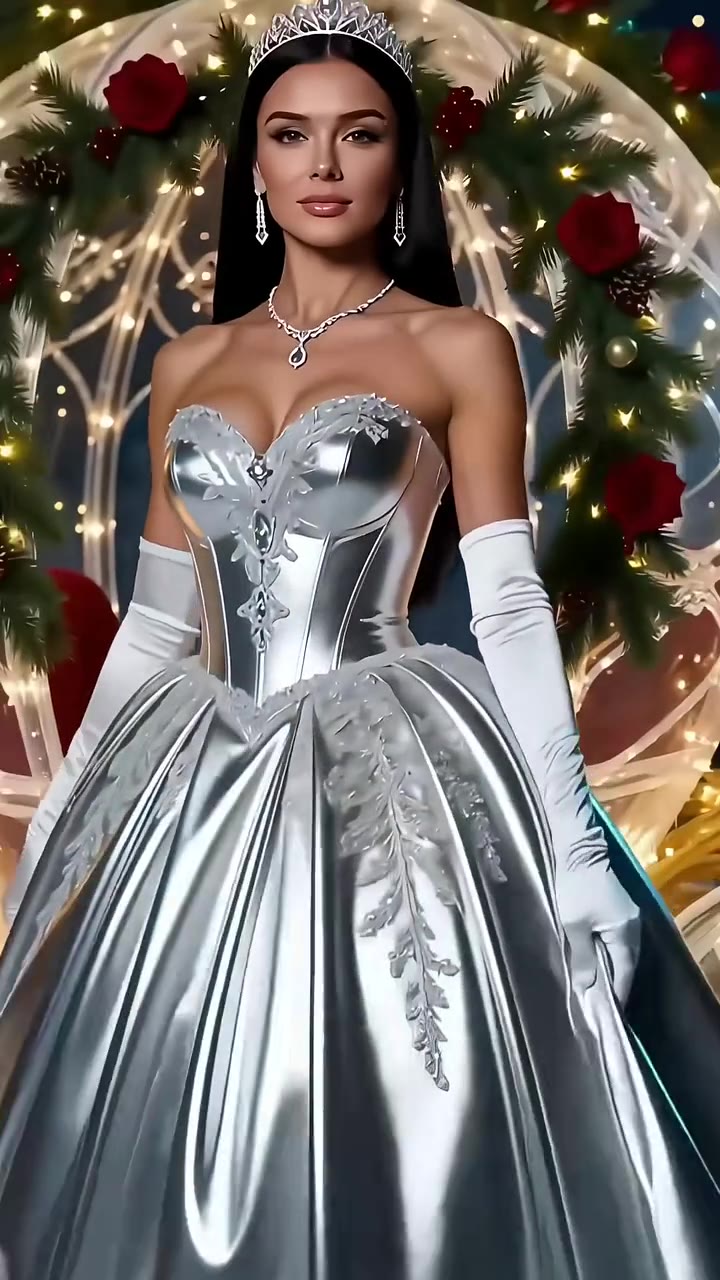
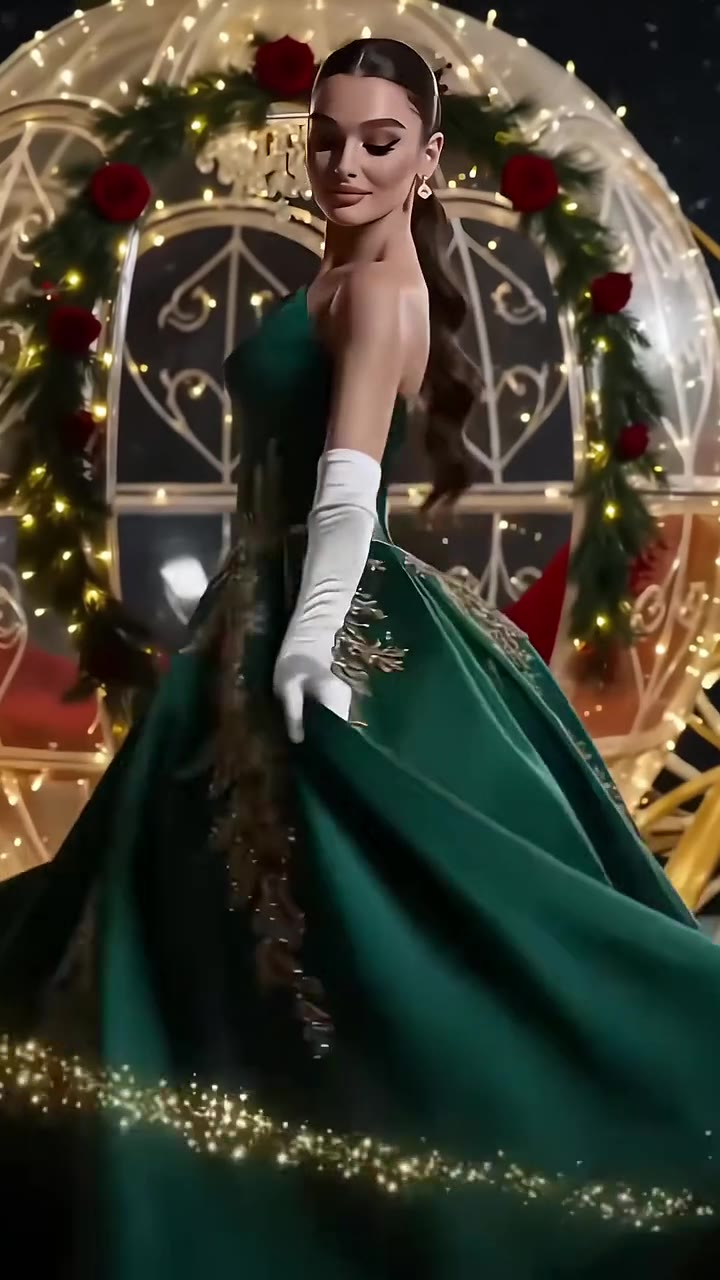
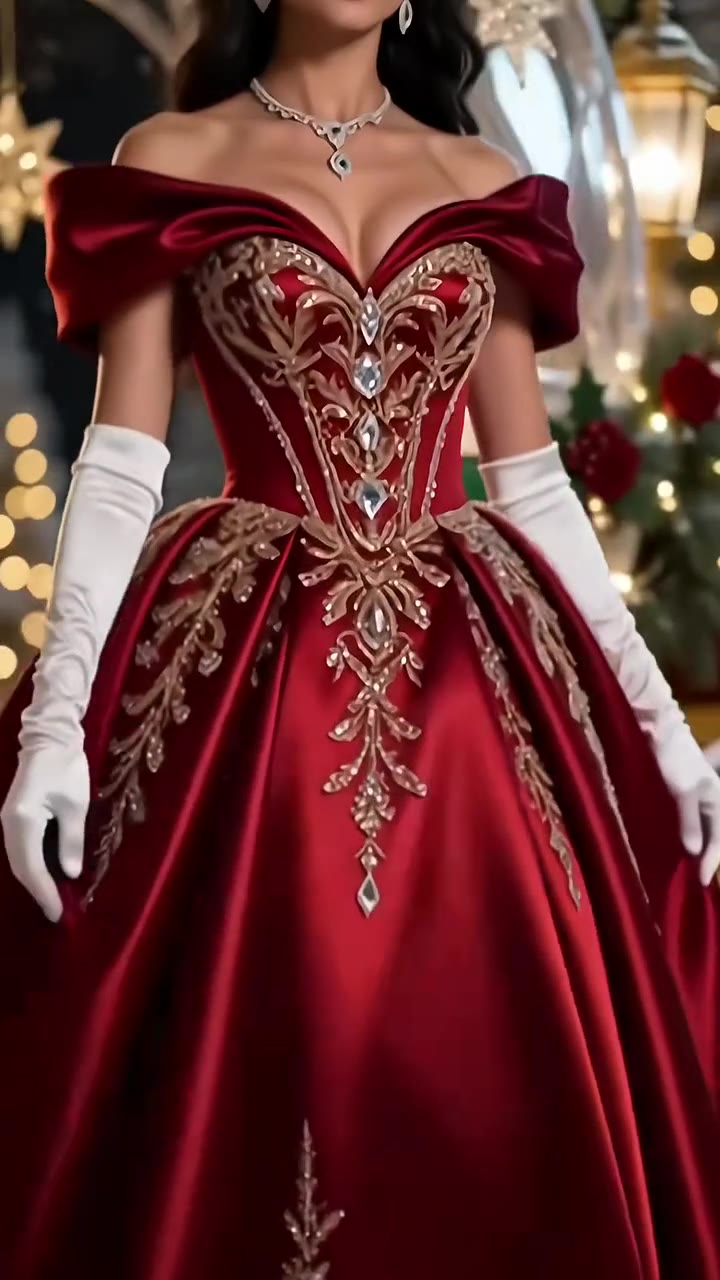
1Add your photo
What you'll get
Front-facing, well-lit selfies work best. One face per photo.
Choose your video3
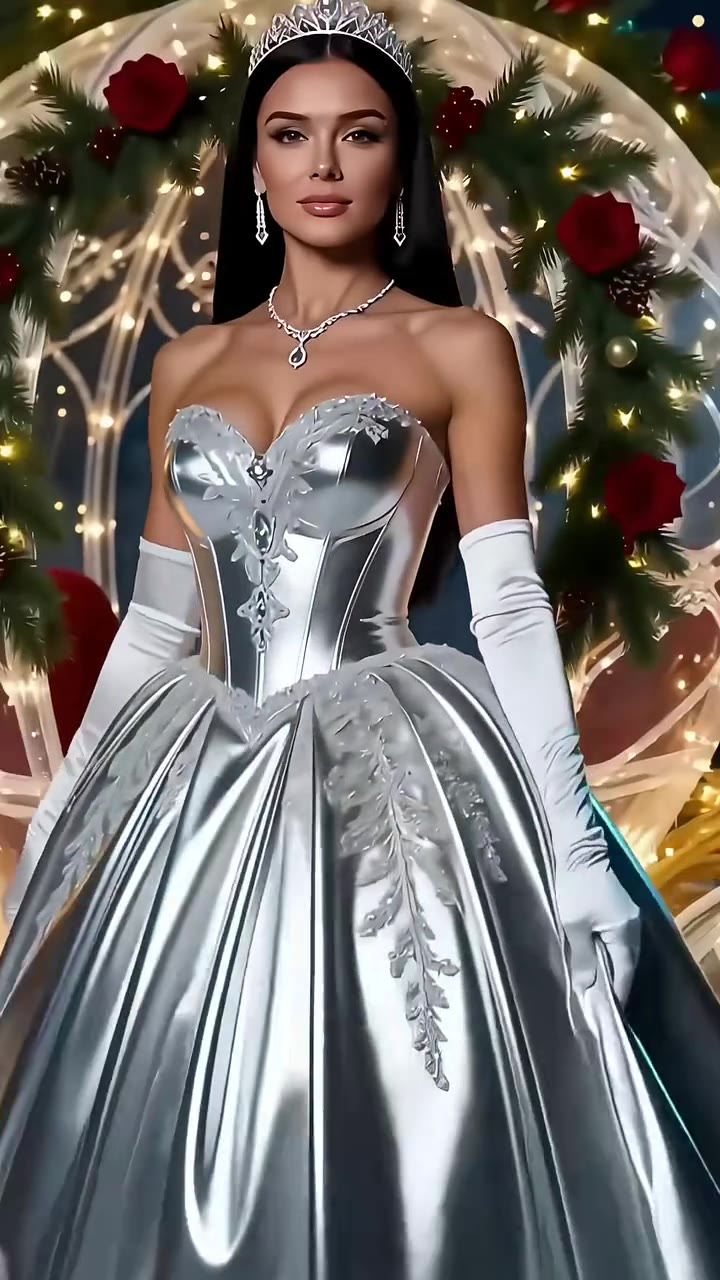
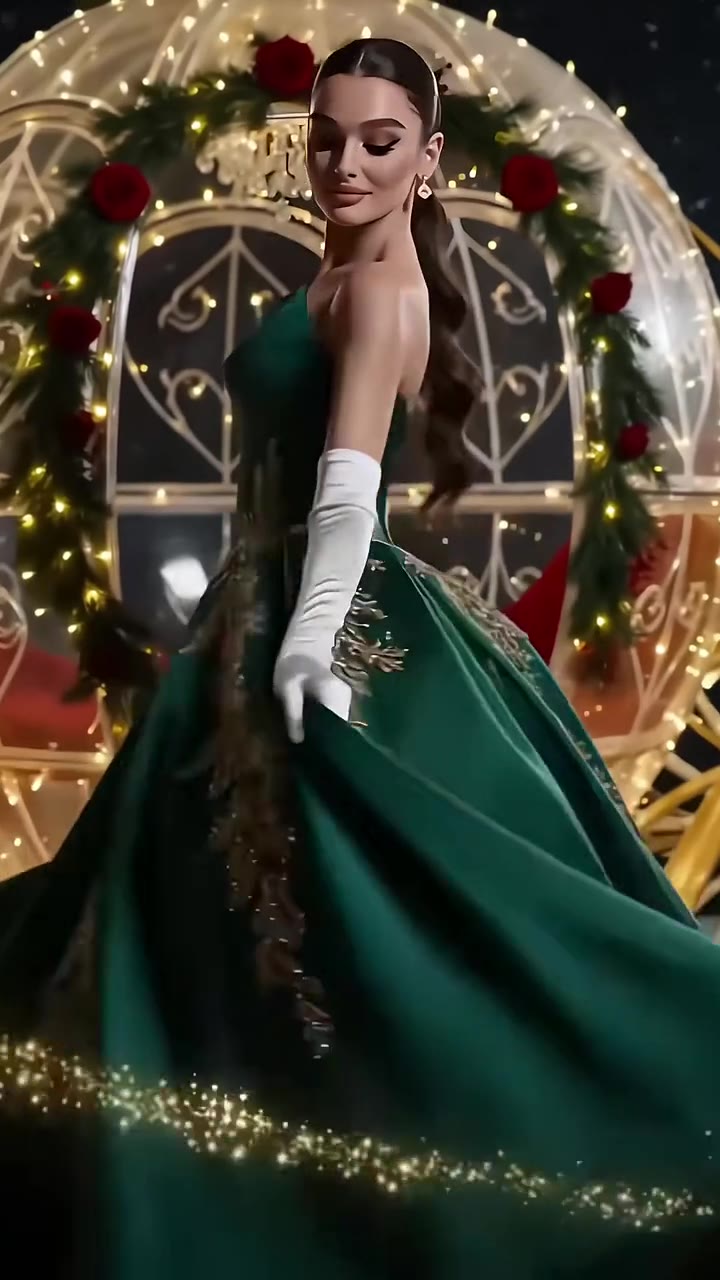
Your video template · Red velvet gown · 11s
2Choose quality
By generating you confirm you have permission to use the people in your photos. Terms
No subscription needed · Ready in 4–6 minutes · Failed renders are free
The Christmas princess carriage trend is a 9 to 11 second AI video in which a woman steps out of a glass carriage onto the snow in a Christmas ball gown and spins for the camera; videosi makes it from one photo of you.
- Fast facts
- First seen
- Stage
- Just starting
- Started on
- TikTok (unconfirmed)
- Sound
- No single sound: each post has its own voice-over or background music.
- Meaning
- The Christmas princess carriage trend is a short AI video in which a woman steps out of a glass carriage onto the snow in a Christmas ball gown and spins for the camera, shown on TikTok as a Christmas princess transformation from the carriage.
- Related trends
- AI Christmas Video, Christmas Pajamas Dance AI, Christmas PFP AI, AI Elf Dance
Page updates
- November 17, 2026 — Page published with three gowns: red velvet, silver moonlight and emerald forest.
The Christmas Princess Carriage AI prompt and model
Christmas Princess Carriage AI is made with Seedance 2.0 / 2.5 (you pick the tier) by ByteDance. The prompt behind it has 5 parts, and the timing is what makes or breaks it.
- Model
- Seedance 2.0 / 2.5 (you pick the tier)
- Mode
- Photo + motion reference to video
- Length
- 9 to 11 seconds depending on the gown, 9:16 or 16:9
- Input
- 1 photo
- Who is replaced The instruction names every woman in the reference by hair, gown and accessories and hands that part to your photo.
- What stays The carriage, the snow, the gown, the gloves and the heel shots are named as staying, with the same shot order and timing.
- What must go The original women's faces, hair and skin tone, including on the legs and hands, are named so they do not remain.
- Your likeness A short sentence keeps the age and face of your photo in every shot.
- Format and sound The ratio you pick, and the clip is silent because the trend has no single song.
Replace every woman, both the woman with long wavy blue hair and a crown and the dark-haired woman with a tiara, in the red satin off-the-shoulder ball gown with gold embroidery…
Why it goes wrong when you do it yourself
- Without a reference clip the model invents the carriage and gown differently every time and the heel-to-portrait shot order is lost.
- A plain photo prompt leaves the original woman's hair and skin on the hands and legs, so the close-ups do not match your face.
- Gloved hands, ankle straps and gown embroidery are easy to bend or smear without a reference to follow.
- Each try costs model credits and several minutes, and most people need a few tries to get the spin right.
More videos from this trend
How to make your Christmas Princess Carriage AI video
Upload one photo of yourself
Face to the camera, head and shoulders in frame, even light. Your face, hair and skin tone are taken from the photo; the gown is the trend's.
Pick your gown and the format
Red velvet (11 seconds), silver moonlight (10 seconds) or emerald forest (9 seconds), each with its own carriage reveal. Choose 9:16 for TikTok, Reels and Shorts.
Generate and download
Press Generate and the carriage reveal is rendered for you. The clip is silent because the trend has no single song, so add your own Christmas track in the app you post from.
What is the Christmas Princess Carriage AI trend?
Updated · videosi is an independent tool. It is not affiliated with TikTok, Instagram, YouTube, or with the owners of any trend, song, game or brand named on its pages.
The Christmas princess carriage trend is a short AI clip that starts at the feet. A sparkling heel steps out of a carriage made of glass and fairy lights onto fresh snow, a gloved hand lifts the hem of a satin ball gown, and the camera climbs up to a princess in white opera gloves who turns and spins in front of the carriage. It is built from close shots of the shoe, the skirt and the face, and it ends on a twirl so the gown fills the frame.
TikTok posts using the trend started on 4 November 2026 in the clips we found, and most of them are tutorials in Spanish, Portuguese, Tagalog, Russian and English showing how to copy the look with a CapCut AI template. The most-viewed post we found had about 1.1 million views on 17 November 2026. The same template comes in several gowns, red velvet with gold embroidery, silver metallic and emerald green, and the posts do not share one sound: the tutorials use their own voice-over or music, so there is no single confirmed trend song.
Spanish-language posts call it "transformación de princesa navideña desde el carruaje", which is the closest to a trend name, and English posts say "Christmas princess transformation from the carriage". Nobody has confirmed who made the first version; the earliest clips carry a CapCut AI watermark. As of 17 November 2026 the trend is only about two weeks old and still emerging, with Christmas still five weeks away.
This page builds the same carriage reveal with you in the gown. You upload one photo, pick red, silver or green, and videosi makes a 9 to 11 second video for each gown. It is an original AI render with its own princess, not a copy of anyone's clip or of any film character.
Red velvet gown: shot by shot
- 0–3 s
The heel on the snow
The camera starts low on a glittering heel stepping out of the glass carriage onto fresh snow, with sparkles around the shoe.
- 3–6 s
The hem lifts
A white-gloved hand lifts the skirt, the legs step forward and the satin catches the fairy lights.
- 6–8 s
The turn to camera
The princess turns to face the camera in the off-the-shoulder gown, crown or tiara on, then a quick whirl blurs the frame.
- 8–10.6 s
Skirt and spin
One more close shot of the heel and the skirt, then a last portrait and a spin that makes the gown flare around the carriage.
Tips for a better result
Use a clear face photo
The turn to camera shows the face large, so a sharp front-facing photo with the whole face visible gives the best likeness.
Hair that shows
Your own hairstyle is used, so a photo with the hair visible and not under a hat or hood keeps it recognisable in the spins.
Skip big accessories
Sunglasses, masks and large earrings in the photo can drift or vanish when the face turns; leave them out.
Match the gown to the photo
Warm skin tones pop against emerald and red; cooler photos suit the silver gown. Any works, so try two gowns.
Good to know before you make a Christmas Princess Carriage AI video
- The gown, gloves, carriage and heels are fixed by the trend; your photo changes the person, not the dress. Pick another gown by choosing another version.
- Shoes, hands and the hem of the skirt are close-ups, and AI can bend fingers or jewellery there; generate again if a hand looks wrong.
- The clip is silent, because the trend has no single sound; add any Christmas song you like when you post.
- Use a photo of an adult. The gown, gloves and carriage are the same for everyone, so the result suits a ball-gown look best.
Christmas Princess Carriage AI: questions
What is the Christmas princess carriage AI trend?
The Christmas princess carriage trend is a TikTok AI video format first seen on 4 November 2026, in which a woman steps out of a glass carriage onto the snow in a Christmas ball gown and spins. The top post had about 1.1 million views by 17 November. videosi makes a 9 to 11 second version of you from one photo.
How do I make a Christmas princess carriage video from one photo?
Upload one clear photo of your face on videosi, pick the red, silver or green gown and press Generate; a 9 to 11 second carriage reveal is rendered in a few minutes. There is no prompt to write. Your face, hair and skin tone come from the photo, while the gown, gloves and carriage come from the trend.
Is there a website or generator for the Christmas princess carriage trend?
Yes, this videosi page is a generator for the Christmas princess carriage trend: one photo in, a 9 to 11 second 9:16 or 16:9 video out, with three gown versions. It is not a camera filter, and it does not copy anyone else's clip. Credits are charged per video, and the price is shown before you press Generate.
Is the Christmas princess carriage a TikTok filter or a CapCut template?
The posts we found from 4 to 14 November 2026 are tutorials for a CapCut AI template, not a live TikTok filter. The tutorials ask you to copy a link and import your photo inside CapCut. videosi gives the same carriage reveal without leaving the browser, in three gowns, from a single photo.
What AI model makes the Christmas princess carriage video?
videosi uses ByteDance's Seedance 2.0 or 2.5, with a short motion reference of the carriage reveal and one photo of you. You pick the tier and the resolution when you generate. The prompt is kept private; its structure is a replace-the-woman instruction that keeps the carriage, snow and gown and uses your face.
How much does the Christmas princess carriage video cost on videosi?
On videosi, one Christmas princess carriage video costs from 10 credits at Standard 720p, and the exact number for the gown, tier and resolution you pick is shown before you generate. The smallest pack, Single, is $8.90 for 10 credits; credits never expire, there is no subscription needed and no watermark on the download.
Why does my Christmas princess carriage video look different from my photo?
On videosi, most mismatches come from a small or angled face in the photo, hats and sunglasses, or one close-up shot where the AI redraws the face. Use a sharp, front-facing photo with the whole face and hair visible and generate again. The gown always stays the trend's gown, only the person changes.
Can I use someone else's photo or a pet for this trend?
On videosi you can use a photo of anyone who has agreed, such as a friend or family member, but the gown is a ball gown made for a person, so pets do not suit it. Use a photo of an adult, and tell people the clip is AI when you post it, as TikTok asks for AI content.
What does Christmas princess carriage mean?
"Christmas princess carriage" refers to an AI video format, first seen on TikTok on 4 November 2026, in which a woman in a Christmas ball gown steps out of a glass carriage onto the snow and spins. Spanish-language posts call it "transformación de princesa navideña desde el carruaje". It is a fairy-tale look, not a film scene or a branded character, and videosi makes it from one photo.
What song is used in the Christmas princess carriage trend?
There is no single confirmed song for the Christmas princess carriage trend: the roughly 30 posts we checked from 4 to 14 November 2026 used tutorial voice-overs or their own background music, with no shared sound. So videosi delivers the 9 to 11 second clip without music, and you add any Christmas song you like in TikTok or CapCut.
Is the Christmas princess carriage trend still trending?
As of 17 November 2026 the Christmas princess carriage trend is emerging: it was first seen on 4 November, the most-viewed post we found had about 1.1 million views, and Christmas is five weeks away, so it may keep growing into December. This is an early read, not a forecast, and videosi updates the stage on this page when it changes.
Trending this week
All trends this week

Go deeper on Christmas Princess Carriage AI
Make your Christmas Princess Carriage AI video
A glittering heel steps out of a glass carriage onto the snow, the skirt swings, and the princess turns to camera in a Christmas ball gown. One photo of you is all it takes.
Get the next trend first
One email when new trends land on videosi, about once a week. Unsubscribe in one click.
See videosi first on Google
Add videosi as a preferred source and our trend pages show up first in your Top Stories and AI answers on Google.