Vampire AI Video: The Halloween Vampire Transformation, Starring You
You stand still, your skin pales, your eyes turn crimson, your clothes become a gothic cape or velvet gown, and you bare two fangs at the lens. One photo of you is all it takes.
Updated : Page published.
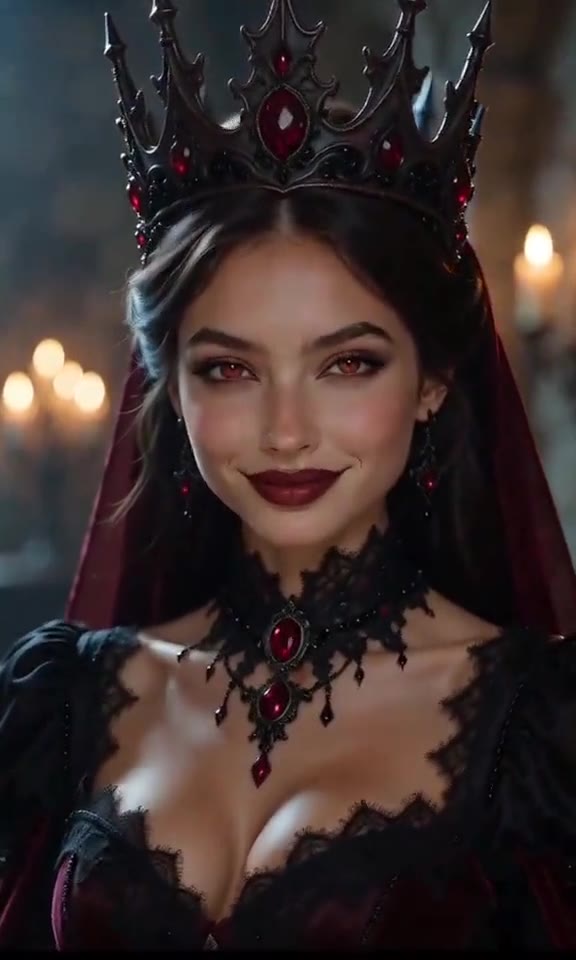
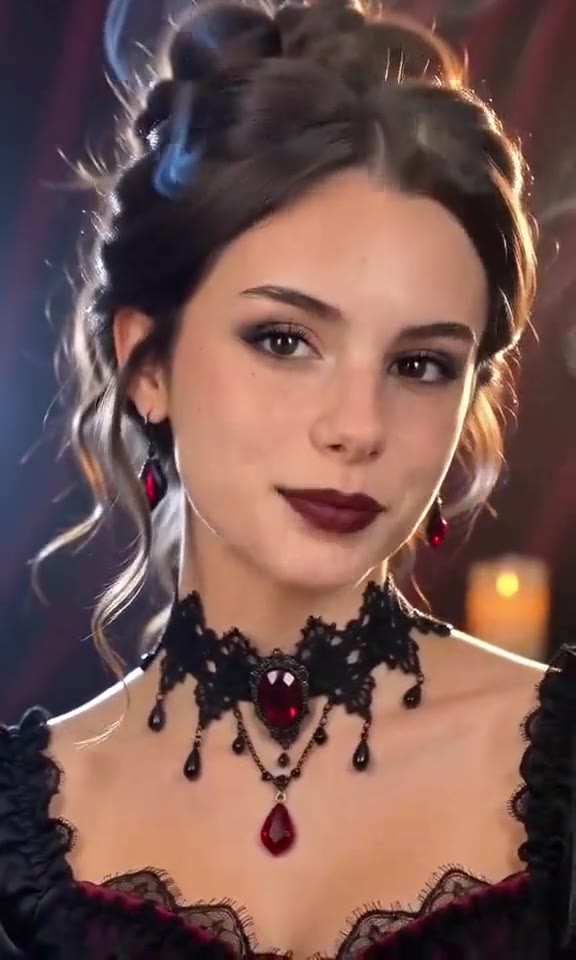
1Add your photo
Front-facing, well-lit selfies work best. One face per photo.
2Place
3Choose quality
By generating you confirm you have permission to use the people in your photos. Terms
In one sentence
The vampire transformation AI trend is a 10-second Halloween video in which a person standing still turns into a vampire on camera, with pale skin, crimson eyes, a gothic cape or velvet gown and a slow fanged smile; videosi makes it from one photo of you.
- Fast facts
- First seen
- Stage
- Just starting
- Started on
- TikTok (unconfirmed)
- Sound
- No single sound: each CapCut template and each creator uses their own audio.
- Meaning
- The vampire transformation AI trend is a short Halloween video, made from one photo, in which a person standing still turns into a vampire on camera: pale skin, crimson eyes, a gothic cape or gown, and a slow smile that shows two fangs.
Page updates
- October 23, 2026 — Page published.
How it is made
The Vampire AI Video prompt and model
Vampire AI Video is made with Seedance 2.0 / 2.5 (you pick the tier) by ByteDance. The prompt behind it has 5 parts, and the timing is what makes or breaks it.
- Model
- Seedance 2.0 / 2.5 (you pick the tier)
- Mode
- Photo + motion reference to video
- Length
- 10 seconds, 9:16, 1:1 or 16:9
- Input
- 1 photo
- Identity lock Your photo is the only source for the face, hair, build and the clothes seen before the change, and the same face has to survive the pale skin, the red eyes and the fangs.
- Motion reference A short clip supplies the staging: standing still, the slow push-in, the moment the room and the outfit change, and the final fanged smile, nothing else.
- Scene and look One of three gothic places, and a vampire look described down to the shade of the skin, the crimson irises, the cape or gown and exactly two fangs.
- Timeline Six beats over 10 seconds, from the calm stand to the red mist to the close-up stare with fangs bared.
- Rules One person only, no victim, no bite, no blood, no cut to a different face, no film-vampire likeness, no text or logos.
Photorealistic cinematic live-action footage, 10 seconds, one continuous take with a slow push-in, dark gothic horror-glamour grade. There is exactly one character and they come from Image 1…
Why it goes wrong when you do it yourself
- Without a motion reference the model cuts straight to a finished vampire instead of changing the person on camera, and the before-and-after is lost.
- The face drifts during the change: the pale skin and red eyes come back on a different person unless the identity lock comes first and is repeated.
- Fangs come out as a full mouth of teeth, and the model adds blood on the lips or neck unless the prompt forbids it.
- Each try costs model credits and several minutes, and most people need several tries before the fangs and the eyes land together.
Vampire AI Video examples
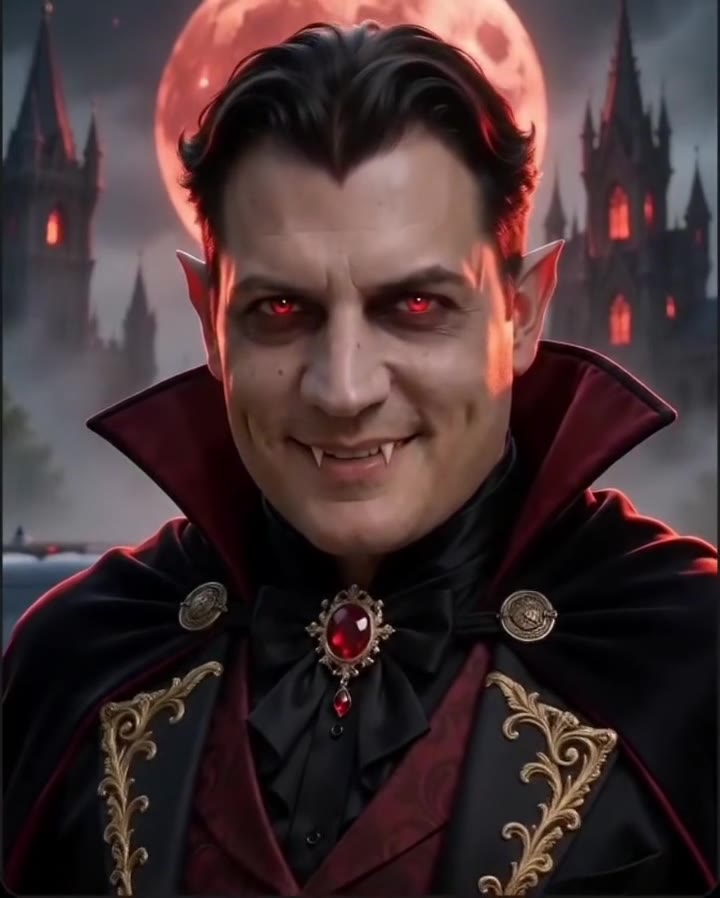
Count under a blood moon
Mirror vampire reveal
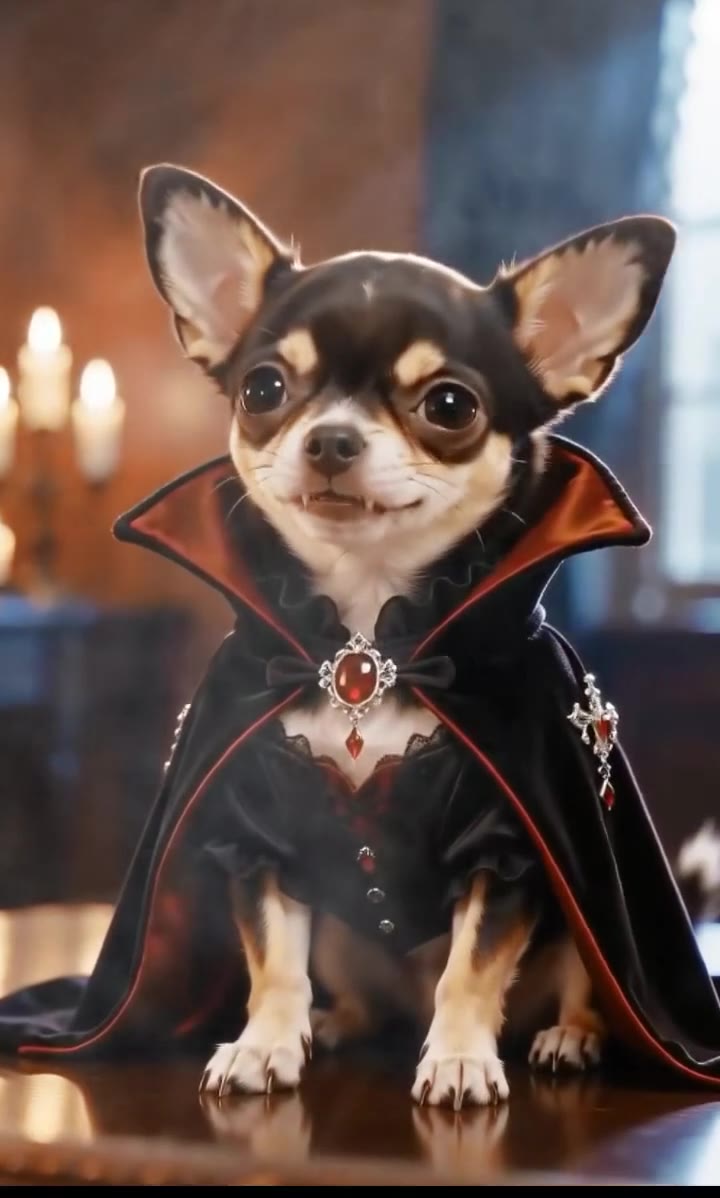
Vampire chihuahua
How to make your Vampire AI Video video
Upload one photo of yourself
Face to the camera, head and shoulders in frame, even light, no sunglasses. The clothes in the photo are what you wear before the change. A photo of your dog or cat works too.
Pick the place and the format
Candlelit hall, blood moon castle or red velvet chamber. Then choose the model and resolution, and 9:16 for TikTok, Reels and Shorts, 1:1 for a square post or 16:9 for a wide cut.
Generate and download
Press Generate and the 10-second transformation is rendered for you. It is a silent MP4 with no watermark, and you can leave the page: the result waits in My creations.
Post it with a Halloween sound
The clip is silent. Add a dark, slow sound or the audio from a vampire clip you liked inside TikTok, Reels or Shorts, and turn on the platform's AI-generated label.
What is the Vampire AI Video trend?
Updated · videosi is an independent tool. It is not affiliated with TikTok, Instagram, YouTube, or with the owners of any trend, song, game or brand named on its pages.
The vampire transformation AI trend is a short Halloween video in which you turn into a vampire on camera. You stand still in your own clothes, the light goes cold and red, your skin pales, your eyes turn crimson, your outfit becomes a high-collared cape or a black velvet gown, and the clip ends on a close-up as you smile and show two fangs. Some versions stage it in a mirror, with the reflection changing first; some add bats, a blood moon or a candlelit hall.
It is a template trend rather than a filmed one. CapCut AI templates named Vampire Transformation, Vampire Awakening and TVD Transformation have been circulating on TikTok since late September 2026, the earliest clip behind this page is dated 24 September, and most posts cluster in the week of 14 to 22 October as Halloween 2026 approaches. Nobody has confirmed who made the first one, and there is no single sound: each template carries its own audio. The high-view versions copy the faces of actors from vampire films and series, which this page does not do.
Nobody films this. The clips are made by an AI video model from one photo, a short reference clip that supplies the staging and the timing, and a written prompt that describes the place and the vampire look. The look here is deliberately clean: paler skin, red irises, darker lips, sleek hair, two small fangs and gothic clothes, with no blood, no bite marks and no victim. It works for men, women and pets, and a dog or cat becomes a vampire of the same breed with a tiny cape.
Halloween 2026 falls on Saturday 31 October. The motion, the places and the prompt are built in, so you choose only the photo, the place and the shape of the video, and post it with whatever sound is trending where you post.
Vampire AI Video: shot by shot
- 0–2 s
The calm stand
You stand still in your own clothes, looking at the camera with a small smile. The room is dim and a faint red mist drifts along the floor.
- 2–3.5 s
Cold light, red eyes
The camera starts a slow push-in. The background deepens to blood red, your skin pales, your irises brighten to crimson and your lips darken.
- 3.5–5 s
Mist and the cape
Red mist swirls up around your shoulders and your outfit becomes a high-collared cape or a velvet gown. Your hair sleeks back and a bat crosses behind you.
- 5–7 s
The slow smile
Mid shot. You tilt your head, lift your chin and smile slowly; two fangs show as your lips part, and one hand rises to the collar.
- 7–8.5 s
The grin
The push-in reaches head and shoulders. The smile widens into a bared-fang grin, the eyes glint red, one slow blink.
- 8.5–10 s
The stare
Close-up. You look straight into the lens with fangs bared and hold it, ready to loop.
Tips for a better result
Use a sharp, front-facing face
The whole clip is one push-in on your face. A sharp, evenly lit photo gives the model something to keep through the pale skin and the red eyes.
Show your hair and shoulders
Hair sleeks back and the outfit changes from the collar down, so the model needs to see both. A tight face crop leaves it to invent them.
Keep your mouth closed in the photo
The fangs appear when the lips part. A closed, relaxed mouth in the photo makes the slow smile read as a change; a wide grin in the photo gives it nowhere to go.
Leave hats and sunglasses off
Anything covering the eyes fights the crimson-eye look and makes the likeness drift during the push-in.
Good to know before you make a Vampire AI Video video
- There is exactly one character: you, or your pet. No second person, no victim, no bite scene. A photo with two faces will confuse it.
- The vampire look is deliberately clean: paler skin, red eyes, two fangs and gothic clothes, with no blood, bite marks or wounds.
- The result is not a film or series vampire. videosi does not copy the likeness of actors, and photos of celebrities are not accepted.
- The video is silent, and likeness is not guaranteed. A failed, timed-out or blocked render returns its credits automatically.
Vampire AI Video ideas and prompts
| Idea | Prompt | |
|---|---|---|
| Count in a candlelit hall | A high-collared cape with blood-red lining, pale skin and red eyes, in a manor hall lined with candelabras and low mist. | |
| Blood moon on the castle terrace | Bats cross a huge red moon over gothic towers while the cape appears and the fangs show. | |
| Gothic queen in red velvet | A black velvet gown with crimson lace and a ruby choker, in a chamber of red velvet curtains and candles. |
Vampire AI Video: questions
What is the vampire transformation AI trend?
The vampire transformation AI trend is a 10-second Halloween video in which a person standing still turns into a vampire on camera: pale skin, crimson eyes, a gothic cape or gown and a slow smile that shows two fangs. It spread through CapCut AI templates on TikTok from late September 2026, with most posts in mid October. videosi makes it from 1 photo.
How do I turn a photo of myself into a vampire video?
On videosi, upload 1 photo of yourself, pick one of 3 places (candlelit hall, blood moon castle or red velvet chamber), choose the model, the resolution and 9:16, 1:1 or 16:9, and press Generate. The 10-second vampire transformation AI video renders in a few minutes as a silent MP4 with no watermark. You write no prompt.
Is there a website or generator for the vampire transformation AI?
Yes. videosi (videosi.io) is a web tool that makes the vampire transformation AI video from 1 photo. The staging, the places and the prompt are built in, so you choose only the photo, the place and the format. A standard 10-second video (Standard model, 720p) is 9 credits, and the MP4 downloads with no watermark.
What is the vampire transformation CapCut template, and is there a free vampire AI filter?
Several CapCut AI templates called Vampire Transformation, Vampire Awakening and similar circulated on TikTok in October 2026, reached through the CapCut anchor under a post; apps change their templates often, so check inside them. videosi is independent and not affiliated with TikTok or CapCut, and it is not free. Its vampire transformation AI page is a web tool: 1 photo in, a 10-second silent MP4 out.
What AI model and prompt make the vampire transformation video, and which model is best?
The vampire transformation AI on videosi is made with ByteDance's Seedance video model (Seedance 2.0 Mini by default; Fast, Pro (Seedance 2.0) and Ultra (Seedance 2.5) are one click away), from a five-part prompt plus a 10-second motion reference clip. Kling and Veo can do a vampire too, but most people need several tries to keep the same face through the change. On videosi the prompt and reference are built in.
How much does the vampire transformation AI cost, and is it free?
The vampire transformation AI on videosi is not free: there is no free generation and no free trial. A standard 10-second video (Standard model, 720p) is 9 credits; better models and higher resolutions cost more. Credit packs start at $6.99 for 10 credits and never expire; plans start at $29.90 a month. Purchases are final; a failed render returns its credits automatically.
Trending this week
All trends this week
More effects like this
All festival effects


Make your Vampire AI Video video
Upload a photo and press Generate. 9 credits, refunded if it fails.
Get the next trend first
One email when new trends land on videosi, about once a week. Unsubscribe in one click.
See videosi first on Google
Add videosi as a preferred source and our trend pages show up first in your Top Stories and AI answers on Google.