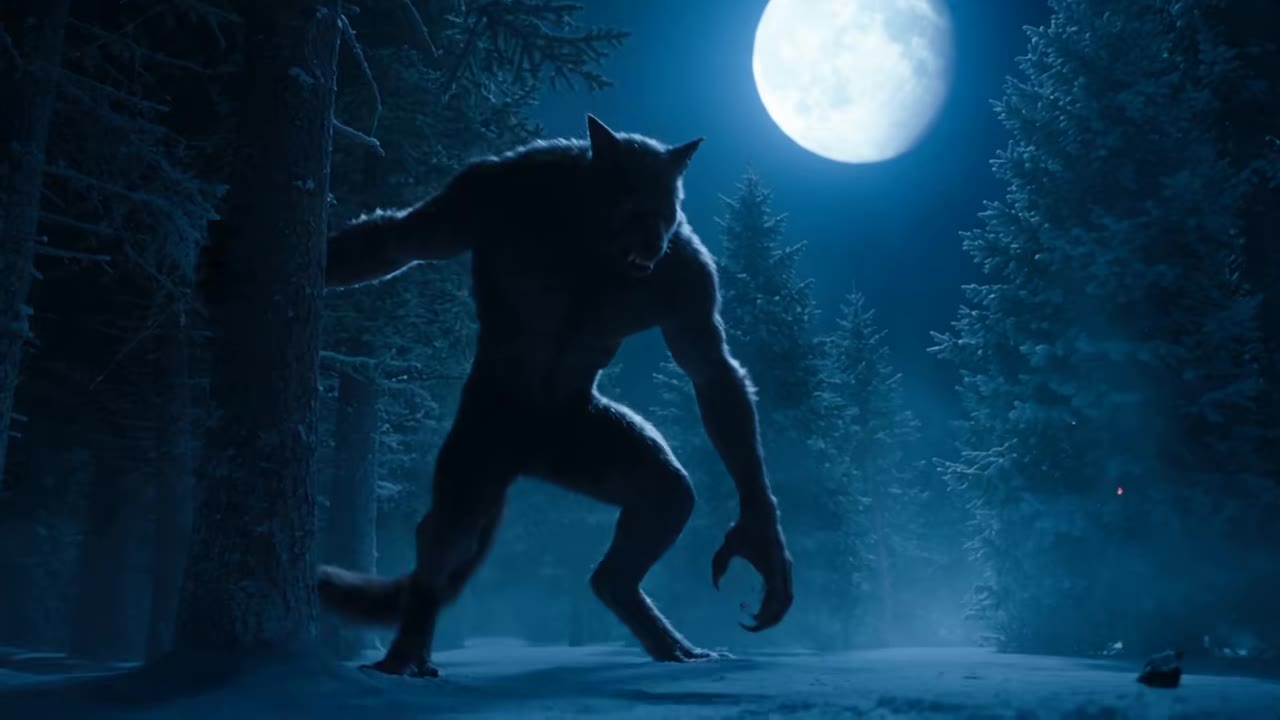
The vampire transformation AI trend is a ten second Halloween video in which a person standing still turns into a vampire on camera, with pale skin, red eyes, a gothic cape and a fanged smile. You make it from one photo: upload yourself or your pet to the vampire transformation AI page on videosi, pick a place, press Generate and download the MP4. This guide answers the questions that come after the basics.
Key takeaways
- One sharp, front-facing photo with an uncovered face gives the best chance of keeping your likeness.
- A Standard 720p 10 second video costs 9 credits, with no free tier. Failed renders return their credits.
- There is no single trending sound, so add your own and turn on the AI label.
- The look is clean on purpose: no blood, no bite, no second person, no celebrity faces.
In this guide
- Which AI model makes the best vampire transformation (Seedance, Kling or Veo)?
- Why does my face change during the transformation?
- What photo works best, and what should I wear?
- How do the CapCut vampire templates differ from a one-photo generator?
- Can the AI make a vampire bite video, and why not?
- How do I make a vampire video of my dog or cat?
- How do I post it on TikTok (AI label, sound, timing before 31 October 2026)?
- Is this the Damon Salvatore or TVD trend?
- What happens to my photo?
- How long does rendering take, and what if it fails?
- Is there a trending sound?
- Will the trend still work after Halloween?
Which AI model makes the best vampire transformation (Seedance, Kling or Veo)?
The trend needs three things at once: one face that survives a big change, a slow camera push-in, and a clean ten-second timeline. That is a reference-driven video job, and it is why videosi uses ByteDance's Seedance model, which accepts an image and a short motion clip as inputs together. Your photo carries the identity and the clip carries the staging.
Kling and Veo can produce a vampire too. Our honest read is that they are harder to steer for this specific shot: most people need several paid tries before the face, the red eyes and the fangs all land in the same clip. Tier choice on videosi is simple. Standard (Seedance 2.0 Mini) is the default, Fast and Pro (Seedance 2.0) sit above it, and Ultra (Seedance 2.5) is the top tier. A Standard 720p 10 second video is 9 credits, and better tiers or higher resolutions cost more.
Why does my face change during the transformation?
The change is the hard part. Pale skin, crimson irises and darker lips move the image away from your photo, and a model that is not told to hold the face will happily drift to a generic handsome stranger. The usual causes are a tight face crop, sunglasses or a hat, a dark or blurry photo, and a wide grin that leaves the fangs nowhere to go.
On the videosi page the identity rule comes first in the prompt and is repeated, and the motion clip supplies timing only, never a face. That reduces drift but cannot remove it, because likeness is not guaranteed in a ten second clip. If the first result looks off, change the photo before you change anything else.
What photo works best, and what should I wear?
Use one sharp, front-facing photo with your head and shoulders in frame, even light and a closed, relaxed mouth. Show your hair and shoulders, because the hair sleeks back and the outfit changes from the collar down. Leave hats and sunglasses off.
What you wear in the photo is what you wear for the first two seconds before the change, so anything works. Men get a high-collared cape over a brocade waistcoat, and a more feminine build gets a black velvet gown with crimson lace and a ruby choker. A photo with two faces will confuse it, since there is exactly one character.
How do the CapCut vampire templates differ from a one-photo generator?
CapCut AI templates named Vampire Transformation, Vampire Awakening and TVD Transformation have been circulating on TikTok since late September 2026. A template is a prebuilt edit: you drop in your media and it fills a fixed structure. CapCut's own guide to AI video templates describes the idea as prebuilt structures with animations and effects where you insert your own media.
A one-photo generator works the other way round. It writes a new video from your photo, so the lighting, the cape and the place are made for you rather than reused from someone else's clip. You also choose the place (candlelit hall, blood moon castle or red velvet chamber) and the format. Templates change often, so check what the app offers today. videosi is independent and not affiliated with TikTok or CapCut.
Can the AI make a vampire bite video, and why not?
Not on videosi. The page makes a single person video with no victim, no bite and no blood: you are the one who turns, and the clip ends on your fanged smile. Two real people in a bite scene would be intimate contact between real people, which we do not generate.
There is a practical reason as well. Prompts that mention blood push models to paint it on the lips and neck, which ruins the clean look. The prompt here forbids blood, bite marks and wounds on purpose, so the fangs read as glamour rather than gore.
How do I make a vampire video of my dog or cat?
Upload a clear photo of your pet and pick a place. The vampire is the same animal: same species, breed, size, coat colour and markings, sitting still and facing the camera. It gets the pale shimmer, red eyes, two tiny fangs and a miniature high-collared cape. The model is told never to turn the animal into a person.
Our sample set includes a vampire chihuahua. For the best result photograph the pet front-on, ears up if it will do it, with the face sharp. It is a fun way to join the trend if you would rather not appear on camera, and our zombie and skeleton pages work the same way for other Halloween looks.
How do I post it on TikTok (AI label, sound, timing before 31 October 2026)?
Halloween 2026 falls on Saturday 31 October, and most trend posts we found cluster in the week of 14 to 22 October. That means the window is now: post this week or early next week rather than on the day.
Turn on the AI-generated label. TikTok's newsroom explains that it gives creators a tool to label content that is fully generated or significantly edited by AI, and it has also tested automatic labels for detected AI content. A realistic vampire video of your own face is exactly the kind of clip to label. The videosi file is a silent MP4 with no watermark, so add your sound inside the app. Use the 9:16 format for TikTok, Reels and Shorts.
Is this the Damon Salvatore or TVD trend?
No. Some of the highest view TikTok versions copy the faces of actors from vampire films and series, and one of the CapCut templates is even named for a vampire series. That is the reason the trend is known, but it is not what we make.
The videosi version keeps your own face and gives it an original vampire look. It does not copy the likeness of actors or film characters, and photos of celebrities are not accepted. Please do not upload one.
What happens to my photo?
Your photo is used to render your video. Photos and results are deleted within 30 days, and you can download the MP4 from My creations before then. Use only photos of adults who agreed to it. videosi does not accept celebrities, public figures or minors, and users must be 18 or older.
How long does rendering take, and what if it fails?
Expect a few minutes for the ten second clip. You can leave the page, because the result waits in My creations. If a render fails, times out or is blocked, its credits are returned automatically.
Each attempt costs credits, so get the photo right first. Credit packs start at $6.99 for 10 credits and never expire, plans start at $29.90 a month, and there is no free generation and no free trial. The vampire transformation AI page shows the live price before you press Generate.
Is there a trending sound?
No single sound is confirmed. Each CapCut template and each creator uses their own audio, often a slow, dark track with a beat drop at the change. We could not find one song behind the trend, so we do not name one. If you liked a clip, tap its sound label on TikTok to reuse that audio.
Time the drop with the beats of the video: the colour change lands at about 2 seconds, the outfit change at about 3.5, and the first fangs at about 5.
Will the trend still work after Halloween?
The trend is still emerging: the earliest clip behind our page is dated 24 September 2026 and the older Vampire Awakening template dates from April 2026, so the peak is still ahead of us. After 31 October the posting wave will fade, but vampire content has a long tail, and the same ten seconds work for a gothic profile video, a costume reveal or next Halloween.
If you want other seasonal looks, try flying broom, the Thriller dance, or browse the Halloween AI video hub.
Quick FAQ
Does it work for men and women?
Yes. A masculine build gets a cape and waistcoat, a feminine one a velvet gown, and both get the same pale skin, red eyes and two fangs.
Do I need to write a prompt?
No. The motion clip, the three places and the prompt are built in, so you choose only the photo, the place and the format.
Can I use the video commercially or on my phone?
It runs in the phone browser with no app, and HEIC photos from an iPhone work. Check each platform's rules before using it in ads.
What formats can I choose?
9:16 for TikTok, Reels and Shorts, 1:1 for a square post and 16:9 for a wide cut.