Tiger Transition AI: The Tiger Video, Starring You
Snarl, claw at the camera, push your hand into the lens, and you come back as a tiger. One photo of you is all it takes.
Updated : Page published.
1Add your photo
What you'll get
Front-facing, well-lit selfies work best. One face per photo.
2Choose quality
By generating you confirm you have permission to use the people in your photos. Terms
No subscription needed · Ready in 4–6 minutes · Failed renders are free
The tiger transition is a 9-second video in which a person claws at the camera, pushes a hand over the lens and reappears with tiger stripes and fangs to the sound "you cannot reason with a tiger"; videosi makes it from one photo of you.
- Fast facts
- First seen
- Stage
- Spreading
- Started on
- TikTok (unconfirmed)
- Sound
- All the large clips share one TikTok original sound with the spoken line "you cannot reason with a tiger"; its creator is not confirmed.
- Meaning
- The tiger transition is a video trend in which a person claws at the camera, covers the lens with a hand and reappears transformed with tiger stripes and fangs, set to the sound "you cannot reason with a tiger".
- Related trends
- CCTV Tiger Fight AI, AI Vampire, Zombie AI Trend
Page updates
- November 20, 2026 — Page published.
The Tiger Transition AI prompt and model
Tiger Transition AI is made with Seedance 2.0 / 2.5 (you pick the tier) by ByteDance. The prompt behind it has 5 parts, and the timing is what makes or breaks it.
- Model
- Seedance 2.0 / 2.5 (you pick the tier)
- Mode
- Photo + motion reference to video
- Length
- 9 seconds, 9:16 or 16:9
- Input
- 1 photo
- Who gets replaced One sentence names the person in the reference clip by what they wear, and swaps them for your photo.
- Everything else stays The framing, the claw gestures, the hand over the lens and the reveal timing come from the reference clip, not from the prompt.
- The look in one line A single action line describes the snarl and the tiger stripes, fangs and sunset that appear after the hand.
- Your face The age and face of your photo are kept, so the reveal looks like you and not like the person in the clip.
- Format and sound The trend sound is added to the finished video in your chosen ratio, so it is ready to post.
Replace the woman with the brown hair bun, black-rimmed glasses and grey long-sleeve top in Video 1 with the person from Image 1. Keep everything else…
Why it goes wrong when you do it yourself
- Asking an image or video model for "a tiger transition" in plain words usually gives a real tiger or a cartoon, not the claw, swipe and reveal of the trend.
- The hand over the lens is the hardest beat: without a motion reference the hand drifts, the cut shows and the reveal arrives early.
- Models redraw your face when the stripes appear, so the reveal looks like a different person unless the photo is the only source for the face.
- Each try costs credits and several minutes, and the sound has to be lined up with the swipe by hand afterwards.
More videos from this trend
Trend inspiration · not a selectable template
How to make your Tiger Transition AI video
Upload one photo of yourself
A front-facing photo with your whole face and shoulders visible, even light and no sunglasses. Whatever you wear in the photo is what you wear in the first half of the video.
Pick the format
Choose 9:16 for TikTok, Reels and Shorts, or 16:9. The tier decides the model and the resolution.
Generate
Press Generate. The 9-second video renders in a few minutes and you can leave the page, because it is saved in My creations.
Download and post
The finished MP4 already carries the trend's original sound and has no watermark. Post it with an AI label if the platform asks for one.
What is the Tiger Transition AI trend?
Updated · videosi is an independent tool. It is not affiliated with TikTok, Instagram, YouTube, or with the owners of any trend, song, game or brand named on its pages.
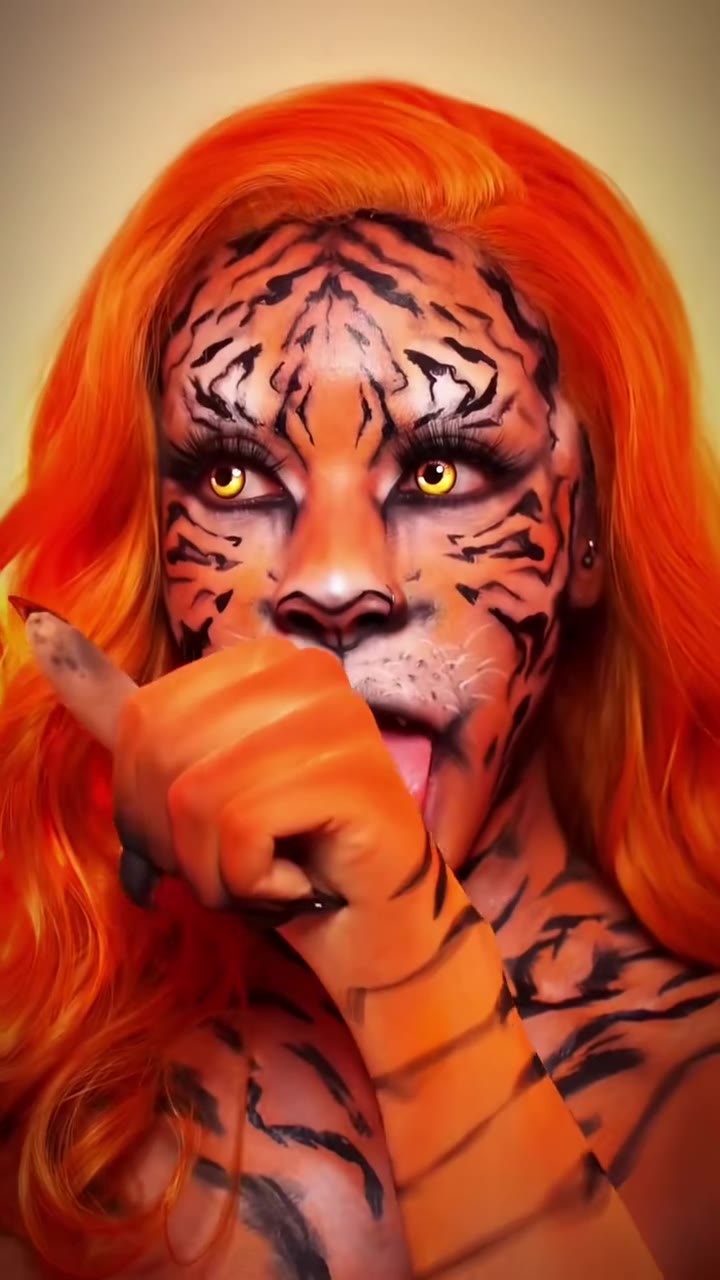
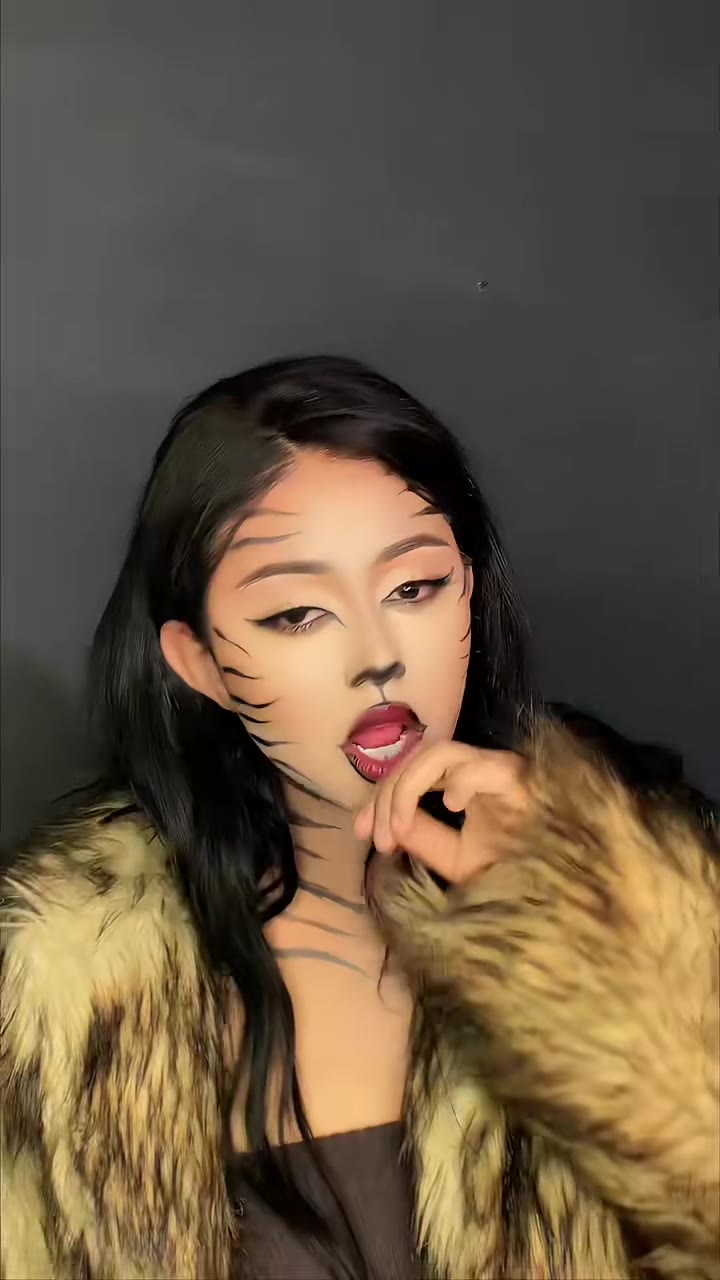
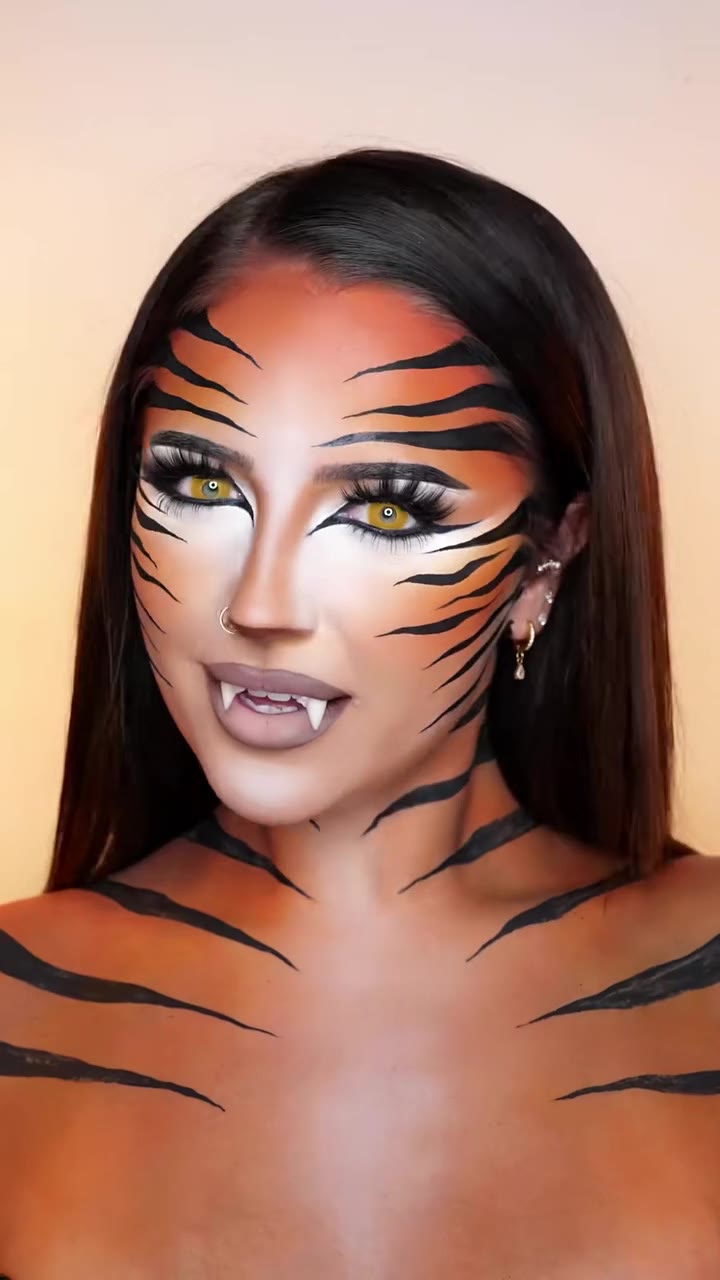
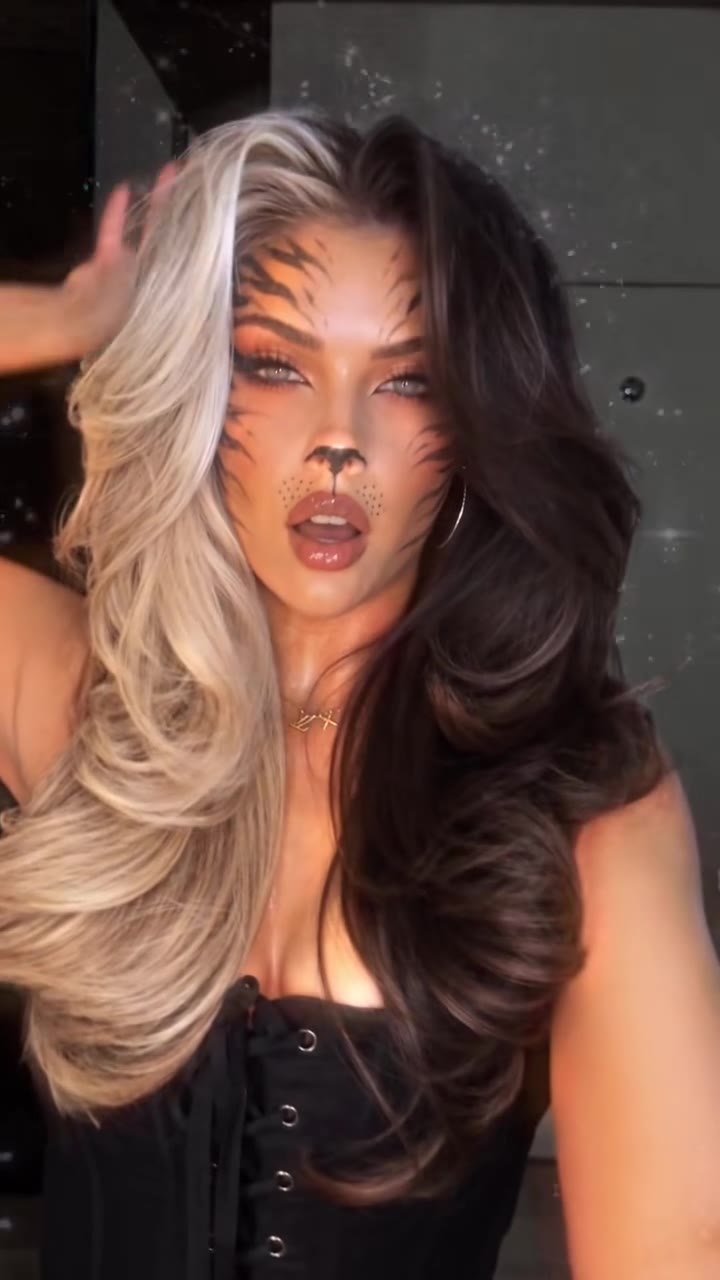
The tiger transition is a short makeup-and-glow-up video built around one sound line, "you cannot reason with a tiger". The person starts in a plain, everyday look, often with glasses or hair clips and no makeup. They talk straight to the camera, curl their fingers into claws and snarl, then push a hand into the lens. The cut happens behind the hand, and the person comes back transformed, with tiger stripes painted on their face, fangs, bigger hair and a styled outfit or a warm sunset backdrop.
Most of the big clips are real makeup transitions by makeup artists and creators. The ones we found first were posted in July 2026, and Halloween brought a second wave in October. No single first poster is confirmed, and every clip we saw uses the same original sound. The AI version of the trend is much newer: people ask AI video tools to create the same claw, swipe and reveal without doing the makeup.
This page makes the AI version from one photo. You upload a clear photo of yourself, and the video keeps the original beat: the snarl, the claws, the hand over the lens and a tiger-striped reveal. The trend's original sound is added to the finished 9-second video, so you can post it as it is. It is a look-alike of the trend, not a real makeup job, and the exact stripes and styling will differ from any one creator's.
Because the reveal depends on a fast hand movement across the lens, a front-facing photo with an even face and open eyes works best.
Tiger Transition AI: shot by shot
- 0–1.5 s
Plain look, talking
You are close to the camera in an everyday look, speaking the line straight to the lens.
- 1.5–3.5 s
Claws and snarl
Both hands curl into claws beside your face and you snarl, the shoulders pushing forward.
- 3.5–5 s
Hand over the lens
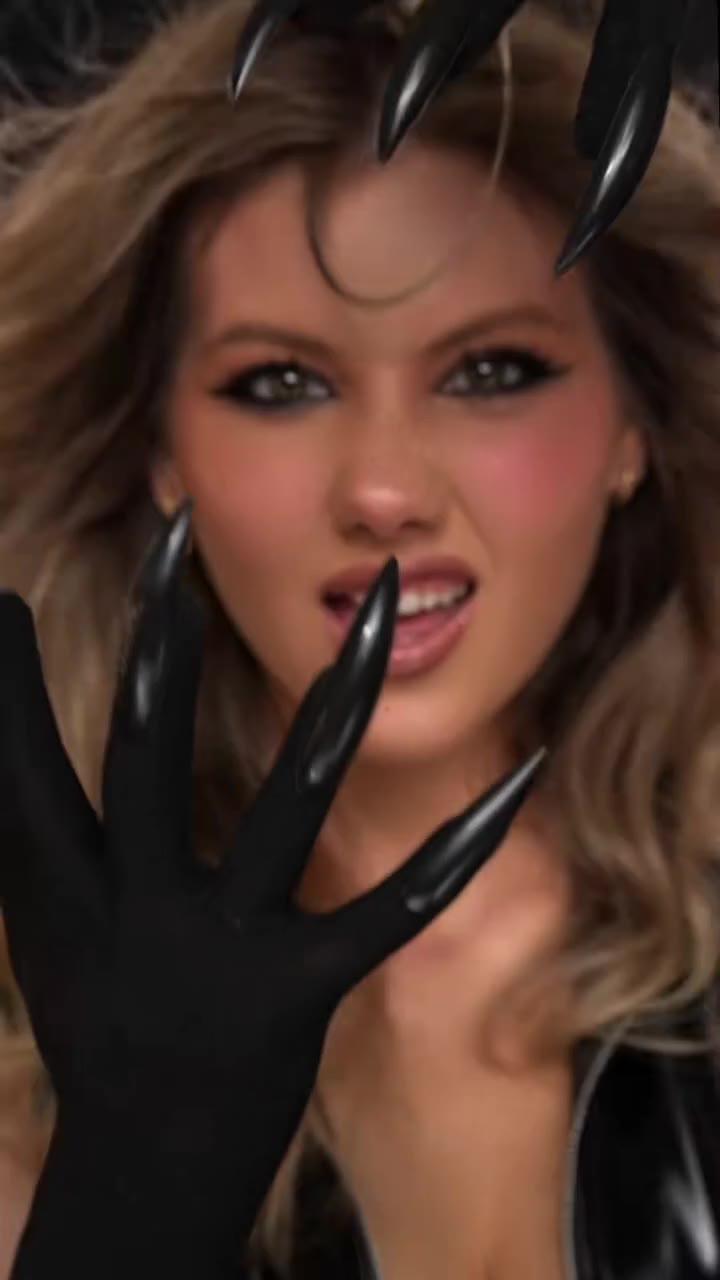
One arm sweeps up and a flat hand is pushed into the camera until it covers the frame, which hides the cut.
- 5–6.5 s
Tiger reveal
The hand clears and you are back with tiger stripes, amber eyes, fangs and long hair against an orange sunset.
- 6.5–9 s
Hold and snarl
The face holds close to the camera, the mouth shifts from a snarl into a slow smirk and the clip ends.
Tips for a better result
Use a plain, front-facing photo
The first half of the clip is a close, plain look, so a clear face with the eyes open reads best and keeps the likeness through the reveal.
Leave glasses and hats off
The reference starts with glasses, and anything on your face makes the model blend the two looks. A bare face is the safest.
Show your shoulders
The hands come in beside your shoulders, and a photo cropped tight to the face leaves the model to invent them.
Keep the light even
Strong side light or heavy filters make the stripes and the face drift apart. Daylight from the front is enough.
Good to know before you make a Tiger Transition AI video
- The result is an AI look-alike of the trend, not real makeup: the stripes, fangs and hair differ from clip to clip and from try to try.
- The hand over the lens is a fast move and can look slightly smeared on the lower tiers.
- The reveal look (tiger stripes, long hair, sunset backdrop) comes from the reference clip, and you cannot pick another one on this page.
- Likeness is not guaranteed. A failed, timed-out or blocked render returns its credits automatically.
Tiger Transition AI: questions
What is the tiger transition trend and where did it come from?
The tiger transition is a TikTok video trend in which a person claws at the camera, covers the lens with a hand and comes back with tiger stripes and fangs. The earliest clips we found date from early July 2026, and the first poster is not identified. A second wave followed around Halloween. The AI version, which videosi makes from one photo, is newer, from November 2026.
How do I make the tiger transition video from one photo?
Upload one front-facing photo to videosi, choose 9:16 or 16:9 and press Generate. The tiger transition is a 9-second video with the trend sound already added. It renders in a few minutes and is saved in My creations, so you can close the page. You write no prompt and need no makeup.
Is there a website or generator for the tiger transition AI video?
Yes. videosi (videosi.io) is a web tool that makes the tiger transition from one photo, with the claw gestures, the hand over the lens and the tiger reveal already built in. It downloads as an MP4 without a watermark. A standard 9-second video (Standard model, 720p) is 10 credits.
Is there a tiger filter on TikTok or a CapCut template for the tiger transition?
Those apps may have their own tiger templates or effects, and they change often, so check inside them. videosi is independent and not affiliated with TikTok or CapCut. The videosi tiger transition is a web tool: you upload a photo and download a finished video that already has the trend sound.
What AI model or prompt makes the tiger transition, and can I do it myself?
On videosi the tiger transition is made with ByteDance's Seedance video model (Seedance 2.0 Mini by default; Fast, Pro and Ultra with Seedance 2.5 are one click away), from your photo and a reference clip of the trend. Doing it yourself usually takes several tries, because the hand over the lens and the reveal timing drift. Here the reference is built in.
How much does the tiger transition AI video cost, and is it free?
The tiger transition on videosi is not free: there is no free generation. A standard 9-second video (Standard model, 720p) is 10 credits; better models and higher resolutions cost more. Credit packs start at $8.90 for 10 credits and never expire; plans start at $29.90 a month. A failed render returns its credits automatically.
Why did my tiger transition come out wrong or not look like me?
The usual causes are glasses, a hat or a tight face crop in the photo, or strong side light. For the videosi tiger transition, use a front-facing photo with your shoulders and an even light. Likeness is not guaranteed, and the stripes differ every try. A failed, timed-out or blocked render returns its credits automatically.
Can I use someone else's photo, a friend or a pet for the tiger transition?
Only an adult who has agreed to it. videosi does not accept photos of celebrities, public figures or minors for the tiger transition, and users must be 18 or older. The video is built around a person, so pet photos are not supported on this page. Photos and results are deleted within 30 days.
What does "you cannot reason with a tiger" mean?
"You cannot reason with a tiger" is the line of a TikTok sound used in the tiger transition: you cannot argue with a tiger, so the creator stops talking, claws at the camera and turns into one. The tiger transition is the makeup video that goes with it. videosi adds this sound to its tiger transition video, and we could not confirm who first posted it.
What song or sound is used in the tiger transition?
The tiger transition uses a TikTok original sound with the spoken line "you cannot reason with a tiger", shared by all the big clips we checked. No artist is confirmed. The videosi video already has this sound added to the finished 9-second MP4, so it does not need a separate music step.
Is the tiger transition still trending, or is it over?
As of November 2026 the tiger transition is still spreading: the first makeup clips date from July 2026 and a Halloween wave followed in October. The AI version, which videosi makes from one photo, only began in November 2026. We have not verified any view counts, so we do not quote them.
Do I need makeup or a costume to make the tiger transition on videosi?
No. On videosi the tiger stripes, fangs and styling are created by the AI, and you only upload a photo of yourself. The AI look is not real makeup, so the pattern differs from the clips made by makeup artists. For a real makeup version, you would still have to paint it yourself and film it.
Trending this week
All trends this week







Make your Tiger Transition AI video
Upload a photo and press Generate. 10 credits, refunded if it fails.
Get the next trend first
One email when new trends land on videosi, about once a week. Unsubscribe in one click.
See videosi first on Google
Add videosi as a preferred source and our trend pages show up first in your Top Stories and AI answers on Google.