CCTV Tiger Fight AI: The Tiger Fight Video, Starring You
A grainy security camera watches you meet a tiger on a forest path and win. One photo of you is all it takes.
Updated : Page published.
1Add your photo
What you'll get
Front-facing, well-lit selfies work best. One face per photo.
2Choose quality
Picked for this video: it has several people or many cuts, and this model keeps every face steady.
By generating you confirm you have permission to use the people in your photos. Terms
No subscription needed · Ready in 4–6 minutes · Failed renders are free
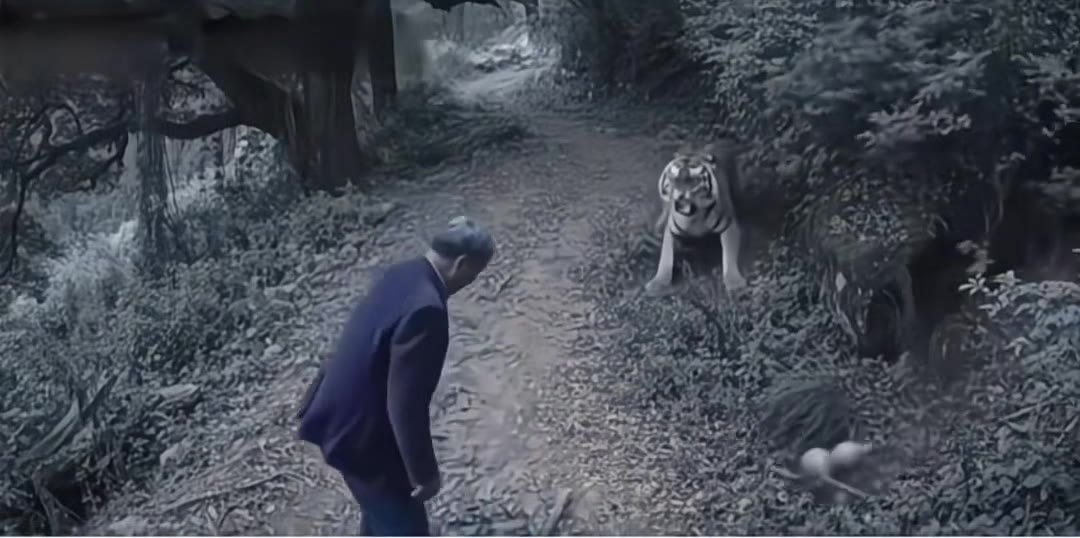
The CCTV tiger fight is a 15-second black-and-white security-camera clip in which a person on a forest path crouches, fights off a tiger and ends up sitting on it; videosi makes it from one photo of you.
- Fast facts
- First seen
- Stage
- Just starting
- Started on
- TikTok (unconfirmed)
- Sound
- Many big posts use a phonk track from TikTok's sound library; no single confirmed sound.
- Meaning
- The CCTV tiger fight is an AI video trend in which a person is shown fighting and beating a tiger in grainy black-and-white security-camera footage.
- Related trends
- Lion Friend AI, Polar Bear 2026 AI Video, Tiger Transition AI
Page updates
- November 20, 2026 — Page published.
The CCTV Tiger Fight AI prompt and model
CCTV Tiger Fight AI is made with Seedance 2.0 / 2.5 (you pick the tier) by ByteDance. The prompt behind it has 5 parts, and the timing is what makes or breaks it.
- Model
- Seedance 2.0 / 2.5 (you pick the tier)
- Mode
- Photo + motion reference to video
- Length
- 15 seconds, 1:1 or 9:16
- Input
- 1 photo
- Replacement One sentence says which person in the reference clip becomes the person in your photo.
- Motion reference A 15-second security-camera clip supplies the path, the tiger, the cuts and the fight.
- Look The grainy black-and-white CCTV picture and the corner caption are kept from the reference.
- Action line A single line says what the person does: crouch, fight off the tiger, end up sitting on it.
- Identity Your face and age come from your photo, and the rest of the clip stays the same.
Replace the man with a topknot, a brown peasant tunic and a wooden staff in the reference with the person from your photo. Keep everything else the same, including the grainy…
Why it goes wrong when you do it yourself
- Without a reference clip the tiger tends to attack the wrong way or not at all, and the fight loses its shape.
- The security-camera look drifts into clean colour footage unless the reference carries it.
- Faces get swapped halfway through the wrestle, when the person is partly hidden by dust and the tiger.
- Each try costs credits and several minutes, and most DIY tries need re-rolls to land the ending.
More videos from this trend
Trend inspiration · not a selectable template
How to make your CCTV Tiger Fight AI video
Upload one photo of yourself
Face to the camera, head and shoulders in frame, even light. Whatever you wear in the photo is what you wear on the path.
Pick the format
Choose the shape of the video. The 15-second fight is built in.
Generate
Press Generate and the CCTV tiger fight is rendered for you. It takes several minutes, and the result is saved in My creations.
Post it with the trend sound
The download already carries the trend sound. Post it on TikTok or Reels and label it as AI-generated.
What is the CCTV Tiger Fight AI trend?
Updated · videosi is an independent tool. It is not affiliated with TikTok, Instagram, YouTube, or with the owners of any trend, song, game or brand named on its pages.
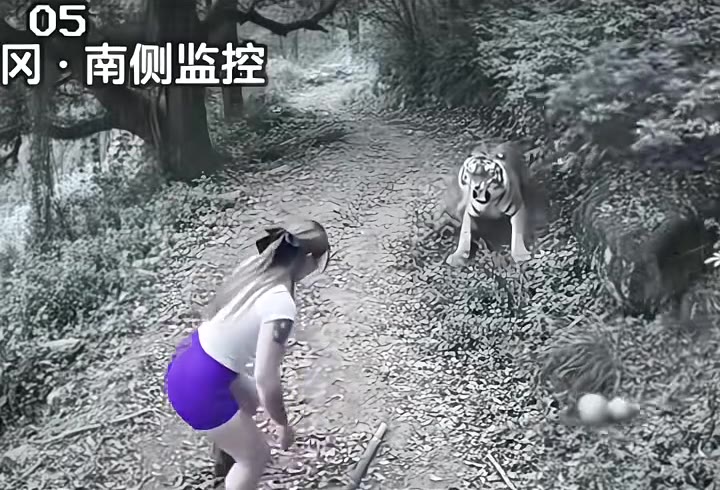
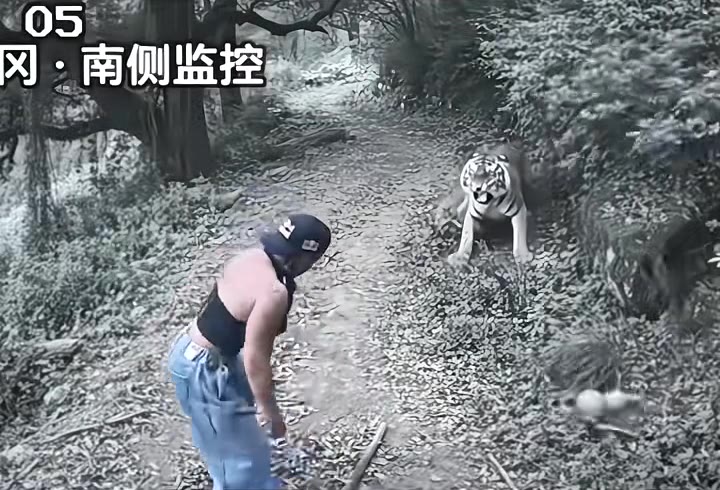
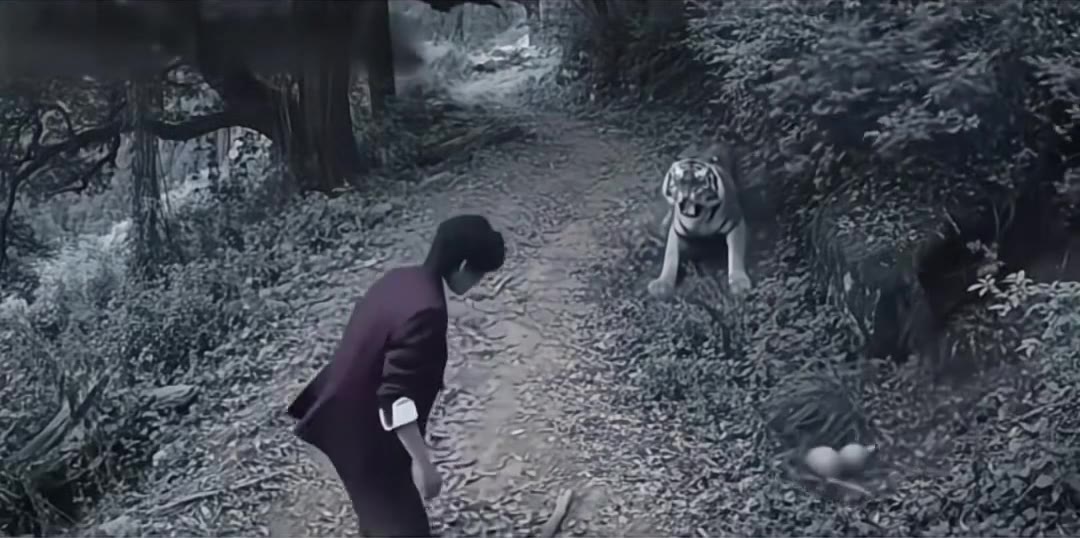
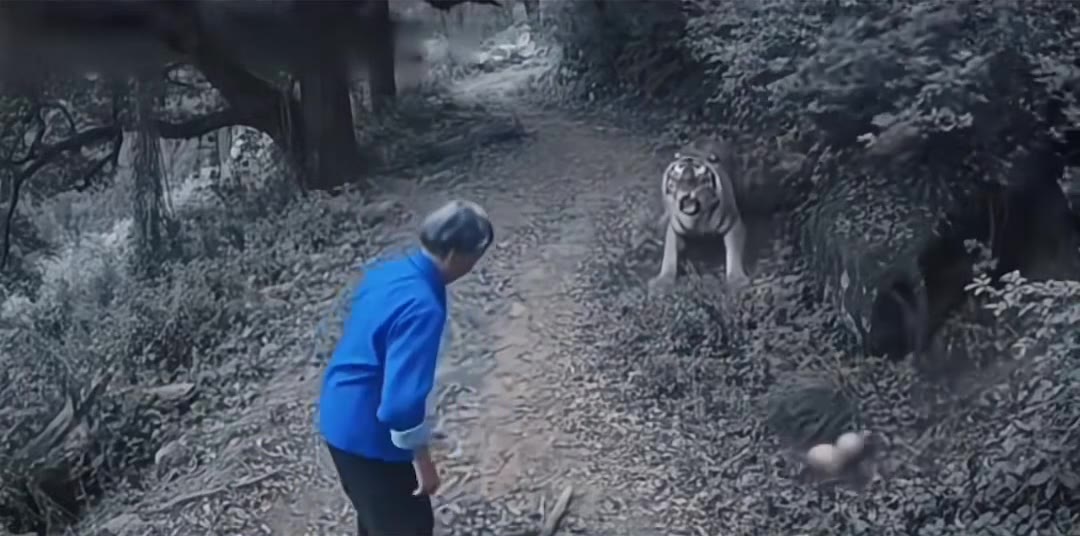
The CCTV tiger fight is a short clip made to look like footage from a forest-path security camera. A person walks along a dirt track, stops and crouches, and a tiger bursts out of the bushes on the right. The two fight on the ground, and the clip ends with the person sitting on the tiger. The picture is grainy and black and white, with a Chinese camera caption in the corner and a pair of gourds lying on the path.
The setup copies a well-known Chinese folk story, Wu Song fighting the tiger from the novel Water Margin, and several explainers describe the trend that way. In the clips we watched, the original is a man in a peasant tunic with a topknot and a staff. Remakes swap him for other people, which is why the trend travels as a template: the same tiger and path every time, a different person each time. The on-screen caption, 景阳冈 · 南侧监控 ("Jingyang Ridge, south-side camera"), names the ridge where Wu Song meets the tiger in the novel.
It started spreading on TikTok in early November 2026. Posts using a phonk track and a CapCut-style template multiplied within days, and many of the biggest posts are tutorials showing how to swap your own photo in. The exact first poster and the song are not confirmed. videosi describes this stage as just beginning to spread.
videosi makes the same clip from one photo of you. The tiger, the path, the grainy security-camera look and the fight are built in, so the only things you choose are the photo and the video format. The result is 15 seconds long and ends with the original trend sound.
CCTV Tiger Fight AI: shot by shot
- 0–1.5 s
The walk
A person walks toward the camera along an empty forest path, a gourd in one hand. The corner caption and grainy black-and-white look set the CCTV tone.
- 1.5–3 s
Tiger appears
The person stops. A tiger is already crouched in the bushes on the right, watching.
- 3–4.5 s
The leap
The person swings a wooden staff as the tiger leaps. The camera angle cuts closer.
- 4.5–9 s
The wrestle
Both go to the ground. The person and the tiger roll over each other in a cloud of dust.
- 9–12 s
Getting the upper hand
The person pins the tiger down with both arms.
- 12–15 s
Sitting on the tiger
The tiger lies still and the person sits up on its back as the clip ends.
Tips for a better result
Use a clear, front-facing photo
The face is small and partly covered in dust, so a sharp photo with even light helps the likeness hold.
Show your upper body
A photo that shows your outfit down to the waist gives the model more to work with than a face crop.
Take hats and sunglasses off
Anything that covers your face makes the likeness drift during the wrestle.
One person per photo
The clip has one person against the tiger. A group photo will confuse who fights.
Good to know before you make a CCTV Tiger Fight AI video
- The face is small in the wide shots and often hidden during the wrestle, so likeness is lower than in a close-up trend.
- The tiger and the path come from the reference clip and cannot be changed.
- The clip is black and white and grainy on purpose, so fine detail in your outfit may not show.
- Likeness is not guaranteed. A failed, timed-out or blocked render returns its credits automatically.
CCTV Tiger Fight AI: questions
What is the CCTV tiger fight AI trend and where did it come from?
The CCTV tiger fight is a 15-second AI video in which a person fights a tiger on a forest path, filmed to look like grainy black-and-white security-camera footage. It began spreading on TikTok in early November 2026, and videosi lists it as just starting. Several explainers say the scene retells Wu Song fighting the tiger from Water Margin.
How do I make a CCTV tiger fight AI video from my photo?
Upload one photo of yourself to videosi, pick a format and press Generate. The CCTV tiger fight is a 15-second clip that takes several minutes to render, and you can close the page because it is saved in My creations. You write no prompt. Use a clear front-facing photo for the best likeness.
Is there a website or generator for the CCTV tiger fight trend?
Yes. videosi (videosi.io) is a web tool that makes the CCTV tiger fight from one photo. The tiger, the forest path and the security-camera look are built in, so you choose only the photo and the format. Because the clip has several cuts, the page starts on Ultra (Seedance 2.5) at 480p: 22 credits for the 15-second video, or 10 for an account's first video. Standard 720p costs 13 credits.
Is there a TikTok filter or CapCut template for the tiger fight?
Some posts link a CapCut-style template, but templates change often, so check inside the app. videosi is independent and not affiliated with TikTok or CapCut. On videosi you upload a photo, download a 15-second CCTV tiger fight MP4 with the trend sound already mixed in, and post it yourself.
What AI model makes the CCTV tiger fight?
The videosi CCTV tiger fight is made with ByteDance's Seedance video model (the page starts on Ultra, Seedance 2.5 at 480p, because the clip has several cuts; Standard is Seedance 2.0 Mini, and Fast and Pro are one click away). It uses your photo plus a 15-second reference clip and a short replacement instruction. The full prompt is not published, and doing it by hand usually takes several tries.
How much does the CCTV tiger fight AI video cost, and is it free?
It is not free: videosi has no free generation. A 15-second CCTV tiger fight starts on the Ultra tier (Seedance 2.5) at 480p because the scene has several cuts: 22 credits, or 10 for an account's first video. Standard 720p costs 13 credits. Credit packs start at $8.90 for 10 credits and never expire. A failed render returns its credits automatically.
Why did my CCTV tiger fight come out wrong or not look like me?
The face is small in the wide shots and often covered by dust and the tiger, so likeness is the hard part of this trend. For the videosi CCTV tiger fight, use a sharp front-facing photo with head and shoulders and no hat or sunglasses. A failed or blocked render returns its credits automatically.
Can I use someone else's photo or a pet for the tiger fight?
Only an adult who has agreed to it. videosi does not accept photos of minors for the CCTV tiger fight, and users must be 18 or older. The clip is built around one person against the tiger, so a pet photo is not what this trend is for. Photos and results are deleted within 30 days.
What does "CCTV tiger fight" mean?
"CCTV tiger fight" means an AI-made clip styled like security-camera footage in which a person fights a tiger. The CCTV part is the grainy black-and-white picture and the corner camera caption, and the tiger fight is the scene. videosi makes it from one photo, and it is staged and fictional, so posts should be labelled as AI.
What song or sound is used in the CCTV tiger fight trend?
No single sound is confirmed. Many of the biggest CCTV tiger fight posts we found use a phonk track from TikTok's sound library, but others use different audio. The videosi version mixes the trend sound onto the 15-second clip, so the download already has audio.
Is the CCTV tiger fight trend still trending?
Yes, it is just starting. As of November 2026 the CCTV tiger fight is at an early stage: the first posts date from around 10 November, and many remakes and tutorials followed within a week. videosi has not confirmed the first poster or whether it will peak.
Is the tiger fight real footage, and will my post get taken down?
The CCTV tiger fight is not real footage: it is an AI-generated, staged clip. TikTok and Instagram ask that AI-made videos be labelled, so add the AI label when you post the 15-second clip. videosi is independent and the video is fictional entertainment.
Trending this week
All trends this week








Make your CCTV Tiger Fight AI video
Upload a photo and press Generate. 13 credits, refunded if it fails.
Get the next trend first
One email when new trends land on videosi, about once a week. Unsubscribe in one click.
See videosi first on Google
Add videosi as a preferred source and our trend pages show up first in your Top Stories and AI answers on Google.