S Line Filter AI: The Red String Filter, Starring You
A thin red string drops onto your head and explodes into a fan of red strings when someone steps in. One photo of you is enough, no CapCut template needed.
Updated : Page published.
1Add your photo
What you'll get
Front-facing, well-lit selfies work best. One face per photo.
2Choose quality
By generating you confirm you have permission to use the people in your photos. Terms
No subscription needed · Ready in 4–6 minutes · Failed renders are free
The S line filter is the TikTok and CapCut effect that drops a red string on your head and fans it into hundreds of strings, and videosi makes it from one photo of you.
- Fast facts
- First seen
- Stage
- Spreading
- Started on
- TikTok (unconfirmed)
- Sound
- No single sound: the clip we use carries a funny sound, other posts use piano or original sound.
- Meaning
- The S-line filter is a TikTok and CapCut effect that hangs a thin red string over someone's head and, when a partner steps in, splits it into a fan of red strings or a random count, used as a joke about relationships.
- Related trends
- Blue Line Filter AI, Prank Filter
Page updates
- November 8, 2026 — Page published.
The S Line Filter AI prompt and model
S Line Filter AI is made with Seedance 2.0 / 2.5 (you pick the tier) by ByteDance. The prompt behind it has 5 parts, and the timing is what makes or breaks it.
- Model
- Seedance 2.0 / 2.5 (you pick the tier)
- Mode
- Photo + motion reference to video
- Length
- 5 seconds, 9:16, 1:1 or 16:9
- Input
- 1 photo
- Replace The woman in the motion reference is swapped for the person in your photo; the room, the camera and the timing stay.
- Identity lock Your photo is the only source for the face, hair, skin tone and outfit, and your face shape and build are kept.
- String rule One flat red string hangs onto the top of the head and follows it, drawn like a camera filter, not like 3D rope.
- The fan When the second person steps in, the string splits into a fan of fine red strings that starts at one point on their head.
- Clean frame No subtitles, logos or watermarks. The trend sound is laid over the finished clip.
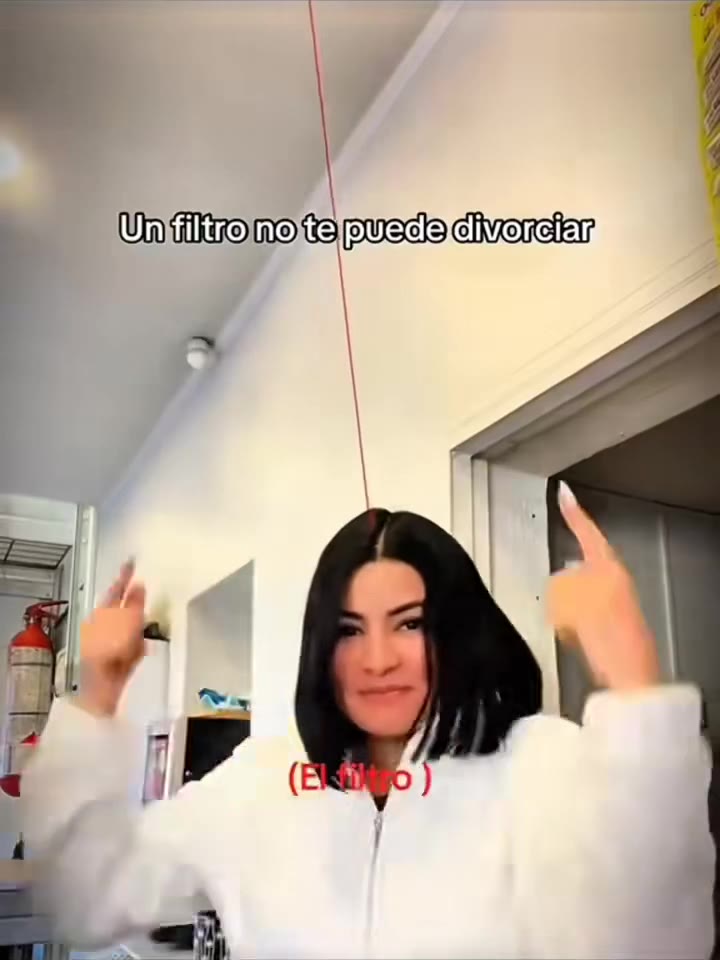
Replace the woman in the white fleece hoodie with a black bob haircut in Video 1 with the person from Image 1. Keep everything else from Video 1 as it is: the bright white apartment, the fixed phone-selfie camera...…
Why it goes wrong when you do it yourself
- In words alone, most video models draw glowing ropes or a ladder of lines instead of one thin flat red string.
- The fan is the hard part: models split the string at random heights instead of from a single point on the head.
- Without a motion reference the string never follows the head, and the subtitles from the original leak back in.
- Faces fill the frame, so the face of the person in the original slips into the result unless the identity is pinned to your photo.
More videos from this trend
Trend inspiration · not a selectable template
How to make your S Line Filter AI video
Upload one photo of yourself
A clear photo with your head and upper body in view. Hair and clothes come from this photo.
Pick the format
9:16 for TikTok, Reels and Shorts, or 1:1 and 16:9.
Generate
A 5 second clip is made from your photo, with a stranger who steps in at the end for the string fan.
Post it with the trend sound
The original sound is already on the clip. Add the AI label when you post.
What is the S Line Filter AI trend?
Updated · videosi is an independent tool. It is not affiliated with TikTok, Instagram, YouTube, or with the owners of any trend, song, game or brand named on its pages.
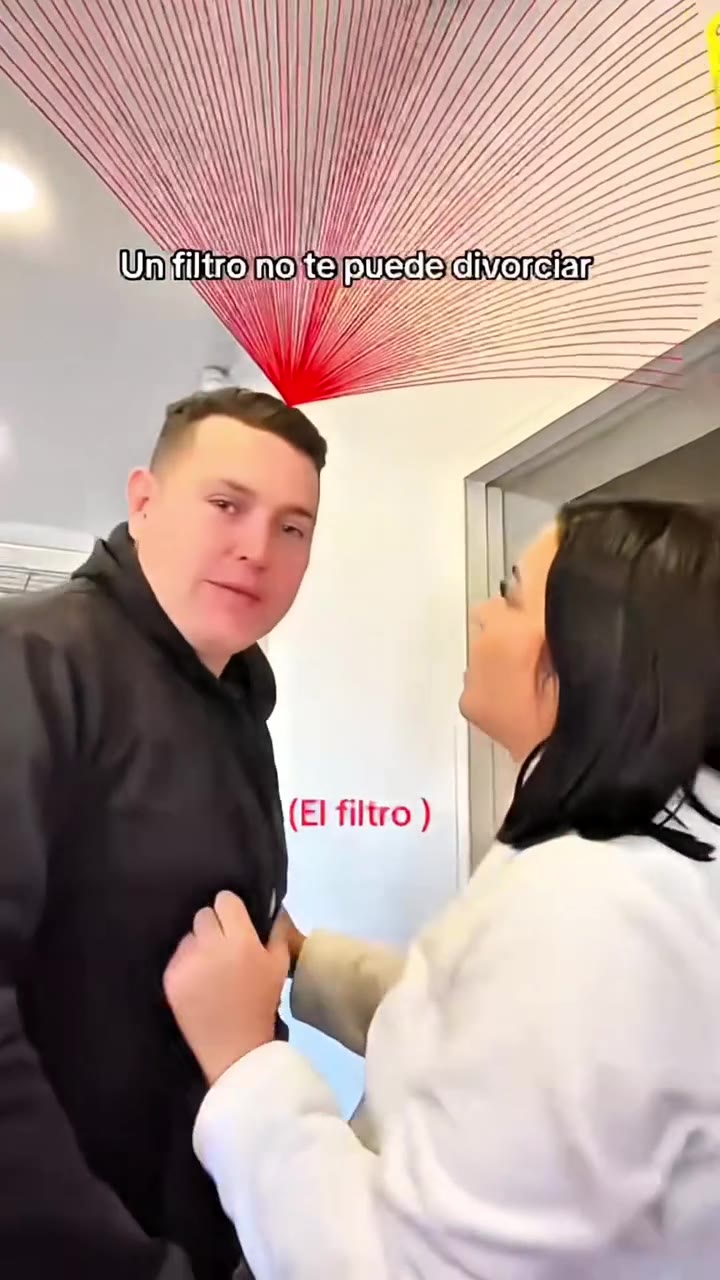
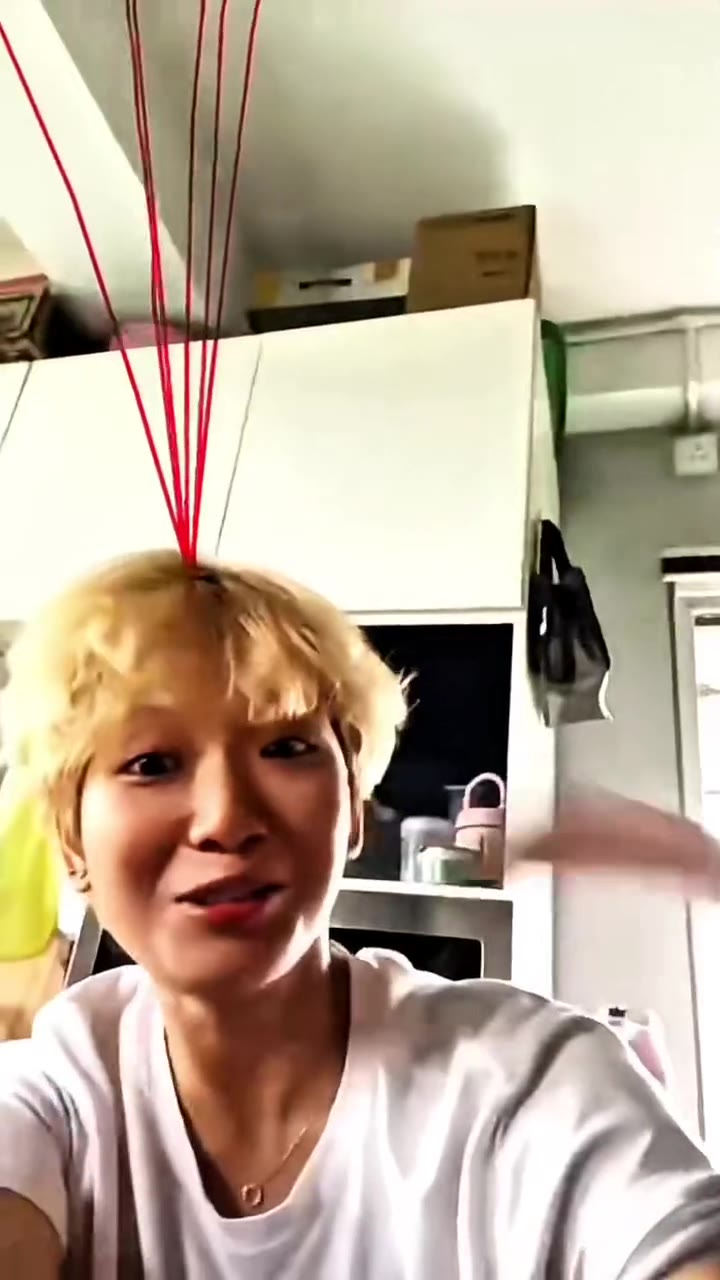
The S line filter is a TikTok and CapCut effect that draws red strings over people's heads. In the basic version one thin red string hangs from the top of the frame and ends on a head. When a second person steps in, the string splits into a huge fan of hundreds of red strings. A newer version shows a pink label that reads How many S-line and then flashes a random number, from 0 up to the infinity sign.
The name probably comes from the drama S Line, where red lines above people's heads drive the story, but we could not confirm that link or who made the first TikTok version, so the origin is marked unconfirmed. The effect exists as a TikTok effect and as CapCut templates, and people search it as s line filter, s line filter tiktok, how many s line filter and s line filter app. Posts are mostly couples, friends and siblings acting out a reaction when the strings appear, played as a light joke about relationships. The earliest post we found is from late July 2025, and as of 8 November 2026 new posts and template tutorials were still appearing.
The AI version makes the same short clip from one photo. You upload a clear photo of yourself, pick a format and generate a 5 second video: you stand in a bright room, the red string drops onto your head, and when a stranger steps in beside you the string fans out. The clip comes with the trend sound, because videosi lays it over every render. It is a generated imitation of the look, not the live TikTok filter.
S Line Filter AI: shot by shot
- 0-1 s
String drops
You stand in a bright room facing the phone camera. A single thin red string hangs straight down from the top of the frame onto your head.
- 1-2.2 s
Hands to head
You smile and raise both hands beside your head as if pointing at the string while it follows your movement.
- 2.2-3.4 s
Someone steps in
A man in a dark top steps close beside you and turns to the camera.
- 3.4-4.4 s
The fan
The one string splits into hundreds of fine red strings that spread like a hand fan from one point on his head, then he walks away and the strings vanish.
Tips for a better result
Leave space above your head
The string has to hang onto your head, so crop with some room above your hair instead of cutting at the top of the head.
Face the camera
A front-facing photo keeps your face shape; steep angles get reshaped.
Wear plain colours
Simple tops and uncluttered hair make the red string easy to read.
One person per photo
Use a photo of just you. The man who steps in is generated and is not anyone from your photos.
Good to know before you make a S Line Filter AI video
- This is a 5 second video that imitates the S line filter look. It is not the live TikTok filter and it does not show a real count of anything.
- The second person who steps in is generated, not taken from a photo. A two-photo version with a partner is not offered here.
- The fan of strings is drawn by the model, so the number and spread of strings changes from run to run.
- The How many S-line label with a number is not part of this clip; it shows the string and the fan version.
S Line Filter AI: questions
What is the S line filter trend?
The S line filter is a TikTok and CapCut effect, spreading since mid 2025, that hangs a red string over someone's head and splits it into a fan of strings when a partner steps in. videosi makes the look from one photo as a 5 second video.
What does S line mean on TikTok?
S line on TikTok means the red string filter: a thin red line over your head that fans out when someone steps in, or a label that shows a random number, played as a light joke about relationships. The name probably comes from the drama S Line, but that link and the filter's first creator are unconfirmed. videosi makes the string and fan version as a 5 second clip from one photo.
How do I make the S line filter video from one photo?
Upload one clear photo of yourself on videosi, pick 9:16, 1:1 or 16:9 and press Generate. You get a 5 second clip of the red string on your head and the fan, for about 5 credits at Standard 720p.
Is there a website or generator for the S line filter?
Yes: videosi.io/s-line-filter makes a 5 second S line filter video from one photo, with no CapCut template to find and no prompt to write.
Is there an S line filter on TikTok or a CapCut template?
Yes, the effect exists as a TikTok effect and as CapCut templates, which is how most posts are made. They need a video of you and a second person; videosi needs only one photo.
Are the example videos on this page made with videosi?
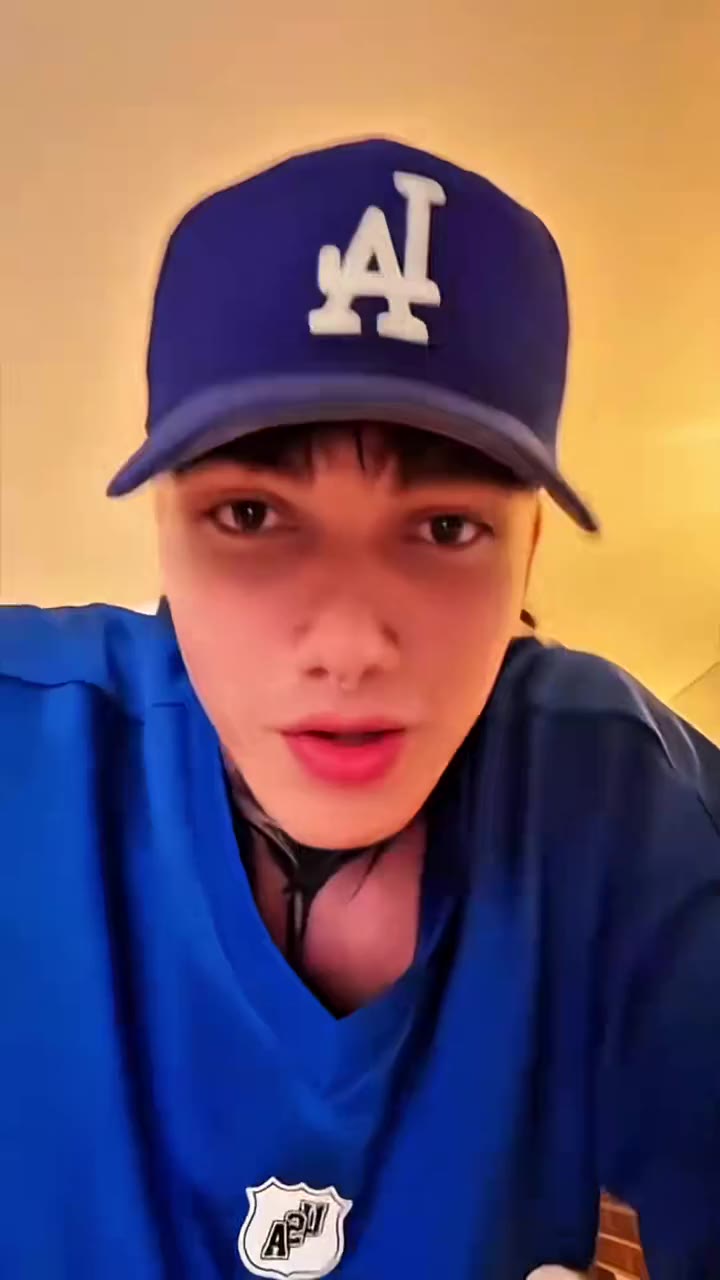
Only the top clip is a videosi render, made from one photo; the man who steps in is generated by the model as an adult and is not a real person. The three examples below are short excerpts from compilation videos of the live TikTok filter, not complete posts by their creators, and were not made with videosi. We show few examples so far, and the fan changes from run to run.
What AI model makes the S line video?
videosi uses Seedance 2.0 from ByteDance with your photo and a motion reference. The full prompt is not published, but the parts are: swap the person, lock your identity, one flat string, a fan from one point.
How much does the S line filter video cost?
A 5 second clip costs about 5 credits at Standard 720p on videosi. Credit packs are on the pricing page and the final price is shown before you generate.
Why does my video not look like me?
Usually the photo is the cause: a side profile, sunglasses or a tiny face in a group shot. Use a clear front-facing photo of only you, with room above your head for the string.
Can I use a photo of a friend or my pet?
A photo of a friend works if they agree. A pet photo is not a good fit because the clip shows a person standing in a room.
Is the S line filter still trending?
As of 8 November 2026 the S line filter is still spreading: new posts and CapCut template tutorials keep appearing, and the most viewed posts we found are compilations of many people's reactions. If you want your own version without a template, videosi makes it from one photo as a 5 second clip with the trend sound.
What sound is used in the S line filter videos?
There is no single confirmed sound. Posts use funny effects, piano pieces or their own original sound, and videosi lays the sound of the clip it copies over your video.
Will the clip be taken down for being AI?
Not by itself, but TikTok and Instagram ask you to label AI-generated content. Turn on the AI label when you post.
Trending this week
All trends this week










Make your S Line Filter AI video
Upload a photo and press Generate. 10 credits, refunded if it fails.
Get the next trend first
One email when new trends land on videosi, about once a week. Unsubscribe in one click.
See videosi first on Google
Add videosi as a preferred source and our trend pages show up first in your Top Stories and AI answers on Google.