New Year 2027 AI Photo Generator: You Beside Giant 3D 2027 Numbers
You stand beside giant 3D 2027 numbers on New Year's Eve: burning 2026 with 2027 in fireworks, on a mountain peak, over a city skyline or in the snow. One full-length photo is enough.
Updated : Page published.
1Add your photo
What you'll get
Trend remakes · inspiration only
Front-facing, well-lit selfies work best. One face per photo.
2Scene
3Outfit
By generating you confirm you have permission to use the people in your photos. Terms
No subscription needed · Ready in about a minute · Failed renders are free
The New Year 2027 AI photo is a New Year's Eve greeting picture in which you stand beside giant 3D 2027 numbers, often with 2026 burning behind you or fireworks overhead; videosi makes it from one photo of you.
1 photo in, an image out, no watermark. $8.90 to start, a one-time payment with no subscription. Ready in about a minute.
- Fast facts
- First seen
- Stage
- Past its peak
- Started on
- TikTok (unconfirmed)
- Sound
- No single sound: most posts are template how-tos with voice-over or the poster's own audio.
- Meaning
- The New Year 2027 AI photo is a New Year's Eve picture in which a person stands beside giant 3D numbers reading 2027, often with 2026 burning behind them or fireworks overhead, made from one photo with an AI image model.
Page updates
- November 24, 2026 — Page published.
What prompt and AI model make the New Year 2027 AI Photo?
New Year 2027 AI Photo is made with GPT Image 2.6 by OpenAI. The prompt behind it has 5 parts, and the timing is what makes or breaks it.
- Model
- GPT Image 2.6
- Mode
- Photo to image
- Length
- One still image, vertical 2:3
- Input
- 1 photo
- Identity lock Your photo is the only source for the face, hair, skin tone and build, with no beautifying or slimming.
- Outfit Either your own clothes from the photo, or an evening outfit that suits you, with your own hair kept.
- Scene One of four New Year's Eve scenes, each with its own light, pose and material for the numbers.
- Numbers The year is pinned to the four digits 2, 0, 2, 7 in order, so it cannot drift to 2026 or 2072.
- Frame and rules Whole body and shoes in frame, one adult only, five-finger hands, no captions, logos or watermark.
Using the person in Image 1, create one photorealistic vertical 2:3 New Year's Eve photo of them standing full length beside giant 3D numbers that read 2027.…
Why it goes wrong when you do it yourself
- Prompts that only say "2027 in 3D" often come back as 2026, 2072 or with a doubled digit, because the digits and their order are not pinned down.
- Copied tutorial prompts describe a specific young man or woman, so the model drifts toward that look instead of your face.
- The person ends up tiny or cut off at the knees when the prompt does not ask for the whole body next to numbers taller than a person.
- Fire and fireworks scenes wash out the face unless the prompt says the person is lit by the fire and in sharp focus.
More videos from this trend
These clips were made and posted by other creators, not by videosi. Credits link to the original posts.
How do you make the New Year 2027 AI Photo?
Upload one full-length photo
A sharp, standing photo of you, head to shoes, face clearly visible. One person only.
Pick the scene
Burning 2026 with 2027 fireworks, the mountain summit, the city skyline or the light-bulb numbers in the snow.
Keep your outfit or dress up
Wear what you have on in the photo, or switch to a New Year's Eve party look.
Generate and post
Press Generate and one vertical 2:3 image comes back, usually in about a minute. Post it on 31 December or send it as your New Year card.
What are the ways to make the New Year 2027 AI Photo?
| Way | Cost | What you need | What you get |
|---|---|---|---|
| videosi (this page) | $8.90 to start, one-time, no subscription | 1 photo | An image, no watermark, ready in about a minute. |
| CapCut AI template from TikTok | Depends on the template, inside the CapCut app | The CapCut app and one photo | A short video with one fixed scene, e.g. burning 2026 to 2027 fireworks; you cannot pick another scene |
| Copy a Gemini or ChatGPT prompt | Free tier of the chat app, with daily limits | A long prompt from a tutorial, one photo, several retries | The year often comes out as 2026 or 2072, the face drifts, and the body gets cropped at the knees |
Compared on November 24, 2026.
What is the New Year 2027 AI Photo trend?
Updated · videosi is an independent tool. It is not affiliated with TikTok, Instagram, YouTube, or with the owners of any trend, song, game or brand named on its pages.
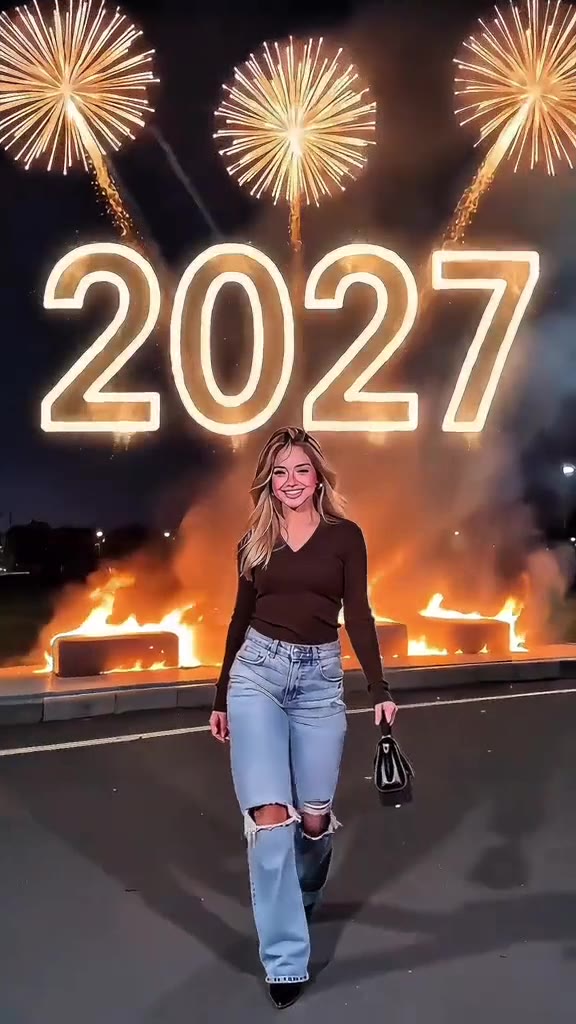
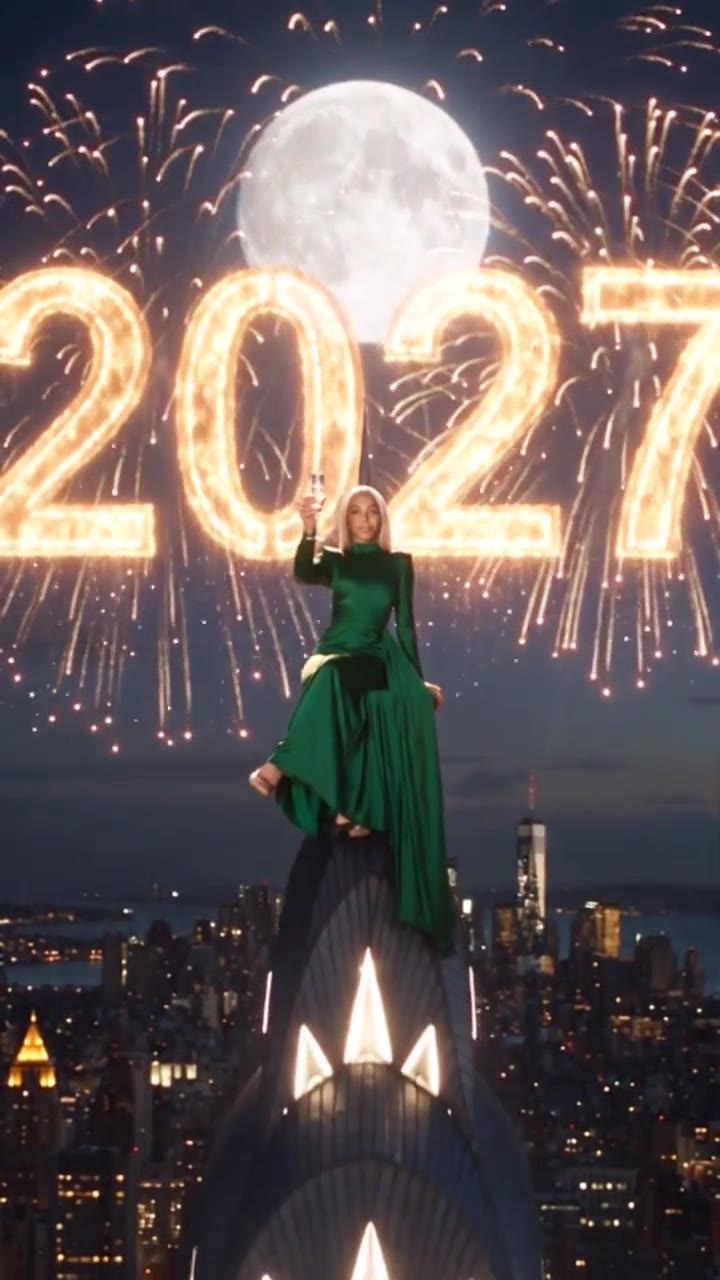
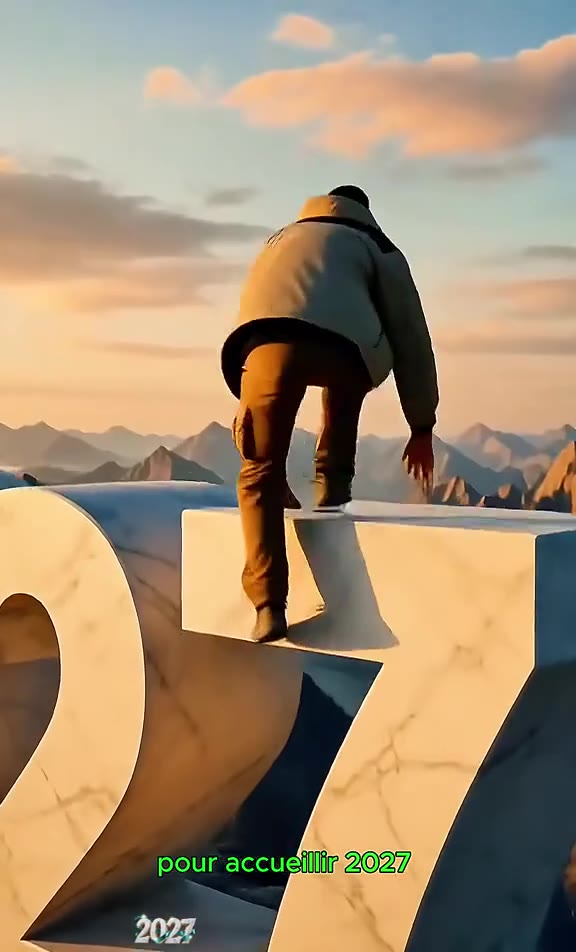
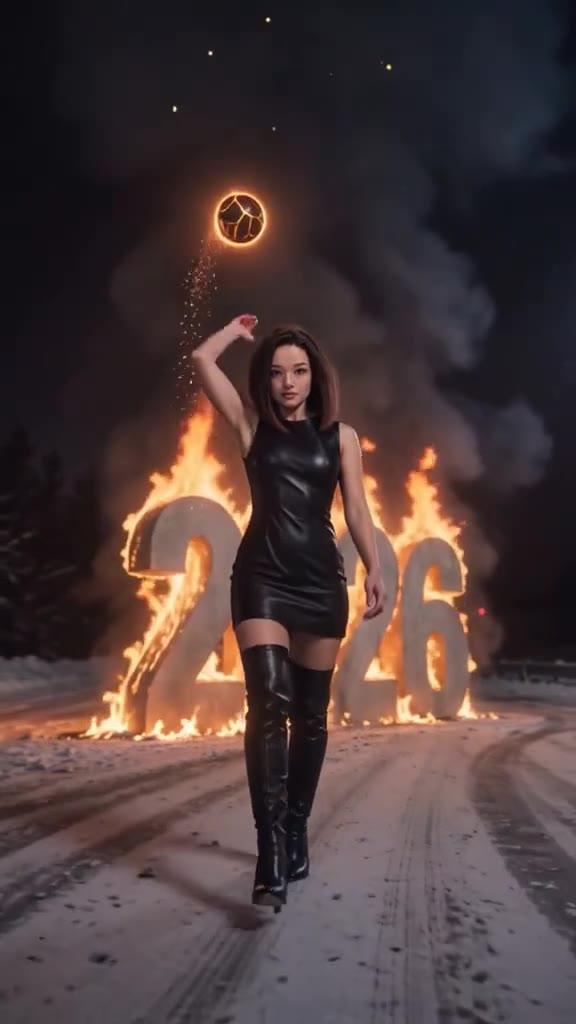
The New Year 2027 AI photo is a New Year's Eve greeting picture: you stand full length beside giant 3D numbers that read 2027. The common scenes are the white numbers 2026 going up in flames on a night road while 2027 appears above in firework sparks, a climber standing on top of huge marble 2027 numbers on a mountain peak, and 2027 spelled in glowing light bulbs over a city skyline or in the snow. People post it in the last weeks of the year as their "hello 2027" picture and as a New Year card for friends.
The giant-numbers look spread on TikTok from late October 2026 as CapCut AI templates and how-to posts. The earliest one we opened, a Filipino "AI Climb to 2027" template post dated 31 October 2026, had about 950,000 views when we checked on 24 November 2026, and a French how-to for the mountain-climb version dated 2 November 2026 had about 2.1 million. The burning-2026 version followed from 17 November in Russian, Indonesian and Filipino posts. On YouTube, Hindi tutorials teach the still-photo version with free Gemini prompts. No original creator is known.
Most TikTok posts are short videos made from one photo, while the searches are for a photo: "new year AI photo" and "happy new year 2027 photo". The videosi version is one still image, vertical 2:3. You upload one full-length photo, pick one of four scenes and choose whether to keep your outfit or wear a New Year's Eve party look. The year always reads 2027. The clips on this page show the trend as people posted it; they are not videosi results.
As of 24 November 2026 the first wave of posts has passed its peak, but New Year's Eve, 31 December 2026, is still ahead. After the holiday this page stays up as the reference for the next New Year.
What happens in the New Year 2027 AI Photo, shot by shot?
- Step 1
Your photo
Your face, hair, skin tone and build come from one full-length photo.
- Step 2
The numbers
Giant 3D numbers reading 2027, in white stone, glowing light bulbs or firework sparks, depending on the scene.
- Step 3
The scene
Burning 2026 on a night road, a mountain summit at sunrise, a city skyline at midnight or a snowy plateau under the stars.
- Step 4
Outfit and pose
Your own clothes or a party look, walking toward the camera, arms spread on the summit or raising a glass of champagne.
- Step 5
Finish
One sharp vertical 2:3 image with the whole body in frame, ready to post on 31 December.
How do you get the best New Year 2027 AI Photo?
Full length works best
Show your whole body, shoes included. A waist-up selfie forces the model to invent your legs and outfit.
Face the camera in even light
A front-facing photo without sunglasses or heavy filters keeps your face accurate, even in the firelight scene.
Pick the party look for a selfie
If your photo is cropped or your outfit is casual, the party look gives the model a full outfit to draw.
Make a set
Use the same photo for all four scenes and post them as a carousel for the New Year.
What should you know before making the New Year 2027 AI Photo?
- The numbers, scene, light and party outfit are new; the face, hair and build come from your photo.
- The result is one still image with no sound, not a video, in vertical 2:3.
- The year is fixed to 2027 and the page does not add names or custom greetings; the digits can occasionally slip, in which case generating again fixes it.
- Photos of children are not allowed, and likeness is not guaranteed.
What can you change in the New Year 2027 AI Photo?
| Idea | Prompt | |
|---|---|---|
| New Year 2027 AI Photo, burning 2026 | Giant 2026 numbers on fire behind you on a night road, with 2027 written in firework sparks above. | |
| New Year 2027 AI Photo, city skyline party look | Glowing light-bulb 2027 over a midnight city skyline, you on a rooftop with champagne in an evening outfit. |
How much does the New Year 2027 AI Photo cost?
- This image costs $8.90 to start, a one-time payment with no subscription: the Single pack (10 credits) covers it, and each image is 1 credit.
- There is no free generation on this page. Every account gets one free 5-second Muse video (watermarked, view only) and one free watermarked image in the AI tools. Credit packs start at $8.90 for 10 credits and never expire; plans start at $29.90 a month.
- Purchases are final. A failed, timed-out or blocked render returns its credits automatically.
New Year 2027 AI Photo: more questions
What is the New Year 2027 AI photo trend?
The New Year 2027 AI photo trend puts you beside giant 3D numbers reading 2027 for New Year's Eve, and it spread on TikTok from 31 October 2026 as CapCut AI templates. videosi's New Year 2027 AI photo makes the same picture as one still image from 1 photo of you, in 4 scenes, with no prompt to write.
How do I make a New Year 2027 AI photo with my own photo?
Upload 1 full-length photo on the videosi New Year 2027 AI photo page, pick 1 of 4 scenes, choose your own outfit or a party look, and press Generate. You get one vertical 2:3 image with the giant 2027 numbers, usually in about a minute.
Is there a New Year 2027 AI photo generator or website?
Yes. videosi has a New Year 2027 AI photo generator that takes 1 photo and makes the giant-numbers picture in 4 New Year's Eve scenes. The year, scene, light and framing are set for you, so you do not need a Gemini or ChatGPT prompt.
Is there a CapCut template or TikTok filter for the 2027 New Year photo?
Yes. From late October 2026 creators shared CapCut AI templates for the 2027 numbers, for example the mountain climb to 2027 and burning 2026 with 2027 fireworks. Those templates make a short video with one fixed scene. videosi makes a still 2:3 image from your photo and lets you choose between 4 scenes.
What AI model and prompt does the New Year 2027 AI photo use?
The videosi New Year 2027 AI photo uses OpenAI's GPT Image 2.6 with a 5-part prompt: identity lock, outfit, scene, numbers and framing. The prompt pins the year to the digits 2, 0, 2, 7 in order. The full prompt is not published and you never need to paste one.
Why does my 2027 photo show the wrong year or not look like me?
If your videosi New Year 2027 AI photo shows a slipped digit or a changed face, the usual cause is a small, cropped or filtered photo. Use 1 sharp, standing, full-length photo with your face clearly visible and generate again.
Can I make it for a friend, my partner or my family?
Yes, with a photo of an adult who agrees to it. The videosi New Year 2027 AI photo puts 1 person in each image, so crop a group photo to one person and make one image per person. Photos of children are not allowed.
What does the burning 2026 and 2027 fireworks picture mean?
The burning 2026 and 2027 fireworks picture means leaving the old year behind: the giant 2026 numbers go up in flames while 2027 lights up the sky above you. It is one of the 4 scenes on the videosi New Year 2027 AI photo page, made from 1 photo.
What song is used with the New Year 2027 AI photo?
There is no single confirmed sound for the New Year 2027 AI photo: most posts are CapCut how-tos with voice-over or the poster's own audio. The videosi result is a still image with no sound, so you add any track you like when you post it.
Is the New Year 2027 AI photo still trending?
As of 24 November 2026, videosi sees the first wave of 2027 numbers posts, which started on 31 October 2026, as past its peak. New Year's Eve on 31 December 2026 is still ahead, and the page stays up as the reference for the next New Year.
Can I make it in Gemini or ChatGPT myself?
Yes, the YouTube tutorials for the 2027 New Year photo use free Gemini prompts. Expect several retries: the year often comes out as 2026 or 2072, the face drifts toward the person in the prompt, and the body gets cropped. videosi pins the digits and your identity from 1 photo.
Can I add my name or a Happy New Year message?
Not on this page. The videosi New Year 2027 AI photo spells only the year 2027, so that the 4 digits come out right. Add your name or greeting as text in your phone's editor or in the caption when you post.
Trending this week
All trends this week





Go deeper on New Year 2027 AI Photo
Make your New Year 2027 AI Photo
Upload a photo and press Generate. 1 credits, refunded if it fails.
Get the next trend first
One email when new trends land on videosi, about once a week. Unsubscribe in one click.
See videosi first on Google
Add videosi as a preferred source and our trend pages show up first in your Top Stories and AI answers on Google.