The Mother's Monster AI: The Baby Dragon Scene, Starring You
You kneel in the snow and lift a tiny pink dragon to your chest, a scene from the viral AI film. One photo is enough.
Updated : Page published.
1Add your photo
What you'll get
Front-facing, well-lit selfies work best. One face per photo.
2Place
3Choose quality
Picked for this video: it has several people or many cuts, and this model keeps every face steady.
By generating you confirm you have permission to use the people in your photos. Terms
No subscription needed · Ready in 4–6 minutes · Failed renders are free
The Mother's Monster AI is a 13-second scene from the viral 2026 AI film in which you lift and cradle a newborn pink dragon, and videosi makes it from one photo of you.
- Fast facts
- First seen
- Stage
- Past its peak
- Started on
- TikTok (unconfirmed)
- Sound
- The film's own instrumental score, with no lyrics heard in this scene. Title and composer unconfirmed; TikTok re-uploads often use other music.
- Meaning
- "The Mother's Monster" refers to the baby dragon in a 2026 AI-generated film: the village sees a monster, while the woman who gave birth to it sees her child.
- Related trends
- Flying Broom AI, Knight Cat AI, Tarantino AI
Page updates
- November 2, 2026 — Page published.
The The Mother's Monster AI prompt and model
The Mother's Monster AI is made with Seedance 2.0 / 2.5 (you pick the tier) by ByteDance. The prompt behind it has 5 parts, and the timing is what makes or breaks it.
- Model
- Seedance 2.0 / 2.5 (you pick the tier)
- Mode
- Photo + motion reference to video
- Length
- 13 seconds, 9:16, 1:1 or 16:9
- Input
- 1 photo
- Replacement The woman in the film scene is swapped for the person in your photo, with nothing of her left.
- Identity lock Face, hair, clothes, build and skin tone, including the hands holding the dragon, come from your photo.
- Motion and timing The film's shots stay: the kneel, the lift, the close-up on the finger, the cheek to the dragon's head.
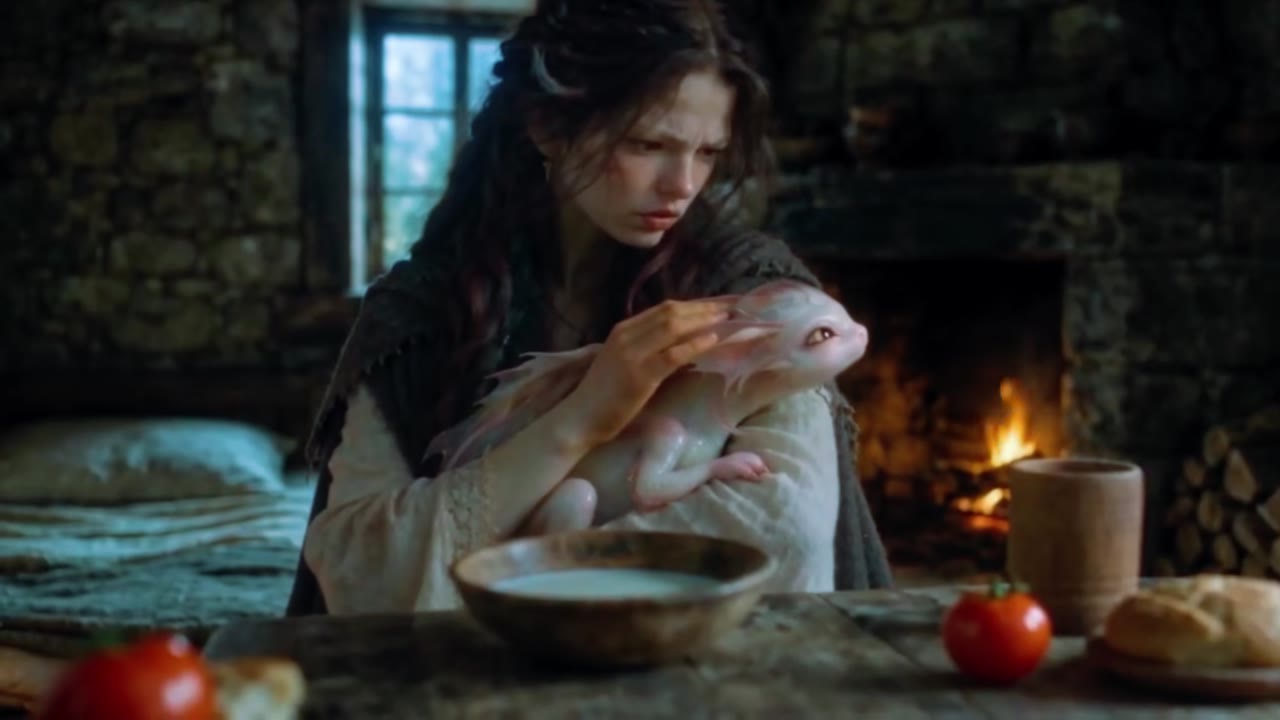
- Location You keep the snowfield or move the scene to a firelit stone cottage.
- Rules One person, one baby dragon of constant size, no wounds, no text and no extra shots.
Replace the young woman with long dark wavy hair and a dark green wool cloak in Video 1 with the adult person from Image 1.…
Why it goes wrong when you do it yourself
- Written as a motion reference only, the model tends to keep the film's woman and just borrow details from your photo.
- Without naming her scratches, cloak and hair, those details come back in the close-ups.
- Hands are the hard part: the dragon's claws on a finger often come out with extra fingers unless the prompt says otherwise.
- The dragon easily changes size or colour between cuts if it is not fixed in the prompt.
More videos from this trend
Trend inspiration · not a selectable template
How to make your The Mother's Monster AI video
Upload one photo
One clear, front-facing photo of one adult. Your clothes in the photo are the clothes in the video.
Pick the place
Stay on the snowfield from the film or move the scene to a firelit stone cottage.
Generate
Choose the model and format. The 13-second video keeps the film's shots, with you holding the baby dragon.
Post it
The film's original score is already on the finished video, so you can post it straight away, labelled as AI.
What is the The Mother's Monster AI trend?
Updated · videosi is an independent tool. It is not affiliated with TikTok, Instagram, YouTube, or with the owners of any trend, song, game or brand named on its pages.
The Mother's Monster is an AI-generated fantasy film of about 28 minutes. A young woman gives birth alone in a snow cave, and the baby is a pale pink dragon. She carries it home under her cloak and raises it in secret, until the village finds out and calls her a witch. The end credits carry a 2026 copyright, and videosi is not connected to the film's makers.
The earliest TikTok upload we could date is 15 September 2026, with more full uploads and part-by-part cuts following that month. People search for it as a movie as much as a trend, and many tutorials explain how such AI films are made. By late October the wave was past its peak, though re-uploads were still appearing.
The sound is the film's own instrumental score. In the 13 seconds used here we heard no lyrics, and we could not confirm a title or composer.
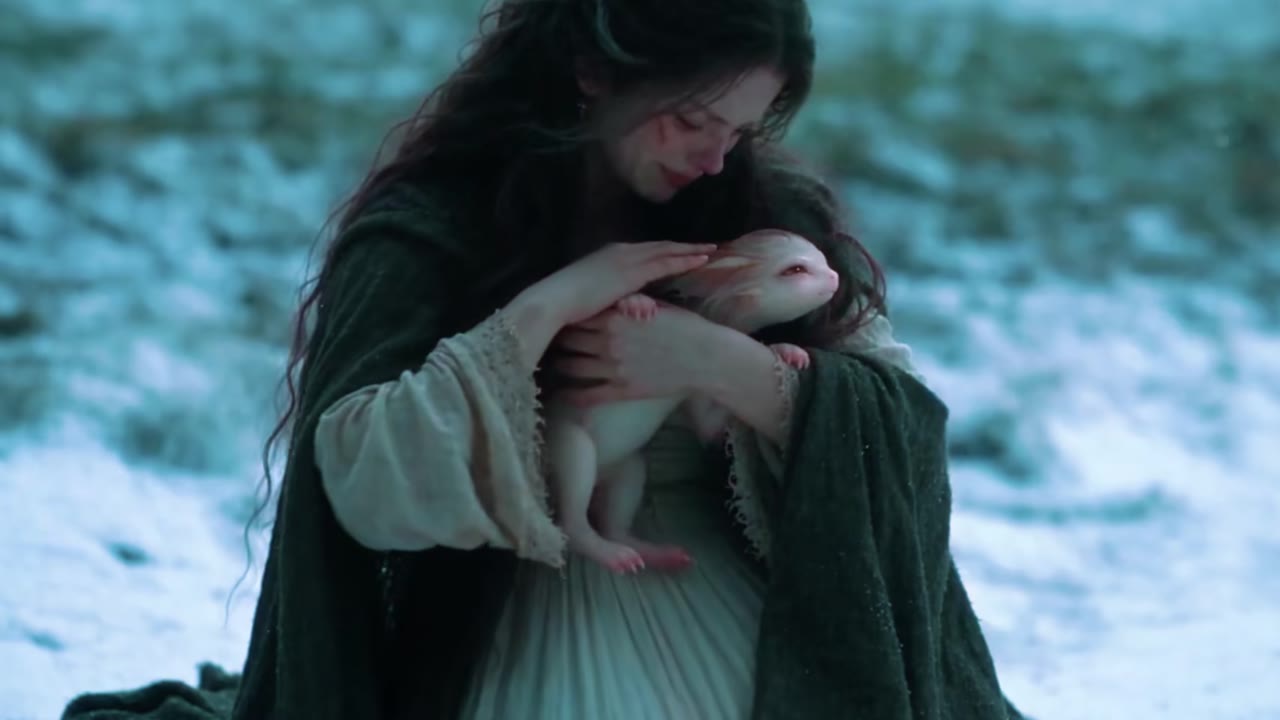
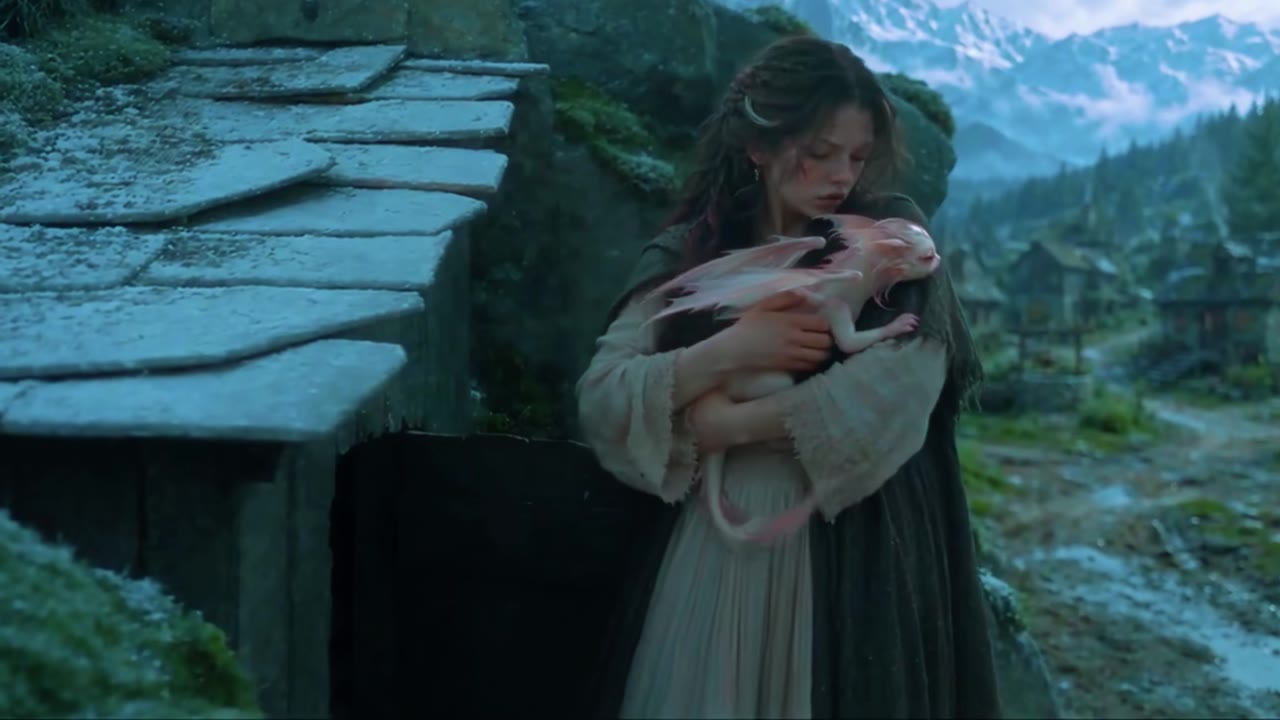
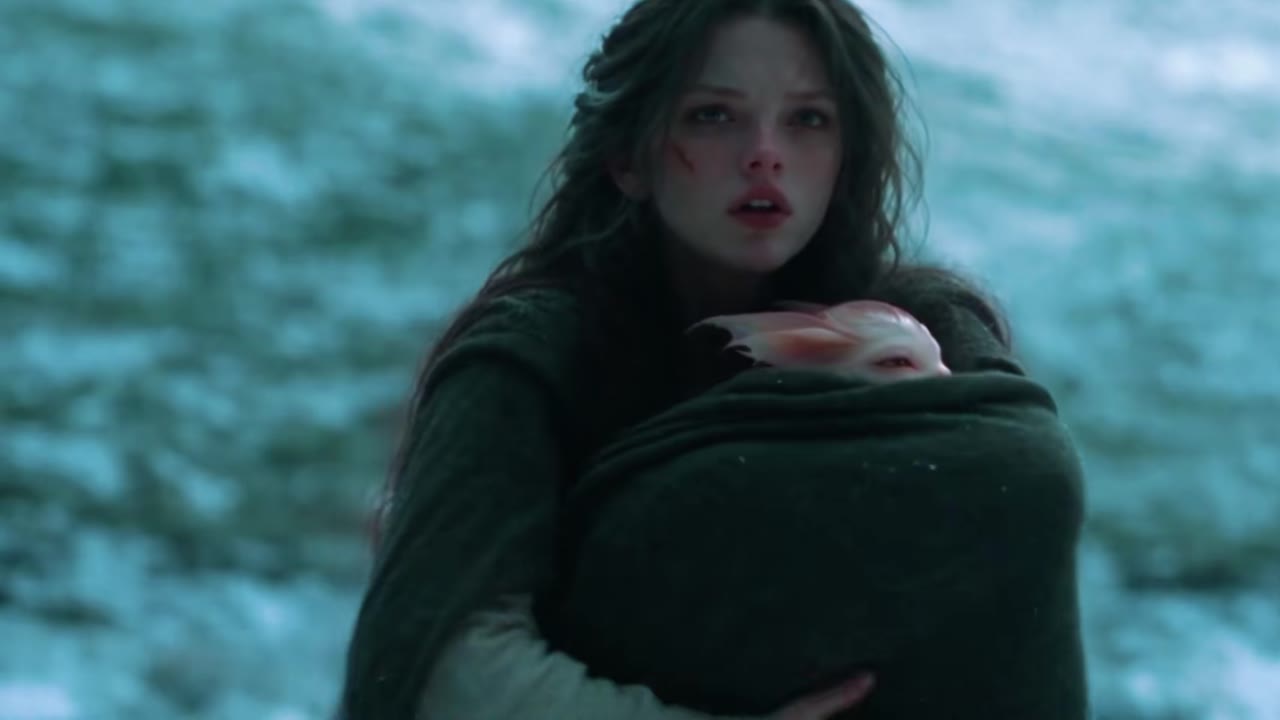
The videosi version is one scene, not the film. You kneel in the snow, lift the newborn dragon and hold it to your face. Your face, hair and clothes come from your photo; the baby dragon, the shots and the timing come from the film. The clips on this page are from the original film and show its AI-generated heroine in costume, because we have not yet found remakes. Your video shows you, in your own clothes.
The Mother's Monster AI: shot by shot
- 0–2.5 s
The reach
Seen from inside a rock hollow, you drop to your knees in the snow in front of the baby dragon lying on the ground.
- 2.5–3 s
The lift
You gather the dragon up with both hands, still framed by the dark rock.
- 3–5 s
First look
Close on you as the dragon rests in your arms and turns its head, soft snow light on both of you.
- 5–6 s
The tiny grip
Extreme close-up: the dragon's small claws close around your finger.
- 6–8.5 s
Cheek to cheek
You lower your face and press your cheek to its head, eyes closed.
- 8.5–13 s
Held close
A wider shot on the snowfield: you stay kneeling with the dragon held against your chest, and it settles into you.
Tips for a better result
Face the camera
The close-ups are tight, so a sharp, front-facing photo matters most.
Show your hands if you can
A photo with your hands and arms visible helps keep your skin tone right on the hands holding the dragon.
Dress for the scene
Your outfit is not changed. A coat, cloak or long dress looks most natural in the snow.
Avoid sunglasses and hats
Your eyes and hair frame the close-up, and covered faces match less well.
Good to know before you make a The Mother's Monster AI video
- This is one 13-second scene, not the whole film, and it is not connected to the film's makers.
- We have not test-rendered this effect. The clips on this page are from the original film, not customer videos, and show its heroine in costume; your video keeps your own clothes.
- The cottage option changes the place by prompt while the film's movement stays the same, so details of the room vary between renders.
- For one adult aged 18 or over. It does not make children, pets or two people.
The Mother's Monster AI: questions
What is The Mother's Monster and where did it come from?
The Mother's Monster is an AI-generated fantasy film of about 28 minutes, and videosi turns its most tender scene into a 13-second video starring you. A young woman gives birth to a baby dragon in a snow cave, and her village calls it a monster. The earliest TikTok upload we could date is 15 September 2026, but the first release date is unconfirmed.
How do I make The Mother's Monster AI video from one photo?
On videosi you upload one clear photo of yourself, pick the snowfield or the firelit cottage, and generate a 13-second video in which you lift and cradle the baby dragon. No prompt is needed. Your face, hair and clothes come from your photo, and the original soundtrack is added to the finished video.
Is there a website or app that makes The Mother's Monster video?
Yes: videosi makes a 13-second Mother's Monster scene in the browser from one photo, with no app and no prompt to write. It runs on phones and desktop computers. It makes one scene with you in it, not the whole 28-minute film, and it is not connected to the film's makers.
Is there a Mother's Monster TikTok filter or CapCut template?
We did not find a filter or CapCut template that recreates the film scene as of November 2026. TikTok tutorials from September 2026 show a different thing: still photo templates that put a pink dragon on your shoulder. videosi makes a moving 13-second film scene instead, and you can post it anywhere.
What AI model and prompt make this video?
videosi uses Seedance, ByteDance's video model, and you choose the tier (Seedance 2.0 Mini is the standard one). The 13-second scene from the film guides the shots and timing, and the prompt swaps the woman for the person in your photo. We describe the prompt's structure on this page but do not publish the full text.
How much does The Mother's Monster AI cost, and is it free?
The Mother's Monster AI on videosi is not free: there is no free generation and no free trial. A 13-second video on the Standard model at 720p is 11 credits; better models and higher resolutions cost more. Credit packs start at $6.90 for 10 credits and never expire; plans start at $29.90 a month. A failed render returns its credits automatically.
Why doesn't my Mother's Monster video look like me?
A videosi Mother's Monster video can drift from your look when the photo is small, dark, side-on or wearing sunglasses, because the 13-second scene has tight close-ups. Use one sharp, front-facing photo with your whole head visible. Your clothes also come from the photo, so what you wear there is what you wear in the snow.
Can I use someone else's photo, or a photo of my child?
videosi's Mother's Monster effect is for one adult aged 18 or over, so do not upload photos of children. You can use a photo of another adult only with their permission. It does not work with pets, because the scene needs hands to hold the baby dragon, and it makes one person per video.
What does "The Mother's Monster" mean?
"The Mother's Monster" refers to the baby dragon in the 2026 AI film: the villagers see a monster, while the woman who gave birth to it sees her child. The title carries the whole story of the film, a mother protecting a creature everyone else wants dead, and videosi's 13-second scene takes the moment she first holds it.
What song or sound does The Mother's Monster use?
The sound is the film's own instrumental score, and videosi adds the 13 seconds from this scene to your finished video. We heard no lyrics in that part and could not confirm a title or composer. Shorter TikTok re-uploads often carry other music, so there is no single confirmed trend sound.
Is The Mother's Monster still trending?
As of November 2026 The Mother's Monster is past its peak but still circulating, about seven weeks after its earliest dated TikTok upload on 15 September 2026. New re-uploads and part-by-part cuts were still appearing in early November, but we have no confirmed view count for the trend as a whole. videosi keeps this page live as the wave fades.
Trending this week
All trends this week
Make your The Mother's Monster AI video
Upload a photo and press Generate. 11 credits, refunded if it fails.
Get the next trend first
One email when new trends land on videosi, about once a week. Unsubscribe in one click.
See videosi first on Google
Add videosi as a preferred source and our trend pages show up first in your Top Stories and AI answers on Google.