King Jin AI Trend: The King Jin Video, Starring You
You stand on a night street with men bowing behind you, pull out a lollipop, walk down a blue corridor and end under a city skyline. One photo of you is all it takes.
Updated : Page published.
1Add your photo
What you'll get
Front-facing, well-lit selfies work best. One face per photo.
2Choose quality
By generating you confirm you have permission to use the people in your photos. Terms
No subscription needed · Ready in 4–6 minutes · Failed renders are free
The King Jin AI trend is a 10-second CapCut template video in which a stylish person stands on a night street with men bowing around them, takes out a lollipop and walks off through a blue corridor to a skyline close-up; videosi makes it from one photo of you.
- Fast facts
- First seen
- Stage
- Just starting
- Started on
- TikTok (unconfirmed)
- Sound
- KIAT JUD DAY HARDTEKK (TikTok Version)
- Meaning
- The King Jin AI trend is a TikTok and CapCut template in which one photo becomes a 10-second night-street entrance with a lollipop, a blue corridor walk and a skyline close-up; the name King Jin is the template's label and its origin is unconfirmed.
- Related trends
- Gas Station Dance AI, Metro Phone Trend, AI Rich Video Trend
Page updates
- November 14, 2026 — Page published.
The King Jin AI Trend prompt and model
King Jin AI Trend is made with Seedance 2.0 / 2.5 (you pick the tier) by ByteDance. The prompt behind it has 5 parts, and the timing is what makes or breaks it.
- Model
- Seedance 2.0 / 2.5 (you pick the tier)
- Mode
- Photo + motion reference to video
- Length
- 10 seconds, 9:16, 1:1 or 16:9
- Input
- 1 photo
- Identity lock Your photo is the only source for the face, hair, build and outfit, held in every cut.
- Motion reference A short template clip supplies the five shots, the camera pushes and the timing, and nothing else.
- Street and corridor The night street with the bowing men, the blue corridor and the skyline are kept from the reference.
- Lollipop moment The star takes a lollipop out of the mouth and smirks, the beat the whole clip is built around.
- Rules Replace only the star, keep the crowd and the places, no readable signs, text or watermark.
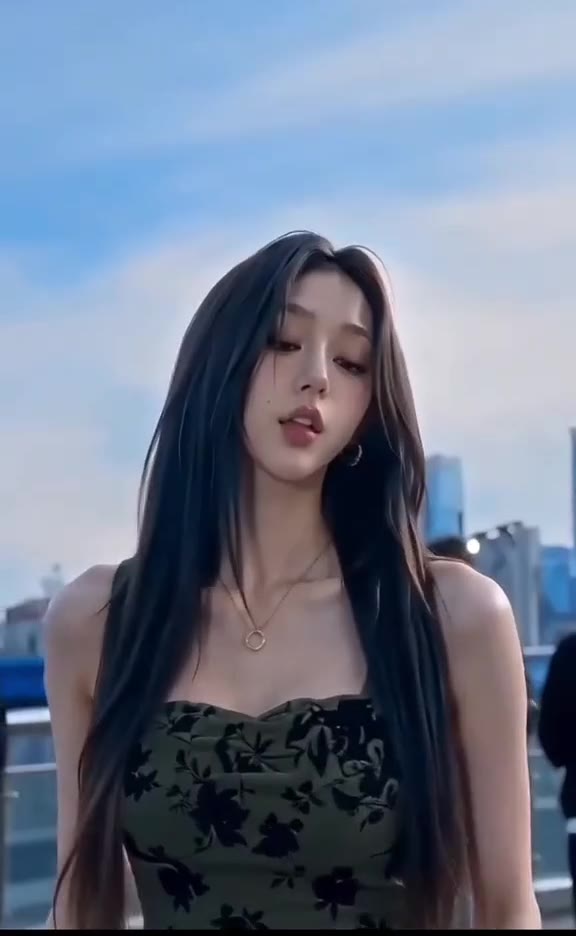
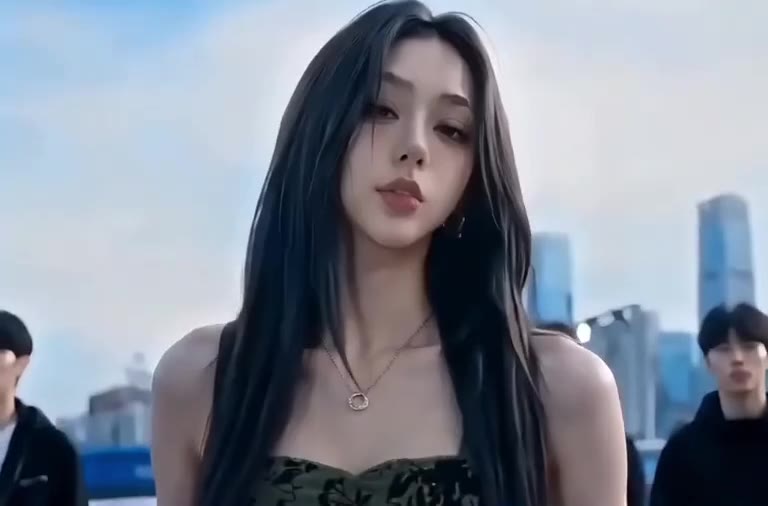
Replace the young woman with long brown hair and a dark green floral camisole in Video 1 with the person from Image 1. Keep everything else in Video 1 the same.…
Why it goes wrong when you do it yourself
- Without the motion reference, a general model rarely gets the five cuts in the right order, so the blue corridor and the skyline finish go missing.
- Models tend to keep the street empty, which removes the bowing men that make the entrance read as a power move.
- The lollipop is small and sits near the mouth, so it often turns into a cigarette, a straw or nothing at all.
- Face drift between the street close-up and the skyline close-up is common when the identity is not locked to one photo.
More videos from this trend
Trend inspiration · not a selectable template
How to make your King Jin AI Trend video
Upload one photo of yourself
A clear, front-facing photo, head and shoulders or waist up. Your hair and outfit in the photo are what appear in the clip.
Pick the format
Choose 9:16 for TikTok, Reels and Shorts, or 1:1 and 16:9. There is nothing else to choose: the scene is fixed.
Generate and download
Press Generate and the 10-second video is rendered for you as an MP4 with the trend's original sound and no watermark.
Post it with the trend sound
Upload to TikTok and add an AI label. The sound is already on the clip, and you can swap in KIAT JUD DAY HARDTEKK from TikTok's library if you want the exact track.
What is the King Jin AI Trend trend?
Updated · videosi is an independent tool. It is not affiliated with TikTok, Instagram, YouTube, or with the owners of any trend, song, game or brand named on its pages.
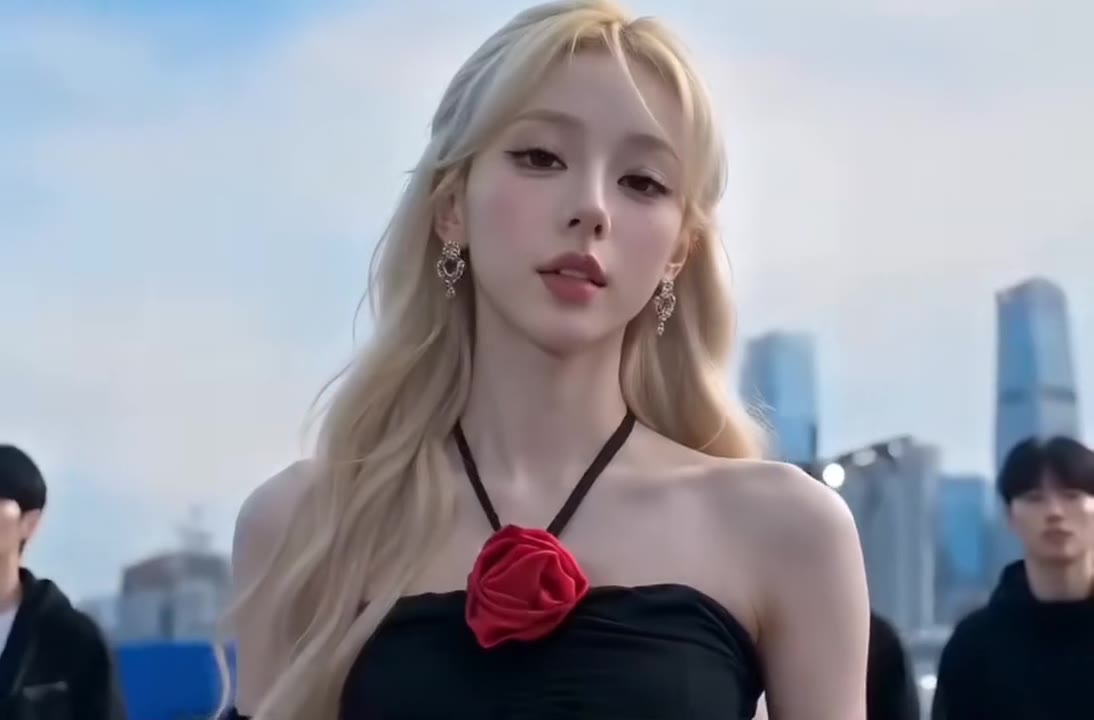
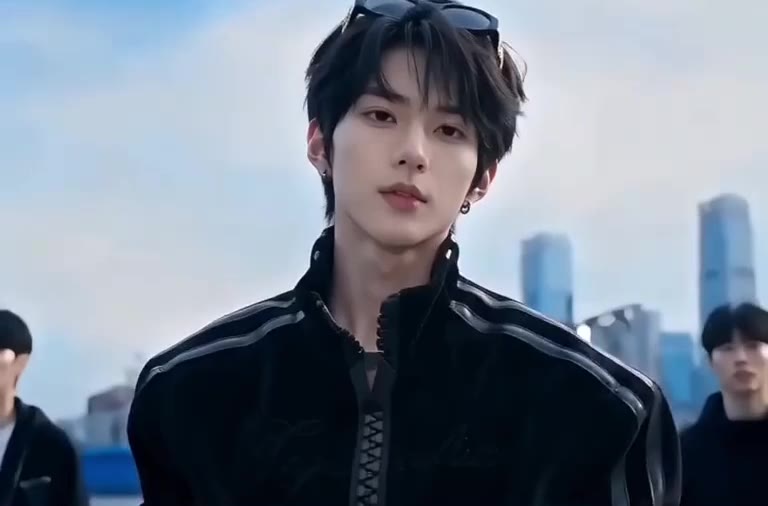
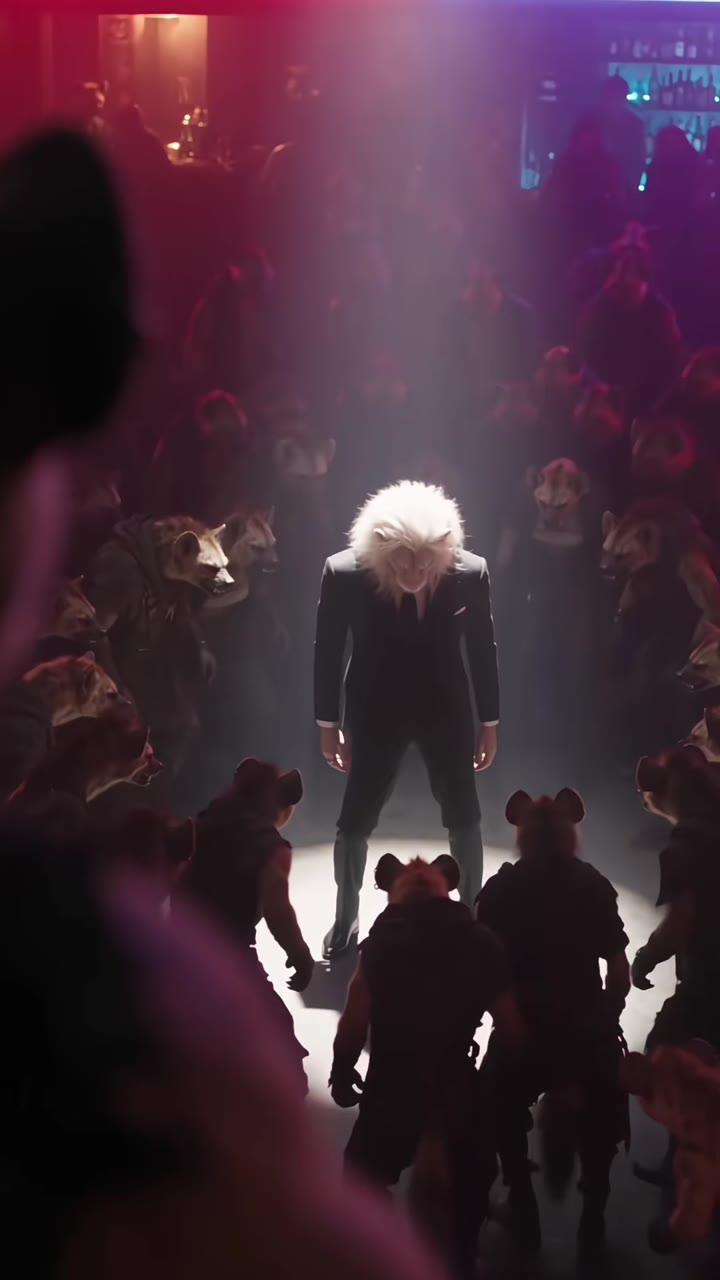
The King Jin AI trend is a CapCut template that turns one photo into a 10-second street-style entrance. The video opens on a night street where men in jackets bow around the star of the clip, who stands calm with a lollipop stick in the mouth. A close-up follows, the lollipop comes out and the face breaks into a small smirk, then the scene cuts to a blue corridor with a staircase where the person walks toward the camera with hands in pockets, and the last second is a daytime close-up in front of a city skyline.
It started spreading on TikTok around 12 November 2026. The first posts in our radar were screen-recorded tutorials with Burmese captions that show how to open the template from a TikTok post and drop in a photo; one of them had passed 1.1 million plays by 14 November 2026, and Vietnamese creators posted their own results the day after. The tutorials use the TikTok sound KIAT JUD DAY HARDTEKK (TikTok Version). The name King Jin is the label people put on the template; we could not confirm who made it first or what the name refers to.
Many of the Burmese captions talk about hitting a tiger, but the videos attached to them show the street scene described here. A separate tiger-fight AI trend is also going around in November 2026, and we have not confirmed a link between the two.
videosi makes the same 10-second video from one photo of you: it keeps the street, the corridor, the skyline and the timing, and swaps the star for you. The trend has only just started spreading, so expect it to change quickly.
King Jin AI Trend: shot by shot
- 0-3 s
Night street
Wide shot of a night street. Men in jackets bow and crouch around the star, who stands calm with a lollipop stick in the mouth.
- 3-5 s
Lollipop close-up
Camera pushes in to a close-up. The lollipop comes out of the mouth and goes back in, with a cool look into the lens.
- 5-6 s
The smirk
A softer close-up on the street: head tilted, a small smirk, the crowd blurred behind.
- 6-9 s
Blue corridor
Hard cut to a blue corridor with a staircase and glass doors. The star walks toward the camera with hands in pockets.
- 9-10 s
Skyline finish
Daytime close-up in front of a city skyline, a calm look and a slight head turn to end the clip.
Tips for a better result
Face the camera
Most of the clip is close-ups. A sharp, evenly lit front-facing photo gives the model your real face to hold.
Show your outfit
The camisole or jacket in your photo is what you wear on the street and in the corridor. A waist-up photo shows it best.
Skip sunglasses and hats
The lollipop close-up needs your mouth and eyes in view, so no masks, sunglasses or hats in the photo.
One person only
Keep the photo to yourself. The only other people in the clip are the men in the street, and they stay in the background.
Good to know before you make a King Jin AI Trend video
- Nothing is filmed: the street, the corridor and the skyline are generated, and the bowing men are not real people. Label the post as AI.
- This is the street-entrance template. It is not the tiger-fight clip that some Burmese captions talk about.
- The lollipop is small and sometimes comes out as another small object near the mouth; run it again if it does.
- The lip movement does not match a song, and the original sound is added after rendering.
King Jin AI Trend: questions
What is the King Jin AI trend?
The King Jin AI trend is a CapCut template that started spreading on TikTok around 12 November 2026: one photo becomes a 10-second clip of you on a night street with men bowing around you, a lollipop moment, a blue corridor walk and a skyline close-up. videosi (videosi.io) makes the same video from one photo, with no CapCut.
How do I make the King Jin AI trend video from one photo?
Upload one clear photo of yourself to videosi, pick 9:16, 1:1 or 16:9 and press Generate. You get the 10-second King Jin video as an MP4 with the trend's original sound and no watermark. A front-facing photo from the waist up works best, and rendering takes a few minutes.
Is there a website or generator for the King Jin AI trend?
Yes. videosi (videosi.io) is a web tool that makes the King Jin AI trend from one photo. The five shots, the street and the timing are built in, so you choose only the photo and the format. A standard 10-second video (Standard model, 720p) is 10 credits.
Is there a King Jin CapCut template?
Yes, the trend started as a CapCut template that people open from a TikTok post's template link; the tutorials we checked show a template credited to a creator named GG-Bond. It only exists inside CapCut and is limited to its fixed scene. videosi makes the same 10-second video without the app.
What AI model and prompt does the King Jin trend use?
videosi renders King Jin with ByteDance's Seedance 2.0 or 2.5 (you pick the tier), using the 10-second template clip as a motion reference and your photo for the face. The prompt is built in and only swaps the star of the clip for you. We do not publish the full prompt.
How much does the King Jin AI video cost on videosi?
A 10-second King Jin AI video is 10 credits on the Standard model at 720p, with higher tiers costing more. There is no free tier and credits do not expire, and a failed render returns its credits. Prices for packs and plans are on the videosi pricing page.
Why did my King Jin video come out wrong or not look like me?
Most mismatches come from the photo. Use one sharp, front-facing photo with even light and no sunglasses, hat or mask, because the clip is mostly close-ups. If the lollipop looks wrong or the face drifts, run it again on videosi: each render is a fresh generation of the 10-second clip.
Can I use someone else's photo, a friend or a pet?
Use your own photo or one of a friend who has agreed. The King Jin scene is built around a person on a street, so it is not made for pets. videosi does not allow photos of minors or content that puts two real people together in intimate scenes, and you should label the result as AI.
What does King Jin mean?
King Jin is the name people give to this CapCut template, and posts describe it as a powerful-entrance effect. We could not confirm who "Jin" is or where the name comes from. As of 14 November 2026 it works as a label for the template, and videosi uses it as the page name.
What song or sound is used in the King Jin trend?
Most King Jin posts use the TikTok sound KIAT JUD DAY HARDTEKK (TikTok Version), a hardtekk-style track whose artist is not verified. videosi adds the same trend audio to the 10-second video after rendering, so it arrives with sound, and you can swap the track in TikTok if you prefer.
Is the King Jin trend still trending?
As of 14 November 2026 it is just starting: the first posts appeared around 12 November, and one Burmese-captioned tutorial passed 1.1 million plays within two days. That puts it in the emerging stage, so it may grow or fade quickly. videosi will update this page as the numbers change.
Is King Jin the tiger fight trend?
No, as far as we can tell. Many King Jin tutorials carry a Burmese caption about hitting a tiger, but the template videos they show are the night-street lollipop entrance with a blue corridor and a skyline. A separate tiger-fight AI trend is circulating in November 2026, and we have not confirmed a link between them. videosi makes the street-entrance one.
Will the King Jin video be taken down if I post it on TikTok?
AI videos are allowed on TikTok when they are labeled, so turn on the AI-generated content label when you post the 10-second King Jin clip. videosi's video has no watermark and uses no real footage of anyone, but you are responsible for posting it honestly and with a photo you may use.
Trending this week
All trends this week


Make your King Jin AI Trend video
Upload a photo and press Generate. 10 credits, refunded if it fails.
Get the next trend first
One email when new trends land on videosi, about once a week. Unsubscribe in one click.
See videosi first on Google
Add videosi as a preferred source and our trend pages show up first in your Top Stories and AI answers on Google.