Brick By Brick AI: The Snowfall "I Built This" Scene, Starring You
You turn in the driver's seat and say you built this, brick by brick. One photo of you is all it takes.
Updated : Page published.
1Add your photo
What you'll get
Front-facing, well-lit selfies work best. One face per photo.
2Choose quality
By generating you confirm you have permission to use the people in your photos. Terms
No subscription needed · Ready in 4–6 minutes · Failed renders are free
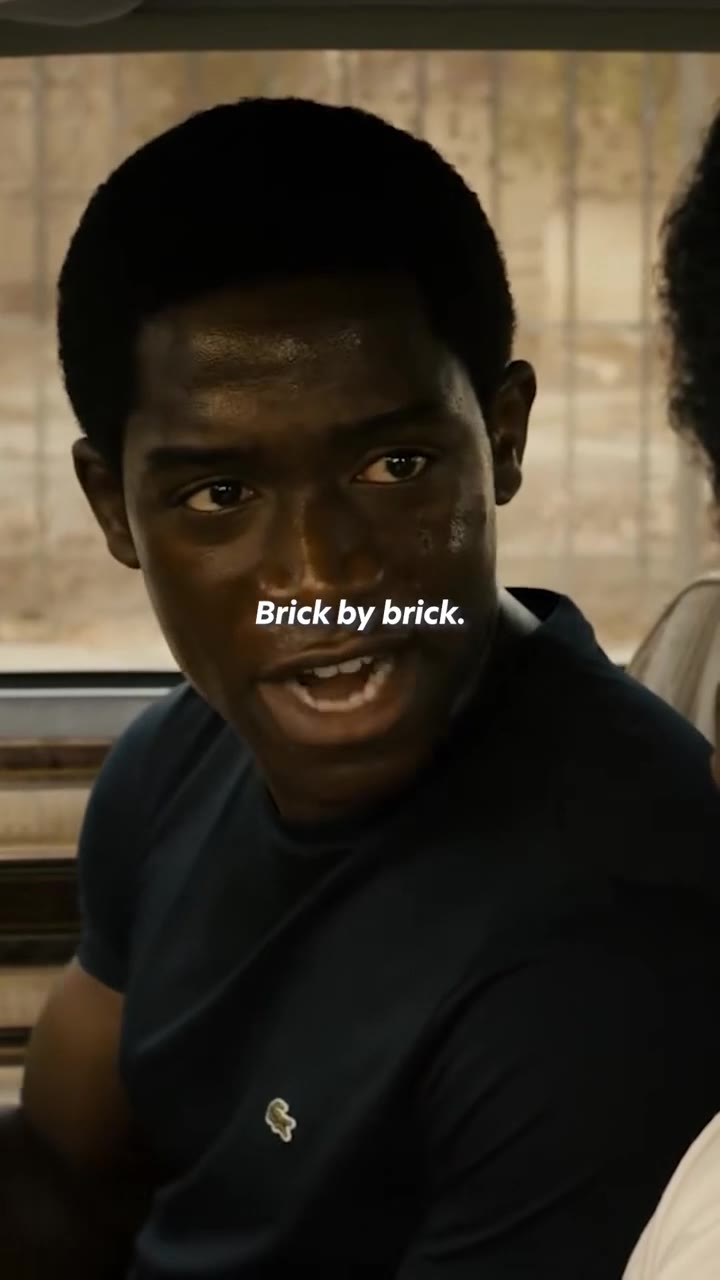
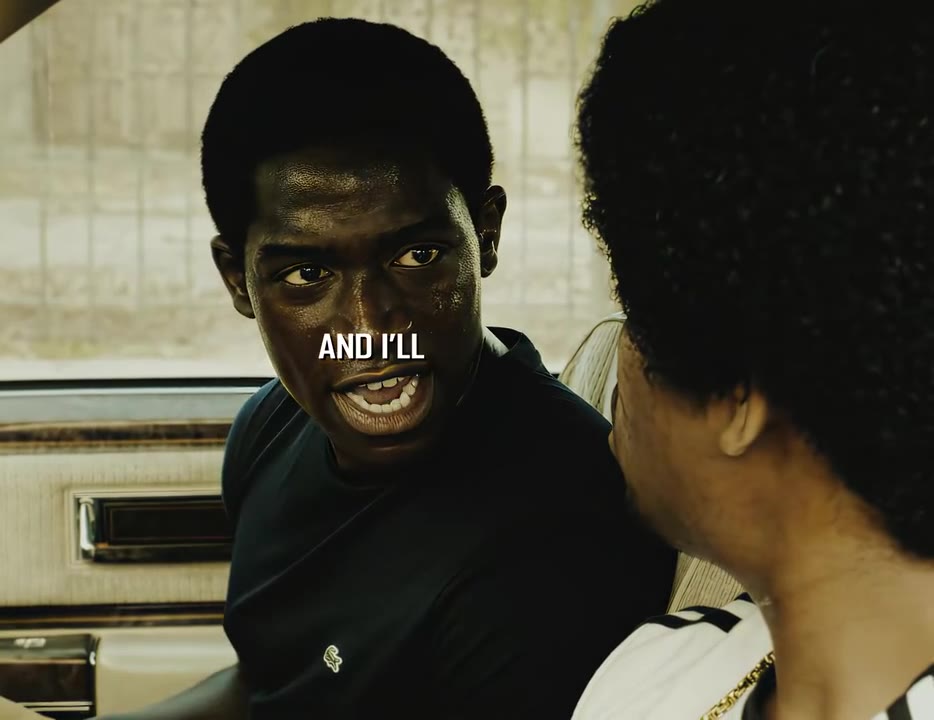
The brick by brick AI trend is a 6-second video of the "I built this, me, brick by brick" car speech from Snowfall with you in the speaker's seat; videosi makes it from one photo of you.
- Fast facts
- First seen
- Stage
- Just starting
- Started on
- TikTok (unconfirmed)
- Sound
- "I built this, me, brick by brick" (Snowfall dialogue) — Damson Idris as Franklin Saint
- Meaning
- "Brick by brick" in this trend means building something slowly and by your own effort, and the AI version puts your face in Franklin Saint's "I built this" speech from Snowfall.
- Related trends
- I Love the Smiths AI, White Chicks AI Video, Tiny Desk AI
Page updates
- November 14, 2026 — Page published.
The Brick By Brick AI Trend prompt and model
Brick By Brick AI Trend is made with Seedance 2.0 / 2.5 (you pick the tier) by ByteDance. The prompt behind it has 5 parts, and the timing is what makes or breaks it.
- Model
- Seedance 2.0 / 2.5 (you pick the tier)
- Mode
- Photo + motion reference to video
- Length
- 6 seconds, 9:16, 1:1 or 16:9
- Input
- 1 photo
- Identity lock Your photo is the only source for the face, hair, build and outfit, held through the head turns and the shouting.
- Motion reference The real car scene supplies the camera, the turn of the head, the hand jab and the pacing, and nothing else.
- Scene A parked car in daylight, a blurred fence behind the window, the passenger at the edge of the frame.
- Timeline Five beats over 6 seconds, from the stare to the angry laugh.
- Rules Nobody else becomes the driver, the face stays yours, the model is told to remove the burned-in subtitles (a trace can occasionally remain), no new text, no slow motion.
Replace the young man with a short afro and a dark navy T-shirt in Video 1 with the person from Image 1. Keep everything else in Video 1 the same…
Why it goes wrong when you do it yourself
- A close-up fills the whole frame, so the model keeps the original actor's face unless the replacement is forced.
- The subtitles burned into popular clips get copied into the result as garbled text.
- Lip movement and the head turn drift when the face is replaced without a real reference clip.
- Each try costs model credits and several minutes, and most people need several tries.
More videos from this trend
Trend inspiration · not a selectable template
How to make your Brick By Brick AI Trend video
Upload one photo of yourself
A sharp, front-facing photo with the whole face visible. The whole clip is a close-up, so this photo decides the likeness.
Pick the format
Choose 9:16 for TikTok, Reels and Shorts, or 1:1 or 16:9, and a model tier.
Generate and download
Press Generate and a 6-second MP4 of the car scene is rendered for you, with the original speech audio and no watermark.
Post it and label it
Label the clip as AI-generated when you post. The speech is on the video already; you can swap the sound in the app if you like.
What is the Brick By Brick AI Trend trend?
Updated · videosi is an independent tool. It is not affiliated with TikTok, Instagram, YouTube, or with the owners of any trend, song, game or brand named on its pages.
Brick by brick is a short speech from the crime drama Snowfall. In a car, a young man turns on the passenger next to him and says he built this, him, brick by brick, and that he will not let anyone tear it down. The speaker is Franklin Saint, played by Damson Idris. As a TikTok sound the line has circulated since at least June 2023, mostly as dark, slow edits that quote the whole speech, and several of those edits have passed 3 million views.
The phrase has also become a general joke on social media, used over any boast about something you made slowly and yourself: a career, a channel, a body, a business. A green-screen version of the clip circulates as a CapCut meme template as well.
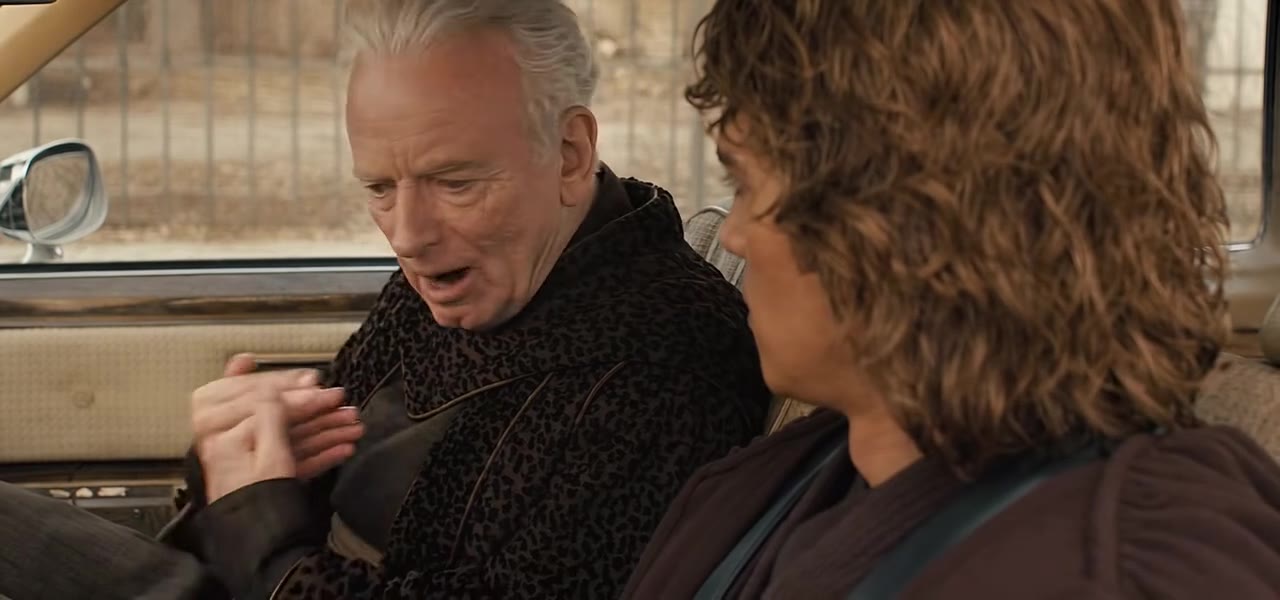
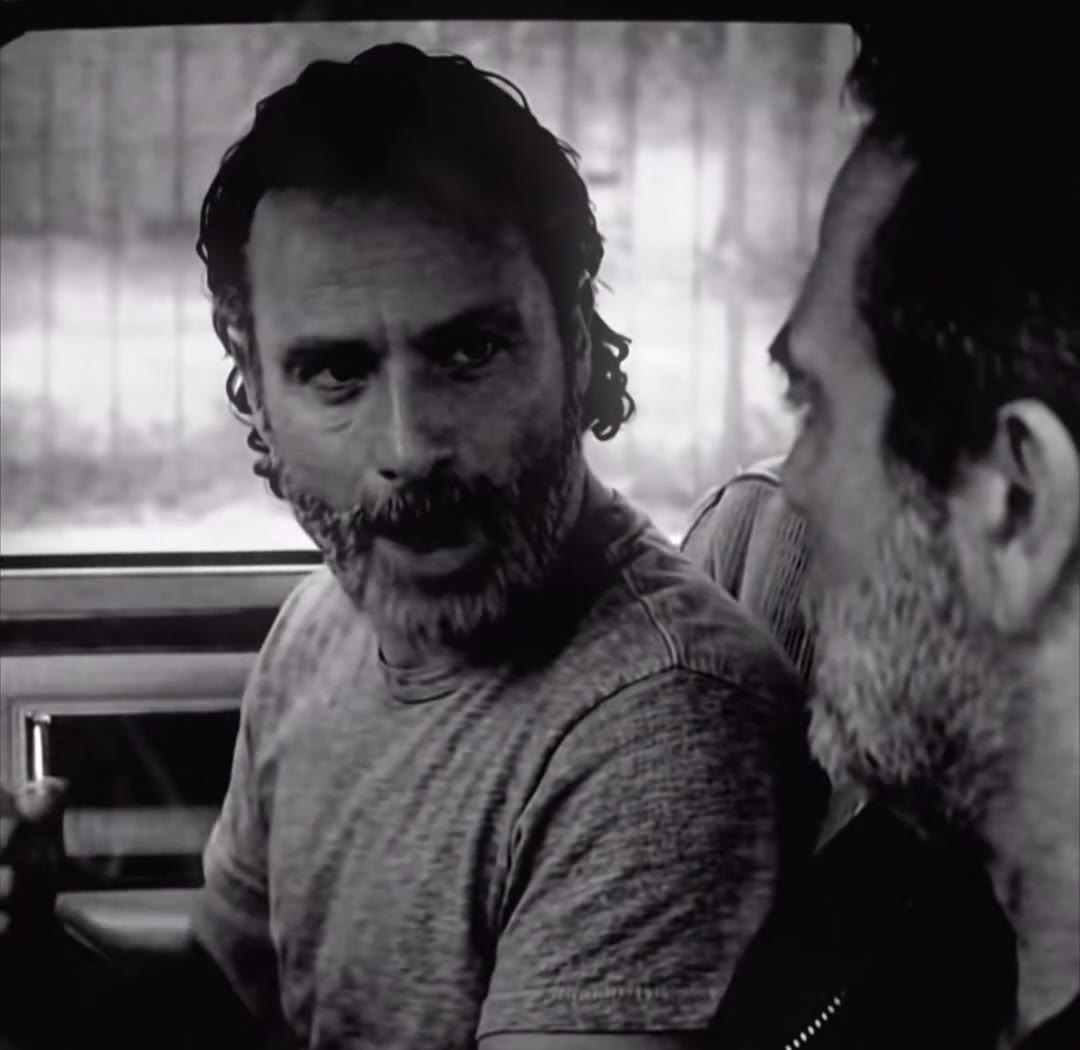
The AI version is newer. Around 5 to 7 November 2026 TikTok posts began to appear that replace the people in the car with someone else using an AI character swap, for example a film villain and his apprentice in the same seats, and AI templates picked the name up as a trend. We found only a few such posts so far, with small view counts, so this is an early trend and not a proven one.
On videosi, you give one photo of yourself and the AI replaces the driver with you: same car, same turn of the head, same angry pride, with the original speech audio on top. The clip is 6 seconds because it stops before the end of the scene. videosi is not affiliated with the show or its makers. The voice is the actor's original dialogue, so your lips will not match the words exactly.
Brick By Brick AI Trend: shot by shot
- 0-0.5 s
The stare
Seen from the front, the driver looks straight into the lens, still, with the passenger's head just at the right edge.
- 0.5-2.5 s
I built this
He frowns and turns toward the passenger, jabbing a hand sideways, and says he built this.
- 2.5-3 s
Me
A sharp, almost smiling nod and mouth shape on the word "me", the hand still in the air.
- 3-4.2 s
Brick by brick
He leans in with a proud, tense smile and says brick by brick, eyes locked on the lens.
- 4.2-6 s
Not tearing it down
His voice rises; he says he will be damned if he lets it be torn down, the grin turning into a laugh of anger.
Tips for a better result
Use a face close-up
The scene is nearly all face, so head-and-shoulders photos work best. A distant full-body photo leaves the model to invent the face.
Look at the camera
A photo where you look at or just beside the lens matches the turning, angry stare of the scene.
Keep it clean
No sunglasses, masks, hats or heavy filters. A clear forehead and eyes keep your face from drifting while the head turns.
Dark shirts blend in
The scene is dim and warm. A plain dark top in your photo looks natural in that light.
Good to know before you make a Brick By Brick AI Trend video
- Nothing is filmed: the car, the passenger and the speech scene are generated and re-edited. Label the post as AI so it is not mistaken for the real show.
- The scene is a tight close-up, so teeth, jaw and hand details may blur or drift, and the passenger at the edge may look odd.
- The video carries the original speech from the series, in the actor's voice, cut at 6 seconds. Your mouth is generated, so the lips do not match the words exactly, and a platform may mute or flag the sound.
- A failed, timed-out or blocked render returns its credits automatically.
Brick By Brick AI Trend: questions
What is the brick by brick AI trend?
The brick by brick AI trend is a 6-second remake of Franklin Saint's car speech from the TV series Snowfall, in which you replace him with yourself. videosi makes it from one photo of you. The line ("I built this, me, brick by brick") has been a TikTok sound since at least June 2023; the AI character-swap versions started spreading in early November 2026.
Where does "I built this brick by brick" come from?
"I built this sh*t, me, brick by brick" is Franklin Saint's speech in Snowfall, the FX crime drama in which Damson Idris plays him. It sits in a car scene in which he turns on a passenger; videosi's brick by brick page recreates that scene. TikTok edits of it have been posted since at least June 2023, and several passed 3 million views.
How do I make a brick by brick AI video from one photo?
Upload one clear photo of yourself to videosi, choose a format and press Generate. You get a 6-second MP4 of the Snowfall car scene with you in Franklin's seat, with the original speech audio on it. There is no prompt to write and nothing to edit. A standard render takes a few minutes.
Is there a website or generator for the brick by brick AI trend?
Yes: videosi's brick by brick AI page is a generator built for this one scene. You give it one photo, it returns a 6-second video with the original dialogue and no watermark. Other tools offer a generic character swap where you supply the scene and a prompt, which usually takes several tries to get the timing right.
Is there a TikTok filter or CapCut template for brick by brick?
The popular CapCut brick by brick templates are green-screen meme templates, not AI swaps, and they change or disappear often. There is no live TikTok camera filter for the AI version. videosi is independent and not affiliated with TikTok, CapCut or the show: upload a photo and download a 6-second MP4.
What AI model and prompt does the brick by brick AI video use?
The videosi brick by brick page runs on ByteDance's Seedance (Seedance 2.0 Mini by default; Fast, Pro and Seedance 2.5 Ultra are one click away), using the real scene as the motion reference and a short replace-the-person prompt. Doing it yourself with a generic tool usually takes several tries, because the face drifts or the subtitles stay.
How much does the brick by brick AI video cost?
The brick by brick AI video on videosi is not free: there is no free generation and no free trial. A standard 6-second video (Standard model, 720p) is 10 credits; better models and higher resolutions cost more. Credit packs start at $8.90 for 10 credits and never expire, and plans start at $29.90 a month. A failed render returns its credits.
Why does my brick by brick AI video not look like me?
On videosi, a brick by brick video that does not look like you is usually caused by the photo. This is a tight close-up shot, so the model has almost nothing to work from except your face: use a sharp, front-facing photo with no sunglasses, hat or heavy filter. If the clip still keeps Franklin's face, regenerate once; a failed render returns its credits automatically.
Can I use someone else's photo, a friend or a pet?
On videosi you can use a photo of anyone who agreed to it, such as yourself, a friend or a family member. Do not use the clip to make a real person seem to have actually said this, and label the post as AI-generated. A pet photo does not work well here, because the scene is a person talking.
What does "brick by brick" mean in this trend?
"Brick by brick" means building something slowly and by your own effort, and in this videosi trend it is shorthand for "I built this myself". It is used on TikTok as a joke or a boast about a career, a project or a habit. The AI version puts your face in the original speech, so the line becomes yours.
What sound is used in the brick by brick trend?
The sound is the original dialogue from Snowfall, not a song: Franklin Saint saying "I built this, me, brick by brick, and I'll be damned if I let you tear it down". The videosi clip carries that audio and ends at 6 seconds, at the end of that sentence; the scene goes on after it, but the clip stops there. The voice is the actor's, not yours, and your mouth is generated to follow the scene, so the lip movements do not match the words exactly.
Will the subtitles from the original clip show up in my video?
Now and then, yes. The reference clip of the Snowfall scene has English subtitles burned into the picture. videosi tells the model to remove all subtitle text, but a render can occasionally keep part of a word or a few garbled letters. Watch the whole clip before you post; if text remains, you can generate again (a new render uses credits again).
Is the brick by brick trend still trending?
As of November 2026 the brick by brick AI version is only starting to spread: the earliest AI character-swap posts we found are dated 5 to 7 November 2026, while the original Snowfall sound has been popular on TikTok since June 2023. Interest in the AI swap may rise or drop quickly, and videosi's page reflects only what we could verify.
Can I put another character, such as a cartoon, in the brick by brick scene?
The scene is built for a real person from one photo, so a clear human face works best. This page is not made for cartoon or animal photos, and results with them are unpredictable. Remakes that use film characters exist on TikTok, but videosi uses your own photo, not a licensed character.
Will my brick by brick AI video be taken down?
Some platforms may require an AI label on realistic generated video, so add the AI tag when you post. The speech comes from a TV series, so a platform may mute or flag the sound on a few accounts. videosi cannot promise how a platform handles a given post; check the rules of the app you post to.
Trending this week
All trends this week






Go deeper on Brick By Brick AI Trend
What is trending this week ↗
Every viral AI video trend we have turned into a one-photo generator, newest first.
White Chicks AI ↗
Another famous car scene: you sing A Thousand Miles while a friend or pet side-eyes you.
Oh He Tweakin AI ↗
Another meme skit: a two-person studio call-out, made from two photos.
Make your Brick By Brick AI Trend video
Upload a photo and press Generate. 10 credits, refunded if it fails.
Get the next trend first
One email when new trends land on videosi, about once a week. Unsubscribe in one click.
See videosi first on Google
Add videosi as a preferred source and our trend pages show up first in your Top Stories and AI answers on Google.