Guzarishon Pe AI: The Book-Flip Outfit Reveal, Starring You
A woman reads a book, shuts it, and a white flash turns her plain look into a red embroidered suit. One photo of you is all it takes.
Updated : Page published.

1Add your photo
What you'll get
Trend remakes · inspiration only
Front-facing, well-lit selfies work best. One face per photo.
2Choose quality
By generating you confirm you have permission to use the people in your photos. Terms
No subscription needed · Ready in 4–6 minutes · Failed renders are free
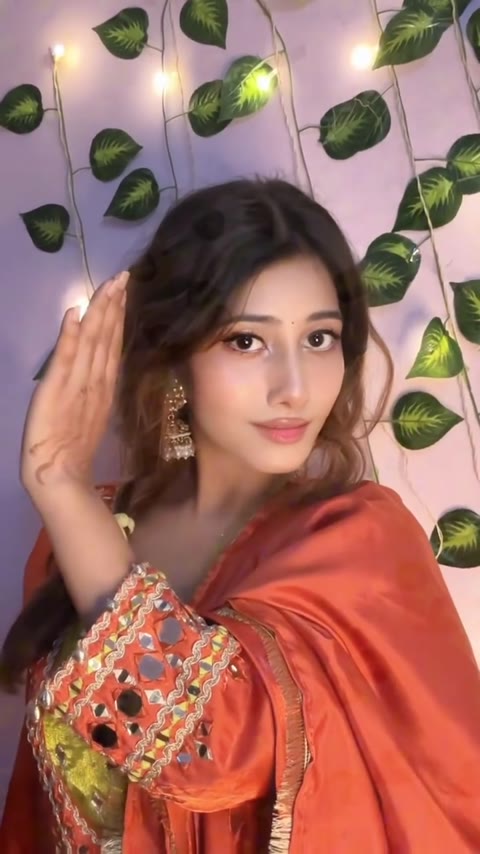
Guzarishon pe AI is the Instagram and TikTok trend in which a person reads a book, closes it and flashes into a festive Indian outfit on the song Guzarishon Pe Gaur Kijiye; videosi makes the 12-second video from one photo of you.
- Fast facts
- First seen
- Stage
- Just starting
- Started on
- Instagram (unconfirmed)
- Sound
- Guzarishon Pe Gaur Kijiye (Guzarish) — Satinder Sartaaj (unconfirmed)
- Meaning
- The Guzarishon pe trend is an outfit-reveal transition on the song Guzarishon Pe Gaur Kijiye, whose title means roughly "please pay attention to my requests" in Hindi-Urdu.
- Related trends
- Ceiling Fan Transition, AI Slide Transition
Page updates
- November 21, 2026 — Page published.
The Guzarishon Pe AI Trend prompt and model
Guzarishon Pe AI Trend is made with Seedance 2.0 / 2.5 by ByteDance. The prompt behind it has 5 parts, and the timing is what makes or breaks it.
- Model
- Seedance 2.0 / 2.5
- Mode
- Photo + motion reference to video
- Length
- 12 seconds, 9:16, 1:1 or 16:9
- Input
- 1 photo
- Replace the person The woman in the reference clip is swapped for the person in your photo, in every shot.
- Face from your photo Face, skin tone, age and build come from your photo and stay the same in every look.
- Keep the looks The cardigan, the white kurta and the red embroidered suit stay as in the reference, so the reveal still happens.
- Keep the scene The lilac wall, the fairy lights, the book, the flashes and the timing are unchanged.
- Rules One person, five fingers, no text or watermark. The trend sound is added afterwards.
Replace the young woman with her dark hair in a small bun, holding an open book, in Video 1 with the person from Image 1.…
Why it goes wrong when you do it yourself
- Without a reference clip, a video model has no idea where the flash and the swap of looks should fall, so the reveal is lost.
- Asking for an outfit change in plain text usually gives one outfit for the whole clip.
- The face can drift between the plain look and the festive look unless both are tied to the same photo.
- Each try costs model credits and several minutes, and the quick flicker back is easy to lose.
More videos from this trend
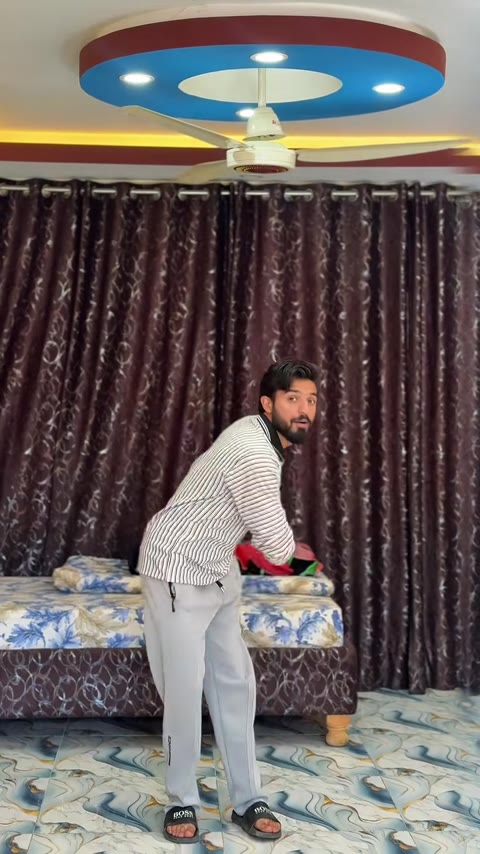
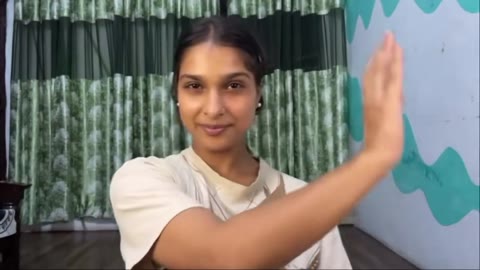
These clips were made and posted by other creators, not by videosi. Credits link to the original posts.
How to make your Guzarishon Pe AI Trend video
Upload one photo of yourself
Use a sharp, front-facing photo with your face and shoulders in frame. Your face comes from the photo; the two looks in the reveal are built in.
Pick the format
Choose 9:16 for Instagram Reels, TikTok and Shorts, or 1:1 or 16:9. The wall, the book and the timing are built in.
Generate and download
Press Generate. The 12-second video comes with the trend sound already on it. Check the song rights before posting.
What is the Guzarishon Pe AI Trend?
Updated · videosi is an independent tool. It is not affiliated with TikTok, Instagram, YouTube, or with the owners of any trend, song, game or brand named on its pages.
Guzarishon pe AI is a short outfit-reveal transition set to the song Guzarishon Pe Gaur Kijiye, and on videosi you make it by uploading one photo of yourself and getting a 12-second video. A person in everyday clothes reads a book or holds up a paper, closes it, and a white flash changes the look: a festive Indian suit, a dupatta, jewellery and a styled pose, often with fairy lights behind. The reveal can flicker back and forth once or twice before the new look settles.
On TikTok the posts are tagged with spellings such as guzarishon pe gaur kijiye, guzarishon pe ghor kijiye and plain transition. The most-viewed posts we found were published in November 2026, the biggest at about 891,000 views. Tutorials for an AI version, which feed a photo and a prompt into a video model, started around 20 to 21 November 2026; one YouTube tutorial had 125 views when we checked.
The song is Guzarishon Pe Gaur Kijiye, also written Guzarish, by Satinder Sartaaj. Most posts use one remixed cut listed as an original sound, so the exact cut is unconfirmed. Song rights are separate from the video: posting with the music can trigger a claim on some platforms.
The videosi version keeps the book, the white flash and the timing of a 12-second clip. Your photo supplies the face, and the reveal into the red embroidered look is built in. The result comes with the trend sound already on it. The trend has only just started to spread, so examples are few, and the prompt has not yet been test-rendered with buyer photos.
Guzarishon Pe AI Trend: shot by shot
- 0–4.5 s
Reading the book
A woman in a grey cardigan stands against a lilac wall with leaf decor, reading an open book and glancing up.
- 4.5–6.5 s
Book shuts
She closes the book, and the cardigan is gone: a white embroidered kurta, same wall.
- 6.5–8 s
First flash
A white flash and the look flips to a red embroidered suit with a dupatta, fairy lights behind and a hand raised in a salute pose.
- 8–9.5 s
Flicker back
The frame snaps back to the plain look for a beat, then flashes again to the festive one.
- 9.5–12 s
Look settles
The red and green suit stays, and she looks down at a page in her hands under warm light.
Tips for a better result
Show your face clearly
The reveal is mostly close shots, so a sharp photo with the face to the camera helps the likeness most.
Skip sunglasses and hats
Anything over the eyes or hair makes the likeness drift between the two looks.
Use one person only
The trend has one person in it. Crop friends out so the model knows whose face to use.
Expect the outfits to be the trend's
The cardigan and the red embroidered suit come from the trend clip, not from your photo.
Good to know before you make a Guzarishon Pe AI Trend video
- The two outfits are fixed by the trend; you cannot choose the festive look on this page.
- The song is Satinder Sartaaj's Guzarishon Pe Gaur Kijiye; the clip carries it, so posting may trigger a music claim.
- Your lips do not sing along; the clip is a visual reveal.
- The prompt has not been test-rendered with buyer photos.
How much does the Guzarishon Pe AI Trend video cost?
- On a new account, this video costs $8.90, a one-time payment with no subscription: the first video takes 10 credits, covered by the Single pack (10 credits).
- From then on, this 12-second video is 10 credits on the Standard model at 720p. Other models and resolutions show their price before you start.
- There is no free generation on this page. Every account gets one free 5-second Muse video (watermarked, view only) and one free watermarked image in the AI tools. Credit packs start at $8.90 for 10 credits and never expire; plans start at $29.90 a month.
- Purchases are final. A failed, timed-out or blocked render returns its credits automatically.
- You pick the model before you generate: Seedance 2.0 Mini (Standard), Seedance 2.0 Fast (Fast), Seedance 2.5 Flash (Pro), Seedance 2.5 (Ultra).
Guzarishon Pe AI Trend: questions
What is the Guzarishon pe AI trend?
Guzarishon pe AI is a November 2026 outfit-reveal trend on Instagram and TikTok, and videosi makes it as a 12-second video from one photo of you. A person reads a book or a paper, closes it, and a white flash turns plain clothes into a festive Indian suit, set to Satinder Sartaaj's song Guzarishon Pe Gaur Kijiye. The first AI tutorials are dated 20 to 21 November 2026.
How do I make the Guzarishon pe AI video from my photo?
To make the Guzarishon pe AI video, upload one photo of yourself to videosi, pick 9:16, 1:1 or 16:9 and press Generate to get a 12-second clip. You write no prompt: the book, the white flash, the two outfits and the timing are built in. Rendering takes several minutes, the video has no watermark, and it is saved in My creations if you close the page.
Is there a Guzarishon pe AI generator or website?
Yes: videosi (videosi.io) is a Guzarishon pe AI generator that turns one photo of you into the 12-second book-close outfit reveal. The book, the flash, the timing and the prompt are built in, so you only choose the photo and the format. On the Standard model at 720p a video costs 10 credits, and higher tiers cost more.
Is there a TikTok or Instagram filter or CapCut template for Guzarishon pe?
As of 21 November 2026 we found no official Instagram or TikTok filter for Guzarishon pe; videosi makes the AI version as a finished 12-second video from one photo. The trend posts are transitions filmed in two outfits, and the AI tutorials that appeared on 20 to 21 November feed a photo and a prompt into a video app. videosi is independent of Instagram, TikTok and CapCut, and the trend sound comes on the video.
What AI model and prompt make the Guzarishon pe video?
videosi makes the Guzarishon pe AI video with ByteDance's Seedance 2.0 family (Standard, Fast, Pro) or Seedance 2.5 (Ultra), guided by a 12-second reference clip. The clip gives the white flash, the look change and the timing, and your photo gives the face. The full prompt is not published, and it has not yet been test-rendered with buyer photos. You pick the tier on the generator page.
Why does my Guzarishon pe video not look like me?
The videosi Guzarishon pe AI video takes the face from one photo, so a blurry, angled or covered photo is the usual reason the 12-second result does not look like you. Use one sharp, front-facing photo with face and shoulders in frame and no sunglasses or hat. The outfits come from the trend clip, not your photo, and with flashes and quick cuts likeness is never guaranteed.
Can I use someone else's photo or a pet?
The videosi Guzarishon pe AI video works with a photo of any adult who has agreed to it, such as a friend or relative, and users must be 18 or older. The 12-second clip is built around one person reading a book, so a pet will not look convincing and we do not recommend it. Label the clip as AI-generated when you post it.
What does "Guzarishon pe" mean?
"Guzarishon pe" comes from the song line "Guzarishon pe gaur kijiye", roughly "please pay attention to my requests" in Hindi-Urdu, and since November 2026 it also names the outfit-reveal trend that videosi makes from one photo. People spell it many ways, including guzarish par gaur kijiye, ghor kijiye and gor kijiye. As a trend it means one thing: the book-close transition into a festive look.
What song is used in the Guzarishon pe trend?
The song in the Guzarishon pe trend is Guzarishon Pe Gaur Kijiye, also called Guzarish, by Satinder Sartaaj, and the 12-second videosi video carries the trend sound. In the posts we checked on 21 November 2026 most use one remixed cut listed as an original sound, so the exact cut is unconfirmed. Song rights are separate from the video, so posting with the music can trigger a claim on some platforms.
Is the Guzarishon pe trend still trending?
As of 21 November 2026 the Guzarishon pe trend that videosi makes from one photo is emerging, with TikTok posts of the transition reaching up to about 891,000 views. The first AI tutorials are dated 20 to 21 November 2026, and one YouTube tutorial had 125 views when we checked. Examples of the AI version are still few.
Can I change the outfit or do it with a friend?
Not on this page: the videosi Guzarishon pe AI video keeps the same two looks in every 12-second render and uses one person from one photo. The grey cardigan, the white kurta and the red embroidered suit are what make the clip recognizable, so only your face changes. For a photo with friends in it, crop it to one person so the model knows whose face to use.
Can I use ChatGPT, Sora, Veo or Kling to make it myself?
You can try Guzarishon pe in ChatGPT, Sora, Veo or Kling, but videosi uses a 12-second motion reference because general tools without one tend to give one outfit for the whole video and lose the white flash. The reference keeps the reveal and the quick flicker back on their timing, and your photo supplies the face. Each try in a general tool costs credits and several minutes. Label the video as AI-generated when you post it.
Trending this week
All trends this week



Make your Guzarishon Pe AI Trend video
Upload a photo and press Generate. 10 credits, refunded if it fails.
Get the next trend first
One email when new trends land on videosi, about once a week. Unsubscribe in one click.
See videosi first on Google
Add videosi as a preferred source and our trend pages show up first in your Top Stories and AI answers on Google.