AI Slide Transition: The Streetlight Transition, Starring You
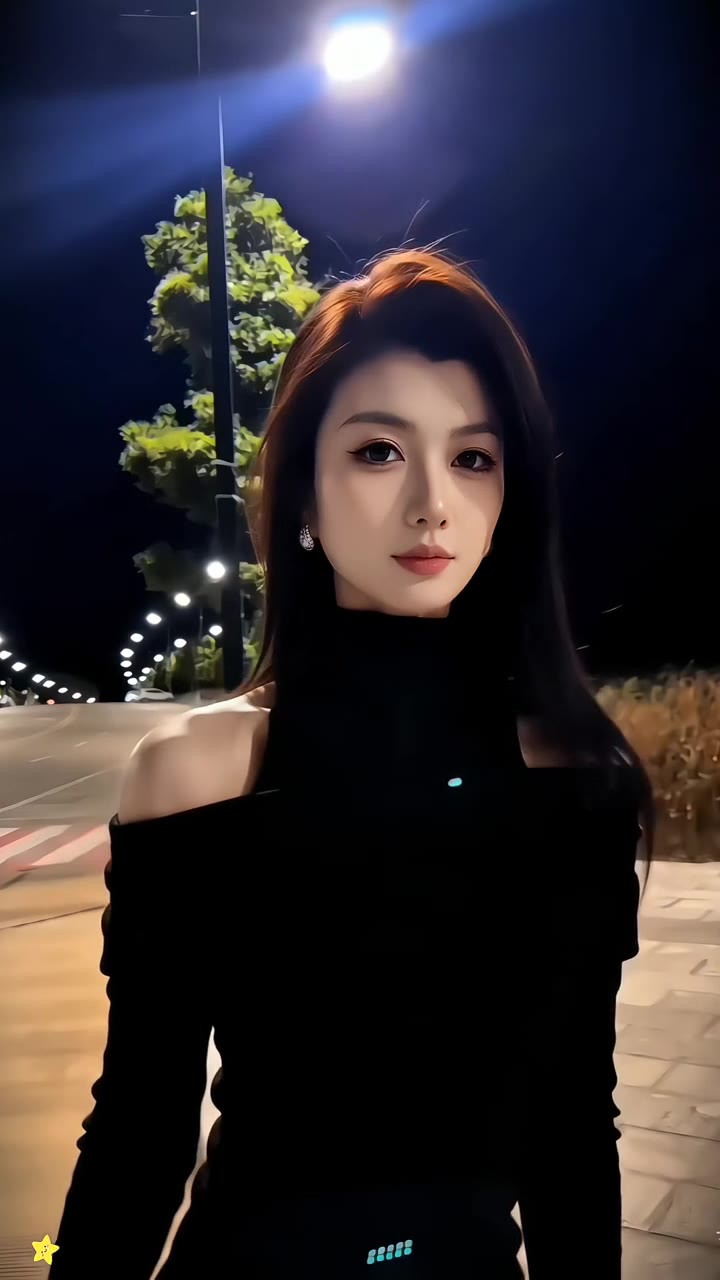
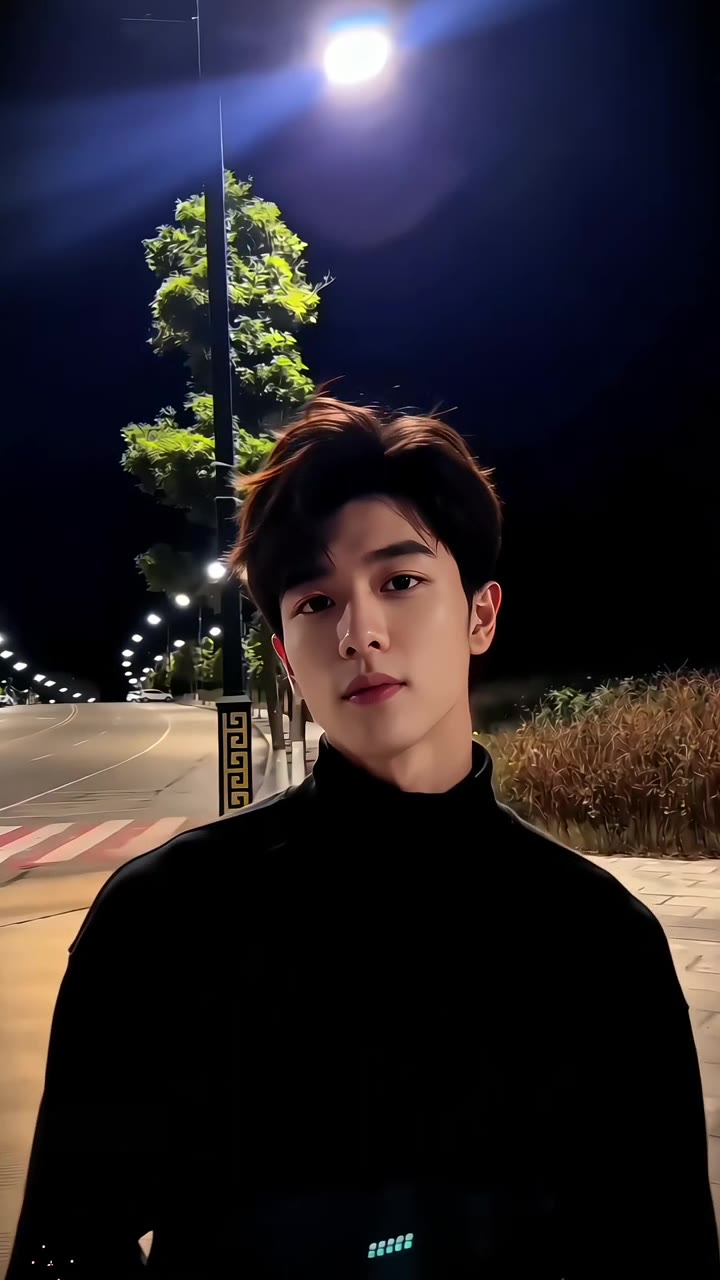
A tiny figure grabs a street lamp at night, slips out of frame, then slides back in right up against the camera. One photo of you is all it takes.
Updated : Page published.
1Add your photo
What you'll get
Front-facing, well-lit selfies work best. One face per photo.
2Choose quality
By generating you confirm you have permission to use the people in your photos. Terms
No subscription needed · Ready in about 3 minutes · Failed renders are free
The street light slide is a 6-second night clip in which a person grabs a lamp post far from the camera, slips out of frame and slides back in as a sudden close-up; videosi makes it from one photo of you.
- Fast facts
- First seen
- Stage
- Spreading
- Started on
- TikTok (unconfirmed)
- Sound
- Most posts use a TikTok sound listed as an original sound by a user called naddy, built around a spoken line with strong language; the song or source behind it is unconfirmed.
- Meaning
- The street light slide is a video transition in which a small figure slips away from a lamp post at night and slides back in as a sudden close-up.
- Related trends
- Toosie Slide AI Trend, Moon Headlight Transition, UNO Reverse Car Transition
Page updates
- November 1, 2026 — Page published.
The AI Slide Transition prompt and model
AI Slide Transition is made with Seedance 2.0 / 2.5 (you pick the tier) by ByteDance. The prompt behind it has 5 parts, and the timing is what makes or breaks it.
- Model
- Seedance 2.0 / 2.5 (you pick the tier)
- Mode
- Photo + motion reference to video
- Length
- 6 seconds, 9:16, 1:1 or 16:9
- Input
- 1 photo
- Replace the person The person in the reference clip is swapped for the person in your photo, in the far shot and the close-up.
- Identity lock Face, hair, clothes, skin tone, hands and build come from your photo, and nothing of the original person stays.
- Keep the scene The night plaza, the lamp, the tree, the fixed camera and the timing all stay as they are.
- Timeline Five beats over 6 seconds: the hand on the post, the slip, the empty plaza, the slide-in and the close-up.
- Rules Exactly one person, five fingers, no lip sync and no text, logos or watermark. The sound is added afterwards.
Replace the young man with tousled dark hair and a black turtleneck in Video 1 with the person from Image 1, in both the distant shot…
Why it goes wrong when you do it yourself
- Without a reference clip, the model tends to walk the person toward the camera, and the sudden jump in scale is gone.
- The far shot and the close-up can come out as two different people unless the identity is locked for both.
- The reference person's face shape can leak into the close-up, where it shows the most.
- Each try costs model credits and several minutes, and the one-second empty plaza is easy to lose.
AI Slide Transition examples
How to make your AI Slide Transition video
Upload one photo of yourself
Use a sharp photo with your face to the camera and your upper body in frame. What you wear in the photo is what you wear in the video.
Pick the format
Choose 9:16 for TikTok, Reels and Shorts, or 1:1 or 16:9 for other feeds. The plaza, the lamp and the timing are built in.
Generate and download
Press Generate. The 6-second video comes with the trend sound already on it, ready to post.
What is the AI Slide Transition trend?
Updated · videosi is an independent tool. It is not affiliated with TikTok, Instagram, YouTube, or with the owners of any trend, song, game or brand named on its pages.
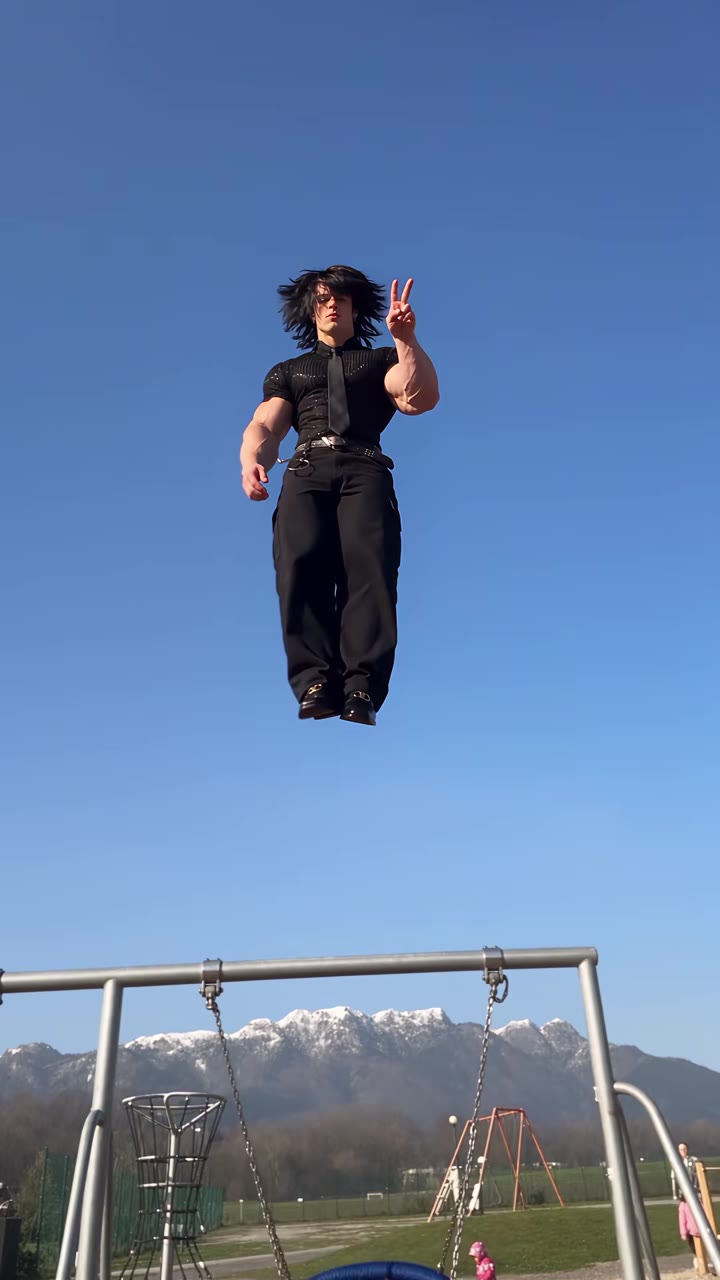
The street light slide is a short night clip built on a change of scale. A very small figure stands by a lamp post in an empty plaza, grabs the pole, swings around it and slips away along the ground. For about a second nobody is in the shot. Then the same person slides in from the lower corner, now huge and close to the lens, and settles into a calm portrait under the lamp.
It spreads on TikTok under several names: AI slide transition, fun slide transition, streetlight transition and street lamp transition. The earliest dated posts we could check are from 21 October 2026. Those posts, and every high-view one we found, come from accounts sharing a CapCut-style photo template, and one of those clips had passed two million views by 1 November 2026. We did not find a single original post or creator.
Most clips share one sound, listed on TikTok as an original sound by a user called naddy, built around a spoken line with strong language. The song or source behind it is unconfirmed.
The videosi version keeps the plaza, the lamp, the slip and the close-up. Your photo supplies the person, including the face, hair and clothes. The result is a 6-second video with the trend sound already on it.
AI Slide Transition: shot by shot
- 0–0.7 s
Small by the lamp
You stand far away beside the lamp post, tiny under the blue-white light, and put a hand on the pole.
- 0.7–1.5 s
The slip
You swing around the post and slip sideways, low across the ground, until you are out of sight.
- 1.5–2.6 s
Empty plaza
Nothing moves. The lamp, the tree and the paved path hold just long enough for the viewer to wonder where you went.
- 2.6–3.2 s
The slide-in
You rush in from the lower left corner, suddenly close to the camera and many times larger.
- 3.2–6 s
The close-up
You settle into an upper-body portrait under the lamp, looking into the lens with a small turn of the head.
Tips for a better result
Show your upper body
The last three seconds are a chest-up close-up. A photo cropped tight to the face leaves the model to invent your shoulders and clothes.
Wear something that stands out at night
Your clothes come from the photo, and the scene is dark. A lighter or brighter top reads better than black against the night sky.
Keep your face clear
Sunglasses, hats and hair across the eyes make the likeness drift, and the close-up shows it.
Use a photo of one person
The trend has one person in it. Crop any friends out of the picture so the model knows who to use.
Good to know before you make a AI Slide Transition video
- The plaza, the lamp and the camera are fixed by the trend; you cannot change the place on this page.
- You are very small in the first seconds, so your face only reads clearly in the close-up. Likeness is not guaranteed.
- The trend sound contains a spoken line with strong language, and your lips do not follow it.
- The prompt has not been test-rendered with buyer photos. A failed, timed-out or blocked render returns its credits automatically.
AI Slide Transition: questions
What is the street light slide AI trend?
The street light slide is a 6-second night clip on videosi and TikTok: a tiny figure grabs a lamp post, slips out of frame, then slides back in as a large close-up. The earliest dated posts we checked are from 21 October 2026, and they share a CapCut-style photo template. No original creator is confirmed.
How do I make the street light slide video from my photo?
Upload one photo of yourself to videosi, choose 9:16, 1:1 or 16:9 and press Generate. The 6-second street light slide video has no watermark and you write no prompt. Rendering takes several minutes, and the result is saved in My creations if you close the page.
Is there a street light slide AI generator or website?
Yes. videosi (videosi.io) makes the street light slide from one photo of you. The plaza, the lamp, the timing and the prompt are built in, so you only pick the photo and the format. A 6-second video on the Standard model at 720p costs 5 credits.
Is there a TikTok filter or CapCut template for the streetlight transition?
Yes, as of November 2026 many TikTok posts promote a CapCut-style template for this streetlight transition, though we found no official TikTok filter. videosi is independent and not affiliated with either app. It renders a finished 6-second video from one photo in your browser, with the trend sound already on it.
What AI model and prompt make the street light slide?
videosi makes the street light slide with ByteDance's Seedance 2.0 family (Standard, Fast, Pro) and Seedance 2.5 (Ultra). A 6-second reference clip gives the slip, the timing and the scene, and your photo gives the person. The full prompt is not published. You pick the tier on the generator page.
How much does the street light slide AI video cost?
A 6-second street light slide on videosi costs 5 credits on the Standard model at 720p. Higher tiers cost more. Credit packs start at $6.99 for 10 credits, credits never expire, and a failed or timed-out render returns its credits automatically. There is no free generation.
Why does my street light slide video not look like me?
Usually the photo is the cause. For the videosi street light slide, use one sharp, front-facing photo showing your upper body, with no sunglasses or hat. You are very small for the first 2.6 seconds, so judge the likeness in the close-up. Likeness is never guaranteed.
Can I use someone else's photo or a pet?
Only a photo of an adult who has agreed to it, such as a friend or relative. Users must be 18 or older, and the videosi street light slide is built for one person. A pet will not grab the post convincingly, so we do not recommend it. Label the clip as AI-generated when you post it.
What does "street light slide" mean?
"Street light slide" describes the 6-second move itself: a person slips away from a lamp post at night and slides back in as a sudden close-up. TikTok posts more often call it the AI slide transition or streetlight transition. On videosi all these names point to this one effect.
What song or sound is used in the street light slide?
Most street light slide posts we checked in late October 2026 use one TikTok sound, listed as an original sound by a user called naddy. It is built around a spoken line with strong language, and its source is unconfirmed. The videosi video has that sound on it, lined up with the 6-second clip.
Is the street light slide still trending?
As of 1 November 2026 the street light slide that videosi makes is at an early stage. Dated posts begin on 21 October 2026, and new template clips were still appearing at the end of the month. One clip has passed two million views, but nearly all the reach we found comes from template accounts.
Can I change the location or do it with a friend?
Not on this page. The videosi street light slide keeps the same night plaza and lamp in every video, and it renders one person from one photo. The place and timing are what make the 6-second clip recognizable. Your face, hair and clothes are what change.
Can I use ChatGPT, Sora, Veo or Kling to make it myself?
You can try, but without a reference clip general video tools tend to walk the person toward the camera and lose the sudden jump in scale. videosi uses a 6-second motion reference so the slip, the empty plaza and the close-up keep their timing. Label the video as AI-generated when you post it.
Trending this week
All trends this week


Make your AI Slide Transition video
Upload a photo and press Generate. 10 credits, refunded if it fails.
Get the next trend first
One email when new trends land on videosi, about once a week. Unsubscribe in one click.
See videosi first on Google
Add videosi as a preferred source and our trend pages show up first in your Top Stories and AI answers on Google.