Storm Trend AI: The STORM II Crowd Dance, Starring You
You walk into a silent crowd, stop in the middle, and on one beat everyone around you breaks into the STORM II dance while you stand still. One photo of you is all it takes.
Updated : Page published.
1Add your photo
Front-facing, well-lit selfies work best. One face per photo.
2Crowd
3Choose quality
By generating you confirm you have permission to use the people in your photos. Terms
In one sentence
The storm trend is a 15-second AI clip based on the STORM II music video in which a person walks into a motionless crowd, stops in the middle and stays still while everyone around them breaks into the same dance at once; videosi makes it from one photo of you.
- Fast facts
- First seen
- Stage
- Spreading
- Started on
- TikTok (unconfirmed)
- Sound
- STORM II — GENER8ION and Yung Lean
- Meaning
- The storm trend is a short AI video in which a person walks into a motionless crowd, stops in the middle and stays still while everyone around them breaks into the dance from the STORM II music video.
- Related trends
- Tecktonik Dance AI, The Jawn Dance AI
Page updates
- October 23, 2026 — Page published.
How it is made
The Storm Trend AI prompt and model
Storm Trend AI is made with Seedance 2.0 / 2.5 (you pick the tier) by ByteDance. The prompt behind it has 5 parts, and the timing is what makes or breaks it.
- Model
- Seedance 2.0 / 2.5 (you pick the tier)
- Mode
- Photo + motion reference to video
- Length
- 15 seconds, 9:16, 1:1 or 16:9
- Input
- 1 photo
- Identity lock Your photo is the only source for your face, hair, build and outfit, and the crowd is told never to borrow your face.
- Motion reference A remake of the trend supplies the walk in, the long still moment, the drop and the wide shot, and nothing else.
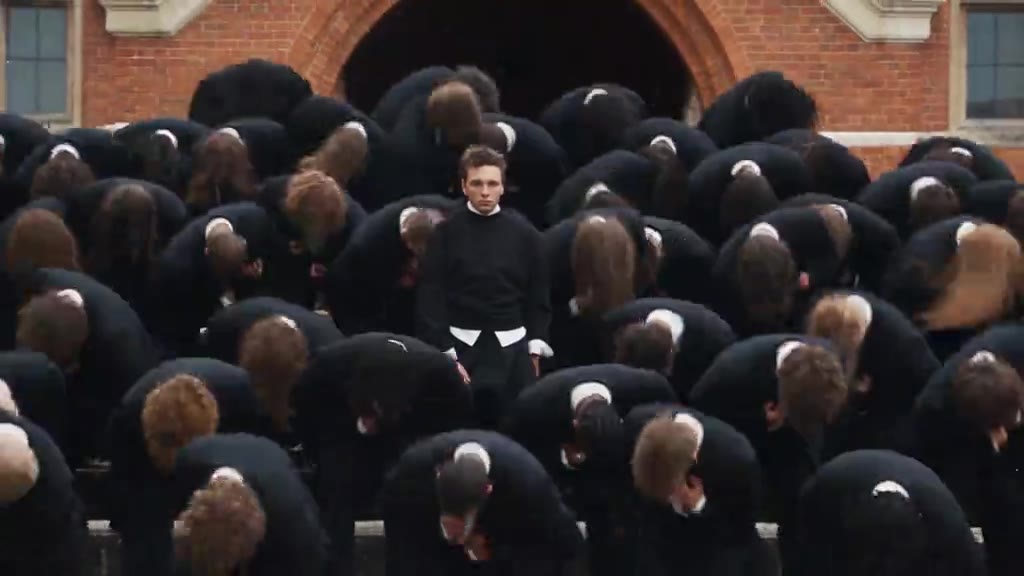
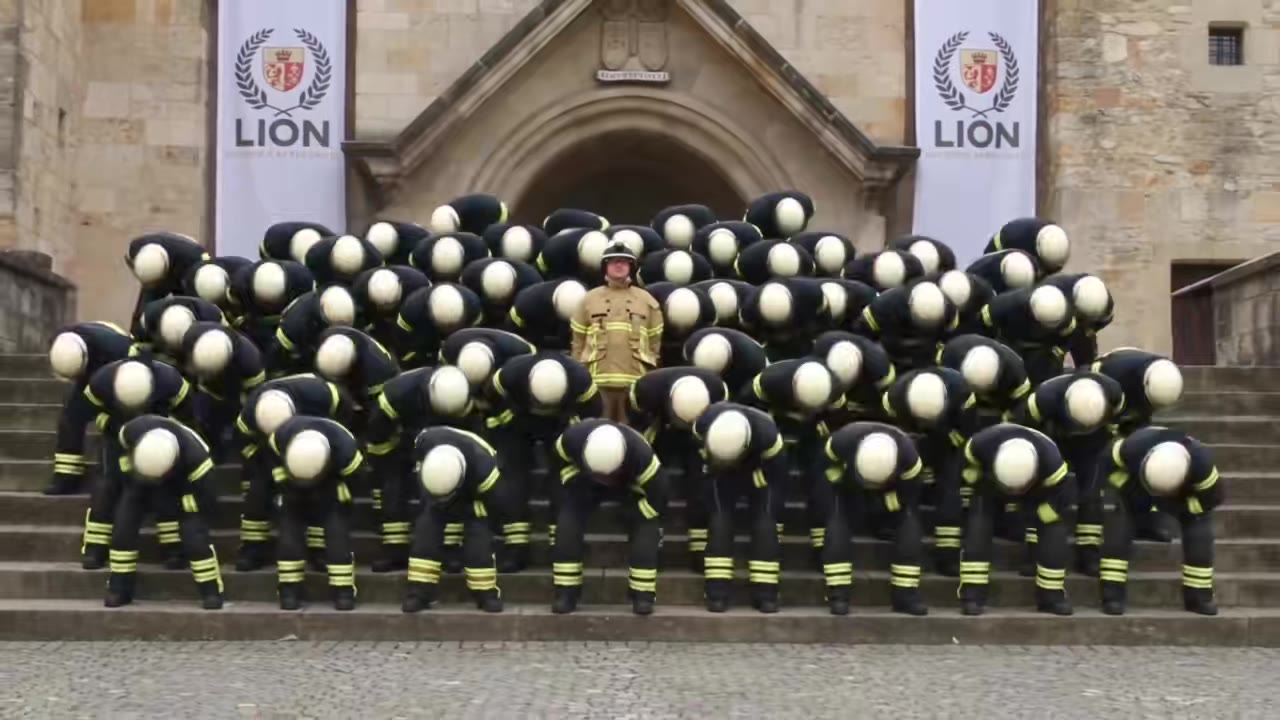
- Crowd and place One crowd uniform and location, chosen by you: dark school blazers on stone steps, nurses in a hospital courtyard or firefighters outside a church.
- Timeline Five beats over 15 seconds, with the crowd frozen until 11.5 seconds and moving in unison after it.
- Rules You never dance and never leave the centre, no merged bodies or extra limbs, no children, no text or logos.
Photorealistic live-action music video footage, 15 seconds, cinematic, flat soft overcast daylight, slightly desaturated colours. Image 1 is the only source for the main person…
Why it goes wrong when you do it yourself
- Without a motion reference the crowd starts dancing right away or drifts out of sync, and the long silent build before the drop is lost.
- General video models tend to give the whole crowd your face, or give you the crowd's uniform, unless the prompt separates the two.
- In the wide shot hundreds of bodies bend at once, which is where people merge, arms multiply and the rows fall apart.
- Each try costs model credits and several minutes, and getting the drop to land at the right second usually takes more than one try.
Storm Trend AI examples
Firefighters on the steps
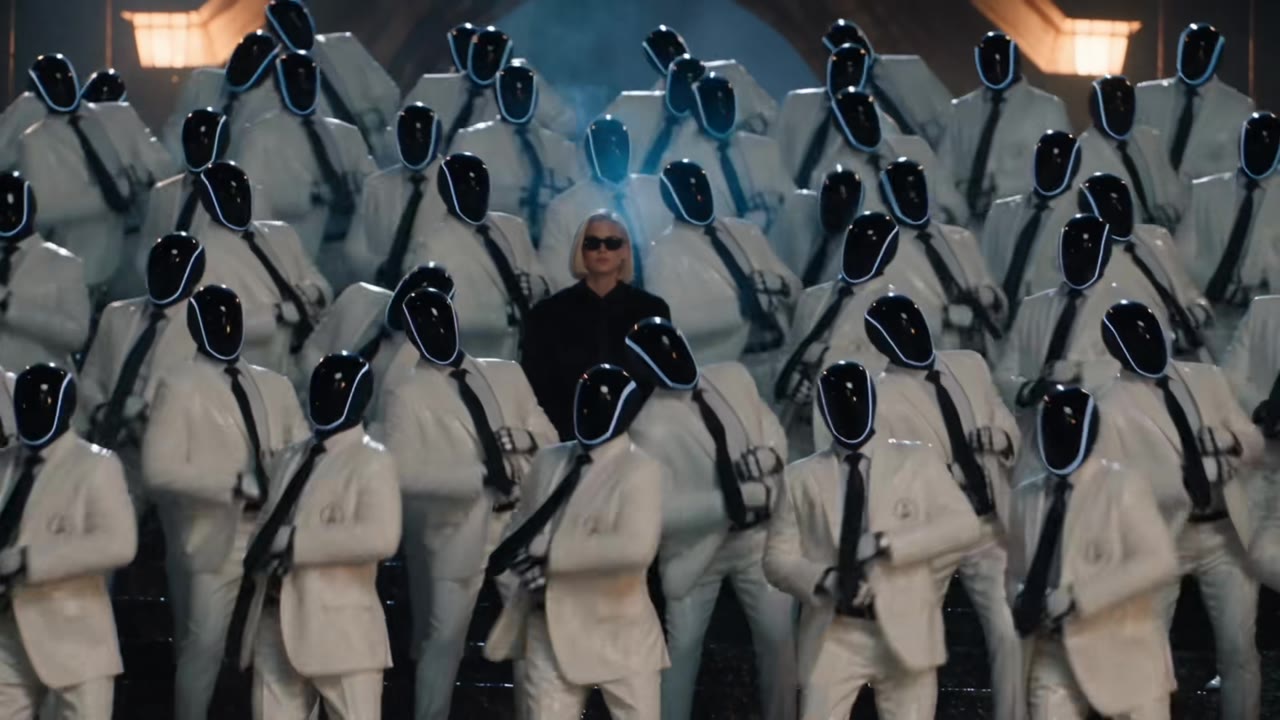
Masked white suits
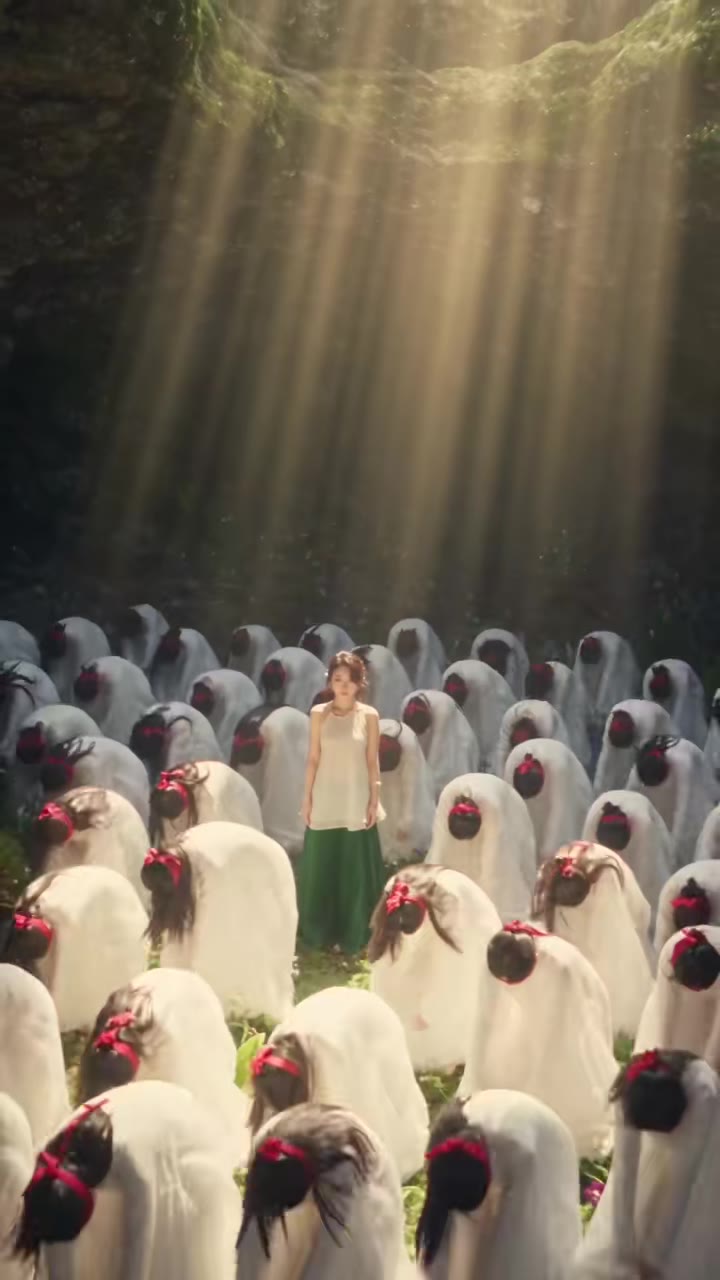
Blindfolded crowd in a cave
How to make your Storm Trend AI video
Upload one photo of yourself
Face to the camera, head and shoulders or more in frame, even light. The outfit in the photo is the outfit you wear in the video.
Pick the crowd and the format
Choose dark school blazers like the music video, nurses in scrubs or firefighters, then 9:16 for TikTok, Reels and Shorts, 1:1 or 16:9.
Generate and download
Press Generate and the 15-second crowd scene is rendered for you, a silent MP4 with no watermark.
Add the trend sound and post
The video has no sound. Add the trend audio from your app's sound library when you post, and label the clip as AI-generated.
What is the Storm Trend AI trend?
Updated · videosi is an independent tool. It is not affiliated with TikTok, Instagram, YouTube, or with the owners of any trend, song, game or brand named on its pages.
The storm trend is a short AI video in which you walk into a huge crowd standing in silent rows, stop somewhere in the middle and turn to the camera. For a few seconds nobody moves. Then, on one beat, the whole crowd folds forward and breaks into the same jerky, swinging dance while you stand perfectly still at the centre.
It comes from STORM, a two-part music video and double single by GENER8ION (the French producer Surkin and the director Romain Gavras) starring the Swedish rapper Yung Lean, released in April 2026. In the second part, STORM II, a crowd of suited schoolboys dances on the steps of a school building to choreography by Damien Jalet.
The AI remakes started after Higgsfield launched Genjutsu, a video-to-video tool, on 1 September 2026; Higgsfield offers a ready-made preset for this clip, and a lot of people make the trend with Higgsfield Genjutsu. The remakes we found on TikTok date from mid-September 2026 onward, and the crowd is usually swapped for nurses, firefighters, soldiers or masked figures. View counts and the first creator are unconfirmed.
This page does it from one photo. You stay yourself in your own clothes, the crowd is made of strangers in the uniform you pick, and the video is silent so you can add the sound when you post.
Storm Trend AI: shot by shot
- 0-2.5 s
The walk in
The camera follows close behind you as you walk straight into the front rows of a crowd that does not move.
- 2.5-5 s
Into the rows
You slip between the rows, brushing past shoulders, stop in the middle and turn to face the camera.
- 5-11.5 s
The stillness
A long, tense shot of the whole crowd staring at the lens in perfect rows, with you standing among them near the centre.
- 11.5-12.5 s
The drop
On one beat every person around you lunges forward and bends at the waist at exactly the same moment.
- 12.5-15 s
The wide shot
Cut to a high angle over the steps: the crowd folds and springs up in waves, arms swinging, while you are the only one standing still.
Tips for a better result
Stand out from the crowd
The joke works best when you look different from everyone around you. A light or bright outfit stands out against dark blazers or navy scrubs.
Show more than your face
Much of the clip shows you from behind or small in a crowd. A waist-up or full-body photo tells the model your build, hair from behind and clothes.
Keep the face clear
No sunglasses, masks or hats. Your face is small in most shots, so a sharp, front-facing photo gives the likeness the best chance.
Use soft daylight
The scenes are flat overcast daylight. A photo taken outdoors in the shade or by a window blends in better than flash or coloured party light.
Good to know before you make a Storm Trend AI video
- You stand in the middle of a crowd of AI-generated strangers. Turning every dancer into a copy of you is not offered here: with that many people on screen, face consistency drops and the copies stop looking like you.
- Your face is small in the wide shot at the end, so likeness is weakest there. Merged bodies or extra arms can appear in the crowd during the drop.
- The crowd and places are generic: this is not the original music video, its school or its cast.
- The video is silent, and likeness is not guaranteed. A failed, timed-out or blocked render returns its credits automatically.
Storm Trend AI: questions
What is the storm trend?
The storm trend is a 15-second AI video, made on videosi from one photo, in which you walk into a silent crowd, stop in the middle and stay still while everyone around you breaks into the STORM II dance. It is based on the STORM music video by GENER8ION with Yung Lean, released in April 2026, and AI remakes took off on TikTok from mid-September 2026.
How do I do the storm trend from one photo?
Upload one photo of yourself to videosi, pick one of 3 crowds and 9:16, 1:1 or 16:9, and press Generate. The storm trend video is 15 seconds long and you write no prompt: the walk in, the frozen crowd, the drop and the wide shot are built in. Rendering takes several minutes, and the result is saved in My creations if you close the page.
Is there a website or generator for the storm trend AI video?
Yes. videosi (videosi.io) is a web tool that makes the storm trend AI video from one photo, with the motion, crowd and prompt built in, so you choose only the photo, the crowd and the format. A standard 15-second video (Standard model, 720p) is 13 credits, delivered as an MP4 with no watermark.
How can I make the storm trend for free?
The storm trend on videosi is not free: there is no free generation and no free trial. A standard 15-second video (Standard model, 720p) is 13 credits; better models and higher resolutions cost more. Credit packs start at $6.99 for 10 credits and never expire, and plans start at $29.90 a month. A failed render returns its credits automatically.
What is the storm trend AI prompt?
The videosi storm trend uses ByteDance's Seedance model (Seedance 2.0 Mini by default; Fast, Pro and Seedance 2.5 Ultra are one click away) with a five-part prompt plus a 15-second motion reference clip. We do not publish the full prompt. It locks your face and outfit, keeps the crowd frozen until 11.5 seconds and makes every dancer move in unison after that.
What is Genjutsu, and how do people make the storm trend with it?
Genjutsu is a video-to-video tool from Higgsfield, launched on 1 September 2026, and many people made the storm trend with its ready-made preset. videosi is a separate, independent tool: it builds the 15-second storm trend video from one photo with ByteDance's Seedance model and a motion reference, so you need no Higgsfield account and write no prompt.
What song is used in the storm trend?
The storm trend is set to STORM II by GENER8ION and Yung Lean, the second half of the STORM double single from April 2026. The videosi storm trend video is 15 seconds long and silent, because the song is copyrighted: add it from TikTok's or Instagram's sound library when you post, where the platform handles the music rights.
Trending this week
All trends this week
More effects like this
All dance effects
Make your Storm Trend AI video
Upload a photo and press Generate. 13 credits, refunded if it fails.
Get the next trend first
One email when new trends land on videosi, about once a week. Unsubscribe in one click.
See videosi first on Google
Add videosi as a preferred source and our trend pages show up first in your Top Stories and AI answers on Google.