Ghost Filter Prank AI: The Ghost-Behind-You Video, Starring Your Kid or You
A grey ghost creeps up behind someone at the bathroom mirror, they glance back, and their smile vanishes. One photo of your child, your partner or yourself is all it takes, with no CapCut editing.
Updated : Page rebuilt around the real TikTok format: a cut-out ghost appears behind the person, who looks back and freezes. Two scenes to choose from (kid at the sink, 8 s; boyfriend in the hallway, 14 s), the trend's original sound on every video, and three new examples from the trend.
1Add your photo
What you'll get
Front-facing, well-lit selfies work best. One face per photo.
Choose your video2
Your video template · Kid at the bathroom sink · 8s
2Choose quality
By generating you confirm you have permission to use the people in your photos. Terms
No subscription needed · Ready in 4–6 minutes · Failed renders are free
The ghost filter prank is a TikTok video in which a parent or partner edits a grey, long-haired ghost in behind someone at the mirror, then films them glancing back and freezing in fright; videosi makes an 8-second or 14-second version from one photo of you or your child.
- Fast facts
- First seen
- Stage
- Past its peak
- Started on
- TikTok (unconfirmed)
- Sound
- No single sound: the most-viewed post uses a TikTok horror sound called "suara kuntilanak", many others use the creator's own audio.
- Meaning
- The ghost filter prank is a TikTok video in which a cut-out ghost is edited in behind someone at the mirror, usually a child, who glances back and freezes in fright, so the joke is their reaction.
Page updates
- November 11, 2026 — Page rebuilt around the real TikTok format: a cut-out ghost appears behind the person, who looks back and freezes. Two scenes to choose from (kid at the sink, 8 s; boyfriend in the hallway, 14 s), the trend's original sound on every video, and three new examples from the trend.
- October 17, 2026 — Page published.
The Ghost Filter Prank prompt and model
Ghost Filter Prank is made with Seedance 2.0 / 2.5 (you pick the tier) by ByteDance. The prompt behind it has 5 parts, and the timing is what makes or breaks it.
- Model
- Seedance 2.0 / 2.5 (you pick the tier)
- Mode
- Photo + motion reference to video
- Length
- 8 seconds (kid at the sink) or 14 seconds (boyfriend in the hallway), 9:16
- Input
- 1 photo
- Who gets replaced The prompt names the person in the reference clip by their hair and clothes, so the model knows exactly whom to swap for your photo.
- What stays Everything else comes from a real ghost filter prank clip: the room, the ghost, the camera on the sink and the timing of the scare.
- The reaction One short line describes the reaction: a smile, a glance back, then a frozen stare.
- Identity The person keeps the face and age of your photo, with their own hair and clothes.
- Sound The model renders silent video; the trend's original sound is laid back on afterwards, in sync with the clip.
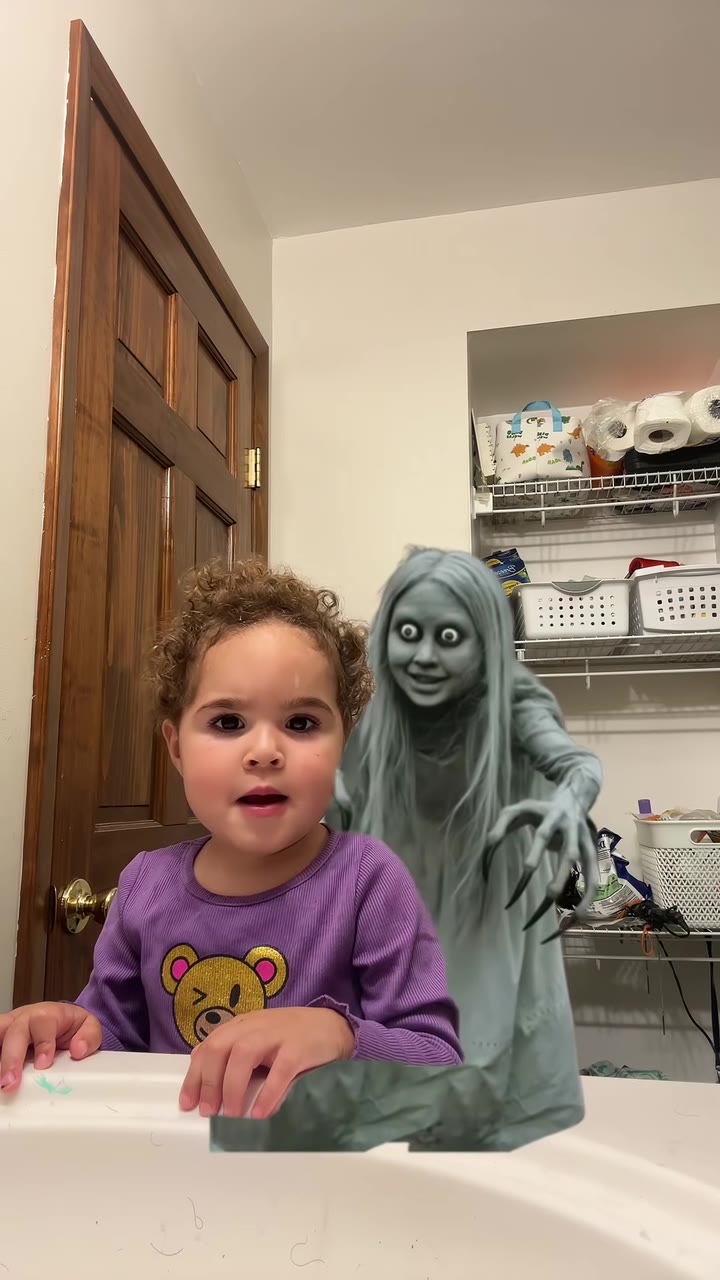
Replace the little girl with curly brown hair and a purple bear sweatshirt at the bathroom sink in Video 1 with the person from your photo…
Why it goes wrong when you do it yourself
- Without the reference clip, video models invent their own ghost, usually a white sheet or a gory face, and the moment of the scare lands at random.
- Telling the model to copy the person in the reference makes it keep the original child or man instead of yours.
- A child's photo on an adult's scene, or an adult's photo on a child's scene, shifts the apparent age, so pick the scene that matches the person.
- Each try costs model credits and several minutes, and getting the ghost and the reaction to land together usually takes more than one.
More videos from this trend
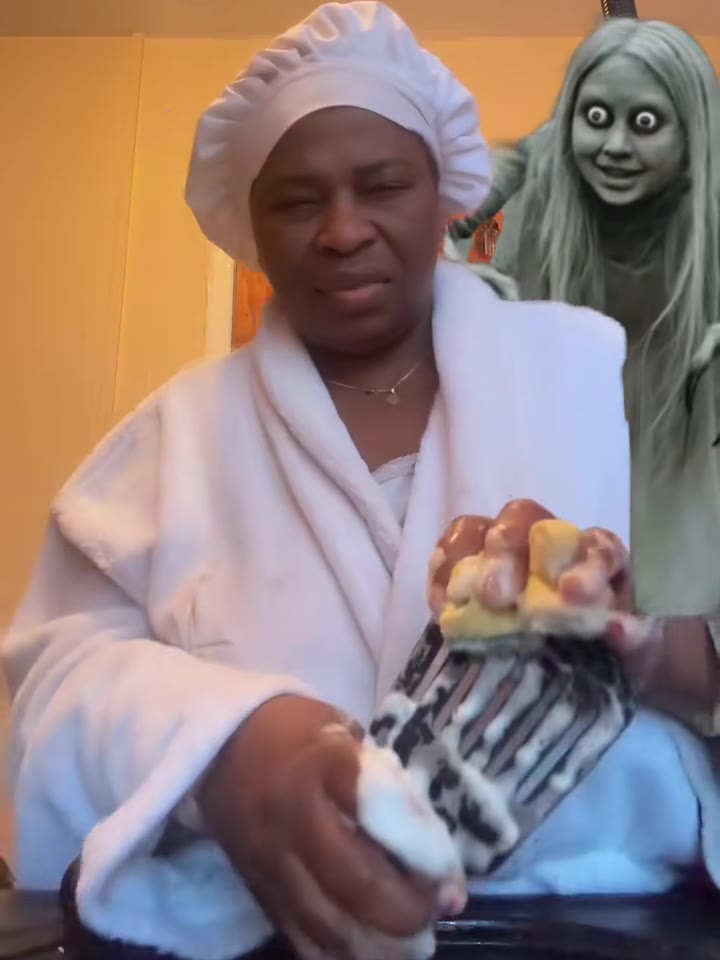
How to make your Ghost Filter Prank video
Pick the scene
Choose the kid at the bathroom sink (8 seconds) for a child, or the boyfriend in the hallway (14 seconds) for a teen or adult.
Upload one photo
One front-facing photo of the person, face and shoulders clearly visible. Their hair and clothes in the photo are what they wear in the video.
Generate and download
Press Generate and the ghost filter prank is rendered for you as an MP4 with the trend's original sound and no watermark.
Post it
Share it on TikTok, Reels or WhatsApp and label it as AI-generated. Show it to the person in the video first: it is a prank, not a scare to keep.
What is the Ghost Filter Prank trend?
Updated · videosi is an independent tool. It is not affiliated with TikTok, Instagram, YouTube, or with the owners of any trend, song, game or brand named on its pages.
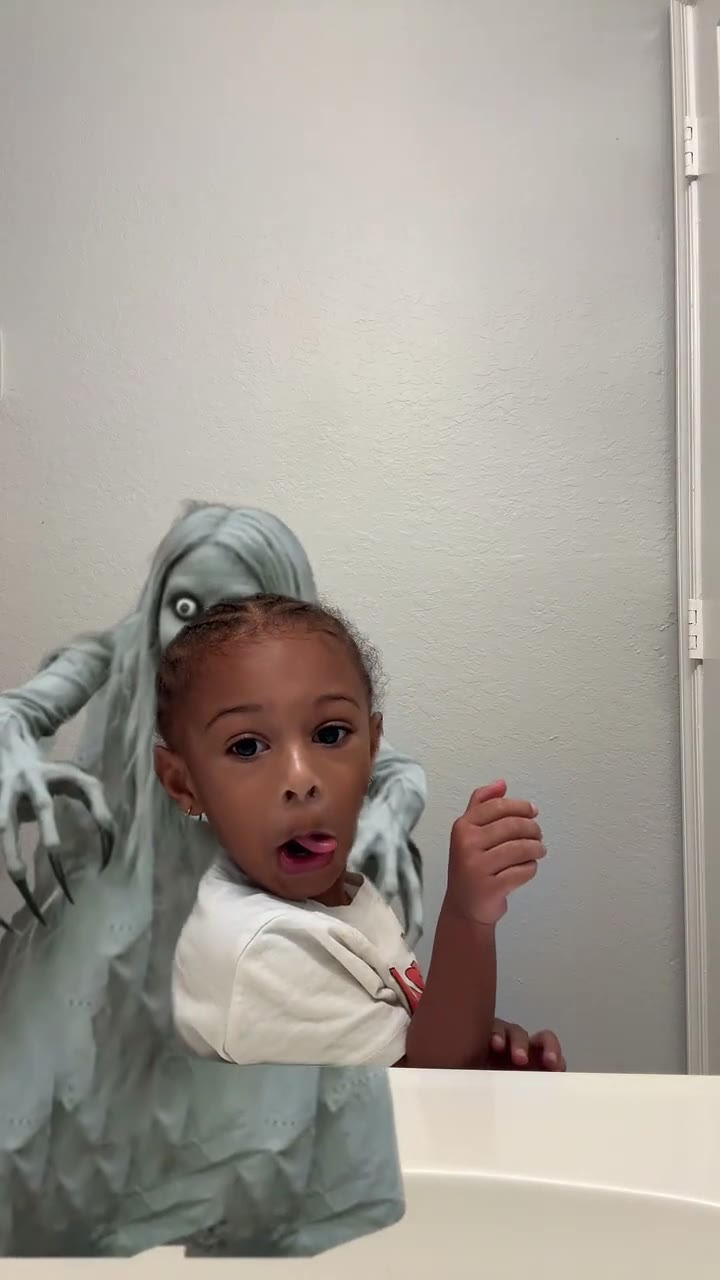
The ghost filter prank is a short TikTok video in which someone, usually a child at the bathroom mirror, suddenly has a grey ghost with long hair, white eyes and clawed hands standing right behind them. A parent props the phone up, steps out of frame, and the ghost drifts in over the child's shoulder. The child smiles at the camera, glances back, and the smile drops into a wide-eyed stare or a scream. Despite the name, it is not a live camera filter: the ghost is a cut-out effect added in an editing app, and tutorial posts tagged #capcut show the ghost being added in CapCut after filming.
The wave took off on TikTok in the second week of October 2026. The most-viewed post we found, a toddler in a purple sweatshirt at a bathroom sink captioned "her smile immediately changed", was posted on 10 October 2026 and had 17.4 million views by 11 November 2026; several other posts dated 7 to 17 October passed 9 million views each. Many versions star young children; others feature boyfriends and mums. Who made the very first one is unconfirmed.
There is no single song. The hottest post uses a TikTok horror sound called "suara kuntilanak" ("the sound of a kuntilanak", the long-haired ghost of Indonesian folklore), and many others use the creator's own audio of the screams.
The AI version on this page skips the editing. Upload one photo of your child, your partner or yourself, pick the scene, and videosi puts that person in front of the ghost, with the trend's original sound already on the video.
Kid at the bathroom sink: shot by shot
- 0-1 s
All smiles
Your kid grins into the phone propped on the bathroom sink. Behind them, the grey ghost is already standing in the doorway.
- 1-2 s
The glance
The ghost glides closer as they turn to look over their shoulder at the door.
- 2-3 s
Right behind
They turn back to the camera, and the ghost is now leaning in right beside them, clawed hands on the sink.
- 3-4 s
Smile drops
The grin fades into a wide-eyed stare as they realise something is there.
- 4-8 s
Frozen
They hold still, mouth open, while the ghost stays at their shoulder until the clip ends.
Tips for a better result
Face to the camera
The scare is all in the face. A clear, front-facing photo in soft light gives the model the eyes and smile it needs for the reaction.
Match the scene to the age
Use the sink scene for children and the hallway scene for teens and adults. The model pulls the person toward the size and age of the one they replace.
Shoulders in frame
A head-and-shoulders photo works best. The outfit in the photo becomes the outfit in the video, so plain, bright clothes read well.
No hats or sunglasses
Anything covering the eyes or hair hides the very part of the face the prank is about.
Good to know before you make a Ghost Filter Prank video
- The video is 8 seconds (sink) or 14 seconds (hallway) in 9:16, and the ghost is the same grey, long-haired figure as in the TikTok trend. There is no ghost picker.
- The person's reaction is generated by AI, not filmed, so it will not match a real scream exactly, and the face can drift for a moment when they turn away.
- Children's photos work, and the result can look a little older or younger than the photo. Only upload your own child, or an adult who agreed, and never use it to frighten anyone for real.
- The video comes with the trend's original sound. A failed, timed-out or blocked render returns its credits automatically.
Ghost Filter Prank: questions
What is the ghost filter prank on TikTok?
The ghost filter prank is a TikTok trend from October 2026 in which a grey ghost appears behind someone, usually a child at the bathroom mirror, who glances back and freezes in fright; videosi makes an 8-second or 14-second AI version from one photo. The most-viewed post was made on 10 October 2026 and had 17.4 million views by 11 November 2026.
How do I do the ghost filter prank?
To do the ghost filter prank on videosi, upload one photo and pick the 8-second kid at the sink scene or the 14-second boyfriend in the hallway scene, then press Generate. It comes back as an MP4 with the trend's original sound. The manual way is to film the person, then add a ghost cut-out in a video editor such as CapCut and line it up by hand.
Where do I find the ghost filter? Is it a real TikTok, Snapchat or CapCut filter?
The ghost filter prank is not a live TikTok or Snapchat camera filter: in the October 2026 posts we checked, tutorials tagged #capcut show the ghost being added in CapCut after filming, as an edited cut-out. That is why you cannot find it in the effects tray. videosi is independent and needs no editing: one photo gives you an 8-second or 14-second video.
Is there a ghost filter prank app or website?
videosi (videosi.io) is a web app that makes the ghost filter prank from one photo, 10 credits for a standard 8-second video (Standard model, 720p), on a phone or a computer with nothing to install. The ghost, the room and the prompt are built in, so you only choose the scene and upload the photo, and the video has no watermark.
Can I use a photo of my child for the ghost filter prank?
videosi lets a parent aged 18 or over use their own child's photo for the 8-second kid at the sink ghost filter prank scene, which is built on a real child's clip. The ghost filter prank is mostly made with children on TikTok. Only a parent may upload a child's photo, and only of their own child; photos and results are deleted within 30 days.
Can I do the ghost filter prank on my boyfriend, girlfriend or mum?
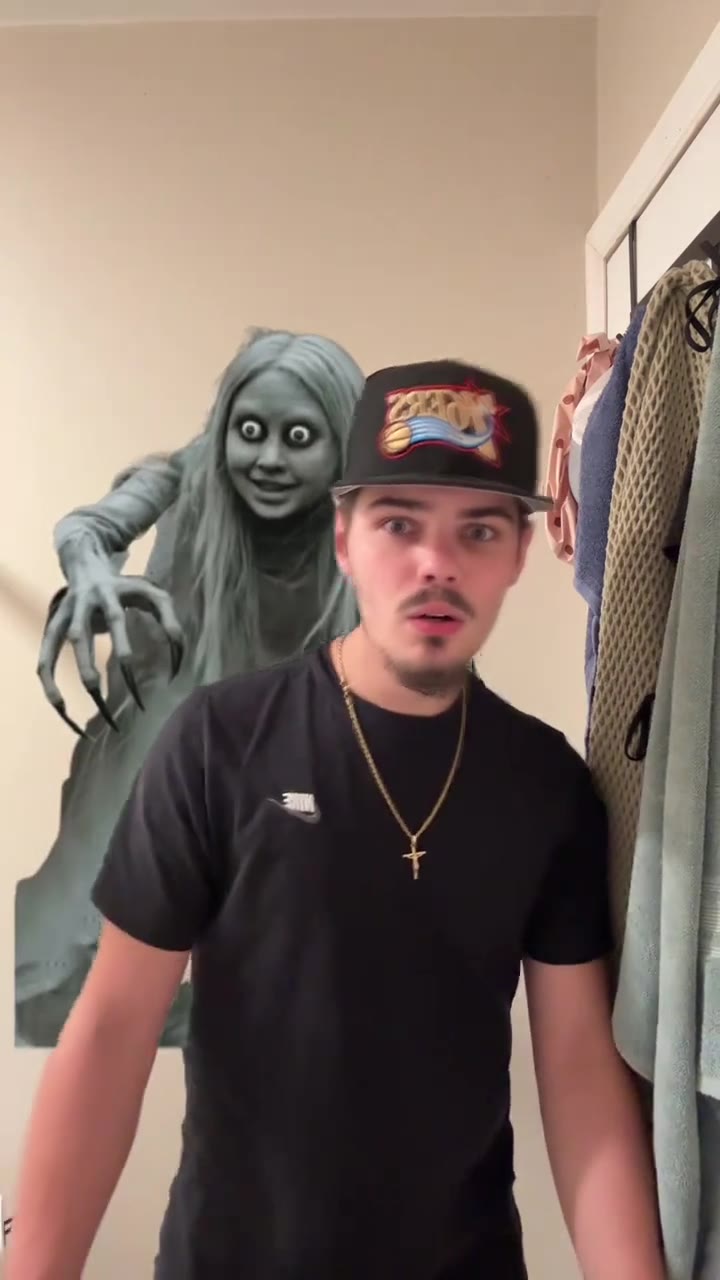
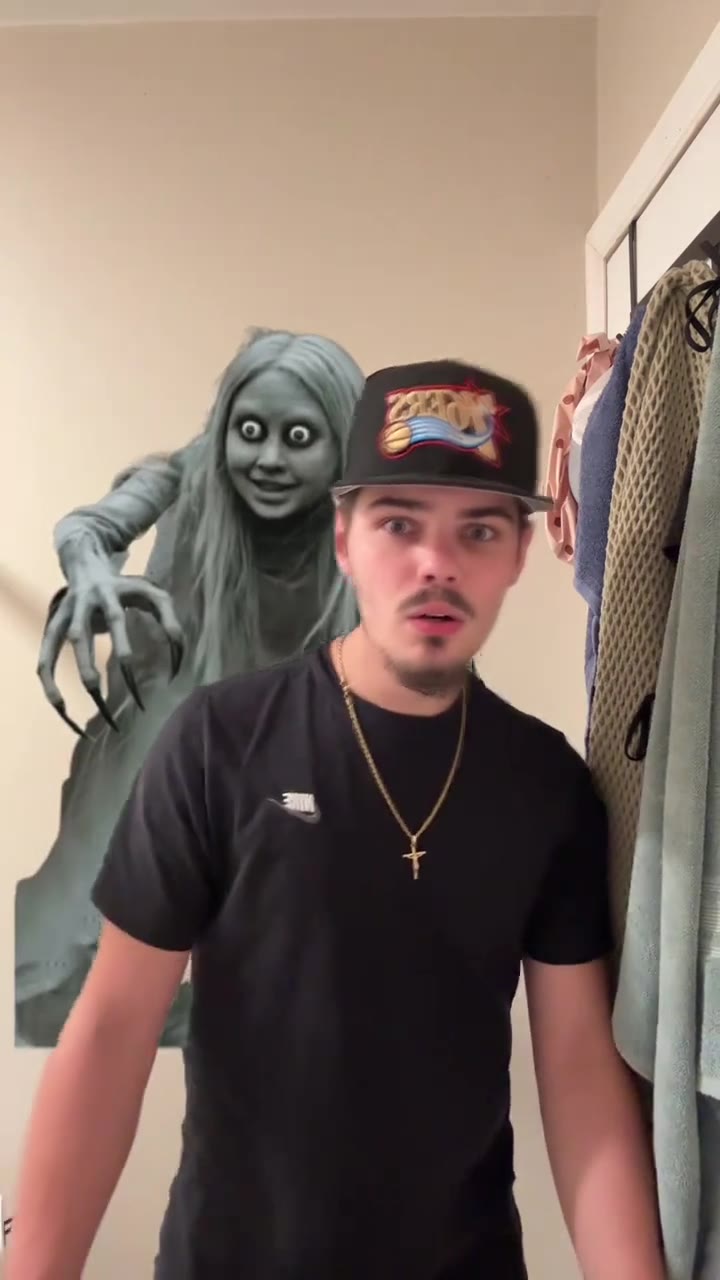
videosi's 14-second boyfriend in the hallway scene puts any teen or adult who agreed into the ghost filter prank: a partner, a mum, a dad or yourself. Upload one photo and videosi replaces the man in that clip with that person, keeping their own face, hair and clothes, with the ghost looming behind them.
What AI model and prompt make the ghost filter prank?
The videosi ghost filter prank runs on ByteDance's Seedance (Seedance 2.0 Mini by default; Fast, Pro and Seedance 2.5 Ultra are one click away) with a real ghost filter prank clip as the motion reference. The prompt only says who in the clip is replaced by your photo, and keeps the ghost, the room and the timing.
How much does the ghost filter prank AI video cost?
The ghost filter prank on videosi costs 10 credits for an 8-second Standard 720p video and 12 credits for the 14-second hallway scene, and there is no free generation; better models cost more. Credit packs start at $6.90 for 10 credits and never expire, and plans start at $29.90 a month. A failed render returns its credits.
Why doesn't my ghost filter prank video look like my kid?
When a videosi ghost filter prank video does not look like your child, the cause is usually the photo or the scene: a side-on photo, sunglasses or a hat, or a child's photo in the 14-second adult hallway scene. Use one front-facing head-and-shoulders photo in soft light and the scene that matches the person's age. Likeness is not guaranteed.
What does the ghost filter prank mean?
The ghost filter prank means editing a ghost in behind someone so their reaction is the joke, a format that spread on TikTok in October 2026: a smile that drops, a frozen stare or a scream. It was mostly parents doing it to young children at the bathroom mirror. videosi makes the same 8-second scene from one photo.
What sound is used in the ghost filter prank?
The most-viewed ghost filter prank post (17.4 million views, posted 10 October 2026) uses a TikTok horror sound called "suara kuntilanak", after the long-haired ghost of Indonesian folklore, and many others keep their own audio. There is no single confirmed song. videosi adds the original sound of the clip each scene is based on to every render.
Is the ghost filter prank still trending?
The ghost filter prank peaked on TikTok between 7 and 17 October 2026, when its biggest posts reached 9 to 17.4 million views, and new versions were still being posted in early November 2026, so as of November 2026 it is past its peak but still around. videosi keeps the 8-second and 14-second versions live.
Is the ghost filter prank mean to kids?
With videosi, the ghost filter prank is made from one photo, so the child is never actually scared while filming the 8-second video. That matters because in many of the most-viewed TikTok posts the child is visibly startled. You can show the AI version to them afterwards as a joke, or not at all.
Can I make the ghost filter prank with ChatGPT, Sora, Veo or Kling?
General models like Sora, Veo or Kling usually invent their own ghost, a white sheet or a gory face, and land the scare at random; the videosi ghost filter prank uses the real trend clip as its motion reference, for 10 credits per 8-second standard video. It keeps the trend's grey ghost, the room and the timing of the scare.
Trending this week
All trends this week

Make your Ghost Filter Prank video
A grey ghost creeps up behind someone at the bathroom mirror, they glance back, and their smile vanishes. One photo of your child, your partner or yourself is all it takes, with no CapCut editing.
Get the next trend first
One email when new trends land on videosi, about once a week. Unsubscribe in one click.
See videosi first on Google
Add videosi as a preferred source and our trend pages show up first in your Top Stories and AI answers on Google.