X vs 1000 Cuts AI Video Generator: Your Object Diced Into Millions of Cubes
A kitchen knife hits your object 1,000 times while two counters tick up, until it collapses into millions of tiny cubes. One photo of the thing is enough.
Updated : Page published.
1Add your photo
What you'll get
Trend remakes · inspiration only
Front-facing, well-lit selfies work best. One face per photo.
2Choose quality
By generating you confirm you have permission to use the people in your photos. Terms
No subscription needed · Ready in 4–6 minutes · Failed renders are free
X vs 1000 Cuts is a TikTok series of 3D clips in which a kitchen knife slices an everyday object 1,000 times until it turns into millions of tiny cubes; videosi makes it from one photo of your object.
1 photo in, a 15-second video out with the trend's original sound, no watermark. $8.90 for the first video on a new account, a one-time payment with no subscription. Ready in 4–6 minutes.
- Fast facts
- First seen
- Stage
- Just starting
- Started on
- TikTok
- Sound
- No song: each clip uses its own original sound of knife swishes and chops. The videosi video comes with the reference clip's cutting sound.
- Meaning
- "X vs 1000 Cuts" refers to 3D clips in which an object, the X, is sliced by a kitchen knife in rounds up to 1,000 cuts until it turns into millions of tiny cubes, with counters for cuts and cubes on screen.
- Related trends
- AI Letter Cutting ASMR, Fish Cutting AI, Lego Car Spa
Page updates
- November 27, 2026 — Page published.
What prompt and AI model make the X vs 1000 Cuts video?
X vs 1000 Cuts is made with Seedance 2.0 / 2.5 by ByteDance. The prompt behind it has 5 parts, and the timing is what makes or breaks it.
- Model
- Seedance 2.0 / 2.5
- Mode
- Photo + motion reference to video
- Length
- 15 seconds, 9:16, 1:1 or 16:9
- Input
- 1 photo
- Motion reference The 15-second final round of a popular 1000 cuts clip sets the board, the knife speed, the counters and the timing of the collapse.
- Replace the object Only the object on the board is swapped for the one in your photo, at the same size and spot.
- The inside One line asks for cut faces and cubes that match what the inside of your object really looks like.
- Safety rule People and animals are never cut; a photo of one gets a watermelon instead.
- Clean frame No hands, no blood, no extra text, logos or watermark besides the two counters.
Replace the red onion in Video 1 with the object or food shown in Image 1, at the same size and in the same spot on the wooden board…
Why it goes wrong when you do it yourself
- A text prompt alone rarely holds 1,000 fast cuts: the knife melts into the object or the object never falls apart.
- Video models garble running numbers, so a counter that climbs neatly to 1,000 is hard to get from scratch.
- If the onion in the reference is not named, the model keeps it and only changes its colour.
- Each try costs model credits and several minutes, and the collapse rarely looks the same twice.
More videos from this trend
These clips were made and posted by other creators, not by videosi. Credits link to the original posts.
How do you make the X vs 1000 Cuts video?
Upload a photo of your object
Take one clear photo of the thing you want cut: a fruit, a snack, a toy, a shoe, a gadget. One object, filling most of the frame.
Pick a format
Choose 9:16 for TikTok, Reels and Shorts, or 1:1 or 16:9. There is nothing else to set and no prompt to write.
Generate
Press Generate. The 15-second video is saved in My creations when it is ready.
Post it as "X vs 1000 cuts"
The MP4 has no watermark and comes with the original cutting sound. Write your object's name in the caption, like the originals, and label it as AI-generated.
What are the ways to make the X vs 1000 Cuts video?
| Way | Cost | What you need | What you get |
|---|---|---|---|
| videosi (this page) | $8.90 for the first video, one-time, no subscription | 1 photo | A 15-second video with the trend's original sound, no watermark, ready in 4–6 minutes. |
| Build it as a 3D simulation | Free software, many hours per clip | 3D modelling, a slicing and fracture setup, rendering, counters added in an editor | Gives the exact original look, but every new object means modelling and simulating it again. |
| Text prompt in an AI video model | Paid per attempt on the model's site | A written prompt for the object, knife, board, counters and timing; several tries | The knife often melts into the object, it never collapses into cubes, and the counters come out as garbled numbers. |
Compared on November 27, 2026.
What is the X vs 1000 Cuts trend?
Updated · videosi is an independent tool. It is not affiliated with TikTok, Instagram, YouTube, or with the owners of any trend, song, game or brand named on its pages.
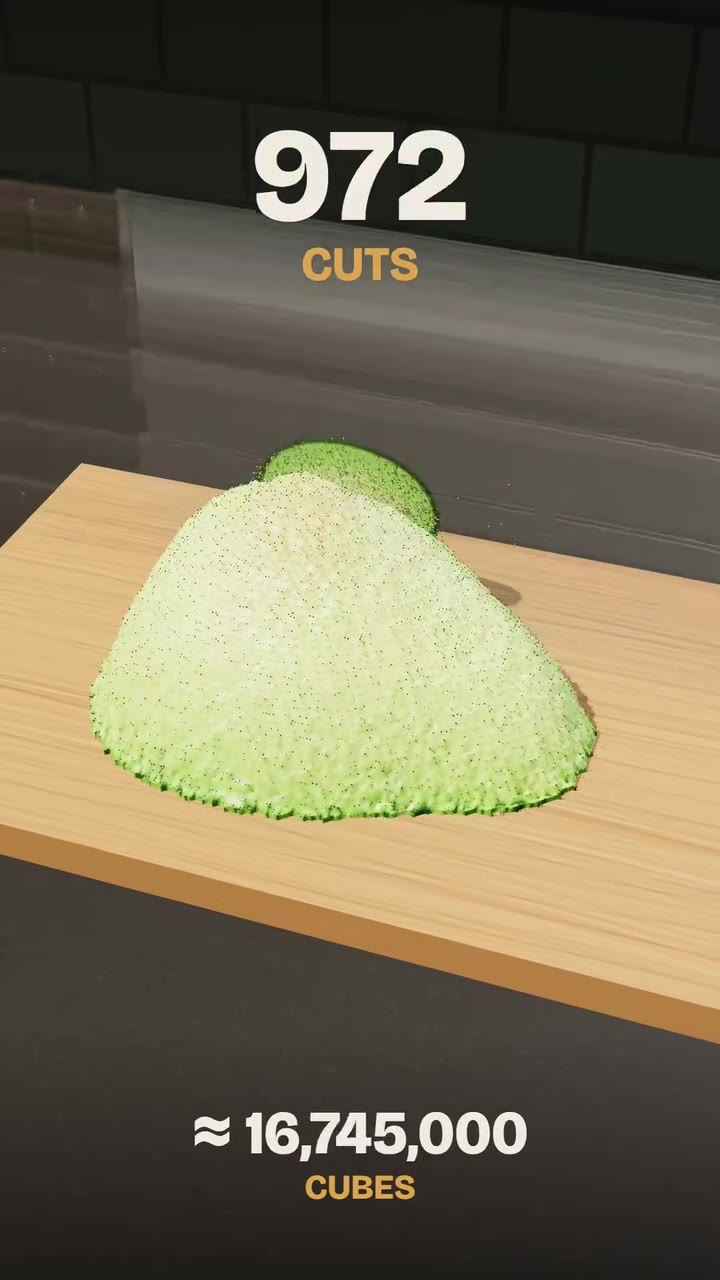
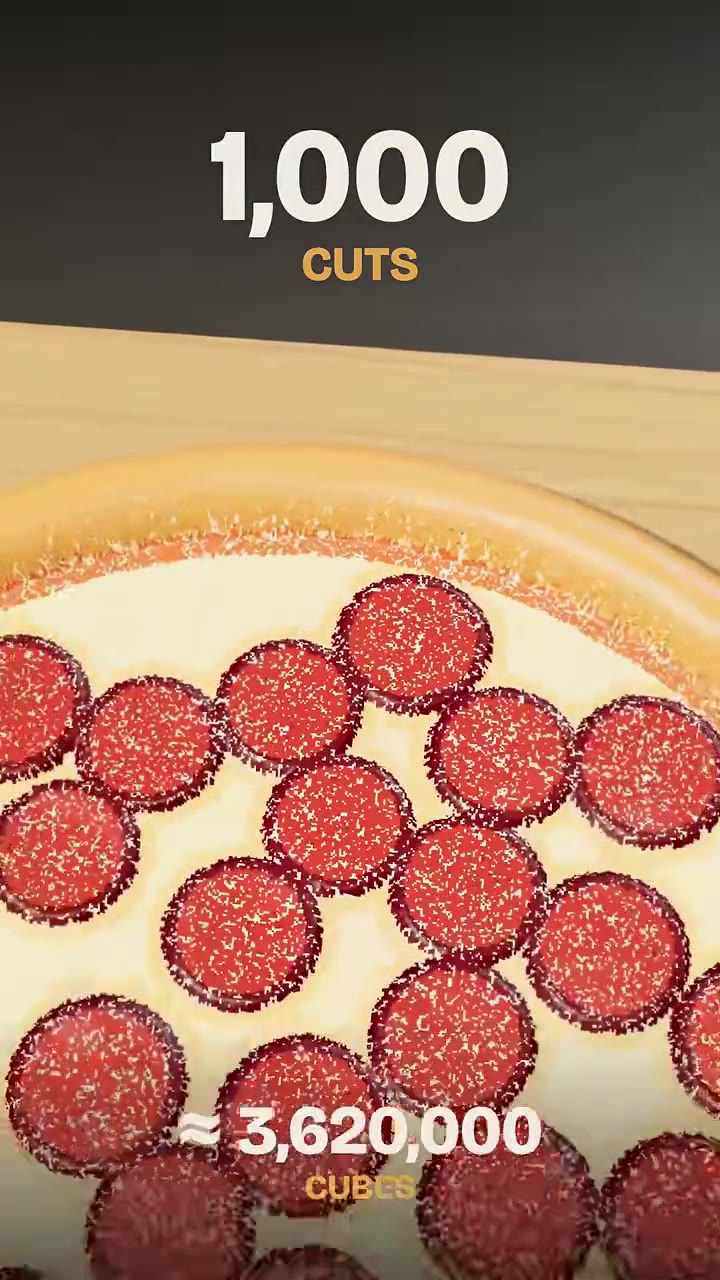
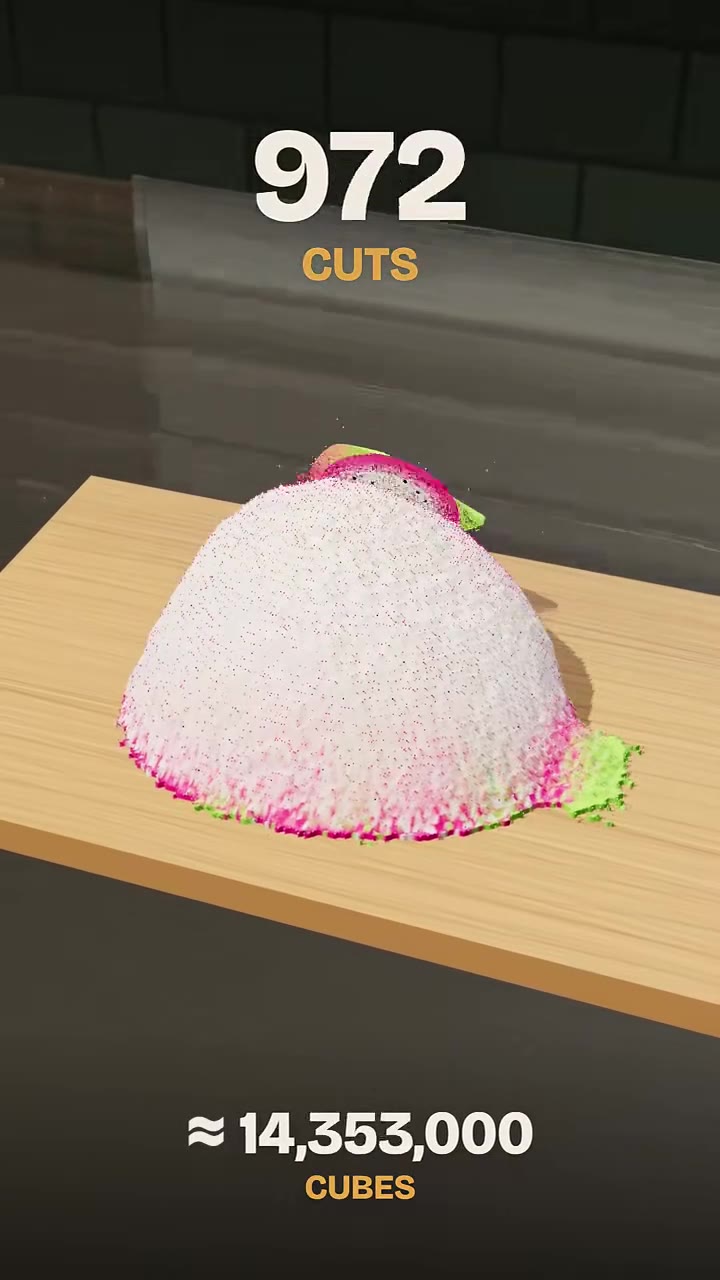
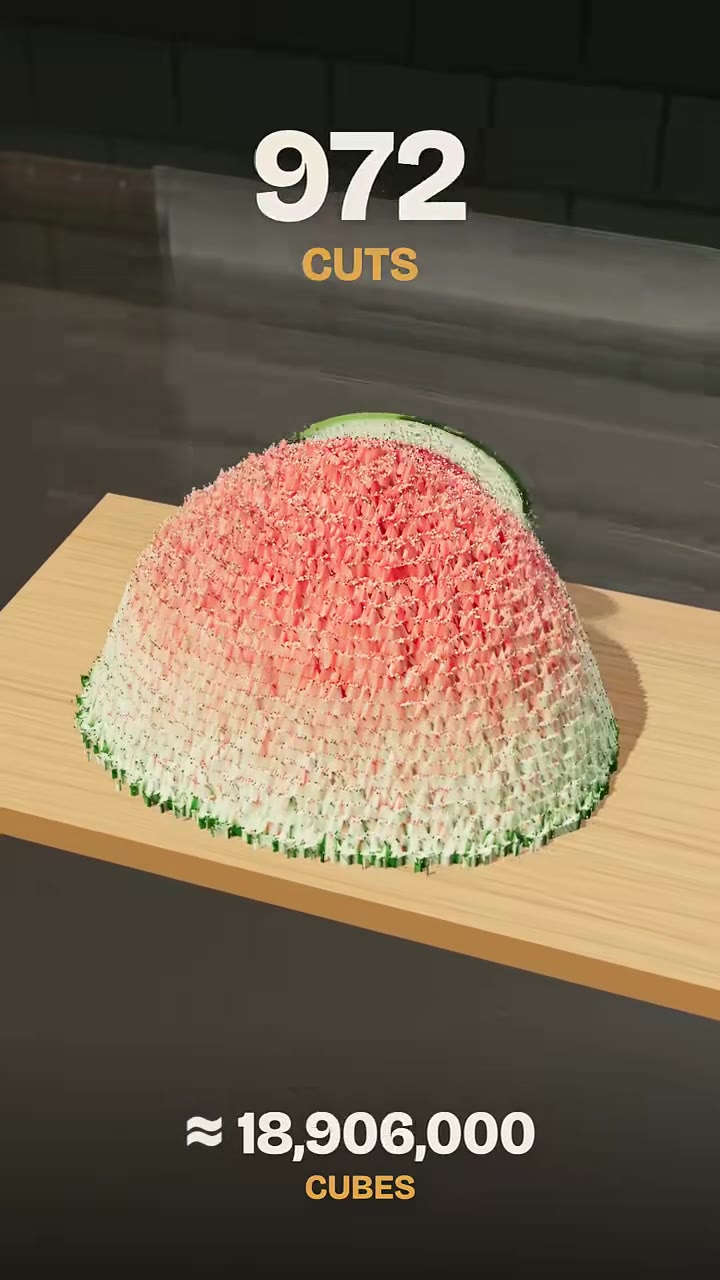
X vs 1000 Cuts is a series of short 3D-animated clips in which a whole object sits on a wooden cutting board and a kitchen knife slices it, faster and faster, in rounds of more and more cuts. Two counters frame the shot: CUTS at the top and CUBES at the bottom. Nothing seems to happen for hundreds of cuts, then the object falls apart into a mound of tiny cubes and the cube counter jumps into the millions. The fun is the wait, the reveal and guessing what the inside of each object will look like.
The series started on TikTok in late October 2026, on one account that posts the rounds of 10, 50 and more cuts. The earliest post we found, Soap vs 1000 cuts, is dated 2026-10-26. Red Onion vs 1000 cuts, posted on 2026-11-03, had about 6.6 million views on 2026-11-27, Avocado about 4 million and Pizza about 2.2 million, followed by cucumber, chicken, ice cream, cash and dozens more. Other accounts copied the format within days, including an Earth vs 1000 Cuts clip with about 1.8 million views and a four-round watermelon version with about 1.1 million. Our trend radar first flagged "vs 1000 cuts ai" on 2026-11-25 and marks it as emerging.
There is no song. Each clip uses its own original sound of knife swishes and chops that speed up with the counter. We could not confirm which 3D or AI tool the original creator uses; the creator offers a guide to followers but does not name the software.
This page makes your own version. Upload one photo of the thing you want cut, such as a fruit, a snack, a toy, a sneaker or a gadget, and videosi renders the 15-second final round: your object on the board, the knife speeding up to 1,000 cuts and the collapse into millions of cubes, with the original cutting sound. Only objects and food: people and animals are never cut.
What happens in the X vs 1000 Cuts video, shot by shot?
- 0–4 s
Final round
Your object sits whole on the wooden board; the CUTS counter starts climbing and the knife flashes past.
- 4–8 s
Hundreds of cuts
The blade becomes a blur and the counter passes 300, 400, 600 while the object still looks untouched.
- 8–11 s
First collapse
The front falls away into tiny cubes and the CUBES counter jumps into the millions.
- 11–13.5 s
Avalanche
Slice after slice crumbles into a growing mound of cubes in the colour of the inside.
- 13.5–15 s
1,000
The counter stops at 1,000 cuts over a neat dome of millions of cubes.
How do you get the best X vs 1000 Cuts video?
One object, whole
Shoot the object whole and on its own. A full fruit, a closed box or a single shoe works better than a pile of things.
Plain background
A table or a plain wall behind it helps the model see the outline. Busy rooms and other objects can end up on the board.
Things, not beings
Only objects and food. Photos of people or pets are not cut: you get a watermelon instead.
Inside you can guess
Fruit, vegetables, cakes and sweets give the most satisfying cubes, because their inside is clear. For a phone or a toy the inside is the model's guess.
What should you know before making the X vs 1000 Cuts video?
- The counters climb in the video, but the numbers can come out blurred or skipped; do not rely on them reading exactly 1,000.
- The board, the knife, the dark wall and the timing come from the reference clip and are the same in every video.
- The video is the final 1,000-cut round only, not the full minute-long series of rounds in the original posts.
How much does the X vs 1000 Cuts video cost?
- On a new account, this video costs $8.90, a one-time payment with no subscription: the first video takes 10 credits, covered by the Single pack (10 credits).
- From then on, this 15-second video is 13 credits on the Standard model at 720p. Other models and resolutions show their price before you start.
- There is no free generation on this page. Every account gets one free 5-second Muse video (watermarked, view only) and one free watermarked image in the AI tools. Credit packs start at $8.90 for 10 credits and never expire; plans start at $29.90 a month.
- Purchases are final. A failed, timed-out or blocked render returns its credits automatically.
- You pick the model before you generate: Seedance 2.0 Mini (Standard), Seedance 2.0 Fast (Fast), Seedance 2.5 Flash (Pro), Seedance 2.5 (Ultra).
X vs 1000 Cuts: more questions
What is the X vs 1000 Cuts trend?
X vs 1000 Cuts is a TikTok series of 3D clips in which a kitchen knife slices an object in rounds up to 1,000 cuts until it falls into millions of tiny cubes, and videosi makes a 15-second version from one photo of your object. The earliest post we found is dated 2026-10-26, and Red Onion vs 1000 cuts had about 6.6 million views by 2026-11-27.
How do I make an X vs 1000 Cuts video with my own object?
On videosi, take one clear photo of the object, such as a fruit, a snack, a toy or a shoe, upload it, choose 9:16, 1:1 or 16:9 and press Generate. You write no prompt, and the 15-second video of the final 1,000-cut round is saved in My creations with the original cutting sound.
Is there an X vs 1000 Cuts AI video generator?
Yes: videosi (videosi.io) is an X vs 1000 Cuts AI video generator that turns one photo of an object into a 15-second clip of a knife cutting it 1,000 times into millions of cubes. The MP4 has no watermark and comes with the original cutting sound.
Is there a TikTok filter or CapCut template for vs 1000 cuts?
We did not find a TikTok effect or a CapCut template for vs 1000 cuts on 2026-11-27; the posts we checked are 3D-animated clips made by their creators. videosi makes a 15-second version from one photo. videosi is independent and not affiliated with TikTok or CapCut.
Which AI model and prompt make the vs 1000 cuts video?
The videosi vs 1000 cuts video is made with ByteDance's Seedance model (Seedance 2.0 Mini by default; Fast, Pro and Ultra are one click away) from a short replace prompt and a 15-second reference clip of the 1,000-cut round. The prompt swaps only the object on the board and keeps the knife, board and counters.
Why does my object look different or not fall apart into cubes?
On videosi, the vs 1000 cuts video reads your object from 1 photo, so most misses come from the photo: several objects at once, a busy background, or the object cut off at the edge. Shoot one whole object on a plain surface. The inside is the model's guess for things like phones or toys, and the counters can come out blurred.
Can I put myself, a friend or my pet in the vs 1000 cuts video?
No: the videosi vs 1000 cuts video only cuts objects and food. If the photo shows a person or an animal, the generator puts a whole watermelon on the board instead, so the 15-second video never shows anyone being cut. Use a photo of something you own, like your sneakers, your phone or your lunch.
What does "vs 1000 cuts" mean?
"X vs 1000 Cuts" means an object, the X, is put up against a knife that cuts it 1,000 times, usually after shorter rounds of 10, 50 or a few hundred cuts. The joke is that it looks untouched for hundreds of cuts and then collapses into millions of tiny cubes; videosi makes the final round from one photo.
What sound is used in vs 1000 cuts videos?
There is no song: vs 1000 cuts clips use their own original sound of knife swishes and chops that speed up with the cut counter. The 15-second videosi video comes with the cutting sound of the reference clip, lined up with the cuts and the collapse.
Is the vs 1000 cuts trend still trending?
As of 2026-11-27 vs 1000 cuts is emerging: the first posts we found are from late October 2026, the most viewed one reached about 6.6 million views, and copy accounts started posting their own versions from mid-November. Our radar first flagged "vs 1000 cuts ai" on 2026-11-25, and videosi makes the trend from one photo.
Is the vs 1000 cuts video real or AI?
The vs 1000 cuts clips are not real footage: they are 3D animations, with a computer-made onion, pizza or planet on a virtual board. We could not confirm whether the creator uses 3D software or AI. videosi makes its version with an AI video model from one photo of your object.
What objects work best for vs 1000 cuts?
Fruit, vegetables, cakes, sweets and anything with a clear inside give the most satisfying cubes in the 15-second videosi video, because the model knows what the inside looks like. Toys, shoes, gadgets and planets work too, but their inside is the model's guess. Photograph one whole object on a plain surface.
How long is the vs 1000 cuts video, and can I post it?
The videosi vs 1000 cuts video is 15 seconds long, in 9:16, 1:1 or 16:9, as an MP4 with no watermark and with the cutting sound. You can post it on TikTok, Reels or Shorts as "<your object> vs 1000 cuts"; label it as AI-generated. Photos upload as JPG, PNG, WEBP or HEIC up to 10 MB.
Trending this week
All trends this week










Make your X vs 1000 Cuts video
Upload a photo and press Generate. 13 credits, refunded if it fails.
Get the next trend first
One email when new trends land on videosi, about once a week. Unsubscribe in one click.
See videosi first on Google
Add videosi as a preferred source and our trend pages show up first in your Top Stories and AI answers on Google.