Enchantress Filter AI: The Dark Hand Takes You
A black clawed hand rises out of the dark, grabs yours, and you come back as a moon sorceress with white eyes and a bronze crown. One photo of you is all it takes.
Updated : Page published.
1Add your photo
What you'll get
Front-facing, well-lit selfies work best. One face per photo.
2Hair
3Choose quality
By generating you confirm you have permission to use the people in your photos. Terms
No subscription needed · Ready in about 3 minutes · Failed renders are free
The Enchantress filter is a 10-second AI clip in which a black clawed hand rises from below, grips your outstretched hand, and after a blurred swipe you reappear as a dark moon sorceress with white eyes, black lips and a crescent crown; videosi makes it from one photo of you.
- Fast facts
- First seen
- Stage
- Just starting
- Started on
- TikTok (unconfirmed)
- Sound
- Posts carry the template's own sound, listed as "original sound": a short dark track with a whispered "Enchantress" at the start. No title or artist confirmed.
- Meaning
- The Enchantress filter is a CapCut AI template trend in which a black clawed hand grabs your outstretched hand and you reappear as a dark moon sorceress; the name nods to the Enchantress, the witch from DC's Suicide Squad.
Page updates
- November 3, 2026 — Page published.
The Enchantress Filter AI prompt and model
Enchantress Filter AI is made with Seedance 2.0 / 2.5 (you pick the tier) by ByteDance. The prompt behind it has 5 parts, and the timing is what makes or breaks it.
- Model
- Seedance 2.0 / 2.5 (you pick the tier)
- Mode
- Photo + motion reference to video
- Length
- 10 seconds, 9:16, 1:1 or 16:9
- Input
- 1 photo
- Replace the person The person in the reference clip is swapped for the one in your photo, and nothing of the original face, hair or top is kept.
- Motion reference A 10-second clip supplies the black background, the outstretched hand, the rising claws, the swipe at 4.5 seconds and the finger to the lips.
- Identity lock Before the swipe you are exactly your photo, clothes included; face shape and build are pinned so the reveal is still you.
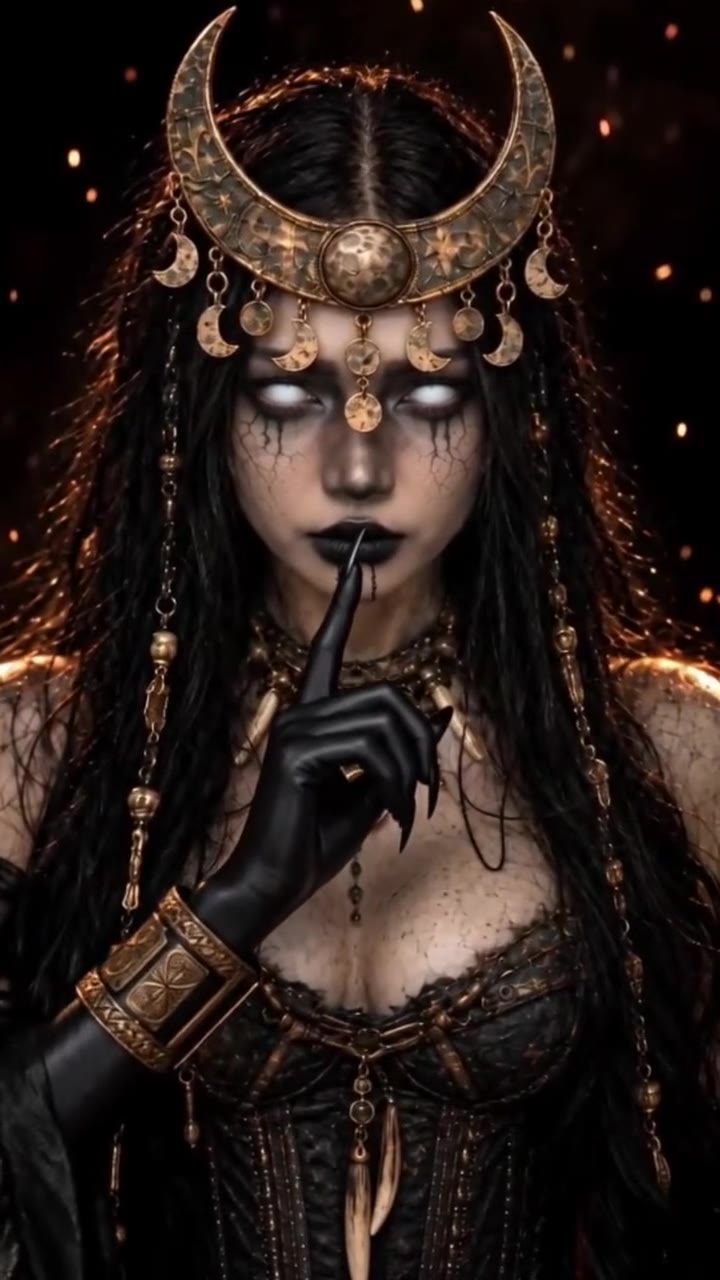
- Sorceress look A generic dark moon witch: crescent crown, white eyes, black lips, bronze jewellery, corset and clawed gloves, with your choice of black braids or your own hair.
- Rules One person, five fingers on every hand, no blood or wounds, no text or logos, and silent output so the trend sound can be added.
Replace the woman with long straight blonde hair, closed eyes and an olive top in Video 1 with the adult person from your photo. Keep everything else…
Why it goes wrong when you do it yourself
- Without a motion reference the model shows the witch from the first frame, and the black hand creeping up, which is the whole hook, never happens.
- The clawed hand often merges with your own hand into one six-fingered shape unless finger counts and the grip are spelled out.
- At the reveal the face is easily redrawn as a stock fantasy model, so the identity lock has to name face shape and build, not only the face.
- Each try costs credits and several minutes, and most people need a few tries before the swipe lands at the right moment.
Enchantress Filter AI examples
How to make your Enchantress Filter AI video
Upload one photo of yourself
Face to the camera, head and shoulders in frame, even light. The first half of the clip shows you as you are in the photo, so pick one you like.
Pick the hair
Long black braids, like most Enchantress filter posts, or your own hair with a few beaded braids. Then choose 9:16 for TikTok, Reels and Shorts, 1:1 or 16:9.
Generate and download
Press Generate and the 10-second clip is rendered for you. It is an MP4 with no watermark and the trend's sound already on it. You can leave the page; the result waits in My creations.
Post it
Post it as it is and turn on the platform's AI-generated label.
What is the Enchantress Filter AI trend?
Updated · videosi is an independent tool. It is not affiliated with TikTok, Instagram, YouTube, or with the owners of any trend, song, game or brand named on its pages.
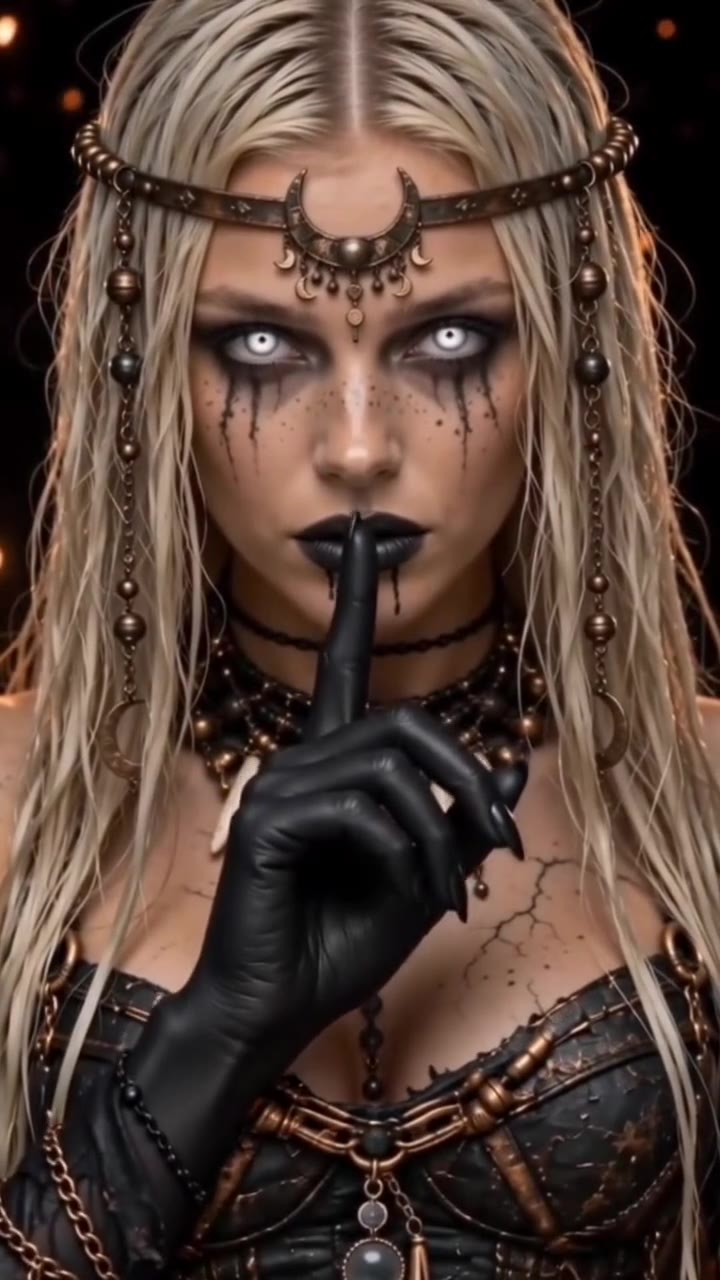
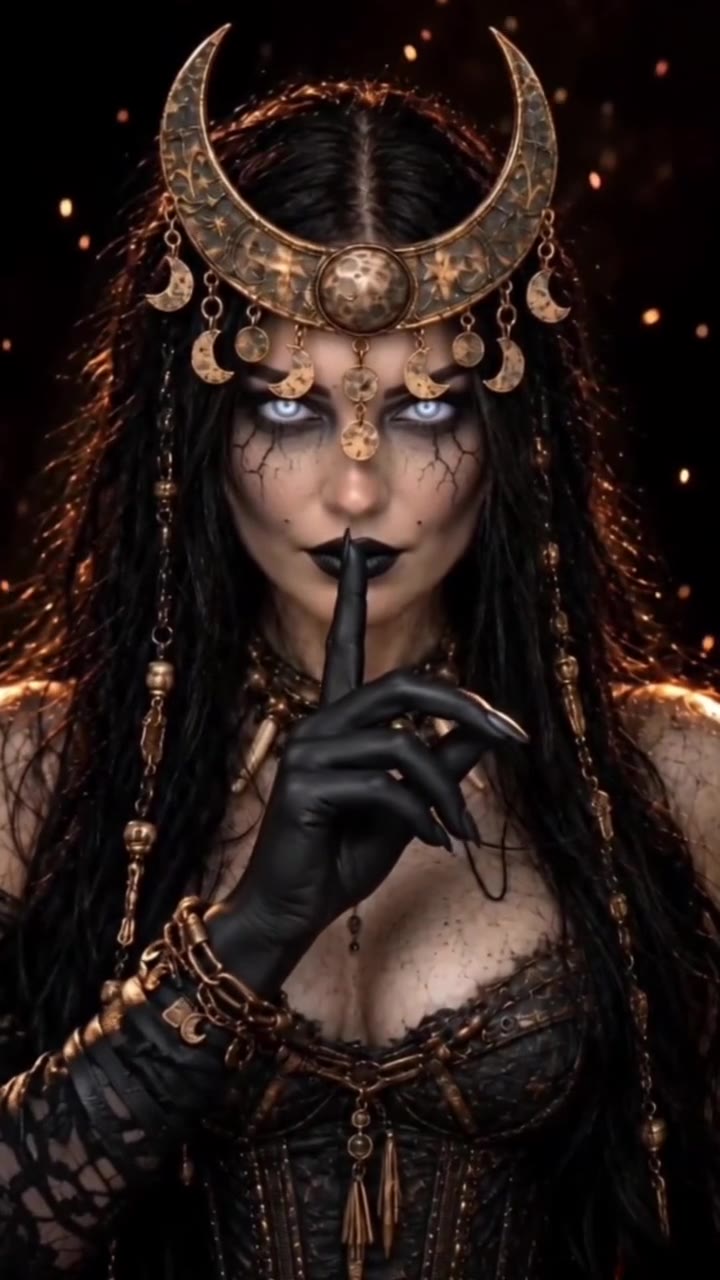
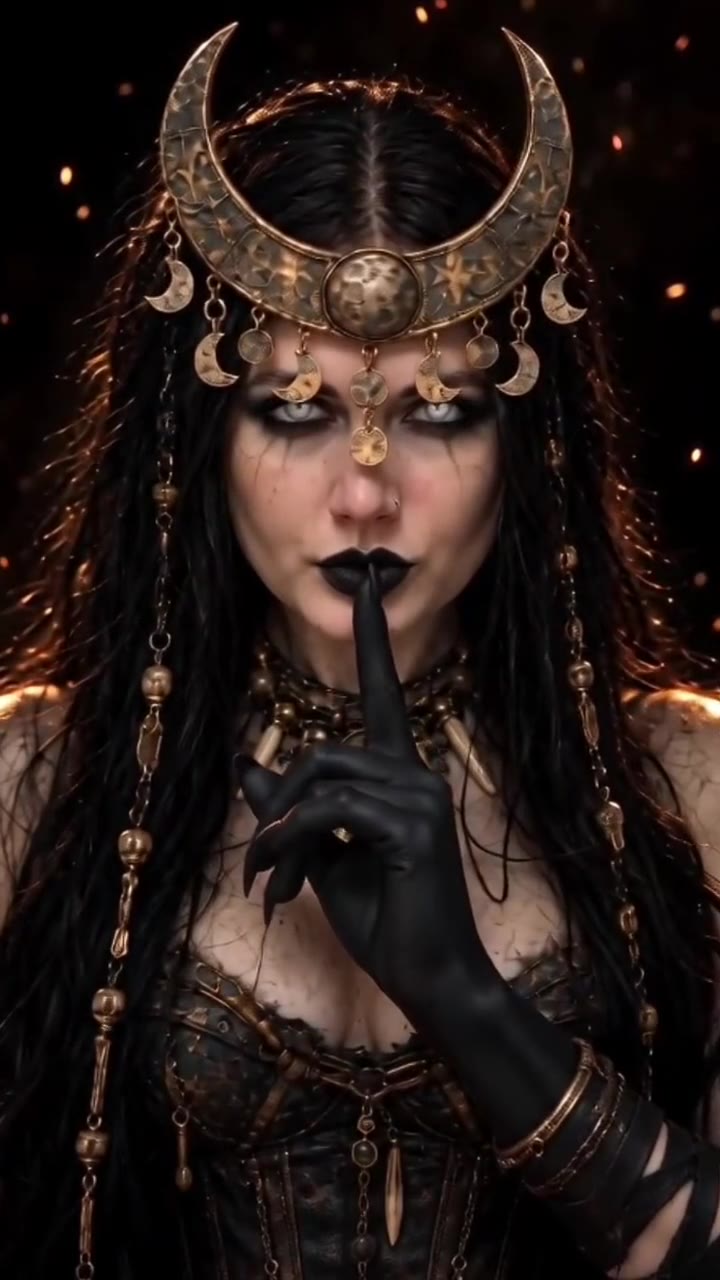
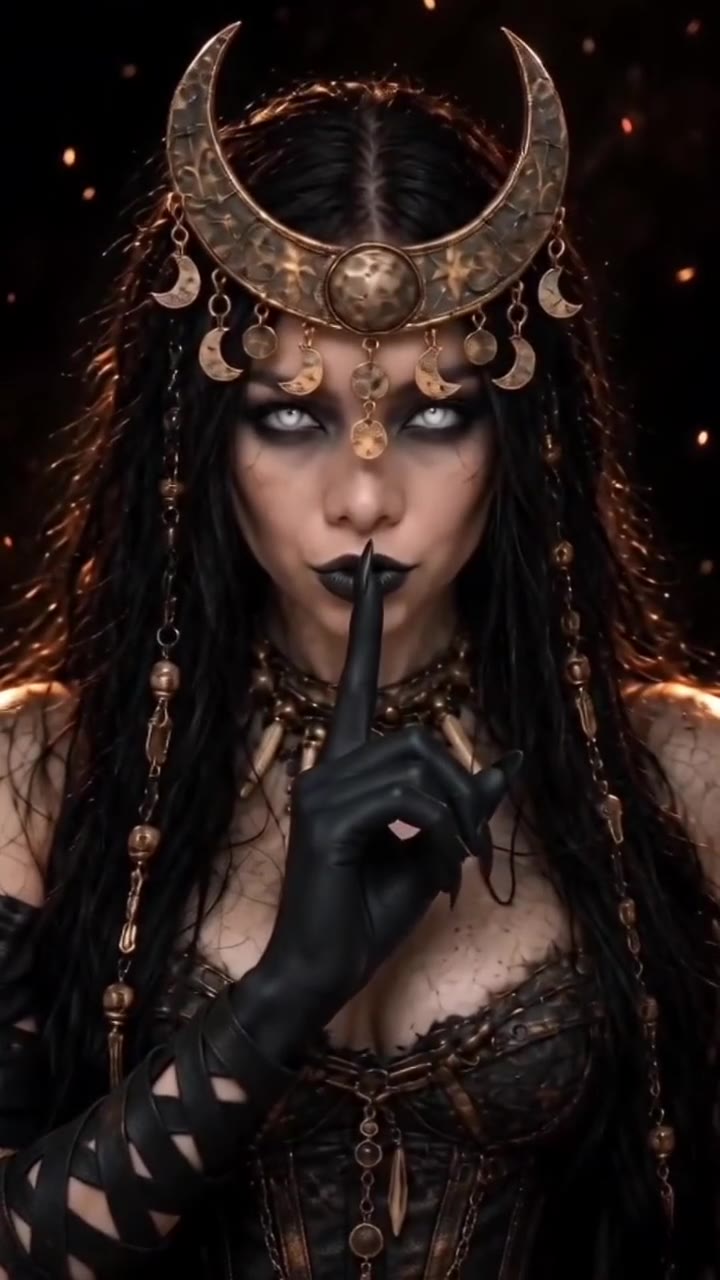
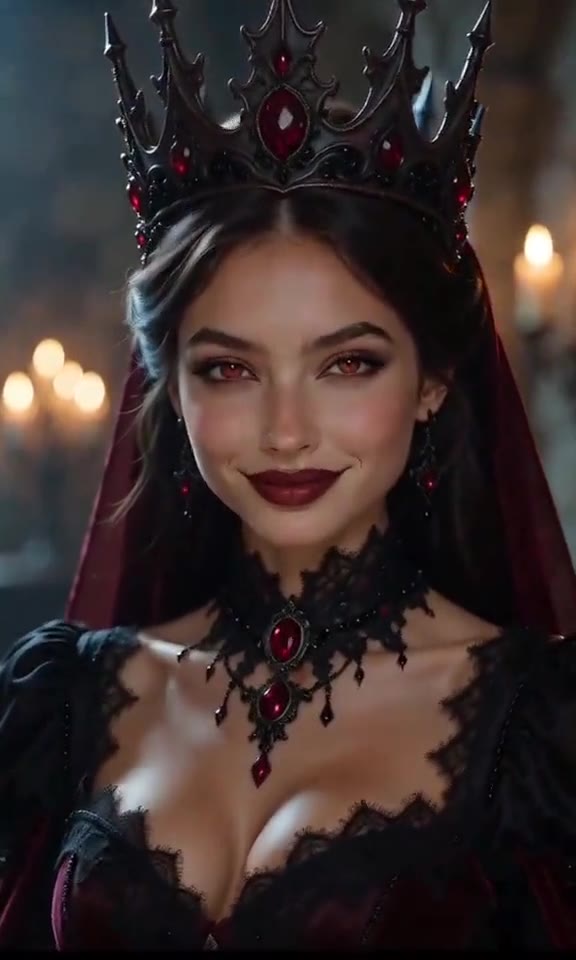
The Enchantress filter is a 10-second AI transformation clip. It opens on a person with their eyes closed, holding one hand out over a black background. A black hand with long, curved claws rises from the bottom of the frame, slides its fingers between theirs and grips. Then the clawed hand sweeps toward the lens, and when the blur clears the same person is a dark moon sorceress: milky white eyes, black lips, a bronze crescent-moon crown, long black braids and a lace corset, with embers drifting behind. The clip ends on a stare and a black gloved finger raised to the lips.
It spread as a CapCut AI template called "Enchantress Filter 1". The earliest post we found is from 16 October 2026, from the template's own creator, and tutorial and template accounts pushed it hard in the week before Halloween, with several posts passing a few hundred thousand views by late October. Spanish-speaking accounts call it "Filtro Hechicera". The name points at the Enchantress, the witch character from DC's Suicide Squad, whose blackened hands the clawed hand echoes, but the template's look is its own generic moon-witch design.
Halloween 2026 is over, so this is a post-Halloween page: the clip still works as a dark fantasy edit and as next October's costume reveal. The sound on the template is a short dark track with a whispered "Enchantress" at the start; we could not confirm a title or artist.
videosi makes the same clip from one photo: you before the hand, then you as the sorceress, with the trend's sound already on it. You pick whether the sorceress gets long black braids, like most posts, or keeps your own hair. The costume change is the point of the effect: your clothes are replaced by the sorceress outfit after the swipe.
Enchantress Filter AI: shot by shot
- 0–1.5 s
Eyes closed
You face the camera on a black background, eyes closed, one hand held out palm down at chest height. Black claw tips appear at the bottom of the frame.
- 1.5–3 s
The hand rises
A black hand with long curved claws rises up behind yours and slides its fingers between your fingers.
- 3–4.5 s
The grip
The black hand closes around yours and turns it, claws over your knuckles. Still you, still your clothes.
- 4.5–5 s
The swipe
The clawed hand sweeps toward the lens and blurs the whole frame for a moment.
- 5–7.5 s
The sorceress
You reappear as a dark moon sorceress: bronze crescent crown, milky white eyes, black lips, braids and a lace corset, embers in the dark. A slow, steady stare.
- 7.5–10 s
Shh
A black clawed glove rises and you hold one finger to your lips until the end.
Tips for a better result
Use a sharp, front-facing face
The reveal is a tight chest-up shot that stares straight into the lens. A clear, evenly lit face keeps you recognisable under the white eyes and black lips.
Keep your head and shoulders in frame
The crown sits on top of your head and the corset starts at the shoulders. A photo cropped tight to the face leaves the model to invent both.
Leave sunglasses and hats off
The eyes turn milky white and the crown needs your hairline. Anything covering the eyes or the top of the head fights the look.
One person in the photo
The clip has exactly one person. A group photo can put the wrong face into the reveal.
Good to know before you make a Enchantress Filter AI video
- This effect changes your look on purpose: after the swipe your clothes become the sorceress outfit, and with the default option your hair becomes long black braids.
- The sorceress is a generic dark moon witch, not a copy of the DC film character or any costume.
- Under white eyes, black lips and heavy makeup, likeness is strongest in the first half; the reveal keeps your face shape but not every detail.
- The video comes with the trend's sound, and likeness is not guaranteed. A failed, timed-out or blocked render returns its credits automatically.
Enchantress Filter AI ideas and prompts
| Idea | Prompt | |
|---|---|---|
| Classic Enchantress (black braids) | The black hand grabs yours and you return with long black beaded braids under the tall crescent crown, like most posts. | |
| Keep my hair | Same black hand and reveal, but your own hair colour stays, with a few beaded braids and a slim bronze circlet. |
Enchantress Filter AI: questions
What is the Enchantress filter trend and where did it come from?
The Enchantress filter is a 10-second AI clip in which a black clawed hand rises from below, grips your hand, and you reappear as a dark moon sorceress with white eyes and a crescent crown. It spread as the CapCut template "Enchantress Filter 1"; the earliest TikTok post we found is from 16 October 2026. videosi makes the same clip from 1 photo.
How do I do the Enchantress filter from one photo?
On videosi, upload 1 photo of yourself, choose black braids or your own hair, pick 9:16, 1:1 or 16:9, and press Generate. The Enchantress filter AI video is a 10-second MP4 with the trend's sound already on it, and you write no prompt. You can close the page while it renders; the result waits in My creations.
Is there an Enchantress filter AI generator or website?
Yes. videosi (videosi.io) is a web tool that makes the Enchantress filter AI video from 1 photo. The motion, the black hand, the sorceress look and the prompt are built in, so you only choose the photo, the hair and the format. It makes a 10-second MP4 with no watermark, and a standard video (Standard model, 720p) is 10 credits.
Is the Enchantress filter a TikTok filter or a CapCut template?
The Enchantress filter is a CapCut AI template, "Enchantress Filter 1", not a live TikTok camera effect; a second version, "Enchantress Filter 2", appeared later in October 2026. Apps change often, so check inside CapCut. videosi is independent and not affiliated with TikTok or CapCut; it is a web tool that makes the same 10-second clip from 1 photo.
Which AI model or prompt makes the Enchantress filter?
The Enchantress filter AI on videosi is made with ByteDance's Seedance video model (Seedance 2.0 Mini by default; Fast, Pro and Ultra are one click away), from a five-part prompt plus a 10-second motion reference clip. Doing it yourself usually takes several tries, because the model shows the witch too early or merges the two hands. On videosi the prompt and reference are built in.
How much does the Enchantress filter AI cost? Is it free?
The Enchantress filter AI on videosi is not free: there is no free generation and no free trial. A 10-second video on the Standard model at 720p is 10 credits; better models and higher resolutions cost more. Credit packs start at $6.99 for 10 credits and never expire; plans start at $29.90 a month. A failed render returns its credits automatically.
Why doesn't my Enchantress video look like me?
A videosi Enchantress filter video can drift from your look when the photo is small, dark, side-on or wearing sunglasses, because the 10-second reveal is a tight shot under white eyes and black lips. Use one sharp, front-facing photo with your whole head and shoulders visible. The first half shows you as in your photo; the reveal keeps your face shape under the makeup.
Will the Enchantress filter change my clothes and hair?
Yes. In the videosi Enchantress filter your clothes become the sorceress outfit after the swipe at about 4.5 seconds: corset, bronze collar and black clawed gloves (a leather tunic on men). With the default option your hair becomes long black braids; pick "My own hair" to keep your hair colour with a slim circlet instead of the tall crown.
Can I use someone else's photo, a man, or a pet?
videosi's Enchantress filter is for one adult aged 18 or over, so do not upload photos of children. It works for men and women; on a man the corset becomes a fitted leather tunic. You can use another adult's photo only with their permission. It does not work with pets, because the clip needs a human hand for the claws to grab, and it makes 1 person per video.
What does "Enchantress" mean in this trend?
"Enchantress" means a sorceress, and in this trend it nods to the Enchantress, the witch from DC's 2016 film Suicide Squad, whose blackened hands the clawed hand echoes. The CapCut template uses its own generic moon-witch look rather than the film costume, and videosi's 10-second version does the same.
What song or sound does the Enchantress filter use?
The Enchantress filter posts use the CapCut template's own sound, listed on TikTok as "original sound": a short dark track that opens with a whispered "Enchantress". We could not confirm a title or artist. videosi adds those 10 seconds of the trend's sound to your finished video, so there is nothing to add yourself.
Is the Enchantress filter still trending after Halloween?
As of November 2026 the Enchantress filter is an early-stage trend that peaked around Halloween: the earliest post we found is from 16 October 2026, and new posts and tutorials were still appearing on 2 November 2026. Halloween 2026 is over, so expect fewer new posts; videosi keeps the page live as a dark fantasy edit and for next October.
Trending this week
All trends this week



Make your Enchantress Filter AI video
Upload a photo and press Generate. 10 credits, refunded if it fails.
Get the next trend first
One email when new trends land on videosi, about once a week. Unsubscribe in one click.
See videosi first on Google
Add videosi as a preferred source and our trend pages show up first in your Top Stories and AI answers on Google.