Bob Filter: The Bob Haircut Prank Video, Starring You
You lift your long hair, the scissors snip, and a few cuts later you have a chin-length bob. One photo is all it takes, and nobody actually loses any hair.
Updated : Page published.
1Add your photo
What you'll get
Front-facing, well-lit selfies work best. One face per photo.
2Haircut
3Choose quality
By generating you confirm you have permission to use the people in your photos. Terms
No subscription needed · Ready in about 3 minutes · Failed renders are free
The bob haircut filter is a 10-second prank video in which a person snips their long hair with scissors and ends up with a chin-length bob that was never really cut; videosi makes it from one photo of you.
- Fast facts
- First seen
- Stage
- Past its peak
- Started on
- TikTok (unconfirmed)
- Sound
- No single sound: the most-viewed clip uses an untitled "original sound" with a short pop vocal, and other posts use their own audio. The July 2026 "bob trend original" with FREAKED OUT is a different format.
- Meaning
- The bob haircut filter is a TikTok prank in which a person seems to cut their long hair into a short bob with scissors, made with an AI filter so nothing is really cut, to fool a parent, partner or friends.
- Related trends
- Age Filter AI, Prank Filter, Toc Toc Dance AI
Page updates
- November 3, 2026 — Page published.
The Bob Haircut Filter prompt and model
Bob Haircut Filter is made with Seedance 2.0 / 2.5 (you pick the tier) by ByteDance. The prompt behind it has 5 parts, and the timing is what makes or breaks it.
- Model
- Seedance 2.0 / 2.5 (you pick the tier)
- Mode
- Photo + motion reference to video
- Length
- 10 seconds, 9:16, 1:1 or 16:9
- Input
- 1 photo
- Person swap The person in a 10-second reference clip is replaced by you; the room, framing and scissor moves stay.
- Identity lock Your face, skin tone, hands, clothes, jewellery and hair colour come from your photo, and nothing of the reference person stays.
- Haircut Only the hair length changes: long at the start, shorter with each snip, ending as the sleek bob or the bowl cut you chose.
- Rules One adult, five fingers, real metal scissors, no caption or watermark from the reference.
- Sound The model renders silently; the trend audio from the original clip is added to the MP4 afterwards.
Replace the young woman with long light-brown layered hair, a white scoop-neck top and a gold chain in Video 1 with the person from Image 1.…
Why it goes wrong when you do it yourself
- Without a reference clip the hair shrinks in a slow morph instead of dropping with each snip, and the prank looks fake.
- Prompts that only say "give me a bob" often keep the reference person's hair colour or top, so the result is not you.
- The model tends to copy the caption from the clip it was shown unless the prompt removes it.
- Close selfie framing slims faces toward the reference person unless the prompt locks the face shape of your photo.
Bob Haircut Filter examples
How to make your Bob Haircut Filter video
Upload one photo of yourself
Face to the camera, head and shoulders in frame, hair visible and down. Your clothes and hair colour in the photo are what the video shows.
Pick the haircut
Sleek bob for the clean chin-length cut everyone shares, or Failed bowl cut for the comic version with heavy bangs.
Generate and download
Pick the format and press Generate. The 10-second MP4 comes with the trend audio and no watermark.
Send it and wait
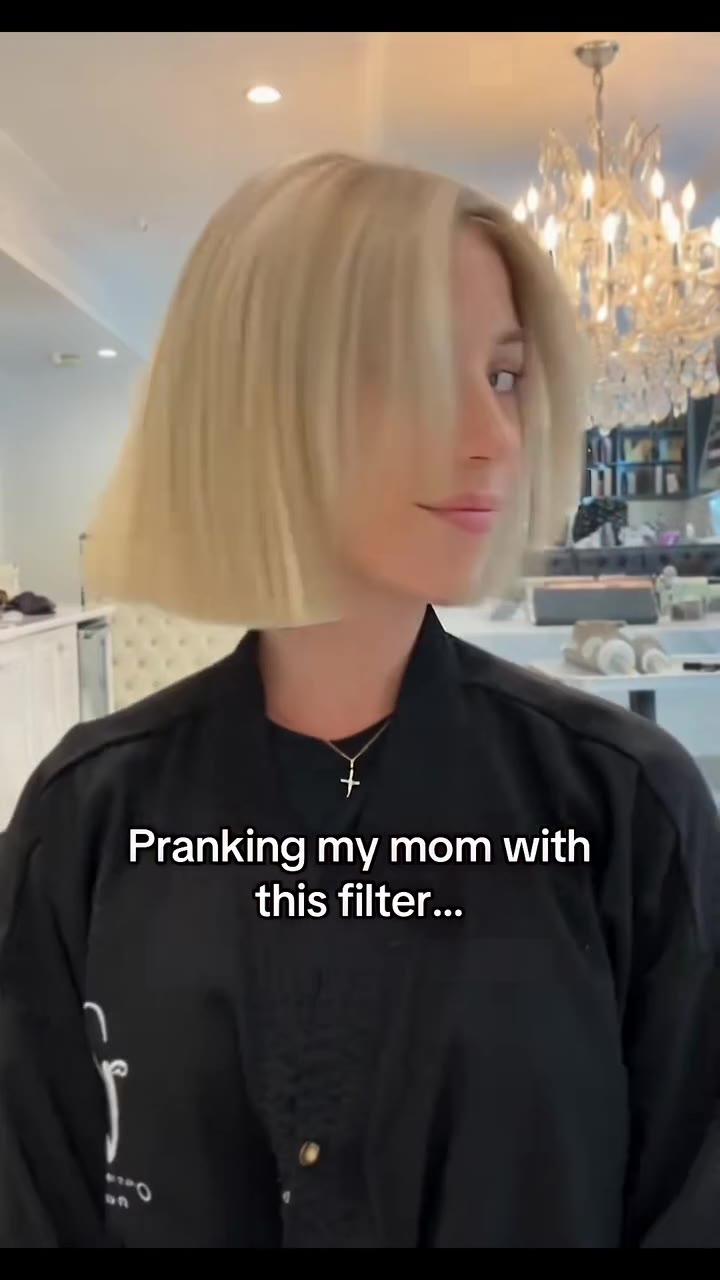
Post it with a caption like "Pranking my mum with this bob filter", or send it straight to the person you are pranking. Tag it as AI-made.
What is the Bob Haircut Filter trend?
Updated · videosi is an independent tool. It is not affiliated with TikTok, Instagram, YouTube, or with the owners of any trend, song, game or brand named on its pages.
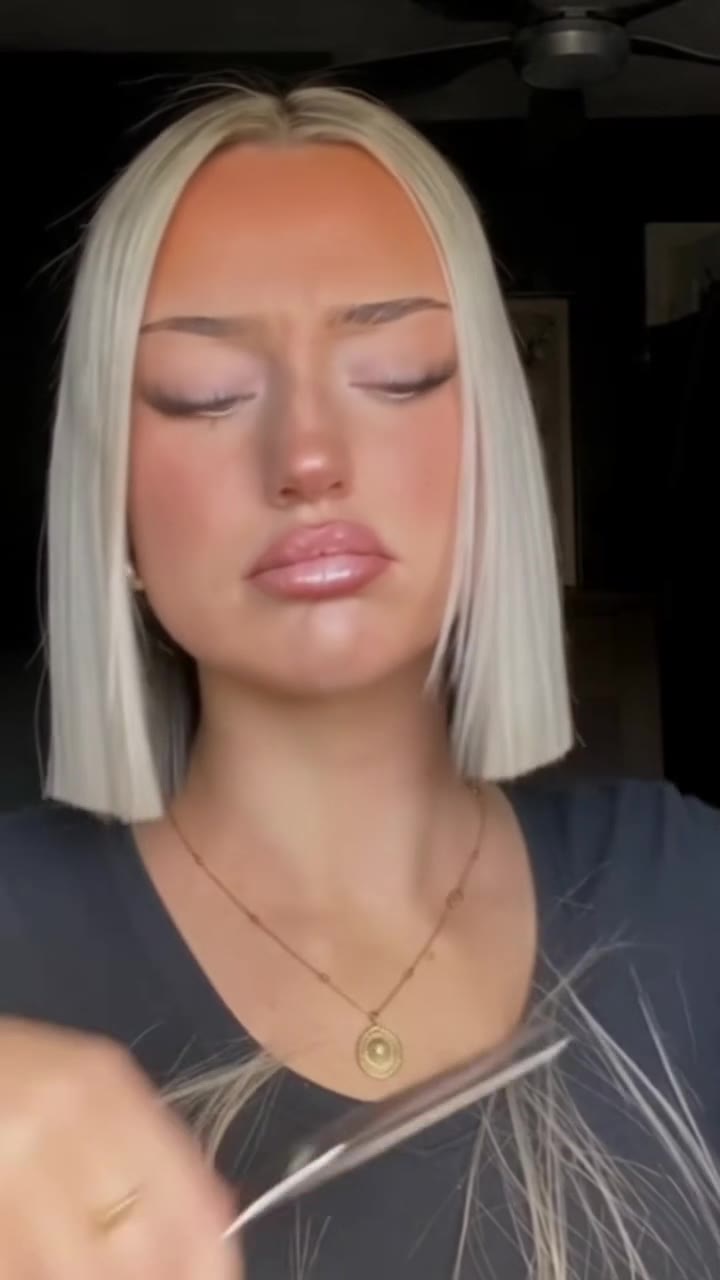
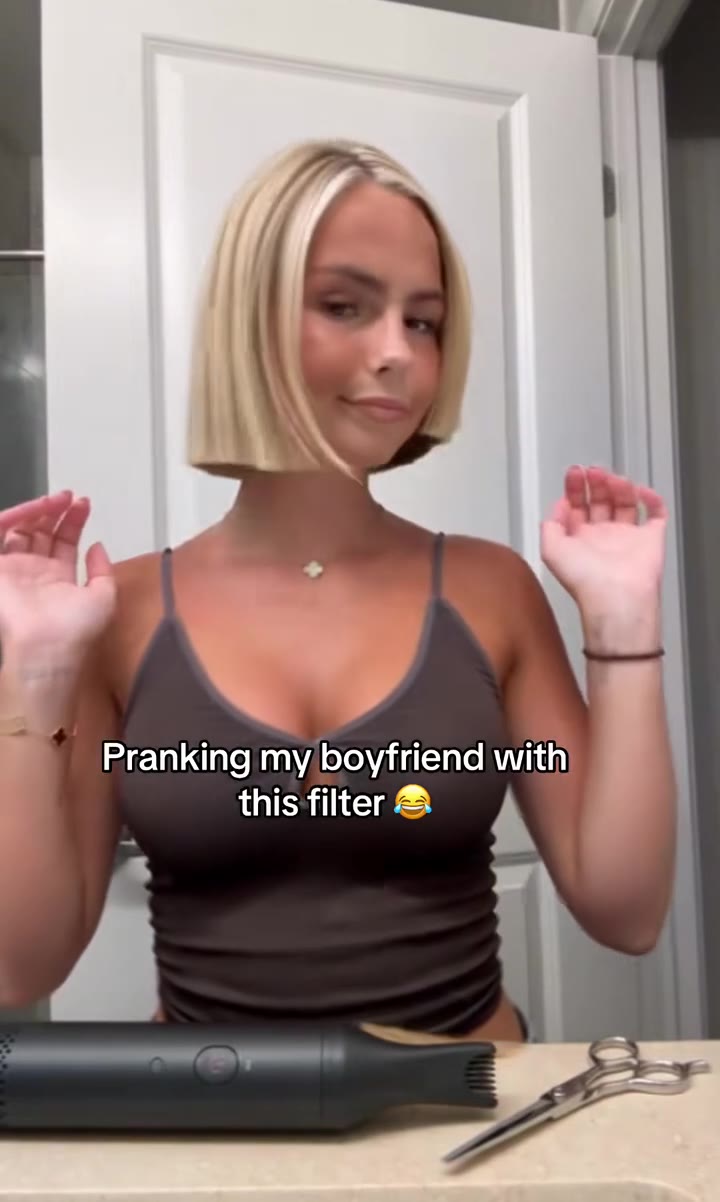
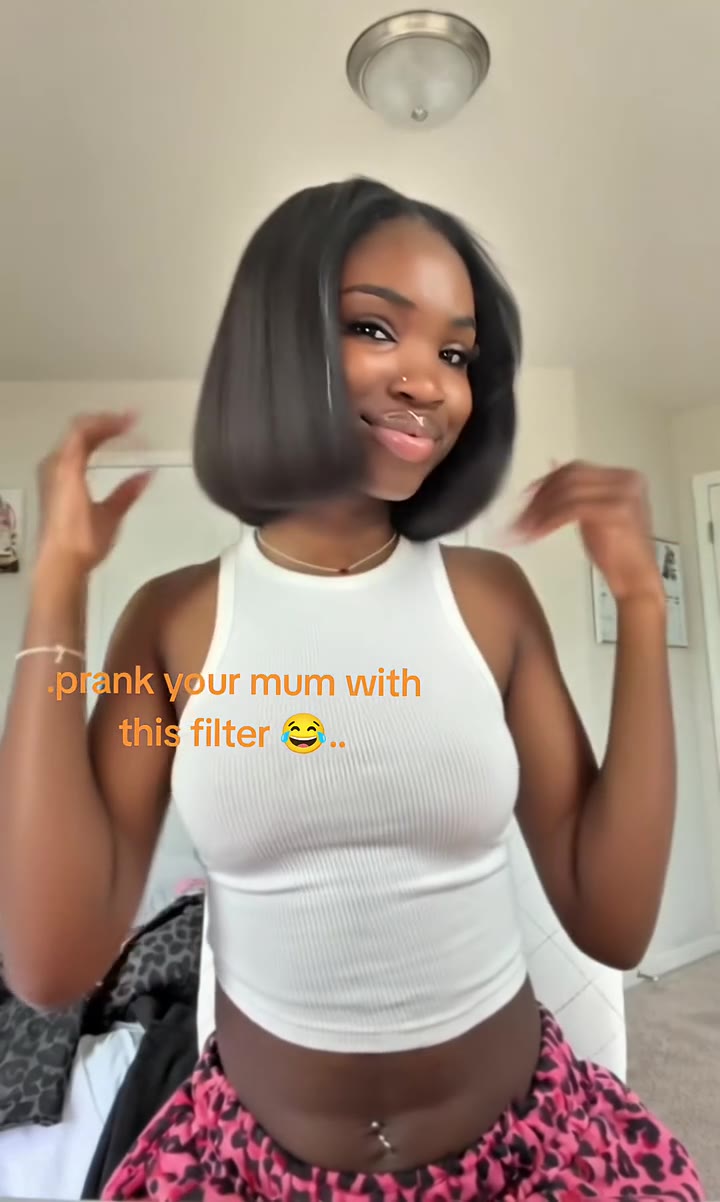
The bob haircut filter is a short selfie prank. Someone with long hair looks into the phone, picks up a pair of scissors and snips. A cut later the hair is at the shoulders, a few more cuts and it is a sharp chin-length bob, and the clip ends with a flip of the new hair. The caption usually says who it is for: "Pranking my boyfriend with this bob filter" or "Prank your mum with this filter". Nobody is really cut; the haircut is AI.
The most-viewed clip we found, posted on TikTok on 9 August 2026 by a CapCut template account, passed 6 million views, and template accounts posted the same effect through August and September with 2 to 5 million views each. From September the feed filled with "How to make the viral Pranking my friends with the bob filter" tutorials, several above 3 million views. By November 2026 the wave is fading: new posts are mostly tutorials with far smaller numbers. An older "bob trend original" with the song FREAKED OUT, from July 2026, is a different format (people listing reasons to get a bob in wigs), not this scissors prank.
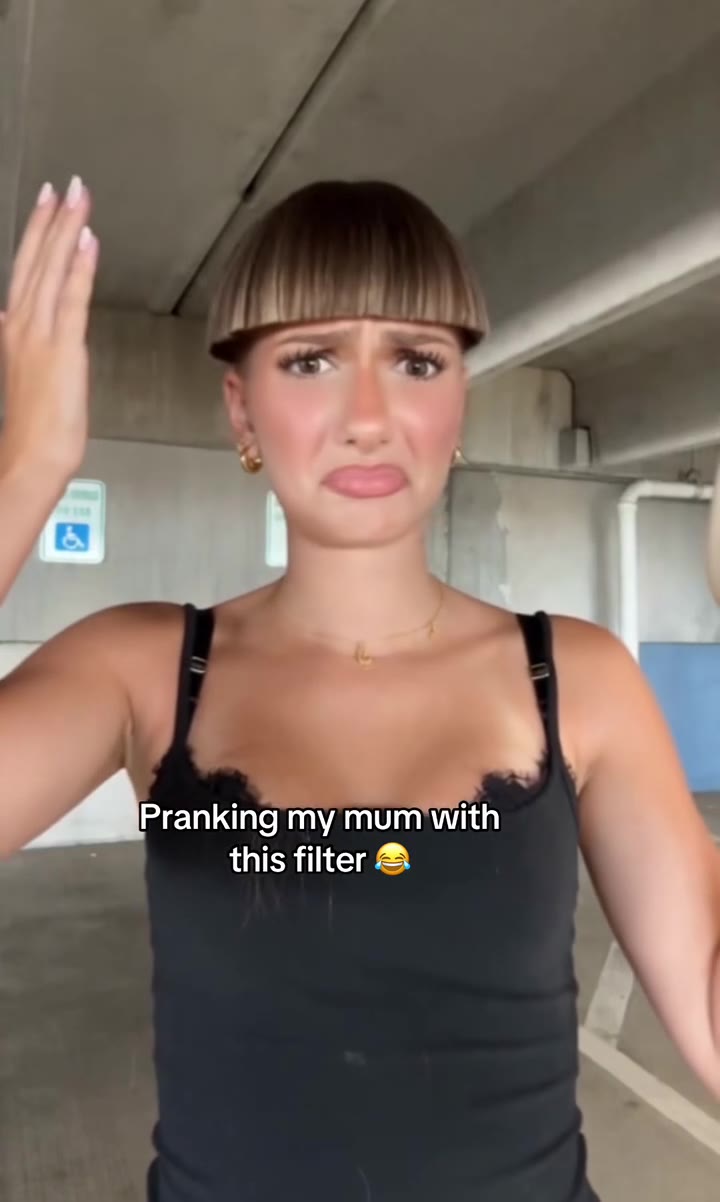
A comic branch called the "failed bob" swaps the neat bob for a bowl cut with heavy bangs, sometimes cut around an actual bowl or funnel on the head.
videosi makes the 10-second scissors version from one photo of you: your face, skin tone, clothes and hair colour stay, only the length changes. You choose the sleek chin bob or the failed bowl cut, and the trend audio comes on the MP4.
Bob Haircut Filter: shot by shot
- 0–1 s
Long hair
You face the phone at arm's length with your hair long past the shoulders, talking to the camera.
- 1–3 s
First snip
You lift a section of hair and the scissors close at chest height. The hair drops to the shoulders.
- 3–5.5 s
Shorter
More snips around the jaw, a gasp and a hand to the mouth as the hair gets shorter.
- 5.5–8 s
The last cut
One more cut at the chin, then the hair falls forward over your face.
- 8–10 s
The reveal
A flip of the head and the new cut sits in place: a sleek chin bob, or the bowl cut if you picked the fail.
Tips for a better result
Wear your hair down
Hair tied back or under a hat leaves the model guessing your colour and texture, and the bob may come out in the wrong shade.
Show your shoulders
The clip is chest-up with hands and scissors in frame. A photo cropped tight to the face makes the model invent your top and hands.
Face the camera
A straight-on face keeps the likeness steady through the head flips and the hair falling over your face.
One person only
Crop other people out of the photo; the clip has one person and only that person gets the haircut.
Good to know before you make a Bob Haircut Filter video
- Only the hair length changes. Colour and texture come from your photo, so very curly or braided hair can come out straighter than in real life.
- Upload photos of adults only (18+), and only of yourself or someone who has agreed.
- Likeness is not guaranteed, and the caption from the trend is not drawn on the video; add your own text in the app you post from.
- The MP4 comes with the trend audio. A failed or timed-out render returns its credits automatically.
Bob Haircut Filter ideas and prompts
| Idea | Prompt | |
|---|---|---|
| Sleek chin bob | A few snips turn long hair into a sleek, blunt chin-length bob with a centre part. | |
| Failed bowl cut | The snips go wrong and end in a blunt bowl cut with heavy bangs and a mock-horrified face. |
Bob Haircut Filter: questions
What is the bob haircut filter trend?
The bob haircut filter is a 10-second TikTok prank in which someone snips their long hair with scissors and ends up with a chin-length bob, all made with AI. The most-viewed clip, from 9 August 2026, passed 6 million views. videosi makes the same scissors-to-bob video from one photo, with no real haircut.
How do I make the bob filter prank from one photo?
Upload one photo of yourself to videosi, choose the sleek bob or the failed bowl cut, pick a format and press Generate. The bob haircut filter video is 10 seconds long and needs no prompt: the scissor moves, the cuts and the reveal are built in. Your face, clothes and hair colour come from your photo.
Is there a bob haircut filter online or a website for it?
Yes. videosi (videosi.io) is a website that turns one photo into the 10-second bob haircut filter video in your browser, on phone or desktop, with no app to install. Static try-on tools only show a still photo with short hair; videosi makes the full scissors prank clip with the trend audio.
Is the bob filter a TikTok effect or a CapCut template?
The 2026 bob haircut filter spread as a CapCut AI template, shared by template accounts from August 2026 and explained in tutorials with titles like "Pranking my friends with the bob filter". It is not a live TikTok camera effect. videosi is independent of TikTok and CapCut and makes the same 10-second clip from one photo.
What AI model and prompt does the bob haircut filter use?
The videosi bob haircut filter runs on ByteDance's Seedance 2.0 or 2.5, at the tier you pick. The prompt replaces the person in a 10-second reference clip with you and changes only the hair length; the full prompt is not published, but the How it is made section shows its five parts.
Is the bob filter free, and how much does it cost?
The bob haircut filter on videosi is not free: there is no free generation. One 10-second video on the Standard 720p tier costs 10 credits, and the Single pack is $6.99 for 10 credits; better tiers cost more and the price shows before you start. Credits never expire, and a failed render returns its credits.
Why does my bob not look like my hair?
On videosi the bob haircut filter takes your hair colour and texture from the photo, so hair that is tied up, under a hat or in shadow gives the model too little to work with. Use one photo with your hair down, face to the camera and even light; likeness is not guaranteed.
Can I use a photo of my mum, sister or a friend?
Only an adult who has agreed to it. The videosi bob haircut filter is for people 18 and over; do not upload children. Most people make it of themselves and send it to their mum or partner, which is the whole joke of the "prank your mum with this filter" captions.
What is the failed bob haircut trend?
The failed bob is a comic branch of the bob haircut filter where the cut goes wrong and ends as a blunt bowl cut with heavy bangs, sometimes cut around a bowl or funnel on the head. Template posts of it appeared from September 2026; on videosi it is the Failed bowl cut option.
What does "bob filter" mean on TikTok?
On TikTok, "bob filter" means the bob haircut filter prank: an AI clip in which you appear to cut your long hair into a short bob, used to fool someone into thinking you really did it. It spread from August 2026; videosi makes the 10-second version from one photo, with the trend audio.
What song is used in the bob filter videos?
There is no single bob haircut filter song. The most-viewed clip from August 2026 uses an untitled "original sound" with a short pop vocal, and the videosi MP4 comes with that audio. The July 2026 "bob trend original" posts use FREAKED OUT, but they are a different wig-based format.
What would I look like with a bob?
The videosi bob haircut filter shows you with a sleek chin-length bob at the end of a 10-second clip, in your own hair colour, which is a quick way to see the length on your face before a real appointment. It is an AI guess, not a stylist's preview, so fringe and volume may differ.
Is the bob filter still trending?
As of November 2026 the bob haircut filter is fading: the template clips peaked in August and September 2026 with 2 to 6 million views, and new posts are mostly tutorials with smaller numbers. Haircut pranks come back regularly, so videosi keeps the bob haircut filter page up.
Trending this week
All trends this week
Make your Bob Haircut Filter video
Upload a photo and press Generate. 10 credits, refunded if it fails.
Get the next trend first
One email when new trends land on videosi, about once a week. Unsubscribe in one click.
See videosi first on Google
Add videosi as a preferred source and our trend pages show up first in your Top Stories and AI answers on Google.