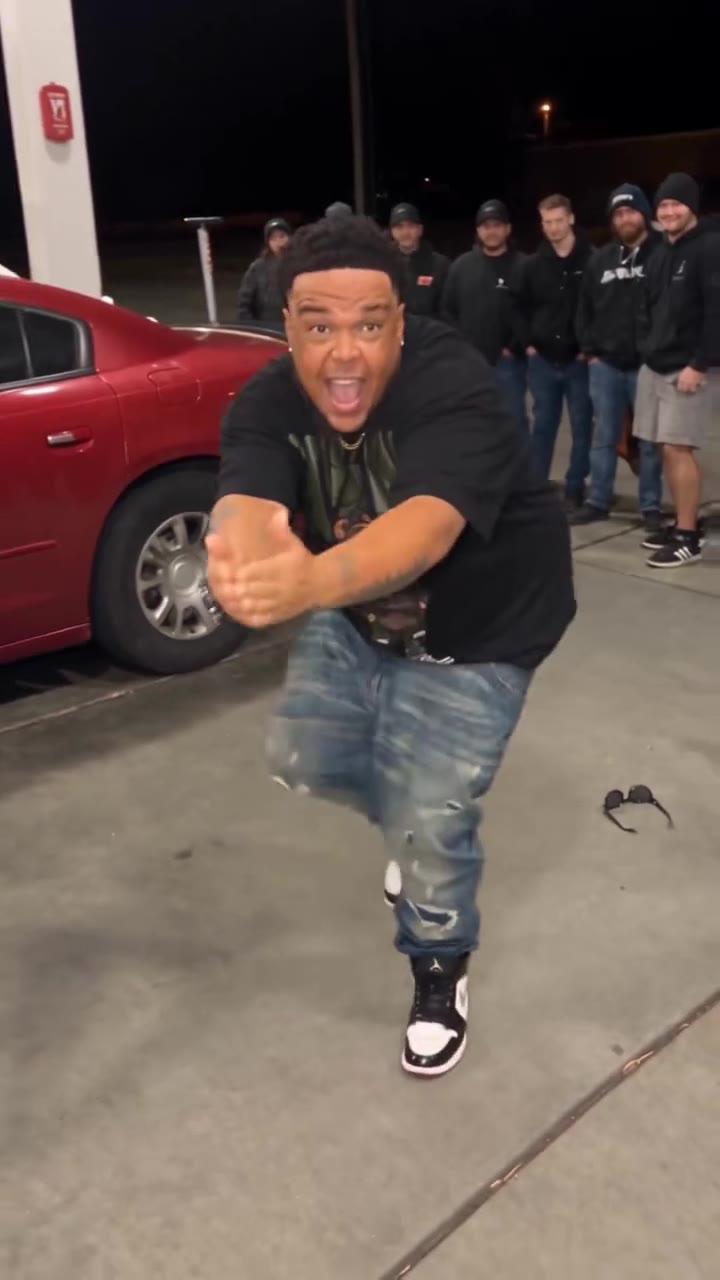
The Flo Rida Low AI trend is a 15-second dance in which two people in baggy trousers move to the Low hook on a dark car park, filmed from the ground. You can make it on videosi from two photos, or one photo of you both, with the original sound already on the video.
This guide goes deeper than the trend page FAQ: how to talk about the song cleanly, where it comes from, the five beats, why the low camera is hard, how to choose photos and how to post the result.
Key takeaways
- It is a two-person, one-take clip of 15 seconds, set on a dark car park with the camera at ground level.
- Only one short stretch of the song is used, and the clean hooks are "shawty got low" and "apple bottom jeans".
- The dance has five beats, and the knee-bend drop is the one to check first.
- Use bright, full-length, front-facing photos of two adults, and decide who stands left and right.
- Keep the original sound, turn on the AI label, and expect 13 credits for a Standard 720p video.
In this guide
- What is the Flo Rida Low AI trend, in plain words?
- How do you explain the lyrics without making the post awkward?
- Where does the Low song come from?
- Who started the routine, and when did it spread?
- What are the five beats of the dance?
- Why is a low camera angle so hard for AI to get right?
- How do you pick the two photos?
- How do you post it on TikTok with the AI label?
- What about copyright and the original sound?
- How does this relate to Talk Dirty and the AI dance hub?
- What does one video cost?
What is the Flo Rida Low AI trend, in plain words?
It is a short dance clip: two friends in baggy trousers, filmed from the ground on a dark car park, bounce through a loose routine to one stretch of Low. The AI version swaps the dancers for you and a friend, using photos instead of a camera. The sound stays on the video.
The clip is 15 seconds long and the camera never cuts. That single detail drives almost every decision in this guide, from why the low angle is hard to why your photos matter more than usual.
How do you explain the lyrics without making the post awkward?
Low is a 2007 club song, and most of it is not something you want attached to a post you share with friends or family. The trend only uses one short stretch, and the clean way to talk about it is to name only the hook: "shawty got low" and the line about "apple bottom jeans". Those two phrases are what viewers recognise, and they carry no content you need to explain away.
Keep captions about the dance, not the words. "Us doing the Low dance" or "the car park Low routine" works. Do not paste lyrics into the caption or the description. The dancers in the AI clip do not mouth the song either, so nothing on screen depends on the full text. If someone asks what the song is about, "it is a dance hook" is a true and complete answer for this post.
Where does the Low song come from?
The song is Low by Flo Rida featuring T-Pain, a 2007 single. The clip uses the hook from the first chorus, from the apple bottom jeans line to the run of "low" that ends it. A Soul Funk remix of the same hook is also popular on TikTok, and some people use it as a second sound.
That is all the song history this page needs. We do not claim chart positions or sales figures here because the trend does not depend on them. What matters for you is that the sound is recognisable within a second, which is why the routine can be so simple.
Who started the routine, and when did it spread?
Unconfirmed. The most-viewed car park clip we found is dated 25 June 2026, but we could not verify who choreographed it, so we do not name anyone. AI dance versions and CapCut templates on the same sound began to appear in late October 2026, and our trend radar first marked it as emerging on 3 November 2026.
We also do not publish a total view count, because we could not confirm one. If you want to credit the original, link to it yourself after checking it is the clip you mean. We do not link to the original creator from this guide.
What are the five beats of the dance?
The routine is built from five beats across 15 seconds. You can use this as a checklist when you review your video.
- 0 to 1.5 s, set-up. Dark car park, camera on the ground. The two stand a few steps apart and turn to face the lens.
- 1.5 to 5 s, hands up. Both bounce on loose knees with arms swinging, then hands rise overhead in a peak shape.
- 5 to 9 s, the drop. Knees bend and the upper bodies lean low, side to side.
- 9 to 12 s, low, low, low. A sway and a shoulder roll in time with the repeated word, hands loose by the hips.
- 12 to 15 s, arms out. Both throw their arms wide on a deep stance and hold the pose to the last beat.
The drop is the moment people wait for, so if your result is weak anywhere, check there first. The trend page shows the same timeline next to a sample.
Why is a low camera angle so hard for AI to get right?
The camera sits at ground level, so the legs are the biggest thing in frame. Baggy trousers swing wide on every bounce, and a video model with no reference tends to shorten the legs, stiffen the fabric and lose the drop.
A second problem is the cut. At 15 seconds the clip is near the limit of what these models handle in one take, and a text-only request often jumps to a second angle, which breaks the sync with the hook. Two bodies moving at once in a dark scene add a third problem: hands and feet can blur for a few frames.
This is why videosi pairs your photos with a motion reference of the real routine instead of describing the dance in words. The reference supplies the moves, the low camera and the timing; your photos supply who is dancing. Likeness is not guaranteed, and a failed or blocked render returns its credits automatically.
How do you pick the two photos?
Photo 1 becomes the dancer on the left and photo 2 the dancer on the right, so decide who stands where before you upload. Then check each photo against four points.
- Full length. Legs and shoes in frame keep the outfit right when the camera is at the ground.
- Sharp and front-facing. The dancers are small in a dark scene, so a bright, clear face gives the model more to hold. Skip sunglasses.
- Different outfits. If the tops or trousers differ, it is easy to tell who is who after the render.
- One person per photo. If you only have a joint shot, use the one-photo mode; the person on the left takes the left slot.
Only use photos of adults who agree to be in the clip. Do not upload children or celebrities.
How do you post it on TikTok with the AI label?
Export in 9:16 for TikTok and Reels. The MP4 comes back with the Low sound already on it and no watermark, so you can upload it as it is. Keep the original sound when you post; replacing it removes the whole point of the trend.
When TikTok asks, switch on the AI-generated content label. It takes a few seconds and keeps you on the right side of the platform rules. A short, honest caption does the rest, for example "AI made us do the Low dance", plus tags for the dance and the song. If you want the other aspect ratios, 1:1 and 16:9 are available for other places.
What about copyright and the original sound?
The sound belongs to the artists and their labels. videosi is independent and not affiliated with Flo Rida, T-Pain, CapCut or TikTok, and the routine itself comes from a creator we do not name. Platforms handle licensed music differently by account type, region and over time, so a personal post can behave differently from a business one.
The safest approach is to post the clip where the sound library already offers the track, keep it non-commercial, and not use it in an ad. If a platform mutes or removes the audio, that is the platform applying its own rules, not something the video can change. This is general guidance, not legal advice.
How does this relate to Talk Dirty and the AI dance hub?
Same recipe, different song. The Talk Dirty dance page turns another pop hit into a one-photo AI dance, while the Low clip uses two photos because the original routine has two dancers. If you like one, the other is a natural pair for a series.
For everything else that works from a photo, the AI dance hub lists every dance trend in one place. Pick a format, upload your photo and generate, with no prompt to write on any of them.
What does one video cost?
A 15-second video on the Standard model at 720p is 13 credits. Better models and higher resolutions cost more, and the exact number shows before you press Generate. Credit packs start at $6.90 for 10 credits and never expire, and plans start at $29.90 a month.
If a render fails, times out or is blocked, the credits come back automatically. Before you spend any, read the beats above and look at your two photos once more. Most disappointing results trace back to a small or dark face, not to the model.