AI Gender Swap Filter: The Cross Dressing AI Video, Starring You
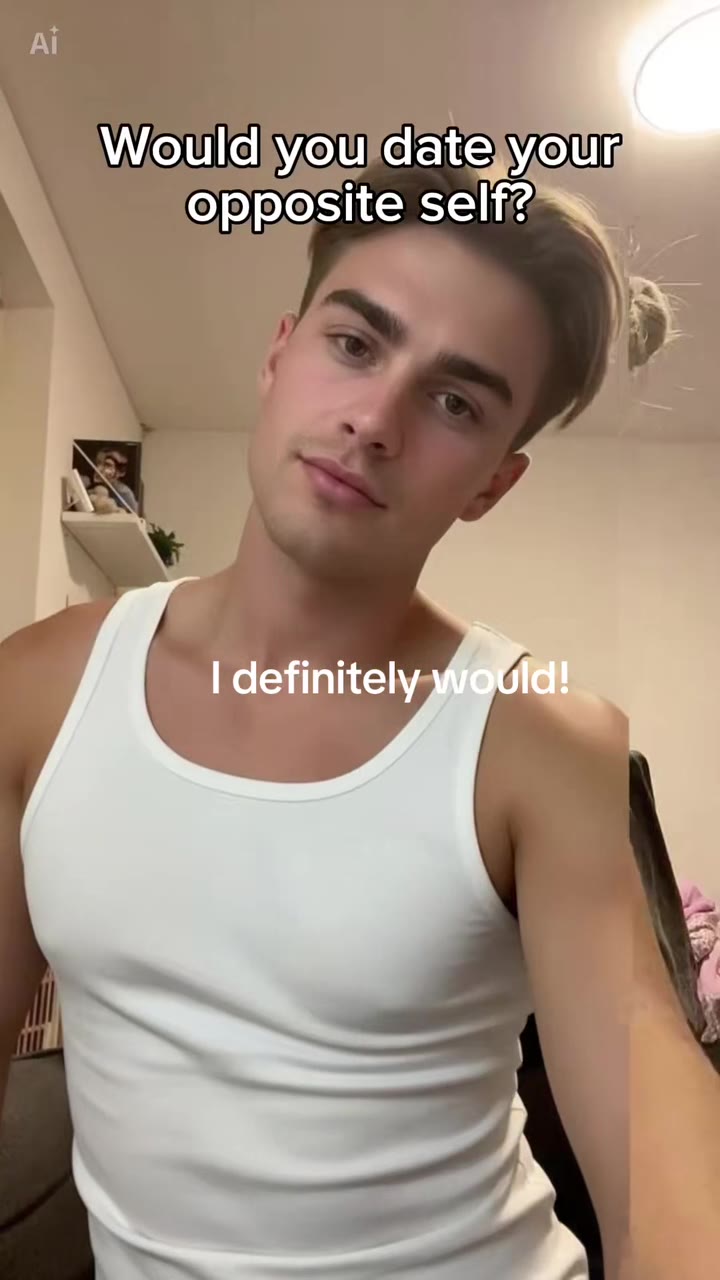
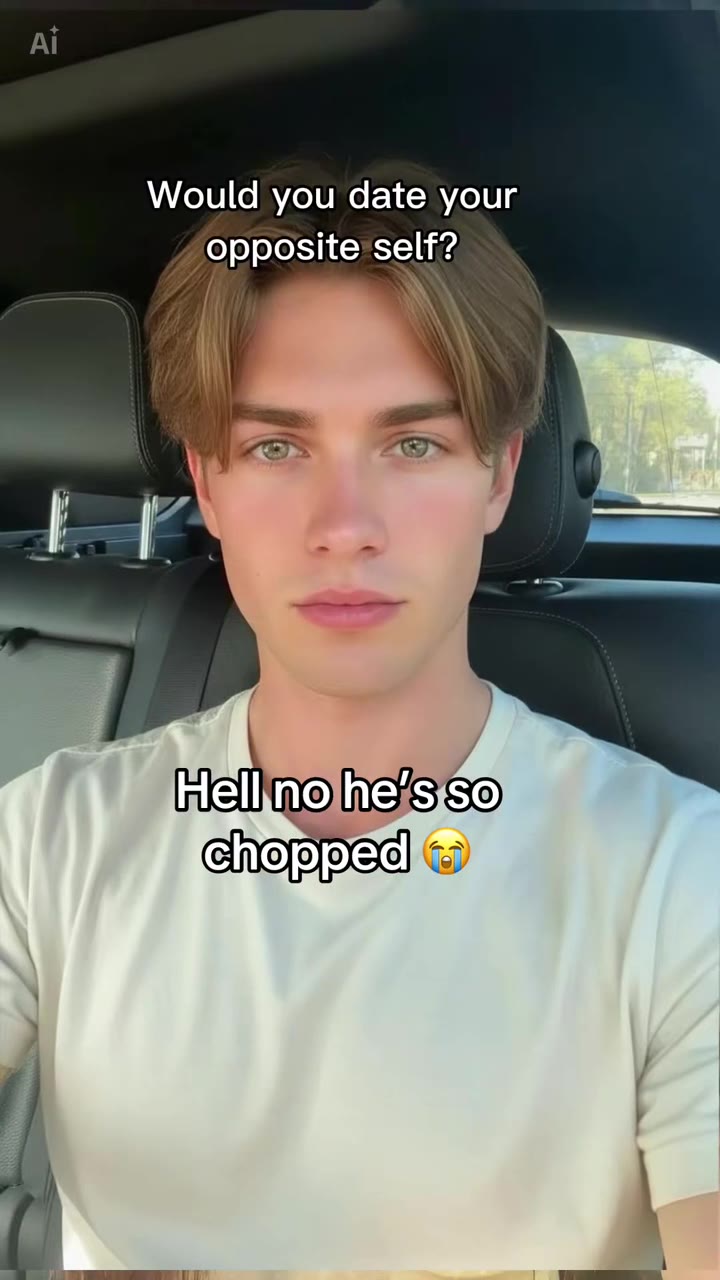
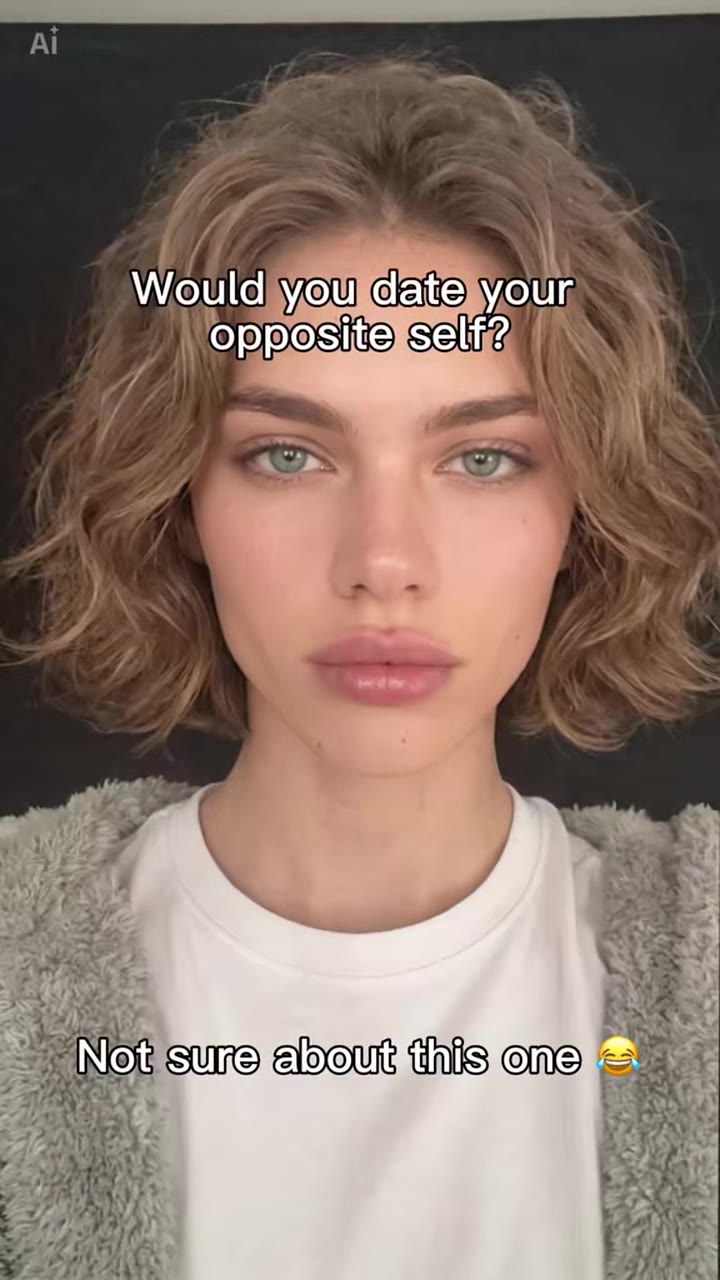
You sit in frame as yourself, then a wipe sweeps across and reveals your male or female version. One photo is enough.
Updated : Page published.
1Add your photo
What you'll get
Front-facing, well-lit selfies work best. One face per photo.
2Swap to
3Choose quality
By generating you confirm you have permission to use the people in your photos. Terms
No subscription needed · Ready in about 3 minutes · Failed renders are free
The AI gender swap filter is a 5-second TikTok clip in which a wipe turns you into your opposite-gender self, and videosi makes it from one photo of you.
- Fast facts
- First seen
- Stage
- Past its peak
- Started on
- TikTok (unconfirmed)
- Sound
- Posts use the poster's own "original sound"; no single shared song confirmed.
- Meaning
- The AI gender swap filter (cross dressing AI filter) is a TikTok trend in which a wipe reveals an AI version of you as the opposite gender, usually captioned with an answer to "Would you date your opposite self?".
- Related trends
- Age Filter AI, Werewolf Transformation AI, Enchantress Filter AI
Page updates
- November 3, 2026 — Page published.
The AI Gender Swap Filter (Cross Dressing AI) prompt and model
AI Gender Swap Filter (Cross Dressing AI) is made with Seedance 2.0 / 2.5 (you pick the tier) by ByteDance. The prompt behind it has 5 parts, and the timing is what makes or breaks it.
- Model
- Seedance 2.0 / 2.5 (you pick the tier)
- Mode
- Photo + motion reference to video
- Length
- 5 seconds, 9:16, 1:1 or 16:9
- Input
- 1 photo
- Replace The person in the trend clip is replaced by you from your photo, so the first half is clearly you.
- Identity lock Eyes, eye colour, skin tone, face proportions, pose and clothes carry over to the swapped version.
- Swap direction You choose a male or a female version; only hair length, jaw, brow, neck and makeup change.
- Wipe timing The reference clip fixes the framing and the moment the wipe sweeps across.
- Rules One adult, fully clothed, no captions or watermark; silent render, the trend sound is added after.
Replace the young woman with long dark hair and a navy T-shirt sitting in the car in Video 1 with the person from Image 1.…
Why it goes wrong when you do it yourself
- Asking a video model for "the male version of me" without a reference gives a slow morph instead of the wipe.
- Without an identity lock the swapped version looks like a stranger, which kills the joke.
- The reference person's face and long hair leak into the result unless the prompt names them and rules them out.
- Captions burned into the reference clip get copied unless the prompt removes them.
AI Gender Swap Filter (Cross Dressing AI) examples
How to make your AI Gender Swap Filter (Cross Dressing AI) video
Upload one photo of yourself
A clear selfie, head and shoulders, face to the camera. Your clothes and background stay in the video.
Pick male or female version
Choose which way the swap goes. Most people pick the opposite of how they present day to day.
Generate
In a few minutes you get the 5-second wipe from you to your opposite self, with the trend sound already on it.
Add your caption and post
Add your own answer to "Would you date your opposite self?" in TikTok or CapCut and tag it as AI-generated.
What is the AI Gender Swap Filter (Cross Dressing AI) trend?
Updated · videosi is an independent tool. It is not affiliated with TikTok, Instagram, YouTube, or with the owners of any trend, song, game or brand named on its pages.
The AI gender swap filter, also searched as the cross dressing AI filter, is a short selfie clip: you look into the camera as yourself, a vertical wipe sweeps across the frame, and on the other side is an AI version of you as the opposite gender. Same eyes, same pose, same clothes, different hair, jaw and brow. The point is the reaction caption, usually an answer to "Would you date your opposite self?".
Gender swap filters have come back on TikTok in waves since FaceApp in 2019. This 2026 wave runs on CapCut AI templates: the most-viewed posts we found are dated March to June 2026, and the top one passed 11 million views. Our radar marked the cross dressing filter as fading on 28 October 2026, though new tutorial posts were still appearing in early November.
The swap here is a look, not a statement: it is a friendly, playful "what if" that people make with friends, partners and parents. videosi does the same from one photo: you appear first exactly as in your photo, then the wipe reveals your male or female version, and the trend sound is added to the finished clip.
AI Gender Swap Filter (Cross Dressing AI): shot by shot
- 0–2.3 s
You, as you are
A close selfie framing, the camera still, a small head turn. It is you from your photo, clothes and background included.
- 2.3–3.3 s
The wipe
A vertical line sweeps across the frame; behind it your opposite-gender version is revealed strip by strip.
- 3.3–5 s
Your opposite self
The swapped version holds the same pose and look into the camera until the clip ends.
Tips for a better result
Face the camera
A front-on selfie gives the swap the clearest face to work from; side profiles change more.
Even light
Soft daylight keeps your skin tone and eye colour the same on both sides of the wipe.
No sunglasses or masks
The eyes are what make the swapped version read as you, so keep them visible.
Just you in the photo
One adult per photo; group shots confuse which face to swap.
Good to know before you make a AI Gender Swap Filter (Cross Dressing AI) video
- The swap changes hair, jaw, brow and makeup; it does not change your clothes, so the outfit stays the same on both sides.
- Results vary: some faces swap convincingly, others look like a sibling rather than you.
- The video has the trend sound but no caption text; add your own caption when you post.
- Adults only. Use your own photo or one you have permission to use.
AI Gender Swap Filter (Cross Dressing AI): questions
What is the AI cross dressing / gender swap filter?
The AI gender swap filter is a 5-second clip in which a wipe turns you into an AI version of yourself as the opposite gender; videosi makes it from one photo. On TikTok it runs on CapCut AI templates, with the top 2026 post above 11 million views, and is often called the cross dressing AI filter.
How do I make a gender swap video from one photo?
On videosi you upload one selfie, pick a male or a female version, and press Generate; the 5-second gender swap video needs no prompt. The first half shows you as in your photo, then a wipe reveals your opposite-gender version with the same eyes, pose and clothes, and the trend sound is already on it.
Is there a website or app for the gender swap filter?
Yes: videosi is a website that makes the gender swap filter video from one photo in your browser, phone or desktop, no app install needed. TikTok users mostly do it with a CapCut AI template; videosi gives the same 5-second wipe reveal and lets you choose the male or female direction.
Is there a TikTok filter or CapCut template for it?
The 2026 gender swap trend is mostly made with CapCut AI templates titled "Gender swap AI filter" or "Would you date your opposite self", and one cross-dressing template had about 12,700 uses by late October 2026. videosi is an alternative when the template is unavailable or gives a stranger's face.
What AI model and prompt does the gender swap filter use?
videosi makes the gender swap filter with ByteDance's Seedance video model (2.0 or 2.5, you pick the tier), guided by a 5-second reference clip of the trend. The prompt has five parts: replace, identity lock, swap direction, wipe timing and rules. The full prompt is not published.
How much does an AI gender swap video cost?
One 5-second gender swap video on videosi costs 10 credits at Standard 720p, and the Single pack is US$6.99 for 10 credits. Higher tiers cost more credits; there is no free tier, and a failed render returns its credits.
Why doesn't my opposite-gender version look like me?
Sometimes the swapped version on videosi looks more like a sibling than you, and it usually comes from a side-on, dark or sunglasses photo. Use a front-facing selfie in daylight with your eyes visible, since eyes and skin tone are what carry over through the 5-second swap.
Can I use a friend's or my partner's photo?
Yes, videosi's gender swap filter works on any adult's photo you have permission to use, and swapping with a partner or parent is one of the most popular 2026 versions. Do not use photos of children, and do not post someone's swap to mock them.
What does "would you date your opposite self" mean?
"Would you date your opposite self?" is the caption most gender swap filter posts answer in 2026: after the wipe shows your opposite-gender version, you say whether you would date them. videosi's 5-second video has no caption, so you add your own answer when you post.
What song or sound does the gender swap trend use?
The gender swap trend has no single confirmed song as of November 2026: most posts use the poster's own original sound. videosi adds the sound of the most-viewed reference post to your 5-second video, and you can replace it with any sound in TikTok or CapCut.
Is the gender swap filter still trending?
As of November 2026 the AI gender swap filter is fading: its peak was March to June 2026, and our radar marked it as fading on 28 October 2026. New tutorial and template posts still appear daily, and videosi keeps the 5-second version available from one photo.
Is the gender swap filter offensive?
The gender swap filter is meant as a friendly what-if, and videosi keeps it that way: one adult, fully clothed, only hair, jaw, brow and makeup change. Post it about yourself or with consent, and avoid captions that mock trans or gender-nonconforming people.
Trending this week
All trends this week


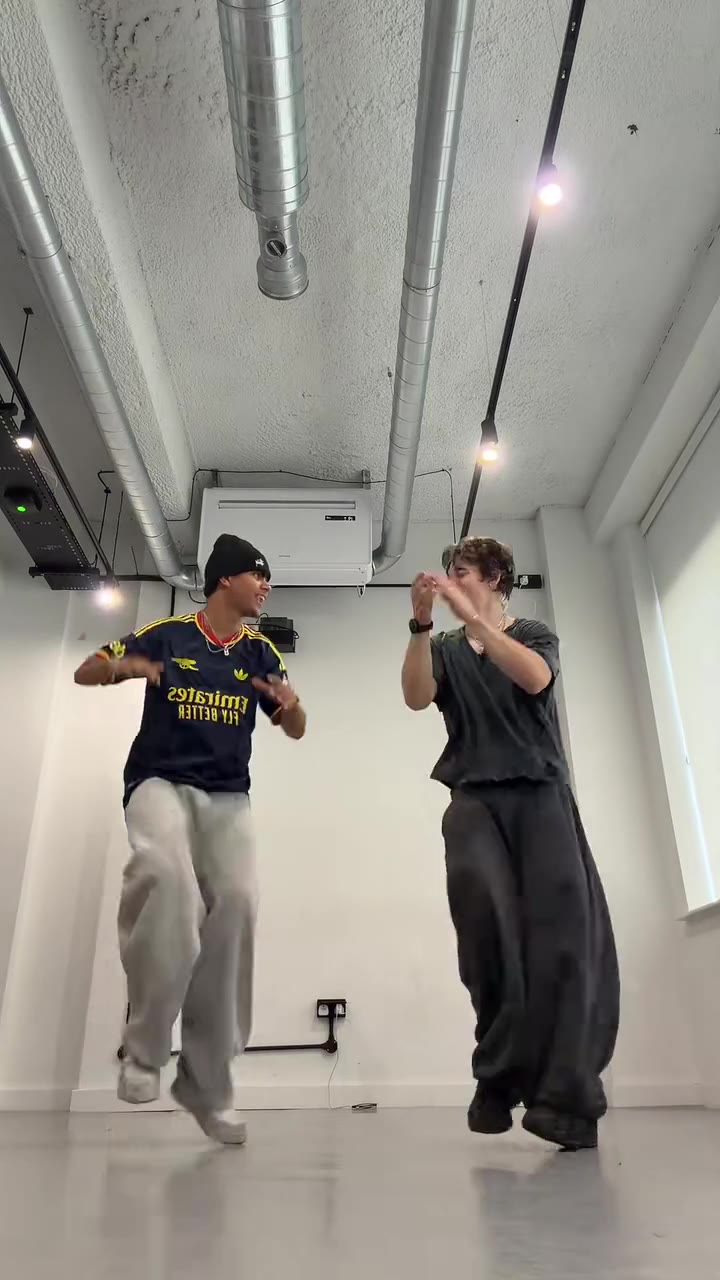


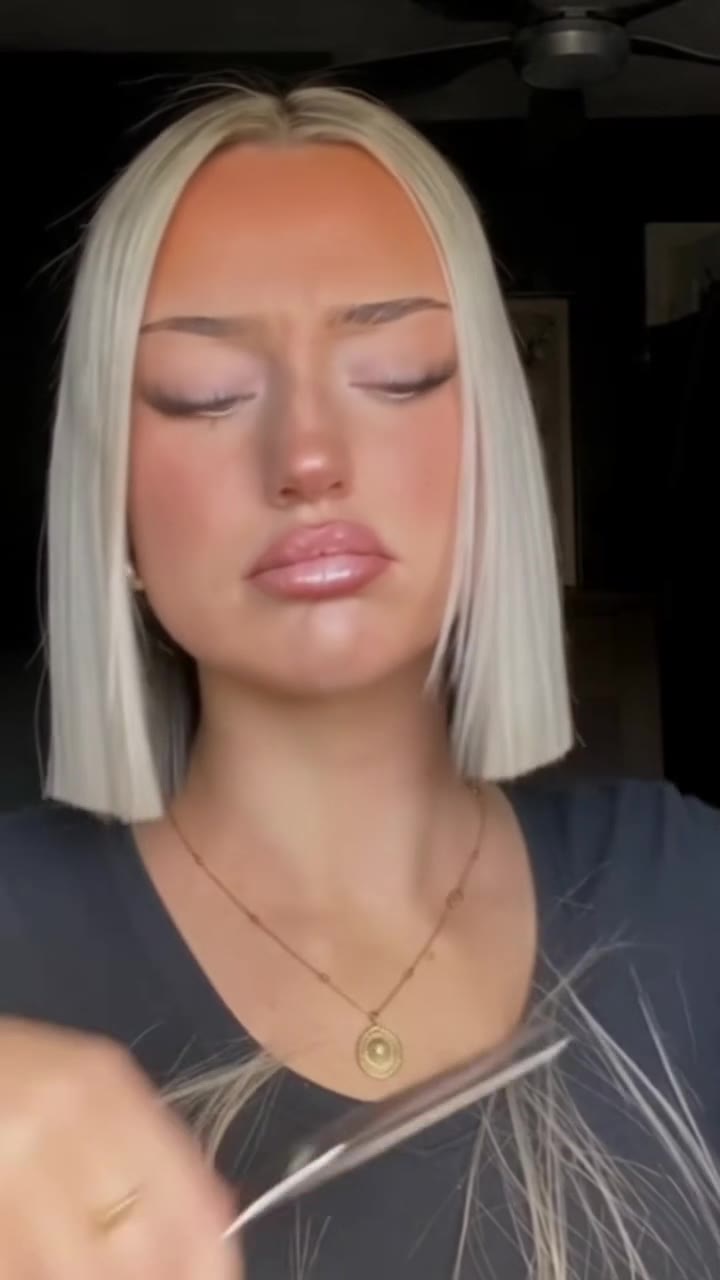
Make your AI Gender Swap Filter (Cross Dressing AI) video
Upload a photo and press Generate. 10 credits, refunded if it fails.
Get the next trend first
One email when new trends land on videosi, about once a week. Unsubscribe in one click.
See videosi first on Google
Add videosi as a preferred source and our trend pages show up first in your Top Stories and AI answers on Google.