Goodbye 2026 Welcome 2027 AI: The Highway Goodbye, Starring You
Your 2026 self and 2027 self hug under two glowing year signs, then 2027 takes the suitcase and drives away. One photo is all it takes.
Updated : Page published.
1Add your photo
What you'll get
Front-facing, well-lit selfies work best. One face per photo.
2Choose quality
By generating you confirm you have permission to use the people in your photos. Terms
No subscription needed · Ready in about 3 minutes · Failed renders are free
The goodbye 2026 welcome 2027 AI video is a 5-second clip in which your 2026 self and 2027 self embrace on a rainy highway under two year signs before 2027 drives away and 2026 stays behind; videosi makes it from one photo of you.
- Fast facts
- First seen
- Stage
- Spreading
- Started on
- TikTok (unconfirmed)
- Sound
- Posts list only an original sound and most tutorials talk over it, so we could not identify a title.
- Meaning
- The goodbye 2026 welcome 2027 AI video shows your 2027 self hugging your 2026 self on a rainy highway and then driving away, a New Year farewell to who you were this year.
- Related trends
- AI Christmas Video, Polar Bear 2026 AI Video, Zombie AI Trend
Page updates
- November 2, 2026 — Page published.
The Goodbye 2026 Welcome 2027 AI prompt and model
Goodbye 2026 Welcome 2027 AI is made with Seedance 2.0 / 2.5 (you pick the tier) by ByteDance. The prompt behind it has 5 parts, and the timing is what makes or breaks it.
- Model
- Seedance 2.0 / 2.5 (you pick the tier)
- Mode
- Photo + motion reference to video
- Length
- 5 seconds, 9:16, 1:1 or 16:9
- Input
- 1 photo
- Replace both people An edit instruction swaps the woman under each sign for the person in your photo, so one person plays both years.
- Identity Face, hair, clothes, build and skin tone come from the photo on both sides, and the original people's hair and dresses are named for removal.
- Scene and shots The rainy highway, split blue and orange light, lightning, suitcase, car and the timing all stay.
- Year signs The two overhead signs keep their style and position and are told to read exactly 2026 and 2027.
- Rules and sound Exactly two people, no logos or other text, and a silent render; the trend sound is added to the finished video.
Replace both women in Video 1 with the person from your photo: the woman on the left, under the blue 2026 sign, and the woman on the right…
Why it goes wrong when you do it yourself
- Written as a motion reference, the prompt tends to leave the original two people on screen and only borrow details from your photo.
- If each side is not named, the model can replace only one person, leaving a stranger as your other self.
- The sign lettering can warp, so the years have to be stated exactly and the numbers checked after the render.
- The people are small in a wide night shot, so a dark or distant photo gives the model little to hold on to.
Goodbye 2026 Welcome 2027 AI examples
How to make your Goodbye 2026 Welcome 2027 AI video
Upload one photo
A sharp, front-facing photo of you works best. That one person plays both 2026 and 2027.
Pick your format
Choose vertical, square or wide, plus the model tier and resolution.
Generate
You get a 5-second video with the trend sound already on it, and you can follow the render on this page.
Post it before New Year
Download it, add a caption about what you are leaving behind, and label it as AI.
What is the Goodbye 2026 Welcome 2027 AI trend?
Updated · videosi is an independent tool. It is not affiliated with TikTok, Instagram, YouTube, or with the owners of any trend, song, game or brand named on its pages.
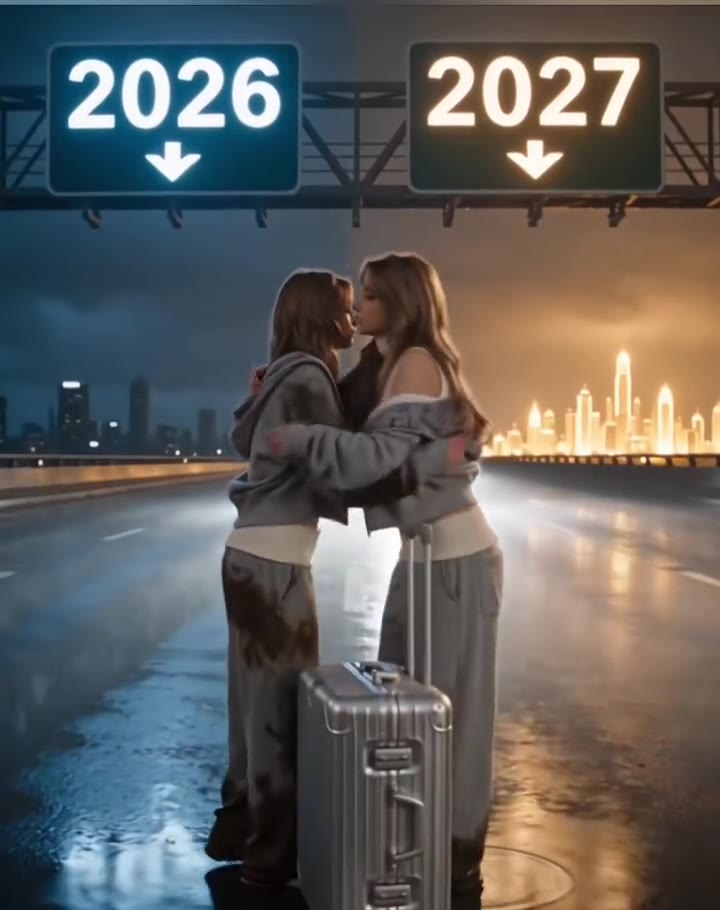
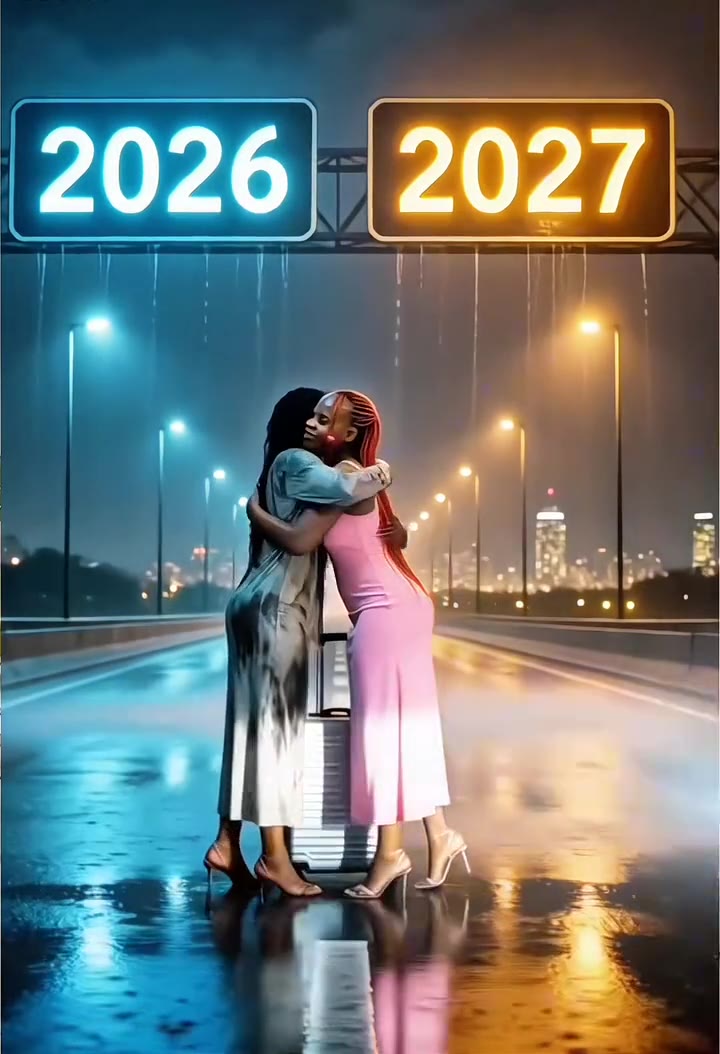
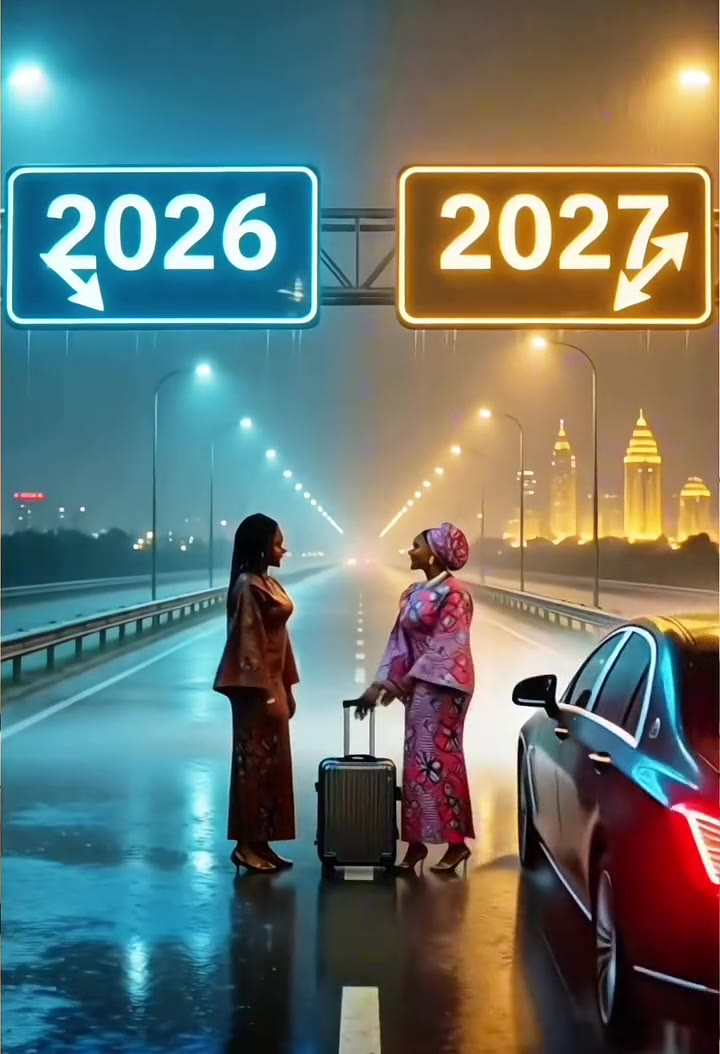
The goodbye 2026 welcome 2027 AI video is a short New Year farewell with yourself. On a rainy night highway, two overhead signs glow 2026 in blue and 2027 in orange. Two versions of the same person stand under them with a silver suitcase between them. They hug, a dark car pulls up, the 2027 version takes the suitcase and gets in, and the 2026 version sinks down alone on the wet road as lightning cracks behind.
The earliest copy we found is a TikTok tutorial dated 28 October 2026, and more appeared in English, French and Spanish through 1 November. Nobody has confirmed who started it. Almost every post is a CapCut template tutorial that opens with the result and then shows the steps, so view counts mostly measure tutorials. The biggest highway post we checked had about 13,600 views when we looked on 2 November 2026, so this version is still early.
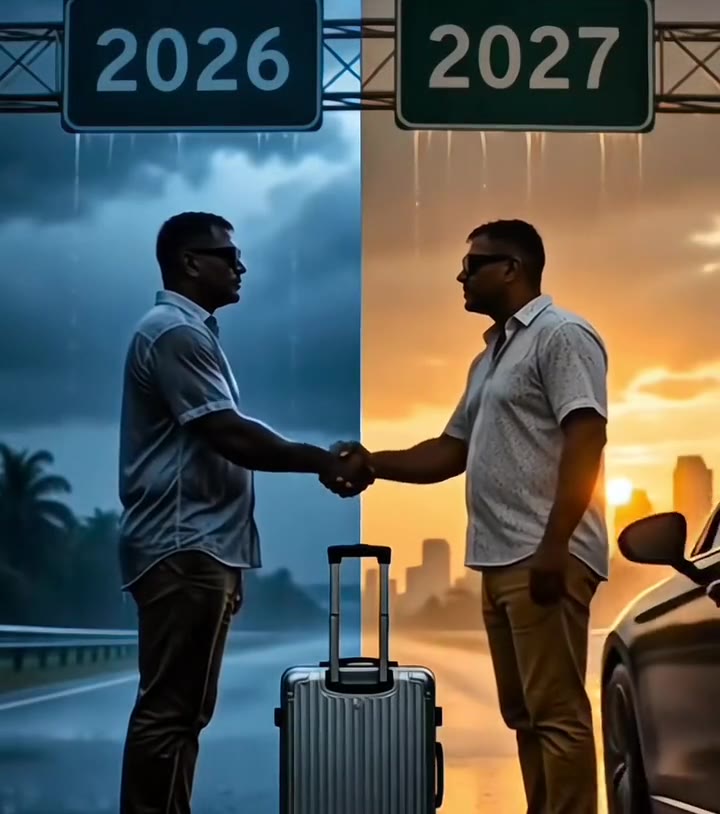
Be careful with the name: goodbye 2026 welcome 2027 also covers a different video, where a person climbs giant stone numbers and the 6 turns into a 7. One tutorial for that version had reached about 1 million views. This page makes the highway goodbye, the one described as your 2027 self saying goodbye to your 2026 self.
On videosi, you upload one photo and that person plays both years. The highway, the signs, the suitcase, the car and the timing are built in, and the finished 5-second clip has the sound from the trend's clean opening seconds on it. The clips on this page show the trend as people posted it, and they are not videosi renders.
Goodbye 2026 Welcome 2027 AI: shot by shot
- 0-0.5 s
Under the signs
Two versions of you stand on the wet highway, under 2026 in blue and 2027 in orange, with a silver suitcase between them.
- 0.5-2 s
The embrace
They step together and hug, with lightning flashing on the 2026 side.
- 2-3 s
The car arrives
They let go, a dark car rolls in on the right and 2027 takes the suitcase, as 2026 starts to sink down.
- 3-4 s
Left behind
2026 sits on the wet road, arms around the knees, while 2027 reaches the car.
- 4-5 s
2027 leaves
2027 stands at the open car door as lightning lights up the sky, and 2026 stays on the road.
Tips for a better result
Face the camera
The people are fairly small in this wide shot, so a clear, front-on face gives the model the most to work with.
Show your outfit
Your clothes come from the photo and appear on both versions, so a head-to-knee or full-body photo helps.
Use even light
Soft daylight beats hard shadows or dark rooms. The rain and the coloured light are added for you.
One person, no sunglasses
Choose a photo of you alone with your eyes visible, because both sides of the road are built from that one face.
Good to know before you make a Goodbye 2026 Welcome 2027 AI video
- One photo plays both years, so 2026 and 2027 wear the same clothes and differ only in the light and in who leaves. The clips on this page show the trend as posted and are not videosi renders.
- The clip is only 5 seconds and the people stand in a wide shot, so likeness is not guaranteed. A failed render returns its credits automatically, and photos of children are not accepted.
- AI can warp lettering, so check that the signs still read 2026 and 2027 before you post. You cannot change the years here.
- This page makes the highway goodbye, not the version with giant climbing numbers. The sound comes from a TikTok post, its title is unconfirmed, and the render is silent until that sound is added.
Goodbye 2026 Welcome 2027 AI: questions
What is the goodbye 2026 welcome 2027 AI trend?
The goodbye 2026 welcome 2027 AI trend, spreading on TikTok since late October 2026, is a short video where your 2026 self and 2027 self hug on a rainy highway under two year signs, then 2027 drives away. videosi makes a 5-second version from one photo, with both versions played by you.
Where did the 2027 me saying goodbye to 2026 me video come from?
The earliest copy we found of the 2027 me and 2026 me highway video was posted on TikTok on 28 October 2026, as a CapCut template tutorial. videosi could not confirm who made it first. Nearly every post we checked is a tutorial that opens with the result, then shows the template steps.
What does goodbye 2026 welcome 2027 mean in this video?
In this video, goodbye 2026 welcome 2027 means parting from the person you were this year: the 2027 you takes the suitcase and leaves, and the 2026 you stays behind on the road. The videosi version keeps that 5-second story, so the sad end is the point rather than a mistake.
How do I make the 2026 and 2027 goodbye video with my own photo?
To make the 2026 and 2027 goodbye video on videosi, upload one clear photo, choose a format and a model tier, and generate. You get a 5-second clip with both selves played by you and the trend sound already on it. You do not need to write a prompt or edit anything.
Is there a goodbye 2026 welcome 2027 AI video generator?
Yes: videosi has a goodbye 2026 welcome 2027 AI generator on this page that needs one photo and renders a 5-second clip in 9:16, 1:1 or 16:9. It replaces both people in the highway scene with you, and the 2026 and 2027 signs stay in place.
Is there a CapCut template or TikTok filter for this trend?
Yes, most TikTok posts about the 2026 to 2027 goodbye video point to a CapCut template, and we found no TikTok filter for it as of November 2026. videosi is a separate web generator: one photo in and a 5-second video out, with no app or template link needed.
What AI model and prompt does this use?
videosi makes the 2027 goodbye video with Seedance 2.0 or 2.5 from ByteDance, whichever tier you pick, using one photo and a 5-second reference clip. The prompt is an edit instruction that replaces both people and keeps the highway, the signs, the suitcase and the timing. The full prompt is not published.
How much does the goodbye 2026 AI video cost, and is it free?
The goodbye 2026 AI video on videosi is not free: there is no free generation and no free trial. The 5-second video costs 10 credits at Standard 720p, and better models and higher resolutions cost more. Credit packs start at $6.99 for 10 credits and never expire. A failed render returns its credits automatically.
Why doesn't my 2027 video look like me?
If your 2027 video does not look like you, the photo is usually the cause, and the people in this 5-second clip are also fairly small in a wide shot. videosi works best with one sharp, front-facing, evenly lit face. Sunglasses, heavy filters and distant group shots weaken the likeness, and small faces are never guaranteed.
Can I use my partner's or a friend's photo?
Yes, you can use a partner's or friend's photo on videosi if you have their permission, and that person plays both years in the 5-second clip. It takes one photo and works with adults of any gender. Photos of children are not accepted, and pets are not supported on this effect.
Can 2026 me and 2027 me look different?
Not on this page: videosi makes both versions from the same photo, so the 5-second clip shows the same face, hair and clothes on both sides of the road. The difference comes from the blue and orange light and from who leaves. A different outfit for each year is not available yet.
Can I change the years on the signs?
No, the signs in the videosi version are meant to read 2026 and 2027, the two years this trend is about, and there is no field for changing them. AI video can still warp lettering, so check the numbers in your 5-second clip before you post it.
What song is used in the goodbye 2026 trend?
We could not confirm the song in the goodbye 2026 trend as of November 2026: tutorial posts list only an original sound and most talk over it. videosi adds the sound from the clean opening seconds of a TikTok post to your 5-second video, and you can swap it in TikTok if you prefer.
Is the goodbye 2026 welcome 2027 trend still trending?
Yes, as of 2 November 2026 the goodbye 2026 welcome 2027 trend is spreading, by the count videosi keeps: we first found the highway version on 28 October 2026 and new tutorials were still appearing on 1 November. A New Year trend usually keeps its reason to exist until 1 January, though that is our expectation and not a measurement.
Is this the same as the climbing giant 2027 numbers video?
No, they are two different videos shared under the same goodbye 2026 welcome 2027 name. In the other one, which reached about 1 million views in one tutorial we checked, a person climbs giant numbers as the 6 turns into a 7. This videosi page makes only the 5-second highway goodbye.
Will the video be labelled as AI, and can it get taken down?
You should label the 5-second video as AI when you post it, because TikTok and Instagram ask for that on realistic AI content; videosi does not post for you. The clip shows only you and a fictional scene, but platforms can still limit a post whose sound they do not license.
Trending this week
All trends this week

Make your Goodbye 2026 Welcome 2027 AI video
Upload a photo and press Generate. 10 credits, refunded if it fails.
Get the next trend first
One email when new trends land on videosi, about once a week. Unsubscribe in one click.
See videosi first on Google
Add videosi as a preferred source and our trend pages show up first in your Top Stories and AI answers on Google.