End of Watch AI: The Locker Scene Video, Starring You
You hold a camera up close in a navy police locker room and show off your gear item by item, just like the opening of End of Watch. One photo of you is all it takes.
Updated : Page published.
1Add your photo
What you'll get
Front-facing, well-lit selfies work best. One face per photo.
2What you show
3Choose quality
By generating you confirm you have permission to use the people in your photos. Terms
No subscription needed · Ready in about 3 minutes · Failed renders are free
End of Watch AI is a 15-second remake of the locker-room scene from the 2012 film End of Watch, where an officer films himself showing his duty gear to the camera; videosi makes it from one photo of you.
- Fast facts
- First seen
- Stage
- Just starting
- Started on
- TikTok (unconfirmed)
- Sound
- End of Watch locker room dialogue
- Meaning
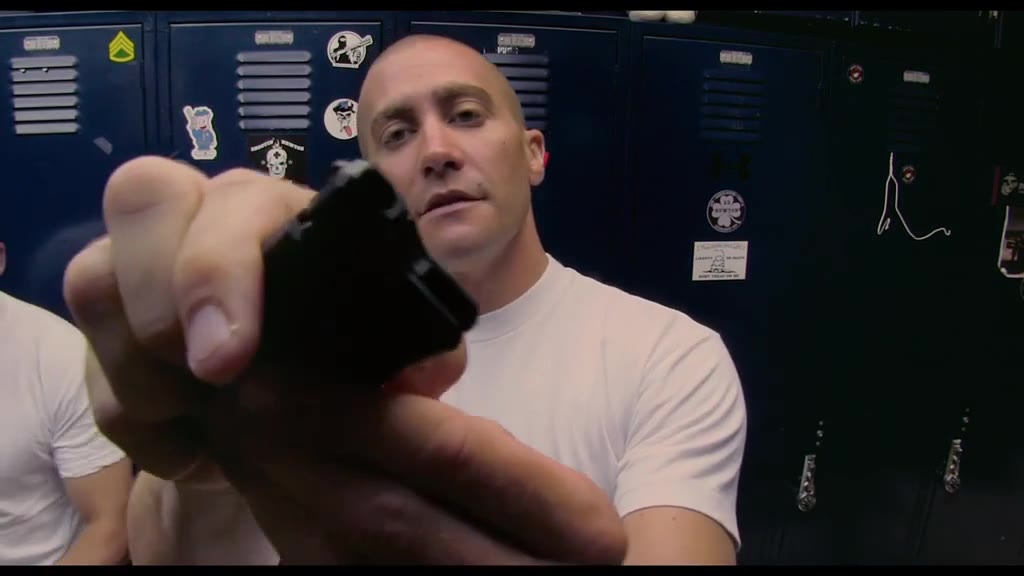
- The End of Watch locker scene trend recreates the opening of the 2012 film End of Watch, in which Jake Gyllenhaal's officer films himself in a locker room showing his duty gear to the camera item by item.
Page updates
- November 3, 2026 — Page published.
The End of Watch AI prompt and model
End of Watch AI is made with Seedance 2.0 / 2.5 (you pick the tier) by ByteDance. The prompt behind it has 5 parts, and the timing is what makes or breaks it.
- Model
- Seedance 2.0 / 2.5 (you pick the tier)
- Mode
- Photo + motion reference to video
- Length
- 15 seconds, any format
- Input
- 1 photo
- Replace The officer filming himself in the reference clip is replaced by the person in your photo; the background officers become different adults.
- Identity Face, hair, clothes, skin tone and hands all come from your photo, and nothing of the actor remains.
- Gear One line lists the items you show, in order: police duty gear or everyday objects.
- Timeline Five beats over 15 seconds, from the first item to the light flare to the last pair held up to the lens.
- Rules One person showing items, any gun kept side-on and never aimed at the camera, five fingers, no subtitles or watermark.
Replace the man with a shaved head and a plain white crew-neck T-shirt in Video 1, the one holding the camera close and showing his gear…
Why it goes wrong when you do it yourself
- Without the film clip as a reference, models lose the close fisheye framing and the item-by-item rhythm that makes the scene recognisable.
- Text-only prompts tend to keep the actor's shaved head and white T-shirt, so the result looks like the film, not like you.
- Items held close to a wide lens often come out melted or with six fingers around them; each try costs credits.
- Most general video apps refuse or blur any clip with a handgun in it, so the duty-gear version often fails before it starts.
End of Watch AI examples
How to make your End of Watch AI video
Upload one photo
A clear, front-facing photo of one adult, face and upper body visible.
Pick what you show
Police duty gear, as in the film, or everyday stuff for the comedy version.
Generate
You get a 15-second clip in the End of Watch locker room, with the film audio already on it.
Post it
Share it on TikTok, Reels or Shorts and label it as AI-generated.
What is the End of Watch AI trend?
Updated · videosi is an independent tool. It is not affiliated with TikTok, Instagram, YouTube, or with the owners of any trend, song, game or brand named on its pages.
The End of Watch locker scene comes from the opening of End of Watch, the 2012 police film written and directed by David Ayer. Officer Brian Taylor, played by Jake Gyllenhaal, films himself in the station locker room with a small camera held close to his face and walks the lens through his gear: his sidearm, a flashlight that flares into the lens, a knife, a window-breaker, handcuffs, pepper spray and spare magazines.
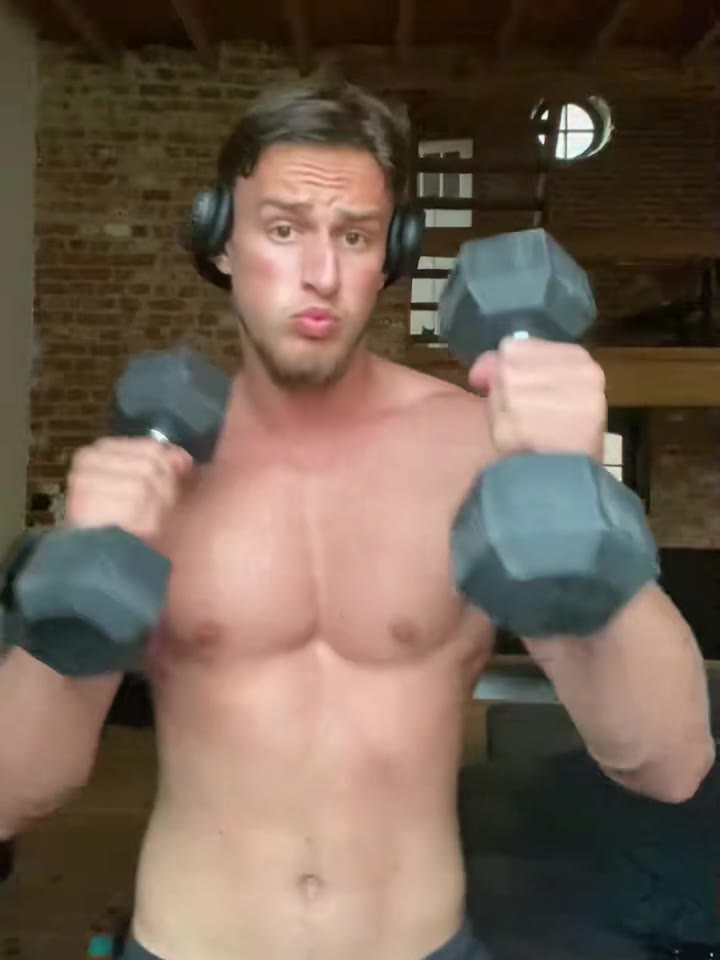
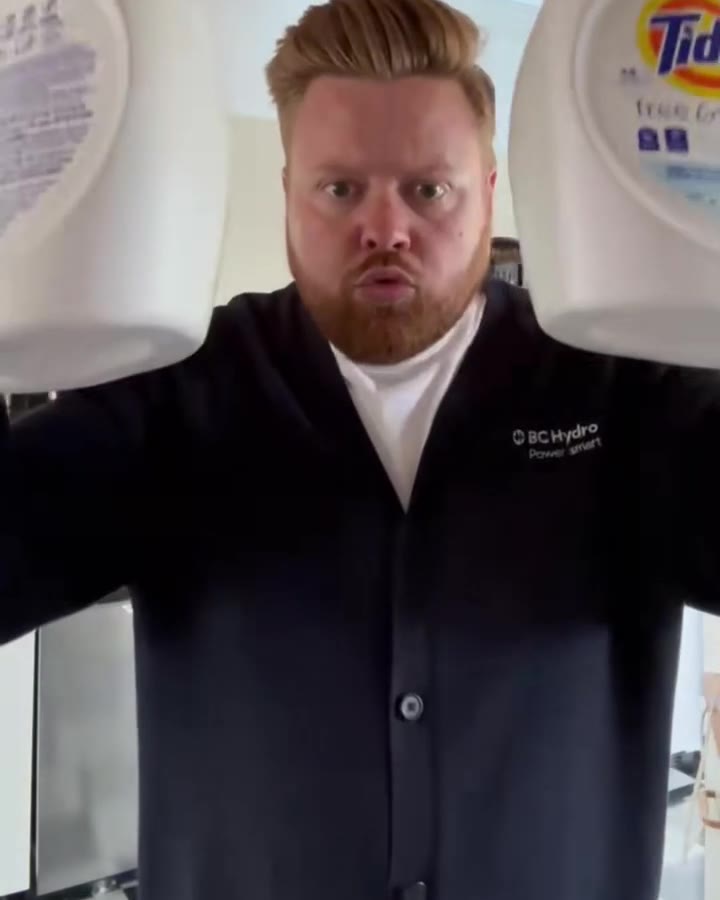
The scene first became a TikTok format in August 2023, when people copied the close, wide-angle camera and the item-by-item show with whatever they had at hand: dumbbells and lifting belts in a gym edition, detergent and an iron in a laundry edition, film edits with captions over the original clip.
In August 2026 a second wave started: tutorials titled "how to do the Jake Gyllenhaal police locker scene trend" and AI clips that put a different person, or a cartoon or game character, into the same locker room shot for shot. The burst radar flagged the AI version on 1 November 2026, so this wave has only just started spreading.
videosi keeps the film's shots, timing and locker room and swaps in the person from your photo. You choose police duty gear, as in the film, or everyday stuff for the comedy version; the original film audio is mixed onto the finished clip.
End of Watch AI: shot by shot
- 0–3 s
First item
Close wide-angle shot in front of the navy lockers; you hold the first item side-on to the lens.
- 3–4.5 s
Light flare
A bright light flares straight into the lens and washes out the frame.
- 4.5–10 s
Item by item
You bring the next items right up to the camera, one at a time, talking as you go.
- 10–12.5 s
Lean down
You lean out of frame to reach into the locker and come back up.
- 12.5–15 s
Last pair
You hold a final pair of items up to the lens and finish the line to camera.
Tips for a better result
Face the camera
The scene is a close selfie-style shot, so a straight-on face photo works best.
Show your top
Your clothes come from the photo; a plain T-shirt or uniform reads best in the locker room.
One person only
Crop out friends; the scene has one person showing gear.
Good light, no sunglasses
Even light and visible eyes keep the face steady in the close-ups.
Good to know before you make a End of Watch AI video
- The audio is the film's dialogue naming the duty gear; with the everyday option it still plays, which is the joke.
- Mouths move loosely; the AI does not lip-sync the film lines.
- Small items held close to the lens can come out slightly warped.
- The scene comes from a copyrighted film; post remakes for fun and label them as AI-generated.
End of Watch AI: questions
What is the End of Watch locker scene trend?
The End of Watch locker scene trend recreates the opening of the 2012 film End of Watch, where Jake Gyllenhaal's officer films himself showing his gear to the camera. It became a TikTok format in August 2023 and came back in 2026 as an AI trend; videosi makes your 15-second version from one photo.
How do I make the End of Watch locker scene with my face?
Upload one photo to videosi, pick police duty gear or everyday stuff, and generate: you get a 15-second clip of you in the locker room showing items to the camera, with the film audio on it. No prompt, no green screen and no filming are needed.
Is there an End of Watch AI generator or website?
Yes. videosi.io/end-of-watch-ai is an End of Watch AI generator that turns one photo into the 15-second locker scene. It runs in the browser on phone or desktop, so there is no app to install.
Is there a TikTok filter or CapCut template for the End of Watch trend?
There is no official TikTok filter that puts you in the film. People film the scene themselves with a close wide-angle phone shot, or make AI versions like videosi's 15-second one, which keeps the film's locker room and shots and only swaps in you.
What AI model and prompt make the End of Watch AI video?
videosi uses ByteDance's Seedance video models (2.0 Mini by default, up to 2.5) with the film clip as a 15-second motion reference. The prompt replaces the officer with the person in your photo and lists the items you show; the full prompt is not published.
How much does the End of Watch AI video cost?
A 15-second Standard 720p End of Watch video costs 13 credits on videosi. The Single pack is $6.99 for 10 credits and the Trio Pack is $17.99 for 30 credits; higher tiers and 1080p cost more. A failed render returns its credits.
Why doesn't my End of Watch AI video look like me?
Most misses on videosi's 15-second locker scene come from the photo: sunglasses, side angles, group shots or dark light. Use one adult, front-facing, with even light; small items held close to the lens can also warp, so try again with a clearer photo.
Can I use a friend's photo or put a cartoon character in?
You can use a photo of any adult who agrees to it; videosi's End of Watch AI takes one photo of one person. Characters from films, cartoons or games are not supported, and photos of minors are not allowed because the duty-gear version shows a handgun.
What does End of Watch mean?
"End of watch" is US police language for the end of an officer's shift, and on memorials the date an officer died on duty. The 2012 film takes its title from it; the TikTok trend only uses the film's first scene, the locker-room gear show. videosi's version recreates that 15-second scene from one photo.
What sound is used in the End of Watch locker scene trend?
videosi's End of Watch AI clip carries the film's own audio from the scene, where the officer names his sidearm, knife, handcuffs and pepper spray. The 2023 remakes often used a different music sound instead, so there is no single song behind the trend.
Is the End of Watch trend still trending?
As of November 2026 the AI version is emerging: the burst radar flagged it on 1 November 2026 after tutorials from August 2026 and AI clips in late October. The original locker scene format dates from August 2023. videosi added its 15-second AI version on 3 November 2026.
Can I make a version without the gun?
Yes. Pick "Everyday stuff" on videosi and the 15-second End of Watch AI clip swaps every item for a phone, keys, a remote, sunglasses, a mug and water bottles, the way the 2023 gym and laundry remakes did. The film audio still plays, which is the joke.
Trending this week
All trends this week
Make your End of Watch AI video
Upload a photo and press Generate. 13 credits, refunded if it fails.
Get the next trend first
One email when new trends land on videosi, about once a week. Unsubscribe in one click.
See videosi first on Google
Add videosi as a preferred source and our trend pages show up first in your Top Stories and AI answers on Google.