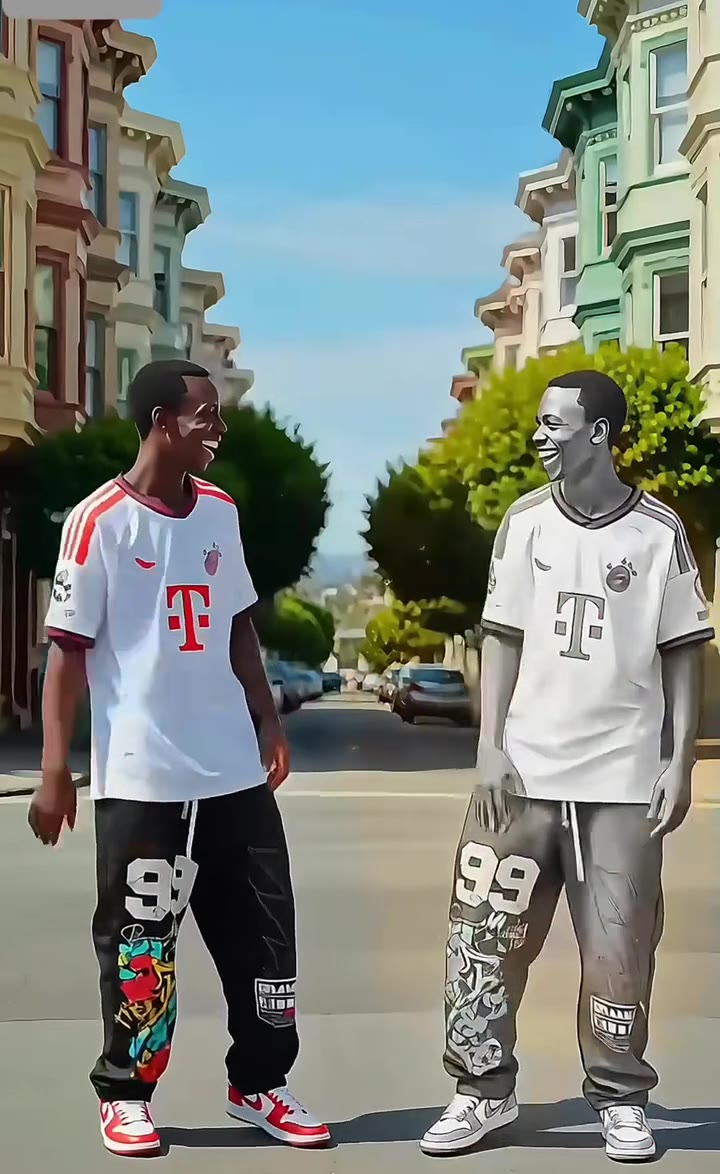
The Santa Tell Me dance is a TikTok Christmas routine to Ariana Grande's 2014 song that first spread in November 2025 and came back in November 2026. Yes, you can do it with AI from one photo, and the result is a 15 second video of you doing the routine to the trend sound. Santa Tell Me AI on videosi.io copies the real moves of a top clip: sway, hand shakes, a two-arm jump, side steps and a kick, in one low static night-street shot.
This guide goes deeper than the quick answers on the trend page. It covers the moves, why AI versions go wrong, how to pick photos, and what to know about copyright. It is about the dance to Ariana Grande's song, not the 2024 Hallmark movie that shares the name.
Key takeaways
- The dance is a short routine for two or more people, usually 15 to 25 seconds, filmed in one static shot.
- One clear, front-facing photo of an adult is enough; a second photo puts a friend in the other part.
- Most failures come from hidden faces, group photos and picking the wrong dancer, not from the dance itself.
- "Santa Tell Me" is a copyrighted 2014 Ariana Grande recording, so platforms may mute or claim the audio.
- The earliest clips we found are from 9 November 2025; the original creator is not confirmed, so do not credit anyone by name unless you have checked.
In this guide
- How do you do the Santa Tell Me dance step by step?
- How does the 15 second AI version follow the beats?
- Why does the AI version sometimes go wrong?
- Which photo works best?
- How do two people split the dance?
- What should you wear in the photo?
- Can you post it without copyright trouble?
- How is it different from the Here Comes Santa Claus dance?
- Is this the Hallmark movie?
- What other Christmas videos can you make?
How do you do the Santa Tell Me dance step by step?
The routine is built for a pair or a small group. Dancers stand a step apart and keep time with the hips. The whole thing reads as relaxed, a little cheeky and very easy to copy, which is why so many people try it in living rooms and on streets after dark.
In order, the moves are: a hip sway with loose hand shakes at waist height, a jump with both arms thrown up, a spin of the upper body toward the camera, short arms-up pulses with bouncing knees, hip rolls with swinging arms, a side step together, and a quick kick before a turn away from the camera. Most real clips are filmed from a low angle so the jump looks bigger.
If you want to learn it for real, practise the jump and the kick first. Those two moves carry the clip. If you only want the video, the Santa Tell Me AI page needs no dancing at all: you upload a photo and the model performs the steps for you.
How does the 15 second AI version follow the beats?
The AI clip is a little shorter than most real posts, so the steps are compressed into five blocks. From 0 to 3 seconds the two dancers sway and shake their hands. From 3 to 6 seconds comes the jump and spin. From 6 to 9 seconds are the arms-up pulses. From 9 to 12 seconds the hip rolls and a side step. The last 3 seconds hold the kick and the turn that closes the loop.
The timing comes from a real trend clip used as a motion reference, not from a text description alone. That is the main reason the output looks like the trend and not like a generic party dance. The trend sound is added after rendering, so the beat on screen lines up with the track.
Why does the AI version sometimes go wrong?
There are four common causes, and all of them are fixable before you press generate.
- Hidden face. Sunglasses, a low hat or a hand across the face leave the model guessing, and the likeness drifts.
- Group photo. If three people stand in the upload, the model cannot tell who should dance. Crop to one person.
- Wrong dancer. The two original dancers look different. If you pick the part that does not match your photo, hair and clothes can look odd.
- Fast motion. Jumps and kicks are generated, so hands and feet can blur for a frame or two. This is a limit of current video models, not a mistake in your photo.
A prompt that does not say which dancer is replaced is another classic problem, because the original dancer's face then stays next to yours. On videosi you choose left or right, which handles that for you.
Which photo works best?
Use a sharp, well lit, front-facing photo of one adult. A waist-up shot is better than a close-up selfie, because the dance uses the whole body and the model needs to see shoulders and arms. Plain backgrounds help, since clutter around you can leak into the scene.
Avoid heavy filters, strong beauty smoothing and photos taken from far away. Only adults are supported for this dance, so do not upload children. If your photo is a selfie with the camera very close, expect the proportions of the body to be guessed.
How do two people split the dance?
The routine has two parts, a left dancer and a right dancer. Your photo takes the part you choose. A second, optional photo takes the other part. Without it, an ordinary stand-in dances beside you, which still looks fine but is less personal.
For friends or a couple, put one person in box 1 and the other in box 2. Make sure each photo shows one person only, and pick matching sides so the two faces do not blend. Only upload friends or family who have agreed and are adults. The finished clip should be shared as AI-generated.
What should you wear in the photo?
Hair and clothes come from your photo, not from the original dancers. The original clips use oversized jeans and hoodies, sometimes Christmas jumpers. A hoodie or a festive jumper in your photo therefore carries straight into the video and fits the mood best. A very formal outfit or a long coat can look stiff once the model starts jumping.
Can you post it without copyright trouble?
Not always. "Santa Tell Me" was released by Ariana Grande in November 2014 and is a copyrighted recording. videosi adds the trend sound to your video but does not own it and cannot license it to you.
On TikTok, re-adding the platform's own licensed version of the sound is the safest route. On YouTube or Instagram the audio can be claimed, muted or blocked. Any commercial use, such as ads or paid promotion, needs a licence from the rights holders. If you want zero risk, remove the trend sound before posting and add licensed music inside the app. Always label the video as AI-generated.
How is it different from the Here Comes Santa Claus dance?
Both are short Christmas routines made for the same season, but they feel different. Santa Tell Me is a two-person routine with sways, hand shakes, a big jump and a kick. The Here Comes Santa Claus dance is a separate trend with its own track and its own moves, so the two pages use different motion references and different sounds.
If you want both, make one video from each page with the same photo. The result is a small set of festive clips that look related but are not copies of each other.
Is this the Hallmark movie?
No. There is a 2024 Hallmark Christmas film with the same name, but this page and this guide cover the dance to the Ariana Grande song. If you came here for the film, its cast, plot or streaming details are not covered. If you came for the dance, you are in the right place.
What other Christmas videos can you make?
Santa Tell Me is one of several seasonal looks. The AI Christmas video page is the broad starting point for festive clips from a photo. If you want more, the Christmas pajamas dance puts you and a partner in matching pajamas, and the AI elf video generator turns your photo into a dancing elf.
Christmas dances tend to peak in the weeks before 25 December and then fade until next November, so it is worth making your clip early. The trend is marked as spreading, which means it is growing but has not peaked. When you are ready, open Santa Tell Me AI, upload one clear photo, pick your dancer and generate.