The green alien cat dance is a 15-second video of one person dancing beside a small green computer-made cat, and on videosi you make it from a single photo of yourself with no filming. Upload the photo, pick 9:16, 1:1 or 16:9, and the render comes back with the trend sound already on it.
This guide goes past the basics and answers what people ask after watching a few clips: where the cat comes from, why every version looks the same, which photo to pick, and how to label the result. The tool is on the green alien cat AI page.
Key takeaways
- One photo in, one 15-second video out. You write no prompt and do not film anything.
- The cat and the dance come from a fixed reference clip, so only the dancer changes: that dancer is you.
- A sharp, full-body photo with your arms visible gives the best likeness, because the dance is mostly arm gestures.
- Standard 720p for 15 seconds is 13 credits, your first video costs at most 10, and likeness is never guaranteed.
- Label the video as AI-generated when you post it.
In this guide
- Where does the green alien cat come from?
- Why does every green alien cat clip look the same?
- How do the 15 seconds go?
- Which photo should I use?
- Why are the hand gestures hard for AI?
- How is this different from a CapCut template?
- Can I change the cat or swap in my own pet?
- How do I label the video as AI?
- What does one video cost?
- Is the trend still worth posting?
Where does the green alien cat come from?
The cat is older than the dance. Clips of a green alien cat nicknamed Glorp were already on TikTok in April 2025, and green alien animals had been circulating as edited images well before that. The name is a nickname that fans use, not an official title.
Do not confuse it with the Alien Cult, a separate TikTok phenomenon from September 2024 in which users swapped their profile pictures for a green alien and a green alien cat and posted fake alien-language videos. Know Your Meme's Alien Cult entry covers that background and still lists it as under research. It shares the green cat image with the dance trend, but it is a different meme with different rules.
The dance wave we can date starts in March 2026. The earliest dance clips we found are from 19 to 28 March 2026, and we have not confirmed who posted the first one.
Why does every green alien cat clip look the same?
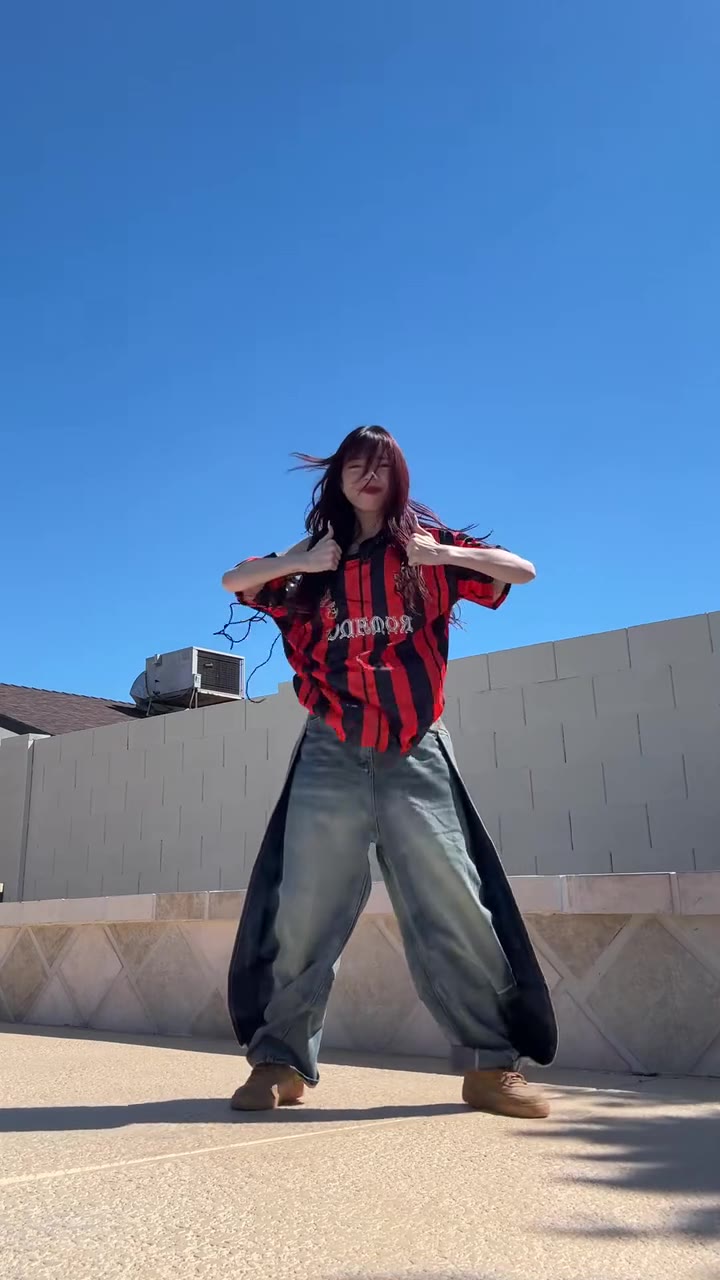
Because the cat is a computer-made character that dances in the same spot in every version. A dancer stands in front of the camera, the cat stands beside them, and both move to the same short pop track with hand gestures and hip sways. The only thing that changes from clip to clip is the person.
That sameness is exactly what makes the trend easy to remake. Nobody has to invent a routine, so the question is only who the dancer is. On videosi the room, the camera, the cat and its moves come from a reference clip, and your photo supplies the dancer.
How do the 15 seconds go?
The routine has six parts, and they are fixed by the reference clip.
- 0 to 2 s: both hands behind the head, hips swaying, the cat upright at her right.
- 2 to 5 s: a hair flip and wide arm sweeps from side to side.
- 5 to 8 s: short hand gestures at chest and hip height, one hand on the hip.
- 8 to 11 s: a small turn and a skirt swish with both hands on the hips.
- 11 to 13 s: fluttering palms by the face, then arms crossed over the chest.
- 13 to 15 s: both arms go up and wave overhead while the cat keeps dancing.
You do not choreograph any of it. If you want a different routine, this page is the wrong tool.
Which photo should I use?
Your photo decides everything about the dancer: face, hair, build and clothes. Whatever you wear in the photo, you wear in the video. Because the dance is full-body, a face-only selfie leaves the model to invent the rest, and that is where likeness drifts.
- Show your head, arms, hips and legs in one frame.
- Keep a plain wall or door behind you so the model can separate you from the room.
- Leave pets, other people and props out of the picture.
- Do not hide your arms behind a bag or cross them.
- Use good light and a sharp file in JPG, PNG, WEBP or HEIC up to 10 MB.
Why are the hand gestures hard for AI?
Fast hands are the hardest part of any video model. Fingers can blur, merge or change count for a few frames, and a face can slip a little during the quick arm sweeps and the hip twirl. In this routine that is the stretch around 2 to 5 seconds and again near 8 to 11 seconds.
The setup helps a lot. videosi uses ByteDance's Seedance model with a real 15-second dance as a motion reference, and a short replacement instruction that names the dancer to swap and the cat to keep. Without a reference clip, a typed prompt in a generic generator usually gives a cat of the wrong shade and a vague dance that ignores the trend's moves. If a result drifts, retry with a sharper full-body photo. We do not publish the full prompt.
How is this different from a CapCut template?
A CapCut template drops your own clips or photos into someone else's edit. It does not create new motion, and the cat in a template is usually pasted on top, not dancing with you. Tutorials for the CapCut and TikTok effect versions have been posted since early April 2026, and templates and effects come and go, so check inside the apps.
The videosi version generates the movement itself, with your face and body on the dancer and the cat dancing beside you. It needs no app and no filming, and the result is a finished MP4 with no watermark. The two are not rivals: you can make the video here, then trim it or add captions in an editor. videosi is independent and not affiliated with TikTok or CapCut.
Can I change the cat or swap in my own pet?
No. The green cat belongs to the reference clip, so its colour, size and moves cannot be changed on this page, and a photo of your own pet will not become the cat. The prompt names the cat as the part that must stay exactly as it is, because otherwise the model tends to redraw it as a real cat or remove it.
The scene is also fixed: a living room with a staircase, in the style of the reference clip. It is built for one dancer and the cat, so a photo with two people makes the model drop one.
How do I label the video as AI?
Turn on the AI-generated setting when you post. TikTok's help page on AI-generated content says creators can switch on a label or add a disclosure in the caption, and that mislabeling is a Terms of Service issue. It also says the label does not by itself reduce distribution if the video follows the Community Guidelines.
On YouTube, the altered or synthetic content disclosure applies when realistic AI content shows a real person doing something they never did, and you set it in YouTube Studio during upload. A cat dancing in a living room is clearly unreal, but you are a real person in a generated scene, so disclosing is the safe choice. Use a photo of yourself, or of someone who agreed to be used.
What does one video cost?
There is no free generation. A 15-second Standard 720p video is 13 credits, and your first video costs at most 10. Credit packs start at $8.90 for 10 credits and never expire. Higher resolutions and the other Seedance tiers cost more, and the live price shows before you press Generate. A failed, timed-out or blocked render returns its credits automatically.
Rendering takes several minutes. If you close the page, the video is saved in My creations.
Is the trend still worth posting?
Yes, for now. The dance clips date from March 2026, and in October 2026 a different kind of clip, an AI-made green alien cat that looks like a living plush, was widely shared on TikTok (view counts unconfirmed), so the character is back in feeds. We have not confirmed who started the dance or the name of the track, and we do not claim either.
Short trends fade within weeks, so sooner beats later. Pick a full-body photo, make the dance on the green alien cat AI generator, label it, and post while the sound is still showing up. The trend sound is already on the video, and you can swap it in TikTok or CapCut if you prefer another track.