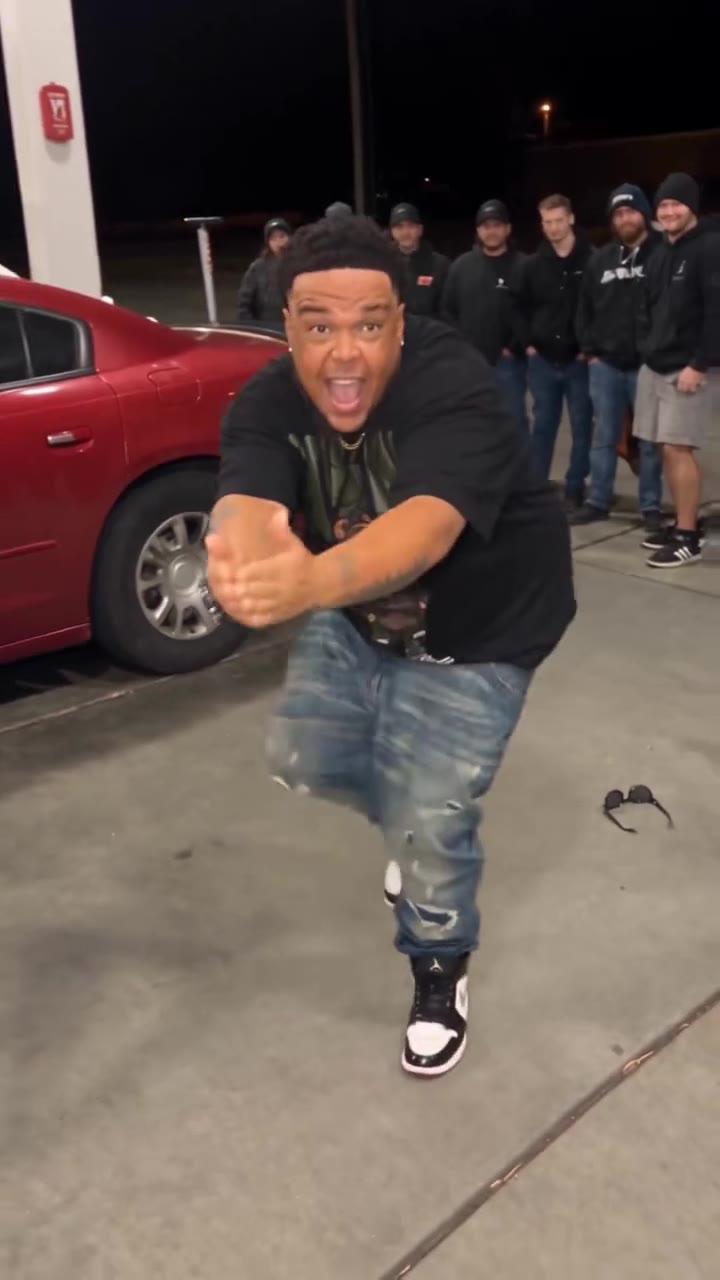
The Favorite Rumors About Us AI trend is a 13-second TikTok dance for two: a pair stands side by side under the caption "Our favorite rumors about us" and answers each rumor with a small step and a hand over the mouth. You make the AI version on videosi by uploading 2 photos, choosing a format, and downloading a 14-second MP4 that already carries the trend's sound.
The earliest clip we found is dated 2026-10-27, and the original author is unconfirmed. This guide goes past the basics on the trend page and covers the choices that change the result: which photos to use, who stands where, why the rumors are fixed, and how to add your own.
Key takeaways
- Upload two separate photos: photo 1 is the dancer on the left and photo 2 the dancer on the right.
- The rumor captions come from the reference clip and cannot be rewritten inside the video; add your own text in TikTok or CapCut.
- The sound is the instrumental "Zany Emote Fortnite" (CsCrafty), already on the downloaded clip.
- A standard 14-second video (Standard, 720p) costs 12 credits, and there is no free generation.
In this guide
- How do I pick the two photos?
- Who stands on the left and who on the right?
- Why can't I change the rumor captions inside the video?
- How do I add my own rumors in TikTok or CapCut?
- Can I use the Zany Emote Fortnite sound, and is it covered?
- Do I need an AI label when I post it?
- One photo together or two separate photos?
- Does it work for couples, best friends and siblings?
- What should I check if the result looks wrong?
- How is it different from filming the dance yourself?
- What does it cost?
How do I pick the two photos?
Use two separate, sharp photos where each person faces the camera, the face is not cropped and nothing covers it. Photo 1 becomes the dancer on the left and photo 2 the dancer on the right, so upload them in that order. Waist-up or full-body shots work better than tight selfies, because the dance shows the whole upper body and one lifted knee.
Keep each photo to one person. If a photo has a third face in the background, the clip, which has exactly two people, can mix them up. Similar lighting in both photos also helps the pair look like they share one room.
Who stands on the left and who on the right?
The left dancer opens the clip: in the reference, the first rumor ("They broke up") is answered by the person on the left with the knee lift and the hand over the mouth. The person on the right takes the lead on the second rumor, and both finish together on the third.
So the choice is a joke choice. Put the person who is more fun to see gasping first on the left. Nothing breaks if you swap them, but you cannot move the position of a beat once the video is made.
Why can't I change the rumor captions inside the video?
The captions are part of the reference clip: "Our favorite rumors about us" at the top, then the three rumors that appear in turn. The video model redraws the room and the lettering from the reference, and it is told to keep the text as it is, because any new wording tends to come out as garbled letters. That is why videosi fixes the rumors to the ones in the reference and does not offer a text field.
This is a limit of the format, not a bug. The next question shows how to put your own gossip on top.
How do I add my own rumors in TikTok or CapCut?
Download the 14-second MP4, then add text in the editor you already use. In TikTok, upload the clip, tap Text, and place your own lines over the original ones, timing each to the moment the dancers react. In CapCut, add a text layer per rumor, give it a solid background strip that covers the old caption, and line the start of each layer with the three beats: about 2.5 seconds, 4.5 seconds and 9 seconds in.
A plain white caption in the same font size as the reference looks the most natural. Keep each rumor short, because the reaction lasts only a few seconds. The rumor is your joke; the AI dance is just the stage.
Can I use the Zany Emote Fortnite sound, and is it covered?
The music is the TikTok sound listed as "Zany Emote Fortnite" by CsCrafty, an instrumental of the Fortnite Zany emote. It has no lyrics, so there is nothing to caption or sing along to. The clip you download from videosi already has that original sound on it, so you do not have to add it.
Rights are the same as for any trend sound: it is the sound people use on TikTok, and using it on that platform follows the platform's own sound library rules. If you post the MP4 on another platform or in an ad, check that platform's music rules first, and consider replacing the audio for anything commercial.
Do I need an AI label when I post it?
Yes, we suggest it. The video shows two people who did not actually dance, so turn on the AI-generated content label in TikTok before you publish. It costs you nothing, and the joke works even better when the caption says which rumor is true.
A label also protects your friends: the clip uses their faces, so ask first, particularly if the other person is a partner, friend or relative who might not want a public clip.
One photo together or two separate photos?
Both are supported. Two photos give each person their own face, hair and clothes, and this is the better default. The tool can also run in the One photo together mode, where you upload a single photo of you both.
Use the single photo only when you really have a good shot of the pair: both faces clear, side by side, not too small. Two faces in one photo can blur together, and a small face can lose its likeness. If the first result looks off, switch to two separate photos and try again.
Does it work for couples, best friends and siblings?
Yes. The trend started among couples, then spread to siblings and best friends, because the gossip is the point and the dance is only the reaction. The clip does not need the two to be a couple; a pair of friends can run "They're secretly engaged" and pretend to be shocked.
Two people is the limit. A group of three or four cannot be split across the clip, so for a bigger group you would need to make two separate videos.
What should I check if the result looks wrong?
Start with the photos. A blurry, tilted or very dark photo gives a weaker likeness. Then check the number of faces: more than two people in either photo is the most common cause of a mixed-up pair.
Hands and the lifted knee are where invented detail shows first, so look there on playback. If a hand looks odd, regenerating with a clearer, more upright photo often fixes it. If the caption letters look off, note that the AI redraws the reference text, so a small wobble can appear; the final polish is best done with a text layer in your editor, as described above.
How is it different from filming the dance yourself?
A real recording is you and your partner, with your own timing and your own room. The AI version is a smooth dance copied from the reference, with your faces placed on two dancers in a bright empty room. It is not a recording of you.
The advantage is speed and zero rehearsal: you get a clean 14-second clip with the camera locked and the sound included. The cost is that your real mannerisms are missing, so people who know you will see it as an AI clip. For many accounts that is exactly the fun.
What does it cost?
A standard 14-second video (Standard, 720p) costs 12 credits. Credits come in packs, starting at 10 credits for $6.90. There is no free generation, so check your photos before pressing Generate.
Ready to try it? Open the Favorite Rumors About Us AI page, add your two photos and press Generate. The trend is still spreading, so the sooner you post, the more the sound still works for you.