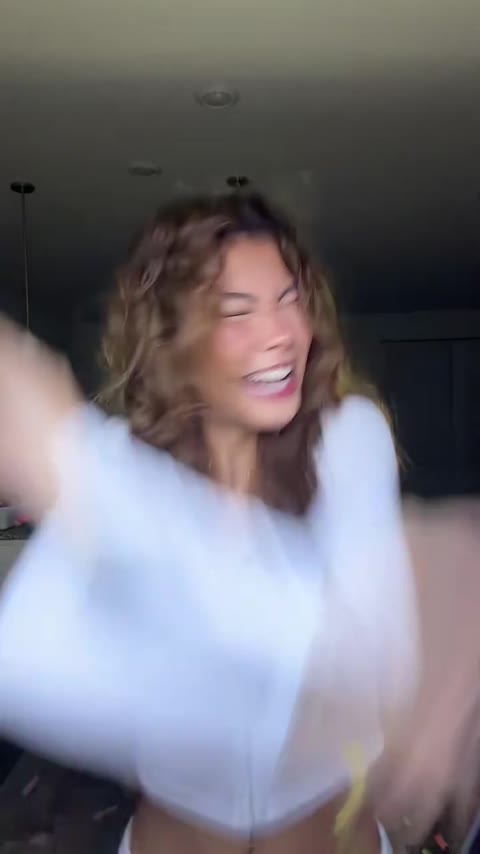
The Deck the Halls dance is a 14 second TikTok Christmas routine of bouncing, arm swings and fist pumps to a remix of the carol, and you can make your own from one photo. The Deck the Halls dance AI on videosi puts you in the same night car park clip with the trend sound on it, and costs 12 credits at Standard 720p. This guide skips the basics and answers the questions that come up once you start making your own, including photos, solo or couple versions and what to do when the face drifts.
Key takeaways
- A sharp, front-facing, waist-up photo matters more here than anywhere, because the dancer is small in a dark scene.
- This page is a solo dance for one adult; two-person versions live on a different page.
- The clip already carries the trend sound; label it as AI when you post it.
- A 14 second video costs 12 credits at Standard 720p, and the price is shown before you pay.
- If the face drifts, fix the photo before you retry.
In this guide
- How do you get a good photo for a small dancer in a dark scene?
- Can you make a solo version and a couple version?
- Why do Christmas dances trend in November?
- What are the moves, second by second?
- How is a CapCut template different from videosi?
- How do you add the trend sound?
- How should you label the clip as AI when posting?
- What happens if the face drifts?
- What does a 14 second video cost?
- Can you make a longer version?
How do you get a good photo for a small dancer in a dark scene?
The night car park is the hardest setting of any Christmas trend, because the dancer is fairly small and the light is low. The model has little room to guess your face, so the photo has to do the work. Use one sharp, front-facing shot, waist up, with even light on the face and nothing covering it.
Skip sunglasses, hats pulled low and heavy beauty filters, since they change the face before the video starts. Show your hair and outfit clearly, because both come from your photo. A Christmas jumper or pajamas reads well against a dark background, while a black coat on a black wall can blend into the scene. A plain, bright background in the photo helps the model separate you from everything else.
Can you make a solo version and a couple version?
The Deck the Halls dance AI page is a solo. The clip we copy has one dancer who walks in, bounces, swings both arms, pumps fists, turns round and steps toward the camera, so the scene takes one photo of one adult. If you upload a photo with two people in it, the model can get confused about who to put in the frame.
Couples did the dance in matching plaid pajamas, and those clips went wide in the days after the first post. For a two-person version, the related Here Comes Santa Claus dance page on videosi is built for pairs. If you want a couple here, the simplest route is to make two solo clips and cut them together in your editing app.
Why do Christmas dances trend in November?
Holiday content follows the calendar. People start searching for Christmas videos as soon as Halloween is over, and creators want a fresh routine before the season peaks. A short, easy dance to a tune everyone already knows is the ideal format, because anyone can copy it in a living room.
This one fits the pattern. The earliest clip we found was posted on 6 November 2026, couples and friends copied it from 8 and 9 November, and AI template versions followed from 11 November. Christmas dance trends usually stay active until Christmas Day, so there is a window, but it is not endless. Make yours while the sound is still on people's feeds.
What are the moves, second by second?
Knowing the beats helps you judge a result. The routine runs in five parts across 14 seconds:
- 0 to 2 s: the dancer walks in from the left edge toward the middle.
- 2 to 5 s: knees bounce and both arms swing out wide.
- 5 to 8 s: elbows bent, fists pump while the shoulders bounce.
- 8 to 10 s: the dancer turns their back to the camera, one arm up, then turns round again.
- 10 to 14 s: small steps toward the lens with both fists raised.
If your result has the walk-in and the final step to the camera, the timing came through. The Deck the Halls dance AI clip follows these beats because a real trend clip supplies the timing.
How is a CapCut template different from videosi?
CapCut templates, often tagged Pioneer, and photo-to-dance filters animate a fixed layout. Many of them put film characters into the routine, and they are fun for a quick laugh. The result is the same layout with a different face or character pasted in.
videosi makes a new 14 second video from your photo. A Seedance model reads a real trend clip for the car park, the camera and the timing, and your photo replaces the dancer. You write no prompt and film nothing. The trade-off is time and cost: a render takes a few minutes and uses credits, while a template is usually instant. Pick the template for speed and videosi when you want to be the one dancing.
How do you add the trend sound?
You do not have to. The finished clip already carries the trend sound, which is added after the video renders. Post it as it is on TikTok, Reels, Shorts or WhatsApp Status.
One caution: the sound is a remix of the carol that we could not trace to a confirmed artist, so a platform may mute it in some regions. If that happens, add a licensed Christmas track in the app you post from, or use a sound from the platform library and lower the clip volume.
How should you label the clip as AI when posting?
Label it. TikTok and Instagram both ask for AI-generated content to be marked, and a clear label avoids confusion when friends see you in a car park you never visited. Use the platform's own AI label toggle if it has one, and add a short line in the caption such as "made with AI from one photo".
Keep it honest and light. Only use a photo of yourself or of an adult who agreed to appear. Adults only is a rule for this dance, and it protects the people in your feed as much as it protects you.
What happens if the face drifts?
Face drift is the most common complaint, and the Deck the Halls dance AI page says so openly. The dancer is small in a dark scene, so the face is less sharp than in a close-up trend. Hands and feet can also drift in fast moves such as the fist pumps, because the model generates the steps.
Before you retry, change the input, not just the dice. Swap in a sharper, brighter, front-facing photo with no hat or sunglasses, and use a waist-up crop. A second generation from a better photo beats three tries from the same weak one. The price is shown before every try, so you can decide each time.
What does a 14 second video cost?
A 14 second video costs 12 credits at Standard 720p. A different tier or resolution changes the number, so read the summary before you press generate. Credit packs are on the videosi pricing page.
Plan for more than one try. Each render takes several minutes, and most people want to compare two results. Spend your first try on your best photo, then decide whether a second is worth it.
Can you make a longer version?
No. The clip is 14 seconds, and videosi does not make longer versions of this dance. That matches the trend itself, which is a short loop of one routine. If you want more length, cut the clip into a longer edit with other scenes in your editing app, or pair it with another Christmas video from videosi.
Choose 9:16 for TikTok, Reels and Shorts, 1:1 for a feed post and 16:9 for a TV or YouTube share before you generate, because the format is set at render time.
Ready to try it?
Open the Deck the Halls dance AI page, upload one clear photo and press generate. The video arrives in a few minutes, and you can close the tab and wait for the email.