The Choosin Texas emo AI video puts you into a viral TikTok dance set to an emo remix of Ella Langley's country single Choosin' Texas. videosi makes the 15-second clip from one photo of you, with the remix audio already on it but without word-for-word lip sync. This guide answers the deeper questions people ask about the trend, the audio, the look and the limits.
Key takeaways
- The trend copies one rooftop dance posted on TikTok on 29 September 2026, which had about 13.2 million views by 29 October 2026.
- The audio is an emo-style remix of Choosin' Texas, a song Ella Langley released on 17 October 2025; who made the remix is unconfirmed.
- The AI wave started in late October 2026, so it is still early.
- You choose one of three looks: full emo, the original all-black cowboy outfit, or your own clothes.
- A Standard 720p clip is 13 credits; packs start at $6.99 for 10 credits and there is no free trial.
In this guide
- Which video started the Choosin Texas emo trend?
- Why does an emo version of a country song work so well?
- What is the original Choosin' Texas about?
- Who made the emo remix, and is it AI?
- What happens in the 15 seconds the AI version copies?
- Which look should you pick?
- What kind of photo gives the best result?
- Will the AI video sing the words?
- Can I do it with a friend or in a group?
- Can I make it myself in a free AI video tool?
- How should I post it?
Which video started the Choosin Texas emo trend?
The trend goes back to a single TikTok posted on 29 September 2026. A dancer in a fitted black T-shirt, black trousers, boots and a black cowboy hat stands on the top deck of a parking garage at night, with the moon and the city lights behind him. Under the caption "Emo choosin Texas remix" he leans back on the ledge, bounces, flashes hand signs and screams the chorus into the phone. When we checked on 29 October 2026 it had about 13.2 million views.
Within a week people were posting their own takes on the same sound: coworkers in scrubs in a clinic waiting room, friends in a pink bedroom, people dancing next to their dog. Captions like "if Choosin' Texas was emo" spread the joke. About 200 videos used the original sound when we looked.
Why does an emo version of a country song work so well?
The joke is the clash. Choosin' Texas is a slow, traditional heartbreak ballad, and the remix turns the same feelings into a 2000s emo anthem. The dancer plays it completely straight, in a cowboy hat, with the big open-mouthed scream of an emo frontman. It also lands with two audiences at once: country fans who know the song, and the "elder emo" crowd who grew up on pop-punk.
What is the original Choosin' Texas about?
Choosin' Texas is a single by Ella Langley released on 17 October 2025, according to Holler. It tells the story of a woman who thinks a man is falling for her, only to find that his heart still belongs to a woman back in Texas. Country Now reports that Langley wrote it with Miranda Lambert, Luke Dick and Joybeth Taylor. That ache is exactly what the emo remix turns up to full volume.
Who made the emo remix, and is it AI?
We do not know. On TikTok the audio is listed only as an original sound attached to the first rooftop video, with no producer credited. Whether it was played by a band, mixed by hand or made with AI music tools is unconfirmed, and we do not guess. What is clear is that it is the same recording in the remakes: the clips we used as examples match the original audio. Do not confuse it with the separate acoustic "Choosin' Texas but it's emo" covers that some singers posted, or with other remixes of the song.
What happens in the 15 seconds the AI version copies?
The original runs about 33 seconds. The AI version keeps the first 15, which hold the most recognisable moves:
- 0 to 2 seconds: a high kick and a point at the sky, then a jump toward the camera.
- 2 to 8 seconds: hands on the ledge, leaning back and bouncing on the beat with a wide grin.
- 8 to 10 seconds: the head drops so the hat brim hides the face, then snaps back up.
- 10 to 13 seconds: a step toward the lens, thumbs and pinkies out, and the open-mouthed emo scream.
- 13 to 15 seconds: clawing hands, a sway to the side and back to the ledge.
On the Choosin Texas emo AI page the rooftop clip is used as the base and only the dancer is swapped for you, so the timing and the camera moves stay as they are.
Which look should you pick?
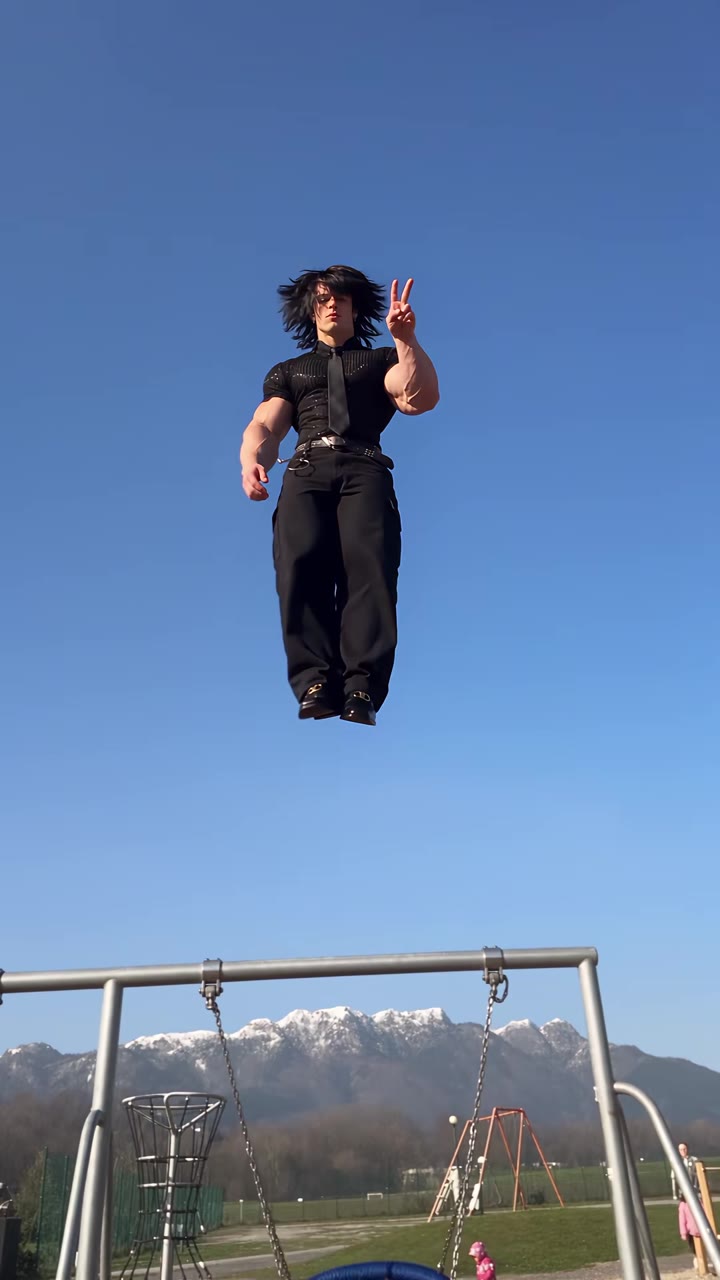
Pick Full emo look if you want the joke to read at a glance: a side-swept black fringe, eyeliner, a band-style tee, a studded belt and checkerboard sneakers. Pick All-black cowboy to match the original exactly, which works well if you want people to recognise the source dance. Pick Your own clothes if you want it to look like you really filmed it; dark, plain clothes blend best into the night scene.
What kind of photo gives the best result?
Use one clear photo of one adult, face toward the camera, ideally from head to knees so the model sees your build and clothes. Avoid sunglasses, masks and hats pulled low. The two moments where likeness slips most are the head drop and the close scream, and a sharp, evenly lit face is what brings it back. Indoor or shaded light blends into the night rooftop better than harsh sun or flash.
Will the AI video sing the words?
No. The video is rendered silent and the remix audio from the original clip is laid under it afterwards, so the MP4 is ready to post. Your mouth opens in big grins and screams with the music, as in the original, but it does not follow the lyrics word for word. If you need exact lip sync, this is not the right tool.
Can I do it with a friend or in a group?
The generator makes one person per clip, because the original is a solo dance. Many human remakes are duos, so a simple workaround is to make one clip for each person and put them side by side or back to back in CapCut. Only use photos of adults who have agreed to it; videosi does not accept photos of minors, celebrities or public figures.
Can I make it myself in a free AI video tool?
You can try, but three things usually go wrong. Without the original clip as a base, the model invents a different dance and the lean, bounce and scream are lost. Models also tend to keep parts of the original dancer, such as his hair or build, so you get a blend of him and you. And the caption box burned into the source video gets copied as garbled text. videosi runs on ByteDance's Seedance with a five-part prompt that handles all three; the full prompt is not published.
How should I post it?
Download the MP4 and post it to TikTok, Reels or Shorts as it is, since the remix audio is already on it, or swap in the trending sound from the app's library. Label the video as AI-generated; TikTok asks for this on realistic AI content. The AI side of the trend only started in late October 2026, so posting now still puts you early. One Standard 720p clip is 13 credits, packs start at $6.99 for 10 credits, plans start at $29.90 a month, and a failed render returns its credits. Make yours on the Choosin Texas emo AI page.