An AI swing launch video is a ten-second AI clip in which a person on a playground swing is flung straight up into the sky, floats there and drops back down. You can make your own from a single photo, and the result looks real enough that you should label it as AI when you post it.
This guide goes past the basics on the AI swing launch video page and answers the questions people ask once they have seen the clip: why it spread, why the comments argue, how to tell it is AI, and how to get a good result from your own photo.
Key takeaways
- The original clip was posted on TikTok on 25 October 2026 by Zane Mercer, an AI virtual influencer, and reached about 2.9 million views and 270,000 likes within days.
- It works because it is short, impossible and deadpan: one launch, one long float, one peace sign, one landing.
- Your photo decides the result. A clear, front-facing photo that shows your body beats a tight selfie.
- Realistic AI video should be labeled when you post it. TikTok and YouTube both ask for it.
- On videosi a standard 10-second video at 720p is 9 credits, and the finished clip keeps the original sound.
In this guide
- Why did the swing launch clip go viral?
- Why do people argue about whether it is real?
- How can you tell an AI video from a real one?
- Why is the float the funniest part?
- What kind of photo works best?
- Why does the replace wording matter?
- Why use a motion reference at all?
- How do you label the video as AI when you post it?
- Is it safe to try this stunt for real?
- What does one try cost, and how many tries will you need?
Why did the swing launch clip go viral?
The clip is built like a good punchline. In about ten seconds it shows a person pumping a swing, a launch at the top of the arc, a long float high above the frame, a calm peace sign and a crouched landing. There is no dialogue to follow and nothing to explain, so a viewer gets the whole joke on the first watch.
The creator, Zane Mercer, posted it on 25 October 2026 with only a peace sign emoji as the caption and an original sound. Within days it passed about 2.9 million views and 270,000 likes. A short clip with a clear shape is easy to rewatch, easy to send to a friend and easy to imitate, which is what a trend needs.
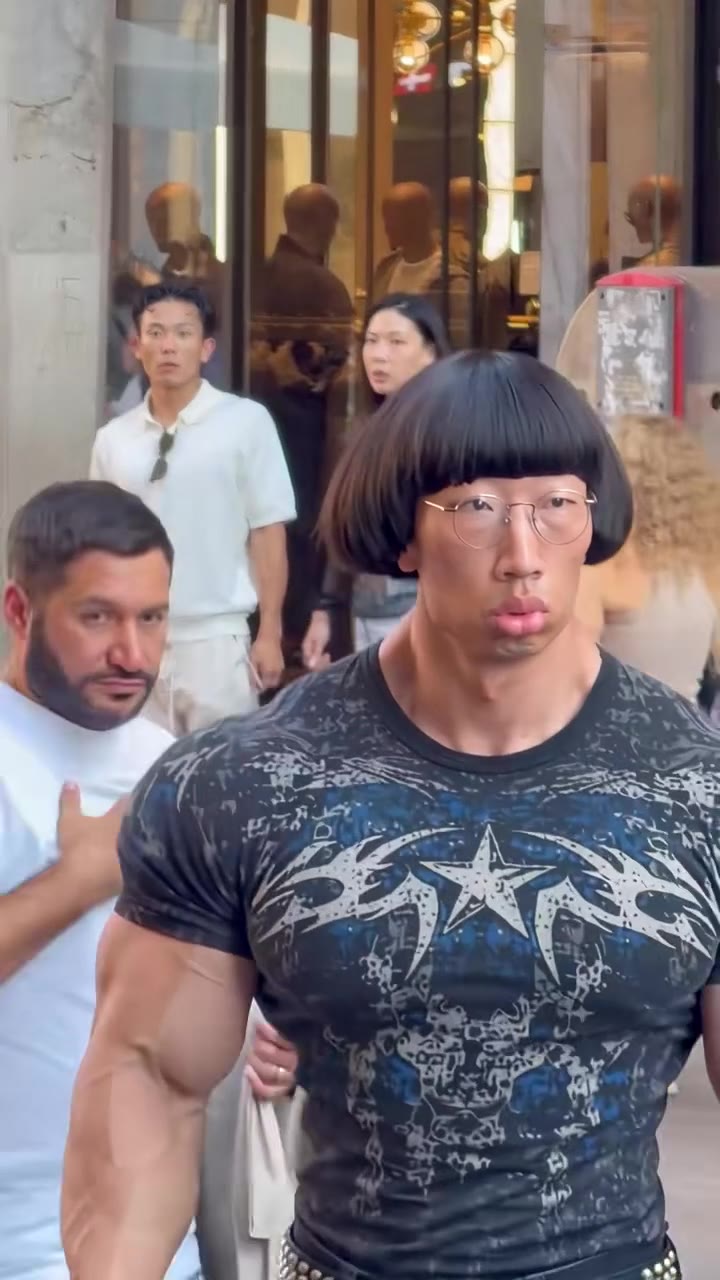
It also helps that the image is absurd but specific. A very muscular man in a black shirt and tie, a bright playground, snowy mountains and a clear sky make a frame you remember. People then ask what it would look like with them in it, and that question is where the photo-based remakes come from.
Why do people argue about whether it is real?
Because the footage looks like handheld phone video. The camera is low, it tilts up to follow the flight and the light is ordinary daylight. Those are the habits of real clips, so viewers extend real-footage trust to it, then see a person hang motionless in the air and start to doubt.
The comment section then becomes part of the content. Some people say it is a clever edit, some say it is a stunt, and others point out that Zane Mercer is a virtual influencer, an AI character rather than a real person. The argument itself drives more views, because each comment invites another viewer to check.
That is also why labeling matters. A clip that triggers a "real or fake" debate in the first hour is exactly the kind that needs a clear label.
How can you tell an AI video from a real one?
No single sign is proof, but several together are a strong hint. For this kind of clip, look at these:
- Physics. A body that rises straight up with no visible push, then hangs still, does not match how real jumps look.
- Hands. Fingers and the peace sign are where invented detail shows first. Count the fingers and watch whether they stay the same from frame to frame.
- Hair and cloth. On the drop, hair and clothing should react to the fall in a believable way.
- The empty swing. It should keep moving naturally after the person has left it.
- The account. Check the profile and the caption. Many virtual influencers are openly AI characters.
When you are unsure, treat a realistic but impossible clip as AI until the creator says otherwise.
Why is the float the funniest part?
The float is the deadpan pause. The launch is the setup, and the landing is the release, but the long moment in the middle, arms at the sides and a calm peace sign aimed at the camera, is what makes people laugh. It treats an impossible event as if it were nothing special.
This is also where remakes go wrong. Generic AI prompts tend to add wings, a jetpack or a superhero pose, and the joke disappears. The version on the AI swing launch video page keeps the stillness, because the motion comes from the original clip rather than from a description of flying.
What kind of photo works best?
Your face is small on screen for most of the clip and only large at the landing, so the photo has to carry your look through a wide shot. A few habits help:
- Face the camera and show your body as well as your face, ideally from head to knees.
- Use even daylight, with no harsh shadows across the face.
- Skip sunglasses and hats, which hide the details the model needs.
- Keep only one person in the photo, so there is no doubt about who flies.
- Wear what you want to see on screen, because the outfit in the photo is the outfit in the sky.
Likeness is never guaranteed, so a second photo is often worth a try if the first result drifts.
Why does the replace wording matter?
Models that edit an existing video tend to keep what is already there. If the instruction is vague, the original influencer's hair, build or outfit can leak into the result, and you get a mix of him and you instead of just you.
The fix is to phrase the job as a replacement: take the original person out, put the person from your photo in, and name the features that must not carry over. On videosi this is already built in, which is why you do not write anything. It is also why a plain "make a swing video of me" prompt in a general tool often gives a different, less convincing clip.
Why use a motion reference at all?
Describing a flight in words leaves too much open. The model has to guess how fast the launch is, how high the float goes and how long the person hangs there. A motion reference answers those questions with real timing from the original clip.
The model behind the effect is ByteDance's Seedance, which, according to the Seedance 2.0 page from ByteDance Seed, takes text, image, audio and video as inputs, with images, audio and video usable as references (ByteDance Seed). That mix of a photo plus a video reference is what lets one picture of you take the place of the person in the clip while the playground and camera stay the same.
How do you label the video as AI when you post it?
Both big platforms ask for it when the video looks realistic.
TikTok's AI-generated content label tells viewers when content was completely generated or significantly edited by AI, and its synthetic media policy requires labeling realistic AI-generated images, audio or video. You can use the label or another disclosure such as a sticker or caption (TikTok Newsroom).
YouTube asks creators to disclose realistic AI-generated or meaningfully altered content. In YouTube Studio you open the Attributes section during upload and answer the "AI use" question, and clearly non-realistic content such as fantasy scenes is exempt (YouTube Help).
A swing launch clip is realistic by design, so turn the label on. It also protects you from the "is this real?" pile-on, because the answer is already on the post.
Is it safe to try this stunt for real?
No. The video is AI, and the physics in it are impossible. Do not stand on a swing and try to jump off it, and do not film anyone, especially children, attempting it. Swings are not made for standing, and falls from height cause real injuries.
The point of an AI swing launch video is that you get the sky and the peace sign with both feet on the ground. If you share one, say clearly that it is AI so nobody copies it.
What does one try cost, and how many tries will you need?
A standard 10-second video at 720p is 9 credits on videosi. Credit packs start with Single, which is 10 credits for $6.99, and Basic is $29.90 a month. A failed, timed-out or blocked render returns its credits automatically.
Plan on a couple of tries. The peace sign and the landing are the hardest frames, and a different photo or a different model tier can change them. Upload one photo, pick 9:16 for TikTok, Reels and Shorts or 16:9 for wider players, and press Generate. The finished MP4 carries the original sound, and you can start from the AI swing launch video page.