AI Rap Video: The Studio Mic Verse, Starring You
You step up to a studio mic, headphones on, and deliver a fast verse in one unbroken shot. One photo of you is all it takes.
Updated : Page published.
1Add your photo
What you'll get
Front-facing, well-lit selfies work best. One face per photo.
2Choose quality
By generating you confirm you have permission to use the people in your photos. Terms
No subscription needed · Ready in about 3 minutes · Failed renders are free
The mic session trend is a 15-second video in which a person in headphones steps up to a studio mic and delivers a fast verse in one continuous shot; videosi makes it from one photo of you.
- Fast facts
- First seen
- Stage
- Spreading
- Started on
- TikTok (unconfirmed)
- Sound
- No single sound: each clip uses its own rap track; the videosi clip carries the reference clip's audio.
- Meaning
- The mic session trend is a short one-shot video in which a person in headphones steps up to a studio mic and delivers a fast verse, usually as a surprise cameo.
- Related trends
- Hotel Lobby AI Trend, Tiny Desk AI
Page updates
- November 1, 2026 — Page published.
The AI Rap Video prompt and model
AI Rap Video is made with Seedance 2.0 / 2.5 (you pick the tier) by ByteDance. The prompt behind it has 5 parts, and the timing is what makes or breaks it.
- Model
- Seedance 2.0 / 2.5 (you pick the tier)
- Mode
- Photo + motion reference to video
- Length
- 15 seconds, 9:16, 1:1 or 16:9
- Input
- 1 photo
- Identity swap Your photo replaces the performer in the reference: face, hair, build and clothes come from you, and nothing of the original remains.
- Motion reference A real studio take supplies the locked camera, the head turns and the hand gestures.
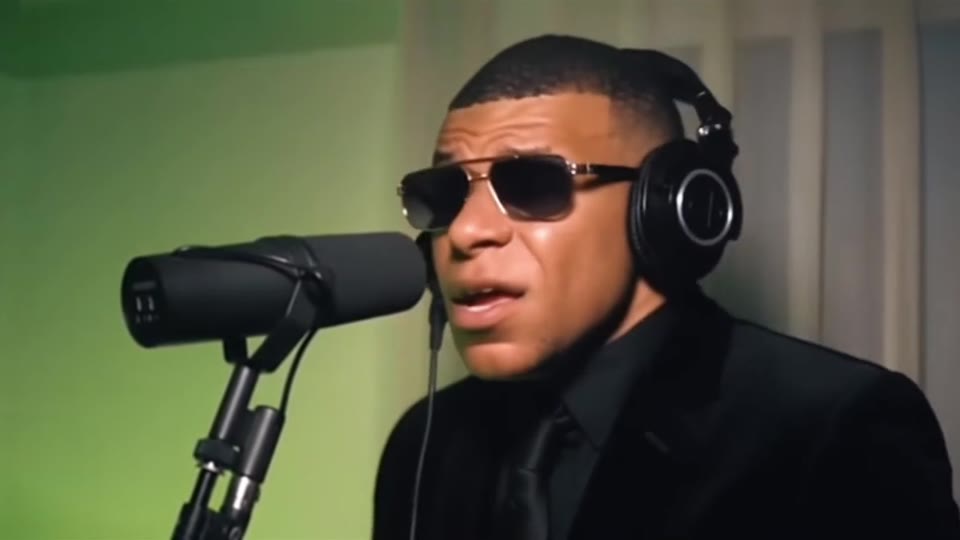
- Scene One chest-up shot at a large condenser mic, a green studio wall and pale curtain behind, headphones on.
- Timeline Four beats over 15 seconds, from stepping up to the mic to the last nod.
- Rules One person only, five fingers, no text or logos, no cuts, and the mic stays in front of the mouth.
Replace the man in the black suit and sunglasses in Video 1 with the person from Image 1. Keep everything else from Video 1 as it is: one continuous locked shot rapping into a large microphone…
Why it goes wrong when you do it yourself
- The model keeps the original performer's sunglasses, suit or fade haircut and only borrows your face, so it never looks like you.
- The camera drifts or cuts away, and the single unbroken take that makes the clip feel like a real session is lost.
- Image models redraw your face between beats unless the identity is locked first and repeated.
- Each try costs model credits and several minutes, and the mouth rarely moves in time without a real reference.
AI Rap Video examples
How to make your AI Rap Video video
Upload one photo of yourself
Face to the camera, head and shoulders in frame, even light. Your hair and clothes in the photo are the ones in the video.
Pick the model and the format
Choose the model tier and resolution, and 9:16 for TikTok, Reels and Shorts, 1:1, or 16:9 for the wide look of the original.
Generate and download
Press Generate and the 15-second take is rendered for you, with the trend sound already on it and no watermark.
Post it
Upload the MP4 to TikTok, Reels or Shorts and switch on the AI-generated label.
What is the AI Rap Video trend?
Updated · videosi is an independent tool. It is not affiliated with TikTok, Instagram, YouTube, or with the owners of any trend, song, game or brand named on its pages.
The mic session is a one-shot studio clip: a person puts on headphones, steps up to a large condenser microphone and delivers a fast verse without a cut. The camera stays chest-up and nearly still, the wall behind is a plain studio colour, and all of the entertainment is in the performance. Part of the joke is the contrast between the person and the verse; the format reads as a surprise cameo in a recording booth.
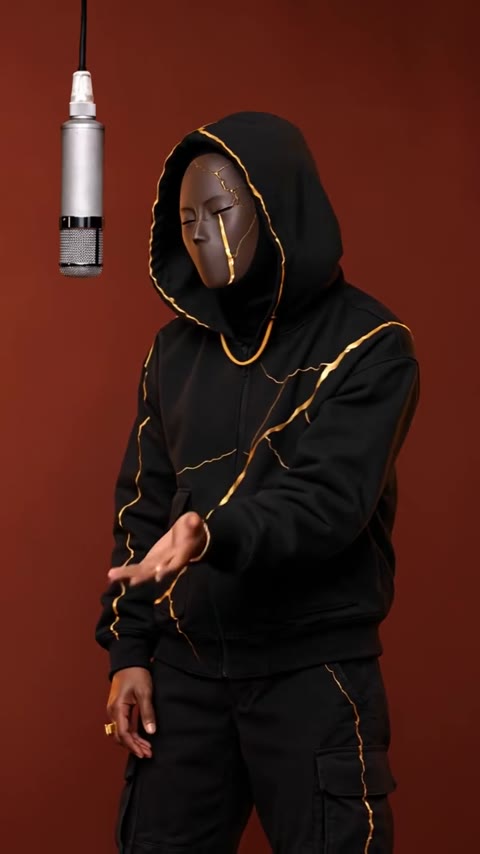
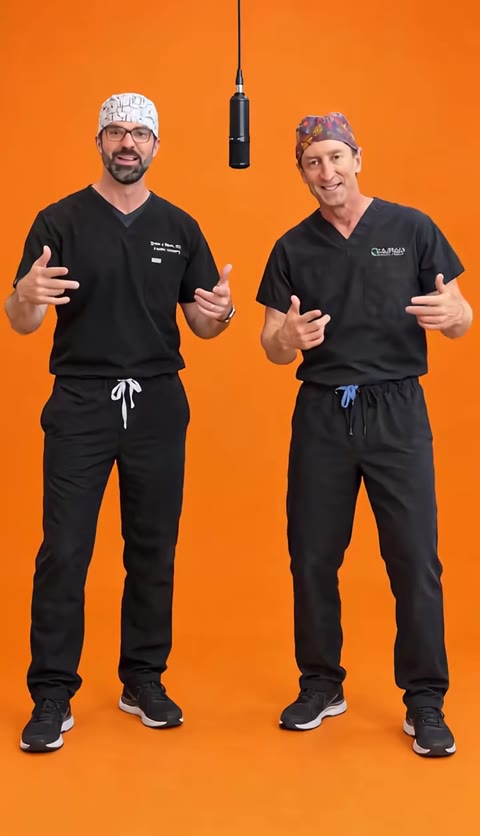
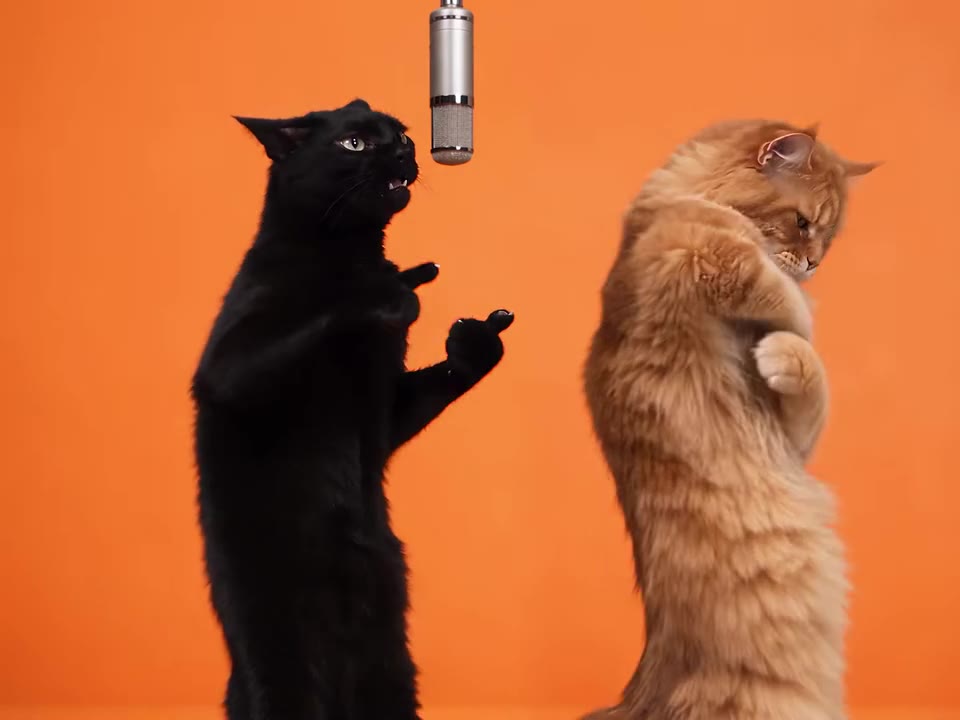
The format sits in a larger wave of AI "rap studio" clips on TikTok and Instagram Reels: orange-wall duets, hanging-mic freestyles and celebrity cameo verses. TikTok posts tagged micsession appear from October 2026, and similar studio-mic clips have been posted since late September 2026. We could not confirm a single original post or the name of the track, so this page treats the format as spreading rather than owned by one creator.
The AI version keeps what makes the clip work: one locked shot, one performer, headphones and a mic. It does not copy the original performer; whoever appears in your video is you, taken from your photo. The video comes with the reference clip's sound on it. The mouth and head move in rhythm with the verse, but it is not an exact lip-sync.
You choose a photo and a format. The studio, the mic, the framing and the prompt are built in.
AI Rap Video: shot by shot
- 0–3 s
Step up to the mic
You are close to the large black condenser mic, headphones on, and the verse starts straight away.
- 3–8 s
Rapid verse
The mouth moves fast, with nods on the beat and the head turning toward the camera and back to the mic.
- 8–12 s
Punchline
A small hand gesture beside the mic and a sharper head movement on the hardest line.
- 12–15 s
Settle
The last lines finish and you settle with a small nod. The camera never cut or moved.
Tips for a better result
Show your face and shoulders
A front-facing, evenly lit photo from the chest up gives the model your face shape and your clothes.
Leave sunglasses off unless you want them
The original performer wears dark sunglasses; if your photo has none, the video has none, and your eyes stay visible for the likeness.
Wear something that reads against green
A dark or neutral top stands out against the green studio wall; a green top disappears into it.
One person, no filters
Use a photo of one adult, without beauty filters, so the face shape comes through without drift.
Good to know before you make a AI Rap Video video
- The mouth moves in rhythm with the verse but is not an exact lip-sync.
- The camera is fixed and the clip is one shot, so there is no scene change or second performer.
- Your clothes and hair come from your photo; the headphones are plain black studio ones.
- Likeness is not guaranteed. A failed, timed-out or blocked render returns its credits automatically.
AI Rap Video: questions
What is the mic session trend?
The mic session trend is a one-shot studio clip, spreading on TikTok and Instagram Reels since about late September 2026, in which a person in headphones steps up to a mic and delivers a fast verse. Clips are usually AI-made cameos. videosi makes a 15-second version from one photo of you. No single original post is confirmed.
What does mic session mean?
Mic session means a short recording-studio performance filmed in one take at a microphone. In the AI trend, mic session videos show someone unexpected delivering a fast verse. The videosi mic session AI page makes a 15-second version from 1 photo, with headphones, a studio mic and the trend's sound already on it.
How do I make the mic session AI video?
To make the mic session AI video on videosi, upload 1 photo of yourself, pick the model, resolution and 9:16, 1:1 or 16:9, and press Generate. The 15-second clip renders in a few minutes with no prompt to write. The sound is already on the clip, and the result waits in My creations.
Is there a website or generator for the mic session AI trend?
Yes. videosi (videosi.io) is a web tool that makes the mic session AI video from one photo of you. The studio, mic, camera and prompt are built in, so you choose only the photo and the format. The 15-second MP4 downloads without a watermark.
Is there a mic session TikTok filter or CapCut template?
Possibly; CapCut and one-click apps list AI rap studio effects and listings change often, so check inside the apps. videosi is independent and not affiliated with TikTok, CapCut or Instagram. On videosi you add 1 photo and download a 15-second MP4 with the trend sound on it.
Which AI model makes the mic session video, and what is the prompt?
The mic session AI video on videosi is made with ByteDance's Seedance model (Seedance 2.0 Mini by default; Fast, Pro and Ultra are one click away) from your photo, a 15-second studio reference and a written prompt. Many tutorials use Seedance or Higgsfield. On videosi the prompt and reference are built in.
How much does the mic session AI video cost?
A 15-second mic session AI video on videosi is 13 credits on the Standard model at 720p, or 7 at 480p; better models cost more. There is no free generation. Credit packs start at $6.99 for 10 credits and never expire. A failed render returns its credits automatically.
Why does my mic session AI video not look like me?
The usual causes are tight face crops, sunglasses, dark or blurry photos and filters. For the videosi mic session AI video, use a front-facing, evenly lit photo from the chest up, one adult. Likeness is not guaranteed in a 15-second clip, and a failed, timed-out or blocked render returns its credits automatically.
Does the mic session video have sound, and does it lip-sync?
The videosi mic session AI video comes with the reference clip's audio already on it, added after the model renders the picture. The mouth and head move in rhythm with the verse, but it is not an exact lip-sync. For a custom track, replace the audio in your editor.
What song is used in the mic session trend?
There is no single confirmed song for the mic session trend; each clip uses its own rap track. The videosi clip comes with the reference clip's audio on it. On TikTok, tap the sound label of any mic session post to reuse its audio.
Is the mic session trend still trending?
As of November 2026 the mic session trend is spreading: studio-mic AI rap clips have been posted since late September 2026, and the micsession tag appeared in mid October. It is part of the wider AI rap studio wave, and the videosi page will note when it fades.
Can I use a photo of someone else or a celebrity?
No. videosi does not accept photos of celebrities, public figures or minors. Use photos of yourself or adults who agreed to it. Users must be 18 or older, and photos and results are deleted within 30 days. Turn on the AI-generated label when you post.
Can I make the mic session video with two people or a pet?
The videosi mic session page makes a single performer: one photo of one person. For a duet, the videosi Hotel Lobby AI page makes a two-person rap under one hanging mic. A pet photo may work but is not what this page is built for.
Can I make the mic session video on my phone?
Yes. videosi runs in the phone browser, so there is no app to install. Open the mic session AI page, add a photo from your camera roll (HEIC from an iPhone works), press Generate, and download the 15-second MP4 to post on TikTok, Reels or Shorts.
Trending this week
All trends this week

More effects like this
All viral effects
Make your AI Rap Video video
Upload a photo and press Generate. 13 credits, refunded if it fails.
Get the next trend first
One email when new trends land on videosi, about once a week. Unsubscribe in one click.
See videosi first on Google
Add videosi as a preferred source and our trend pages show up first in your Top Stories and AI answers on Google.