Finger Swipe Reveal AI: The Hat Reveal, Starring You
Two fingers cover the lens, swipe away, and you are suddenly wearing the hat. One photo of you is enough, a second photo adds the friend standing next to you.
Updated : Page published.
1Add up to 2 photos, one person each
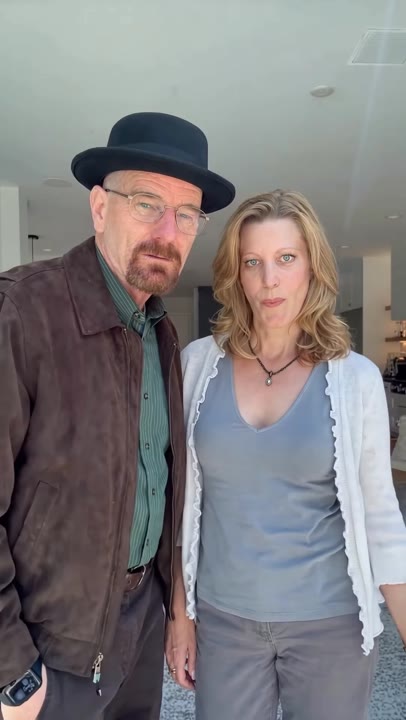
Photo 1 · You, under the hat
What you'll get
Front-facing, well-lit selfies work best. One face per photo; they don't need to be taken together.
2Choose quality
By generating you confirm you have permission to use the people in your photos. Terms
No subscription needed · Ready in about 3 minutes · Failed renders are free
The finger swipe reveal is a 15-second video in which two fingers cover the lens, swipe away and the person underneath is suddenly wearing a black pork-pie hat, with a friend standing next to them; videosi makes it from one photo of you.
- Fast facts
- First seen
- Stage
- Just starting
- Started on
- Instagram (unconfirmed)
- Sound
- No single confirmed sound; the clip carries its own original audio.
- Meaning
- The finger swipe reveal is a clip in which two fingers cover the camera, swipe away, and the person underneath is suddenly wearing a hat.
- Related trends
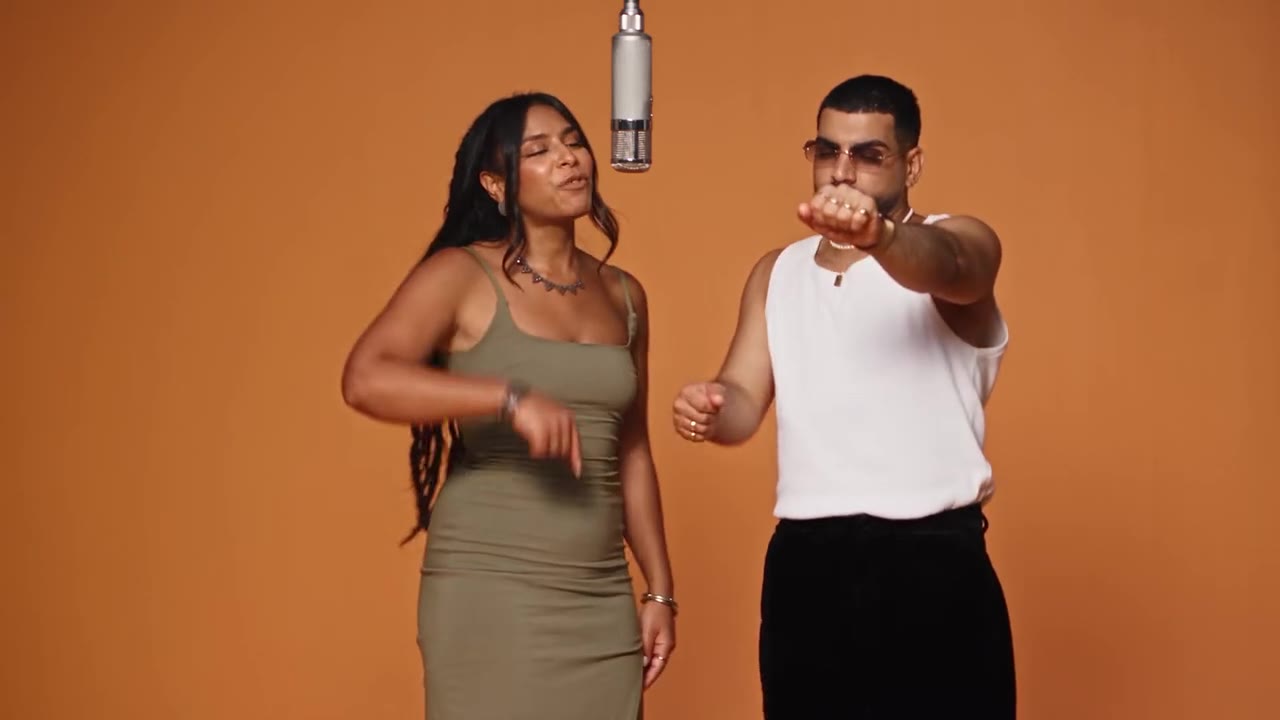
- Tiny Desk AI
Page updates
- November 1, 2026 — Page published.
The Finger Swipe Reveal AI prompt and model
Finger Swipe Reveal AI is made with Seedance 2.0 / 2.5 (you pick the tier) by ByteDance. The prompt behind it has 5 parts, and the timing is what makes or breaks it.
- Model
- Seedance 2.0 / 2.5 (you pick the tier)
- Mode
- Photo + motion reference to video
- Length
- 15 seconds, 9:16, 1:1 or 16:9
- Input
- 1–2 photos
- Replace the lead The person on the left in a 15-second selfie clip is swapped for you, while the hall, the framing and the timing stay as they are.
- Identity lock Your photo is the only source for your face, hair, build, outfit and hands, held in every frame and never the man in the original clip.
- Hat on the swipe The hat is written to be absent while the fingers cover the lens and present, and staying on, the moment they leave.
- Timeline Fingers over the lens for nine and a half seconds, the swipe, the straight stare, then the laugh and the lean-in.
- Rules All adults, five fingers on the hand over the lens, no text or logos, a friend photo for the second person or a made-up adult instead.
Replace the older man with a goatee, a brown suede jacket and a green striped shirt standing on the left in Video 1 with the person from Image 1…
Why it goes wrong when you do it yourself
- The hat shows up from the first second, so the reveal has nothing to reveal.
- The hand over the lens is redrawn with the wrong skin tone or six fingers, or it never swipes away.
- The model keeps the original man's goatee, glasses or jacket and only borrows your face for a few frames.
- The second person copies the first person's face instead of the friend's photo.
How to make your Finger Swipe Reveal AI video
Add 1 or 2 photos
Photo 1 is you, the person who ends up in the hat. Photo 2 is optional: a friend who stands next to you. One face per photo, front-facing, with no hat on.
Pick the format
9:16 for TikTok, Reels and Shorts, or 1:1 and 16:9. The hall, the fingers over the lens and the black hat are built in.
Generate and download
Press Generate and the 15-second clip is rendered for you, an MP4 with no watermark and the original clip audio already on it.
Post it
Post the MP4 as it is, or swap the audio from your app's sound library, and label it as AI-generated.
What is the Finger Swipe Reveal AI trend?
Updated · videosi is an independent tool. It is not affiliated with TikTok, Instagram, YouTube, or with the owners of any trend, song, game or brand named on its pages.
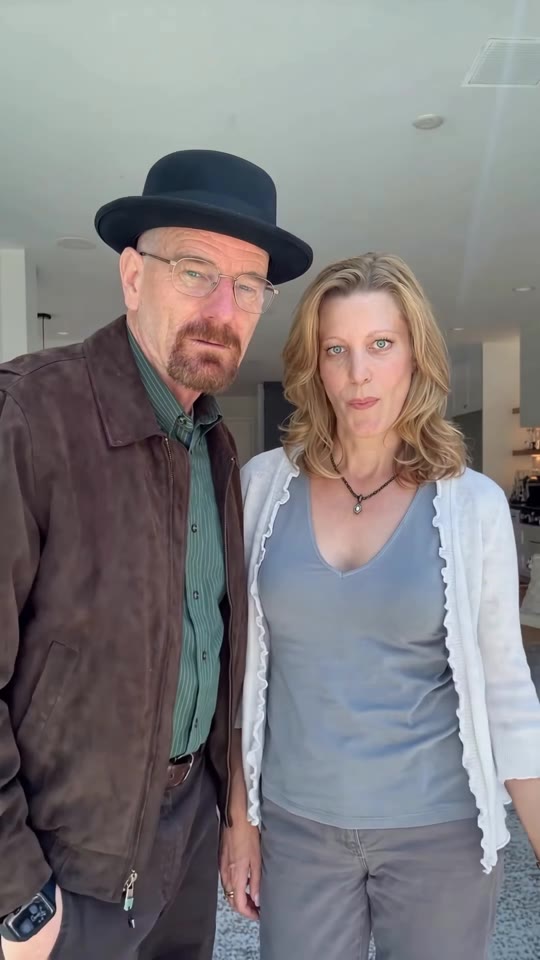
The finger swipe reveal is a short selfie-style clip built on one trick. The phone is held at chest height and two fingers are held up so close to the lens that they hide the top half of everyone's face. For most of the clip nothing moves. Then the fingers swipe away, and the person on the left is suddenly wearing a hat they did not have a moment ago, staring into the camera with a serious face. In the clip this page is built on, it is a black pork-pie hat with clear glasses and a brown jacket, a look many viewers read as the Breaking Bad costume.
The finger swipe transition itself is not new: tutorials for hiding the lens with a hand and cutting to an outfit or hair change have been on TikTok since at least 2021, and creators still use it for hat, makeup and outfit reveals. What changed in late October 2026 is the hat version: the earliest copy of this clip we found was circulating around 28 October 2026, and the original post and the sound are not identified. After the reveal the person on the left turns to the friend beside them, both laugh and pose, and the clip ends with a lean toward the lens.
As of 1 November 2026 it has only just started to spread, so there is little to measure and we do not quote view counts. This page makes your own version from one photo: you are the person under the hat, and an optional second photo makes the friend standing next to you. The video is 15 seconds and comes with the clip's original audio already on it. videosi is not affiliated with the show, the people in the original clip, TikTok or Instagram.
Finger Swipe Reveal AI: shot by shot
- 0-9.5 s
Fingers over the lens
Two fingers are held up so close to the camera that they cover the top half of both faces. Nobody moves; the friend on the right stands with a hand on the hip.
- 9.5 s
The swipe
The fingers whip away in one quick swipe and the lens is clear again.
- 9.5-12 s
The hat is on
The person on the left now wears a black pork-pie hat and looks straight at the camera, dead serious.
- 12-15 s
Laugh and lean in
They turn to the friend beside them, both laugh and pose, then lean toward the lens as the clip ends.
Tips for a better result
Face the camera
After the swipe the clip holds on a straight, serious stare. A front-facing photo with eyes open gives the best likeness.
No hat in your photo
The black hat is the reveal. A photo already wearing a cap or hood gives the model two hats to choose between.
Show your shoulders
The jacket and shirt in the clip come from your photo. A head and shoulders shot gives the model your hair, collar and top.
One friend, one photo
Photo 2 takes one person. Use a separate photo of your friend rather than a group shot, and only add someone who agreed to it.
Good to know before you make a Finger Swipe Reveal AI video
- The video comes with the original clip audio on it, which is not a confirmed song: nobody has pinned down the sound, and your mouth does not lip-sync anything.
- Up to two people from your photos. Leave photo 2 empty and a made-up adult stands next to you instead; adding a friend costs nothing extra.
- Likeness is not guaranteed and drifts most in the seconds right after the swipe. Photos of children are not accepted.
- A failed, timed-out or blocked render returns its credits automatically. videosi is not affiliated with any show, studio, TikTok or Instagram.
Finger Swipe Reveal AI: questions
What is the finger swipe reveal trend?
The finger swipe reveal is a clip that videosi turns into a 15-second AI video: two fingers cover the lens, swipe away, and the person underneath is suddenly wearing a black pork-pie hat. The swipe transition has been on TikTok since at least 2021, and the hat version was circulating around 28 October 2026. You get your own version from one photo.
How do I make the finger swipe hat reveal video?
Upload one front-facing photo of yourself to videosi, optionally add a friend's photo for the person standing next to you, pick 9:16, 1:1 or 16:9 and press Generate. The finger swipe reveal is a 15-second MP4 with the original clip audio already on it, and the hat, the fingers over the lens and the timing are built in, so you write no prompt.
Is there a finger swipe reveal AI video generator?
Yes. videosi (videosi.io) is a web finger swipe reveal AI video generator that makes the 15-second hat reveal from 1 or 2 photos, with no app to install. The fingers, the swipe, the black hat and the audio are built in. A standard video (Standard model, 720p) is 13 credits, with no watermark.
Is there a free finger swipe reveal AI maker?
The finger swipe reveal on videosi is not free: there is no free generation and no free trial. A standard 15-second video (Standard model, 720p) is 13 credits; better models and higher resolutions cost more. Credit packs start at $6.99 for 10 credits and never expire, plans start at $29.90 a month, and a failed render returns its credits.
Is there a finger swipe CapCut template or TikTok filter?
There are CapCut templates and tutorials for the plain two-finger swipe transition, which people use for outfit, hair, makeup and hat changes, but they need you to film the clip yourself and sync the cut. videosi is independent and not affiliated with TikTok or CapCut: it makes the whole 15-second hat reveal from one photo, with no filming.
What AI model and prompt make the finger swipe reveal video?
videosi makes the finger swipe reveal with ByteDance's Seedance model (Seedance 2.0 Mini by default; Fast, Pro and Seedance 2.5 Ultra are one click away) from a five-part prompt plus a 15-second motion reference clip. The full prompt is built in rather than published. Typed prompts alone usually miss the nine seconds of covered lens and the exact moment the hat appears.
What does "finger swipe reveal" mean?
"Finger swipe reveal" means covering the camera with two fingers and swiping them away to show a changed look, here a person who is suddenly wearing a black hat. It is a variation of the finger swipe transition. The videosi finger swipe reveal makes that 15-second clip from one photo of you.
What song is used in the finger swipe reveal trend?
No single confirmed song: the finger swipe reveal clip we found carries its own original audio, and the trend sound has not been identified as of 1 November 2026. The videosi 15-second video comes with that original audio already on it, and you can replace it from TikTok's or Instagram's sound library before you post.
Is the finger swipe reveal trend still trending?
As of 1 November 2026 the finger swipe hat reveal has only just started to spread: the earliest copy we found was circulating around 28 October 2026, so there are no reliable numbers yet. The plain finger swipe transition it builds on has been around since at least 2021. videosi turns the new hat version into a 15-second clip of you.
Why doesn't my finger swipe reveal video look like me?
The usual cause is the photo: sunglasses, a hat, a side angle or a dark, grainy shot. For the videosi finger swipe reveal, use one front-facing photo with your eyes open, head and shoulders in soft light and no hat. Likeness is not guaranteed, and it drifts most in the seconds right after the swipe.
Can I add a friend to the finger swipe reveal video?
Yes. The videosi finger swipe reveal takes up to 2 photos: photo 1 is you under the hat, photo 2 (optional) is the friend standing next to you. Both cost 13 credits for a standard 15-second video. Without photo 2, a made-up adult stands there instead. Only add adults who agreed to it.
Can I make the finger swipe reveal with a different hat or without the hat?
Not in videosi: the finger swipe reveal on this page always ends in a black pork-pie hat, because the hat is the reveal. The 15-second MP4 is yours, so you can post it as it is. For a different look, a different trend page on videosi may fit better than this one.
Can I make the finger swipe reveal with ChatGPT, Sora, Veo or Kling?
You can try, but the trick depends on a motion reference clip: fingers over the lens for nine seconds, then one swipe and the hat. Without it, models usually show the hat from the first frame or skip the swipe. videosi runs Seedance with the reference and a five-part prompt built in, for 13 credits per 15-second standard video.
Can I post the finger swipe reveal video on TikTok or Instagram?
Yes. The videosi finger swipe reveal is an MP4 with no watermark, in 9:16 for TikTok, Reels and Shorts or 1:1 and 16:9. Label it as AI-generated when you post. If a platform mutes the original audio, add a sound from the app's own library instead.
What if my finger swipe reveal video fails or looks wrong?
If the render fails, times out or is blocked by the model's safety check, videosi returns the credits automatically, and you can try again with a clearer photo. Likeness is not guaranteed; a front-facing, well-lit photo with no hat for each person gives the best result.
How long is the finger swipe reveal video and does it have sound?
The videosi finger swipe reveal is 15 seconds long, in 9:16, 1:1 or 16:9 at the resolution you pick (720p on the Standard model), as an MP4 with no watermark and the original clip audio already on it. Photos upload as JPG, PNG, WEBP or HEIC up to 10 MB.
Trending this week
All trends this week
More effects like this
All viral effects

Make your Finger Swipe Reveal AI video
Upload two photos and press Generate. 13 credits, refunded if it fails.
Get the next trend first
One email when new trends land on videosi, about once a week. Unsubscribe in one click.
See videosi first on Google
Add videosi as a preferred source and our trend pages show up first in your Top Stories and AI answers on Google.