Crying Middle Finger Filter: The AI Video, Starring You
Tears running down your face, one defiant hand raised, then you turn your back and walk off down a dusk street. One photo of you is all it takes.
Updated : Page published.

1Add your photo
What you'll get
Front-facing, well-lit selfies work best. One face per photo.
2Choose quality
By generating you confirm you have permission to use the people in your photos. Terms
No subscription needed · Ready in about 3 minutes · Failed renders are free
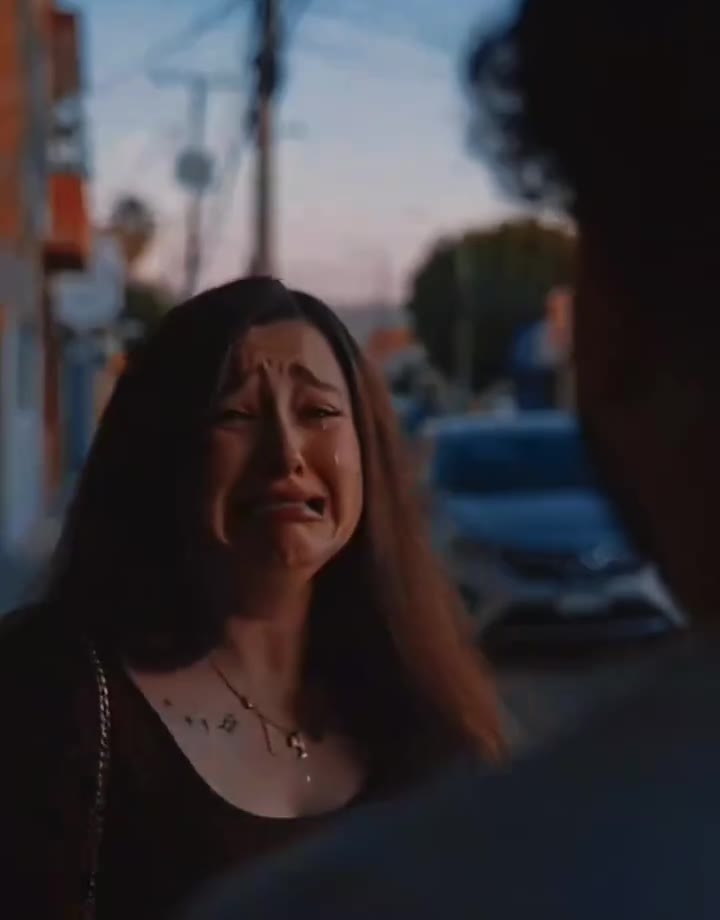
The middle finger cry filter is a 4-second AI video in which a person sobs on a dusk street, raises a middle finger at someone in the blurred foreground, then turns and walks away; videosi makes it from one photo of you.
- Fast facts
- First seen
- Stage
- Past its peak
- Started on
- TikTok (unconfirmed)
- Sound
- No confirmed song: the posts we checked use short vocal clips, and many tutorials add narration. The videosi video comes with a short sound from the trend.
- Meaning
- The middle finger cry filter is a short AI video in which a person sobs, raises a middle finger at someone in front of them and walks away, mixing heartbreak with defiance.
Page updates
- November 2, 2026 — Page published.
The Crying Middle Finger Filter prompt and model
Crying Middle Finger Filter is made with Seedance 2.0 / 2.5 (you pick the tier) by ByteDance. The prompt behind it has 5 parts, and the timing is what makes or breaks it.
- Model
- Seedance 2.0 / 2.5 (you pick the tier)
- Mode
- Photo + motion reference to video
- Length
- 4 seconds, 9:16 or 16:9
- Input
- 1 photo
- Replace The person in the reference clip is swapped for the person in your photo, with everything else kept in place.
- Identity Face, hair, clothes, skin tone, hands and arms all come from your photo, and named details of the reference person are ruled out.
- Face shape The close framing would otherwise pull your face toward the reference, so the prompt holds your own face shape and build.
- Beats Sob, raised hand, turn and walk away stay in order and on the reference clip's timing.
- Rules One adult main person, five normal fingers, a faceless blurred foreground figure, and no logos, text or watermark.
Replace the crying woman in the patterned brown V-neck dress in Video 1 with the person from your photo, keeping the street and the timing.…
Why it goes wrong when you do it yourself
- Video models often get the hand wrong: extra fingers, or several fingers raised instead of one, so the gesture stops reading.
- With a reference clip left as a loose suggestion, the reference person's skin, hands or clothes stay on screen next to your face.
- Asked to cry, models tend to freeze on the sobbing face and never reach the turn and walk away that ends the joke.
- The blurred foreground figure can turn around and grow a face of its own, and each retry costs credits and several minutes.
Crying Middle Finger Filter examples
How to make your Crying Middle Finger Filter video
Upload one photo of yourself
Face to the camera, head and shoulders in frame, in even light. The clothes in the photo are the clothes in the video.
Pick the format
Choose 9:16 for TikTok, Reels and Shorts, or 16:9 for a wide look. The scene, gesture and timing are already set.
Generate and download
Press Generate and the 4-second clip is rendered for you. You can close the page; the result is saved in My creations.
Post it
The MP4 has no watermark and comes with a short sound from the trend. Post it, label it as AI-generated, and check the platform's rules on rude gestures.
What is the Crying Middle Finger Filter trend?
Updated · videosi is an independent tool. It is not affiliated with TikTok, Instagram, YouTube, or with the owners of any trend, song, game or brand named on its pages.
The middle finger cry filter is a very short AI video that plays like the last seconds of a breakup argument. You look past a blurred shoulder at someone standing on a street at dusk. They are sobbing, with tears running down their cheeks, and while still crying they raise one hand and show a middle finger. Then they turn around and walk away without looking back. Nobody in it is really crying: the scene is generated from one ordinary photo.
Despite the name, it is not a live camera filter. It circulates as an AI video template in CapCut and Dreamina. The earliest clip we found is a Dreamina promotional post dated 4 October 2026, and tutorials called "How to make the viral Crying Middle Finger Filter" followed from 6 October, the most watched of them with about 350,000 views when we checked. The original creator is unconfirmed. The trend radar behind this page classes it as past its peak in early November 2026, though tutorials were still appearing on 25 October.
The joke is the mix of two moods: total heartbreak and total defiance in the same four seconds. One clip we watched carries a heartbreak caption, which fits the mood. We could not confirm one song behind the trend: the posts we checked use short vocal clips, and many tutorials add narration on top.
This page builds the scene for you. The framing, the timing and the prompt are already in place, so you only choose the photo and the shape of the video. It follows the same over-the-shoulder street look as the wider AI crying trend, with the gesture as the punchline.
Crying Middle Finger Filter: shot by shot
- 0–1 s
Over the shoulder
We look past a blurred foreground figure at you on a dusk street. Your face is wet with tears and your mouth trembles.
- 1–2.5 s
The gesture
Still sobbing, you raise one hand to chest height and show the middle finger to the person in front of you.
- 2.5–3 s
The turn
You drop the hand and turn away, your head down, your hair and clothes swinging with the move.
- 3–4 s
The walk away
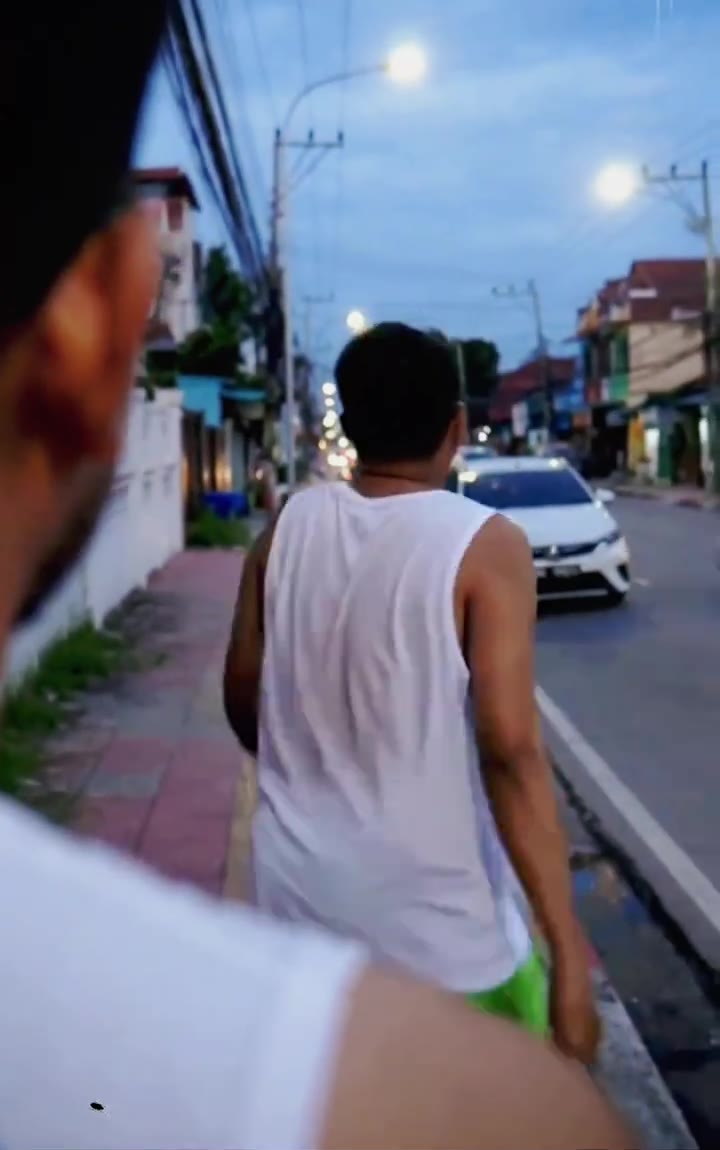
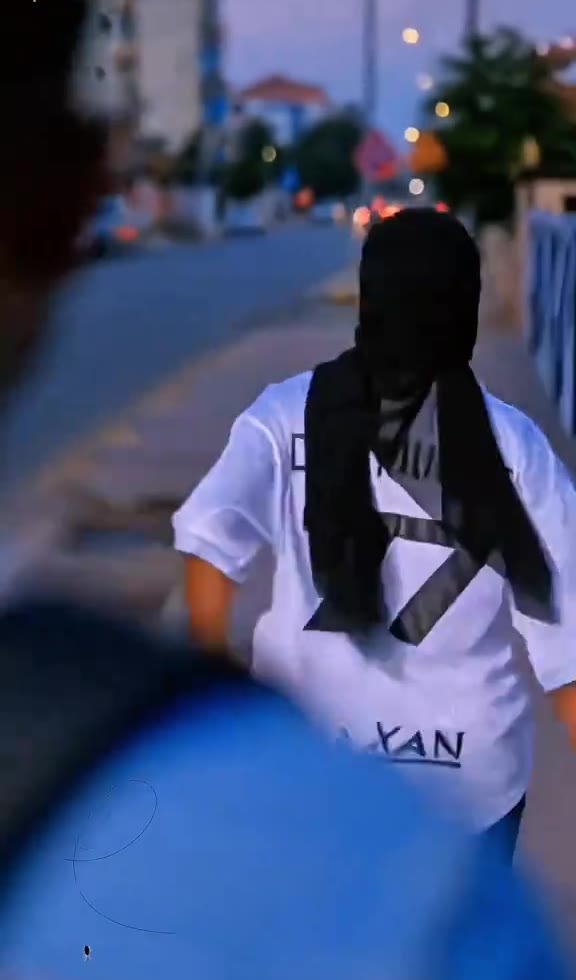
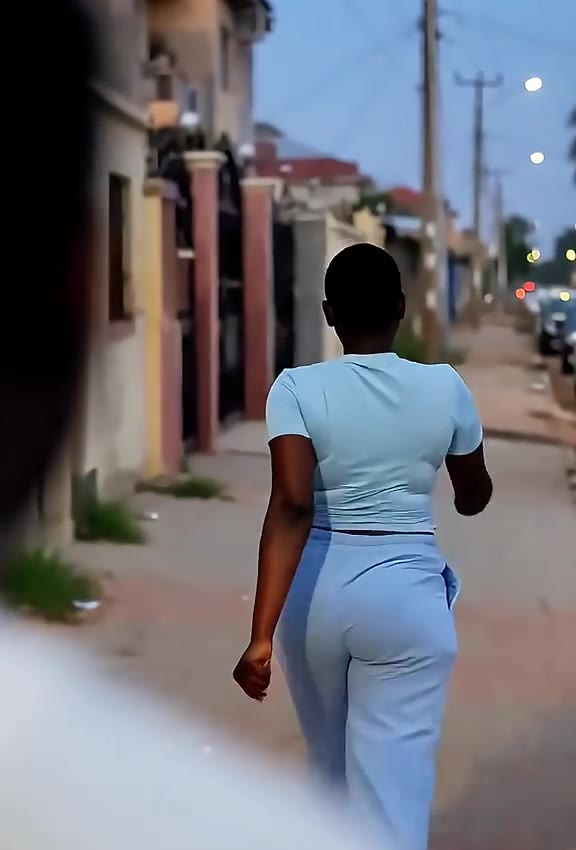
From behind, you walk off down the pavement while the car lights blur, which is where the clip ends.
Tips for a better result
Use a clear, front-facing photo
The first second is close on your face. A sharp photo looking at the camera helps keep you recognisable while you cry.
Show your arms if you can
The hand comes up in front of your chest. A photo that shows your arm and hand gives the model your real skin tone to work with.
Show your hair and outfit
The last second is from behind, so your hairstyle and clothes carry the likeness there. A tight face crop leaves the model to invent them.
Keep your face uncovered
Sunglasses, a hand over the mouth or hair across the eyes make the likeness drift, because the eyes and mouth move most.
Good to know before you make a Crying Middle Finger Filter video
- The clip is short: 4 seconds, one main person, plus a faceless blurred figure in the foreground who is not from your photos.
- The gesture is part of the trend and cannot be switched off. Some platforms limit rude gestures in recommendations, so your post may reach fewer people.
- Hands are hard for video models, so the fingers can look off. Likeness is not guaranteed either. A failed, timed-out or blocked render returns its credits automatically.
- The video comes with a short sound from the trend, which covers about the first three seconds and then goes quiet. You can swap it in TikTok, Reels or CapCut.
Crying Middle Finger Filter: questions
What is the middle finger cry filter?
The middle finger cry filter is a 4-second AI video where a person sobs on a dusk street, shows a middle finger to someone in the blurred foreground, then turns and walks away. videosi found the earliest clip dated 4 October 2026. It spread on TikTok through CapCut and Dreamina template tutorials, and it is generated from one photo.
How do I make the middle finger cry video from one photo?
Upload one front-facing photo to videosi, pick a format and press Generate. The middle finger cry filter video is 4 seconds long and renders in several minutes. You write no prompt and need no template, and you can close the page because the result is saved in My creations.
Is there a website or generator for the middle finger cry filter?
Yes. videosi (videosi.io) is a web tool that makes the middle finger cry filter video from one photo, with the framing, timing and prompt built in. One video on the Standard model at 720p costs 10 credits, and the MP4 downloads without a watermark. It works in any phone or desktop browser.
Is the middle finger cry filter on TikTok or in CapCut?
Tutorials from October 2026 point to CapCut and Dreamina AI templates rather than a TikTok camera effect, and template apps change their line-up often, so check inside them. videosi is independent and not affiliated with TikTok, CapCut or Dreamina. It is a web tool: you upload a photo and download a 4-second MP4.
Is it a live camera filter?
No. Despite the name, the middle finger cry filter does not work live on your camera. It is a generated video: videosi takes one still photo and renders a new 4-second scene with tears, the gesture and the walk away. That is why it takes a few minutes and why you do not need to act anything out.
What AI model or prompt makes the middle finger cry video?
The middle finger cry filter on videosi uses ByteDance's Seedance video model (Seedance 2.0 Mini by default; Fast, Pro and Ultra are one click away), with a five-part prompt and a 4-second motion reference clip. The full prompt is not published; this page shows its structure and why copied prompts often get the hand wrong.
How much does the middle finger cry filter cost, and is it free?
The middle finger cry filter on videosi is not free: there is no free generation and no free trial. One video on the Standard model at 720p costs 10 credits, the same as any video up to 12 seconds; better models cost more. Credit packs start at $6.99 for 10 credits and never expire. A failed render returns its credits.
Why does my middle finger cry video not look like me?
The usual causes are a blurry or side-on photo, sunglasses, or hair covering the eyes. For the videosi middle finger cry filter, use a sharp front-facing photo with head and shoulders in even light, because the first second of the 4-second clip is close on your face. Likeness is not guaranteed, and a failed, timed-out or blocked render returns its credits.
Can I use a photo of a friend or my ex?
Only of yourself or of an adult friend who has agreed to it. videosi asks you not to use the middle finger cry filter to mock, harass or embarrass anyone, so a photo of an ex is out, and it does not accept photos of celebrities, public figures or minors. Users must be 18 or older, and photos are deleted within 30 days.
What does the middle finger cry trend mean?
The middle finger cry trend means being heartbroken and defiant at once: you are in tears, but you still show the middle finger and walk away. On videosi it is a 4-second clip, and the name simply describes what happens on screen. The joke is the contrast between the tears and the gesture, not real anger at the viewer.
What song or sound is used in the middle finger cry trend?
No single song is confirmed for the middle finger cry filter. The posts videosi checked from October 2026 use short vocal clips, and many tutorials add narration on top. The videosi video comes with a short sound from the trend covering about its first 3 seconds, and you can swap it in TikTok, Reels or CapCut.
Is the middle finger cry filter still trending?
As of November 2026 the middle finger cry filter is past its peak, according to the trend radar behind videosi. It first appeared around 4 October 2026, and tutorials were still being posted on 25 October. A 4-second reaction clip like this keeps working after the peak, so it is still worth making if you like the joke.
Will TikTok or Instagram take my middle finger video down?
A middle finger is a rude gesture rather than banned content in itself, but platforms set their own rules and can limit how far such a post travels. Label your videosi middle finger cry filter clip as AI-generated, keep it aimed at nobody real, and read the current rules of the platform before you post the 4-second MP4.
Trending this week
All trends this week




Make your Crying Middle Finger Filter video
Upload a photo and press Generate. 10 credits, refunded if it fails.
Get the next trend first
One email when new trends land on videosi, about once a week. Unsubscribe in one click.
See videosi first on Google
Add videosi as a preferred source and our trend pages show up first in your Top Stories and AI answers on Google.