The neon eyes cinematic AI photo is a still portrait of one person standing in a dark room in front of a giant screen showing glowing eyes. You can make it from one photo of yourself, with no prompt to write, for 1 credit. This guide answers the questions the main page does not: why the composition works, which look to pick, how to choose the second photo and where people go wrong.
The trend is early. The earliest dated TikTok tutorials we found are from 8 October 2026, mostly in black and white, and no original creator has been identified. The neon blue version appears only on AI tool pages so far.
Key takeaways
- The result is a still image with no sound, not a video.
- One photo of you is enough; a second photo puts someone else's eyes on the screen.
- Black and white is the common TikTok look; neon blue and violet are the colour options.
- Each image costs 1 credit, with packs from $6.99 for 10 credits.
- Use another person's photo only with their consent.
In this guide
- Why does a giant pair of eyes on a screen work so well?
- Black and white or neon: which look should I pick?
- Why must the screen be the light source?
- How do I choose the second photo?
- What makes the first photo work when I appear so small?
- Can I use the image as a phone wallpaper?
- What goes wrong when people write their own prompt?
- Is it fine to use someone else's photo or eyes?
- How many tries does it take, and what does it cost?
- What does the AI model actually do with two photos?
Why does a giant pair of eyes on a screen work so well?
Scale does the work. A small figure against an enormous face triggers the same reaction as a cinema close-up: the viewer reads the eyes first and the person second. The room is dark and empty, so nothing competes with the screen, and the head turned to the side gives the figure a profile that points the viewer back toward the eyes.
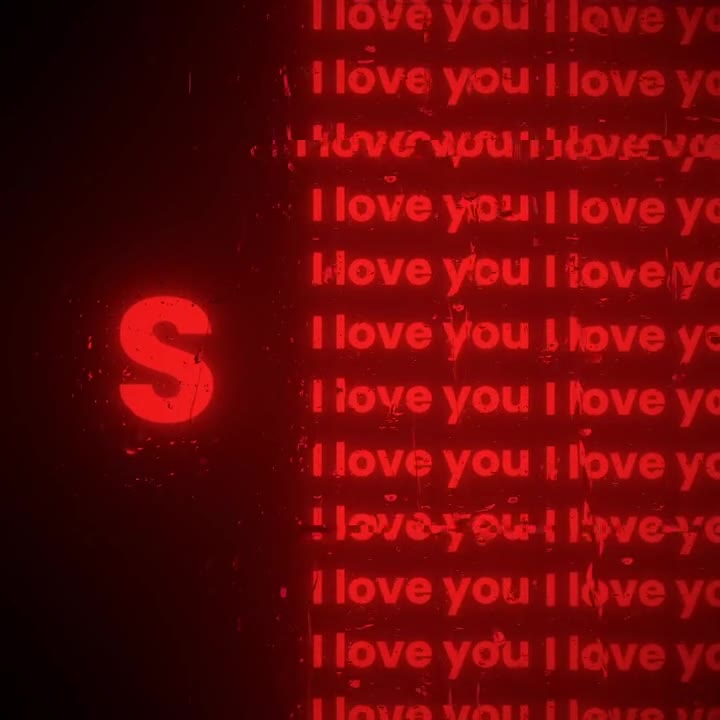
The trick is also emotional. TikTok tutorials from October 2026 describe the picture as a loving gaze or a photo on a projector, a person standing in front of someone else's eyes. The composition tells that story without a caption. Because the figure is seen from behind, the face stays private and the eyes become the subject. The neon eyes cinematic AI photo page builds exactly this layout: one person, one screen, one pair of eyes, vertical frame.
Black and white or neon: which look should I pick?
Black and white is what most TikTok posts show, and it is the quietest version. With colour removed, the picture rests on contrast and shadow, which is the old idea of chiaroscuro: bold contrasts between light and dark that give a flat image volume, as Wikipedia's chiaroscuro article explains for painting, photography and film. It suits a melancholic, serious mood.
Neon blue is the futuristic option. The irises glow electric blue, the floor is wet and reflective, and the whole room takes a cyan cast. We have only seen the blue version on AI tool pages, not as a real viral post, so treat it as a style choice rather than a proven trend. Neon violet is the third look: hazier and more romantic, with magenta light on the hair and shoulders.
A simple rule: pick black and white to match what is already circulating, blue for a sci-fi feel, violet for a softer couple picture. Each look is a separate 1 credit image, so you can make all three and compare. The main page shows the three side by side on the neon eyes cinematic AI photo prompt page.
Why must the screen be the light source?
Without a light source, the eyes look pasted behind the person like a sticker. When the screen is the main light, its glow falls on the hair, the shoulders and the floor, and the silhouette overlaps the lower centre of the screen. That is what makes the eyes feel like a projection in a real room.
Backlighting is the photographic name for this setup: the brightest light sits behind the subject, so the front stays dark and the outline stands out. It is also why the person reads almost as a silhouette. A reflective floor strengthens the effect because it repeats the glow below the figure, which is why the blue and violet looks use a wet or glossy floor.
The same logic explains the finishing touch. Subtle grain makes a clean digital image feel photographed. Wikipedia's film grain article describes grain as the random optical texture of processed film, and notes that digital images without it can look smooth and clinical. Heavy beauty retouching removes exactly that texture, which is why the page asks for natural skin and subtle grain instead of a polished face.
How do I choose the second photo?
The second photo is optional. Leave it out and the eyes on the screen are your own. Add it and the eyes come from that picture instead, while you stay in front. Give each photo one job: photo 1 is the person standing, photo 2 is only the eyes.
Pick a sharp close-up where the person looks straight at the camera with both eyes open. Sunglasses, half-closed eyes and strong shadows across the face leave the model guessing about eye shape and iris colour. A group shot is the worst choice, because it is unclear which face should be used, so crop down to one person first.
Brows matter too. The screen shows eyes and eyebrows together, so a photo with the brows covered by a fringe or a hat loses part of the look. Roles can be swapped: the October 2026 tutorials show a woman in front of her boyfriend's eyes, and by 17 October the reverse, a man in front of his girlfriend's eyes, appeared as well.
What makes the first photo work when I appear so small?
Because you stand small and turned away, hair and head shape carry most of your likeness. Choose a photo that shows your whole head, with even light from the front. Backlit or very dark pictures lose the detail the model needs, and filters that smooth or reshape your face work against you.
Expect a profile, not a straight-on portrait. The pose is a turned head seen from behind, so the result is not a close-up of your face. The outfit also changes to a simple black one to fit the look; your own clothes are not kept. If you want a photo in which your face is the subject, this is the wrong layout.
Can I use the image as a phone wallpaper?
Yes. The result is a vertical still image in a 2:3 shape at about 1K, which fits a phone screen well. The dark, mostly empty lower area is useful for a wallpaper, because home screen icons sit on top of calm shadow instead of busy detail.
1K is fine for a lock screen or a post but is not a print resolution. The neon eyes cinematic page describes the output as ready for a wallpaper or a post.
What goes wrong when people write their own prompt?
People who write the prompt themselves tend to hit the same four problems. We list them without giving the full prompt, which stays private.
- The eyes look like a sticker because the prompt never says the screen lights the room.
- Asking only for glowing eyes often puts the glow on the person's own face rather than on a screen.
- With two photos and no clear roles, the faces blend into one.
- Beauty retouching creeps in by default and removes the film look.
The fixes are structural: say who the person is, where the camera sits, what the screen shows, what lights the room and what must not happen, such as extra people, touching or text. OpenAI's image generation guide covers how its image models accept input images and edits, which is the mechanism the page relies on. The page applies all of this for you, so your only inputs are the photo and the look.
Is it fine to use someone else's photo or eyes?
Use another person's photo only with their consent. The second photo puts a real person's eyes on a giant screen, and that person may not want their face used, even in a flattering picture. Ask first, especially for a partner or friend, and do not use photos of strangers, colleagues or minors.
The image is designed to show one adult in the room and nobody else, with no touching and no nudity, so the couple version does not put two bodies together. Even so, label the picture as AI-generated when you post it. Photos of public figures are a separate matter; use your own pictures or ones you have the right to use.
How many tries does it take, and what does it cost?
One image costs 1 credit. Credit packs start at $6.99 for 10 credits, and plans start at $29.90 a month. There is no free generation on this page. A failed or blocked generation returns its credits automatically, and purchases are final.
Most people will want a few tries because the look and the photos both change the result. A sensible plan is one image per look, then another with a better photo if the likeness is off. With 10 credits you can try all three looks with one photo and still have credits left for a second-photo version.
What does the AI model actually do with two photos?
The page runs on GPT Image 2.5, an image model made by OpenAI. Your first photo is the only source for the person standing in the room, so face, build and hair come from it. If you add a second photo, the model is told to copy the eyes, brows and skin on the screen from that image and to show that person nowhere else.
That separation is the identity lock and the screen-eyes rule from the recipe. The remaining rules keep the picture clean: one person in the room, the screen as the main light, no text, no collage and natural skin. The output is one silent vertical still image, not a video. See the how it is made section for the full structure.