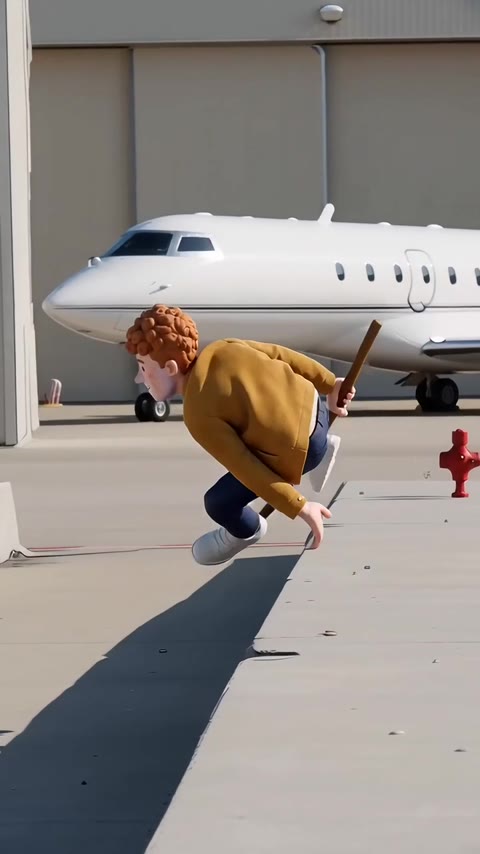
The couple cliff prank AI is a 12 second joke video made entirely by a video model: one partner gives the other a comic shove, a long cartoon fall follows, and a parachute opens at the end. Nobody goes near a real cliff to make it, and nobody should.
This guide answers the questions that come up after you have seen one: how to tell a joke from a real event, why the parachute is there, how to label it, and what to do if the other person is not keen. The tool itself lives on the couple cliff prank AI page.
Key takeaways
- It is an AI-generated joke. Never push, startle or play-fight with anyone near a real edge, because a shove there can kill.
- Both people must be adults who agreed, and the parachute always opens: no landing, no injury.
- Post it with the platform's AI label on, so nobody mistakes it for something real.
- Show your partner first. If they say no, the video does not get made or posted.
- The clip comes with the trend's original sound already on it.
In this guide
- How can I tell an AI joke video from a real cliff incident?
- Why do cliff prank jokes end with a parachute?
- How do I add an AI label when I post it?
- What if my partner says no?
- Who should be in the video, and who should not?
- Can anyone prove a clip is AI-made?
- Why does the fall look different from what I pictured?
- What does one try cost?
How can I tell an AI joke video from a real cliff incident?
Start with how the clip behaves. A real incident does not come with a clean three act shape: shove, spectacular spinning fall, a huge close-up of someone shouting at the lens, then a parachute drifting off in the distance. That tidy structure, packed into about 12 seconds, is a strong sign of a made-up comedy sketch.
Look at the body movement too. In an AI clip the fall is slapstick, with arms flung out and a spin that keeps going longer than gravity would allow. Faces can drift slightly in the close-up, and the scenery often looks a little too cinematic. None of these is proof alone, but together they point to fiction.
Then check the context. A genuine emergency usually has a place, a date and a news report behind it. A joke clip has none of that and tends to be posted with a laughing caption, or with an AI label in the player. If a post claims something real happened and offers no source, treat it as unverified and do not share it onward.
The format is also new. The earliest human version we found on TikTok dates from 25 June 2026, and as of 31 October 2026 the clips are scattered with no single famous original, so there is no "real" source video that all the copies come from.
Why do cliff prank jokes end with a parachute?
Because the ending tells the viewer how to read everything before it. Without a stated ending, a video model can stop on the fall, and then the clip stops reading as a joke and starts reading as something alarming. The parachute opening far off, with the partner floating away safe while the prankster shakes a fist, turns the whole thing into a cartoon.
There is a second reason. The parachute removes the worst outcome from the story. The version on videosi never shows a landing or an injury, and the rules behind it say so directly: two adults, a comic tone, a parachute that always opens. That is a deliberate limit, not a style choice.
Example clips by other people use other endings, such as a flying sofa or a twist in a foggy forest. Your own video follows the parachute version. If you ever see a remake that ends on the fall with no relief, that is the one most likely to be misread by viewers who scroll past fast.
How do I add an AI label when I post it?
Use the platform's own AI setting at upload, because that is what viewers actually see. On YouTube, the help page on disclosing altered or synthetic content says creators should disclose realistic AI-generated or meaningfully altered content. You set the "AI use" option in the Attributes section of YouTube Studio when you upload, and choosing "Yes" adds the label. It appears on the video player for photorealistic content and in the expanded description for other content.
Other apps have their own toggles, usually in the post settings screen before you publish. Look for wording such as AI-generated or AI content, and switch it on every time. Settings change often, so check inside the app rather than trusting a screenshot from months ago.
A label alone is not enough for a clip like this. Add a plain line to the caption too, for example "AI-made joke, nobody was pushed". It costs nothing and it stops a cropped repost from losing the context. The couple cliff prank AI page suggests the same habit: let your partner see it first, then post with the label on.
What if my partner says no?
Then you stop. The video is built from photos of real people, and a photo of someone who did not agree to it should never go into the tool. That applies to a partner, a friend or a sibling alike.
It helps to understand why people say no. The joke is about being shoved off a cliff, and some people simply find that unfunny, or it lands badly after an argument. Others do not want their face in any AI video at all. All of these are fair reasons, and you do not need to talk them round.
If your partner is curious but unsure, show them the sample clip on the trend page instead of a version with their face. Most of the time, seeing that it is an obvious cartoon with a parachute settles the worry. If it does not, drop the idea. A joke that needs persuasion is not a joke.
Never use the tool to frighten or threaten someone, and never post a clip of a person who has not seen it first.
Who should be in the video, and who should not?
Two adults who agreed to it. Photo 1 is the prankster, the person who gives the shove, and photo 2 is the partner or friend who falls. You can also upload a single photo of you both, with the prankster on the left. Partner, friend or sibling all work, two people in total.
Do not use photos of minors or of celebrities. Do not use the photo of an ex, a coworker or a stranger because their face looks funny. The rule of thumb is simple: if they would not be happy to see the finished clip, leave them out.
There are no kissing or romantic scenes in the video. It is slapstick between two people, nothing more, so it does not need any intimate material from either photo.
For better likeness, use sharp, evenly lit, front-facing photos that show shoulders and clothes, wear different colours so the two of you are easy to tell apart, and leave hats and sunglasses off. Likeness is still not guaranteed.
Can anyone prove a clip is AI-made?
Partly, and only when the information was attached in the first place. The C2PA coalition publishes an open technical standard called Content Credentials, which it describes as a nutrition label for digital content. The idea is to let publishers, creators and viewers trace where content came from and what changes were made to it.
That is a record of origin and edit history, not a lie detector. A clip that carries credentials can be checked, but a clip that has been screen-recorded, cropped or re-uploaded may lose them, and the absence of credentials proves nothing either way. The C2PA page itself talks about provenance, not about detecting AI.
So for everyday sharing, the practical tools are the ones you control: the platform label, a caption that says what it is, and context. If you make a clip, say it is AI. If you receive one with no source, ask where it came from before you believe it.
Why does the fall look different from what I pictured?
The motion is fixed by the reference clip, so the usual differences come from the photos and from the model. A tight face crop leaves the model inventing the body. Sunglasses or a hat make the likeness drift in the close-up. Matching outfits make the two people hard to tell apart when the shot cuts quickly.
The spin is the hardest part. Faces can swap or blend while the partner tumbles, which is why each face is tied to its own photo in the prompt, and the original people in the reference clip are named as things not to keep. Even so, results vary between attempts.
If a render fails, times out or is blocked, the credits come back automatically. If it succeeds but looks off, change one thing at a time: a sharper photo, a different cliff, or a higher model tier.
What does one try cost?
The tool is not free: there is no free generation or free trial. A standard 12 second video on the Standard model at 720p is 10 credits, and the Single pack is 10 credits for $6.99. Better models and higher resolutions cost more credits per video, and the Trend Pass is $9.99 for 30 credits a month.
The finished file is an MP4 with no watermark and the original sound already on it. Credits never expire, and a failed, timed out or blocked render returns its credits.
The honest cost to plan for is attempts, not just one render. Budget for a retry or two if the faces drift in the spin, and check your photos first so you spend credits on the version most likely to work.
If you only want to see the idea before paying, watch the sample and example clips on the couple cliff prank AI page.
The short version: it is an AI-made joke between two consenting adults, it ends with a parachute, and it should go online with an AI label. For the real world, keep every shove, scare and prank well away from edges. Make the video on the couple cliff prank AI page.