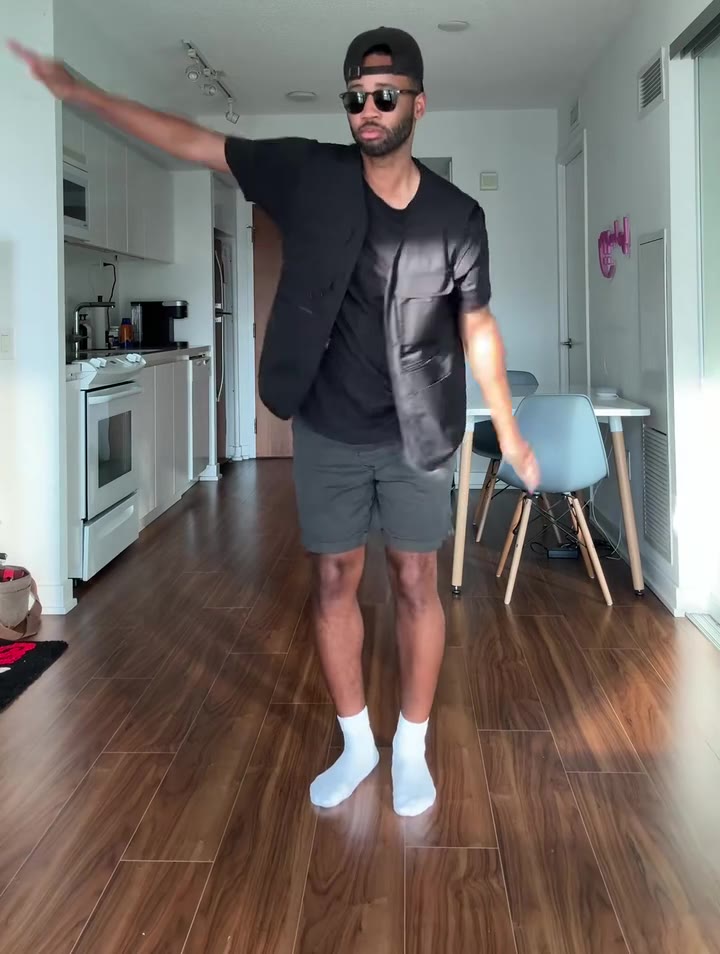
Tim Burton Girls AI is a Burton-inspired look in which a real person turns into a pale, big-eyed, stitched stop-motion puppet in a gothic world. On videosi you make the 5-second video from one photo of yourself, and this guide answers the questions the trend page does not: the two forms of the trend, why the reveal works, which photo suits which scene, and how to caption the result.
Key takeaways
- The trend has two forms on TikTok, a 5-second filter video and a still picture template, and the videosi page makes the video.
- The reveal works because a hair whip hides the face while the body changes, so the swap reads as a trick rather than a morph.
- The puppet keeps your own hair colour, outfit and tattoos, so a half or full body photo with visible hair gives the best result.
- It is an original puppet of you, not a film character, and it is not made or endorsed by Tim Burton or any studio.
- This page's prompt has not been test-rendered yet, so treat the first result as a try and expect some likeness drift.
In this guide
- How do the two TikTok forms of the trend differ?
- Why does the hair-whip reveal work so well?
- Which photo suits which scene?
- Why does our puppet keep your own clothes?
- Where does the stop-motion look come from?
- Why are film characters not reproduced?
- How do men and couples use it?
- Does the sound matter?
- How do I caption the result?
- What results should I expect?
- What should I check before posting?
How do the two TikTok forms of the trend differ?
The video form is usually called the Tim Burton AI filter. It lasts about 5 seconds: a casual selfie, a whip of hair across the lens, then a puppet standing in the same clothes. The still form, tagged Tim Burton girls, is a single template picture of a woman among gothic figures. The first needs motion, the second needs only a clever image.
That difference decides the tool. A picture prompt in a chat assistant can give you the still. The hair whip and the pull back need a video model and a motion reference, which is what the Tim Burton Girls AI page has built in.
Why does the hair-whip reveal work so well?
It borrows an old editing trick: cover the lens, change what is behind it, uncover the lens. While the hair fills the frame, nobody sees the face or body change, so the jump to a puppet feels sudden and a little magical instead of a slow, wobbly morph.
It also gives the clip a clear shape. The first second is a normal selfie, the middle is motion and darkness, and the end is a held stare. Viewers know where to look, and the small stitches and huge eyes land on the last beat. Without the motion reference, a video model tends to melt the face gradually, and the surprise is gone.
Which photo suits which scene?
Both scenes want one sharp, evenly lit photo that shows your hair and outfit. Beyond that, the choice of scene changes what helps.
- Gothic moonlit street: the background of your photo does not matter much, because the street replaces it. Choose the photo where you look best and your hair is clearly visible.
- Your own room, gone gothic: the place behind you stays recognisable, then turns dim, purple-grey and crooked. A tidy, simple background turns gothic more clearly than a cluttered one.
For either scene, avoid hats that hide your hair, sunglasses and anyone else in the background. If you want two puppets, put two adults side by side in the same photo.
Why does our puppet keep your own clothes?
Because that is the joke. A generic puppet in a generic black dress could be anyone, but your orange jacket or your tattoos on a stitched puppet are funny and instantly yours. The prompt tells the model to take face, hair colour, outfit, age, build and skin tone from your photo, and to leave nothing of the woman in the reference clip.
That last rule matters. Video models tend to keep the person from the motion reference unless the prompt names what must go, so you can end up with her hair or glasses. The page spells those out so the puppet is you. Glasses appear only if your photo has them.
Where does the stop-motion look come from?
The look points to stop-motion animation, where handmade figures with jointed limbs are moved a tiny step at a time. Tim Burton is an American filmmaker and former animator known for a dark gothic style, and films such as Corpse Bride, a 2005 stop-motion film directed by Mike Johnson and Tim Burton, are the usual reference when people say Burton style.
The trend takes the shorthand of that world: pale porcelain skin, very large round eyes, thin limbs and small stitched seams. It does not copy any film. The puppet on this page is inspired by a style and is not affiliated with or approved by anyone connected to those films.
Why are film characters not reproduced?
Two reasons. First, characters such as a stop-motion bride belong to their studios, and a page that sells videos should not copy them. Second, it works worse. Asking a video model for a Burton look by name tends to pull in famous costumes, veils and blue skin, and you stop looking like yourself.
So the prompt asks for an original puppet of the person in your photo, with no bride veil, no striped suit and no braids unless your photo has them. It also stays mild and storybook, with no blood or wounds, and adults only. The Tim Burton Girls AI video is a puppet version of you, not a costume of someone else.
How do men and couples use it?
The name says girls, but the format is not only for women. Some of the top clips in the trend were made by men, and the page's own examples include a man in a dark studio and a couple as two puppets. The transformation does not depend on gender; it depends on a visible head of hair, an outfit and a clear photo.
For couples and friends, use one photo with both adults side by side. Both become puppets, each keeping their own look. Only use photos of adults who agreed to it.
Does the sound matter?
It matters a lot for the feel. Creators attach different sounds to the video form, and the one named on several top posts is DARKSIDE by Neoni. The videosi clip comes with the trend's original sound already added afterwards, so the hair whip lands on the beat without any editing. If you prefer another track, swap it in the app you post from.
How do I caption the result?
Keep it short and a little deadpan, because the video does the work. A few ideas:
- Name the transformation: "me, but handmade".
- Name the setting: "moved into a gothic street".
- Tease the details: "the stitches are tiny, the outfit is mine".
- For couples: "us as puppets, no notes".
Turn on the platform's AI-generated label when you post, and mention it in the caption if you like. Do not claim the clip is by Tim Burton or approved by him, because it is not.
What results should I expect?
Be realistic. This page's prompt has not been test-rendered, and the clips shown on the page are real posts from the trend, not videosi output. Your first render is a first try.
The puppet design changes your proportions on purpose, so expect to recognise hair, outfit and overall look more than the exact face. If the first try drifts, change the photo before anything else: sharper, brighter, hair visible, nothing in front of the face. The cost is shown in the FAQ on the page: a 5-second video on the Standard model at 720p is 10 credits, credit packs start at $6.99 for 10 credits and never expire, plans start at $29.90 a month, and a failed render returns its credits automatically.
What should I check before posting?
- Adults only. Photos of children and of celebrities are not accepted.
- Label it. Use the platform's AI-generated toggle.
- Look at the end frame. The puppet should hold still and look into the lens, with five fingers per hand and no stray text.
- Be clear about the style. It is Burton-inspired, not endorsed.
When you are ready, make your Tim Burton Girls AI video from one photo and pick the street or your own room.