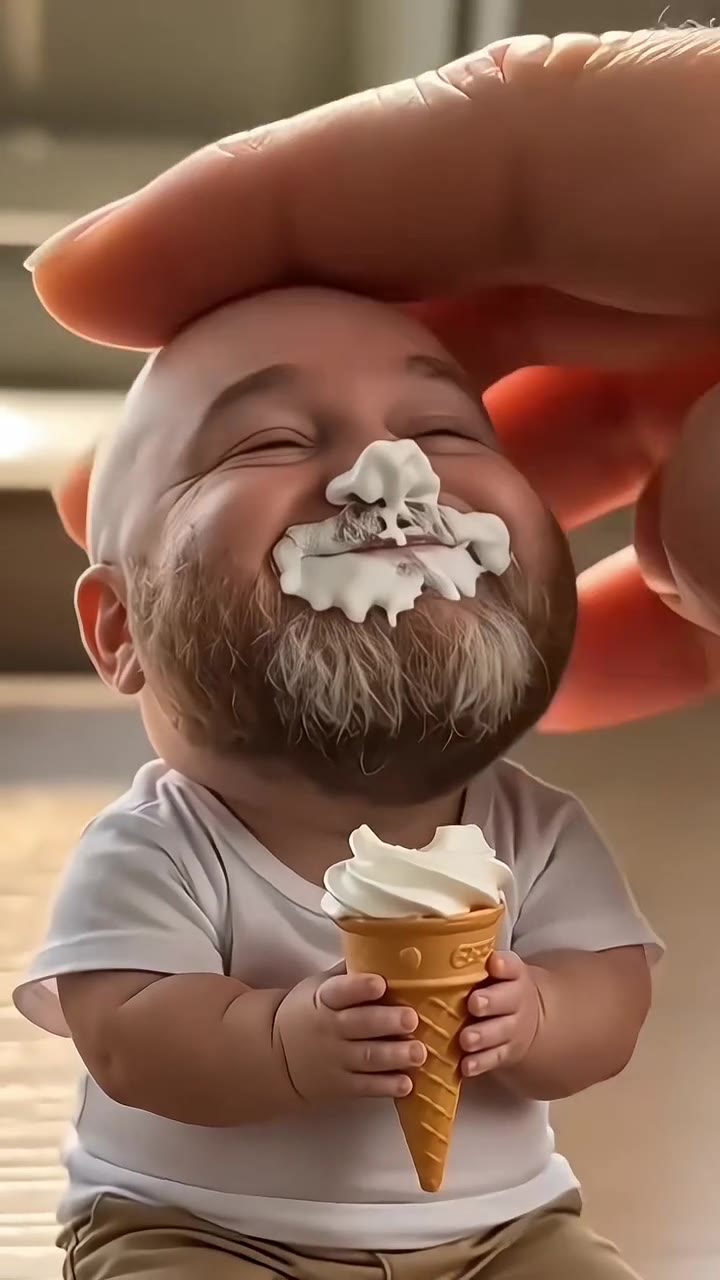
The Pick It Up AI trend is a 13-second video in which a person, friends or a pet from one photo does the TikTok dance to the "pick it up, make it jump, put your hands up" chant. As of November 2026 it is only just starting to spread, so an early clip still looks fresh.
Pick It Up AI on videosi turns one photo into that clip, with the moves, the timing and the sound built in. This guide skips the basics on the page and answers the questions people ask once they have seen the trend and want to know why it looks the way it does.
Key takeaways
- The dance turns its back to the camera on purpose, which is the hardest moment for an AI video to keep a likeness.
- Pick a full-body, front-facing photo with clear light. Clothes and hair come from the photo, and the model guesses the back view.
- A motion reference keeps the moves in order; a template or a plain prompt usually does not.
- Label the clip as AI-generated when you post it. TikTok asks for this on realistic-looking AI content.
- There is no baby version. The page is for adults who agreed, and for pets.
In this guide
- Why does the dance turn its back to the camera?
- Why is the camera so low?
- How do I pick a photo for a low, full-body shot?
- How is AI different from a CapCut template?
- What can the setting change, and what stays fixed?
- What should I do when a render drifts?
- Why are babies not offered?
- Is this the same as the other songs called Pick It Up?
- How should I post and label the video?
- Is it worth making one this early?
Why does the dance turn its back to the camera?
The turn is the joke of the routine. After the arms shoot up, the dancer faces away with hands raised, sways from side to side, then spins back to the lens. On the chant it works as a reveal: you vanish for a few seconds and come back with the next move. No original choreographer is confirmed, so we cannot say who designed it, only how it plays on screen.
For an AI video this is also the weak spot. The model has seen your front in the photo and has to invent your back. That is why the page prompt rules out the original outfit by name. Without that, the striped clothes of the reference dancer can creep back in exactly when the camera sees a back.
Why is the camera so low?
Most posts we watched propped the phone on the floor, so the whole body fits from feet to hands in one take. Videosi copies that framing: a fixed, low, full-body camera for the entire 13 seconds, with no cuts. The sway and the final wide-legged bounce read better from down there, and the low angle makes the dancer look bigger and the move bolder.
The cost is that faces are small. A face that fills a tenth of the frame has less detail than a selfie, so a clear photo matters more here than in a close-up effect.
How do I pick a photo for a low, full-body shot?
Think about what the model needs to build a person it cannot see from all sides. A few rules help.
- Show the whole body, head to shoes. A photo cut at the waist leaves the legs and shoes to guesswork.
- Face the camera with even light. Sunglasses and low hats hide the part the model uses most.
- Wear what you want to dance in, because the clothes in the photo are the clothes in the clip.
- For two or three adults, stand apart so nobody overlaps. For a pet, use one sharp photo on a plain background.
Hair is worth a thought too. If your hair looks very different from behind, the back view will be a guess, so a simple style in the photo gives a more stable result.
How is AI different from a CapCut template?
Late in October 2026 CapCut template tutorials for this dance took off on TikTok, and most of them turned baby photos into the routine. A template places your photo into a fixed layout and animates it. It is quick, but the movement is usually a stylised effect on a still image.
The Pick It Up AI page works differently. A video model, ByteDance's Seedance, takes your photo and a 13-second motion reference clip, then generates a new video where your person performs each move in order. You get a downloadable MP4 with no watermark and the trend sound already on it, rather than a clip that lives inside one app. The trade-off is time and cost: a render takes several minutes and uses credits, while a template is typically instant. Videosi is independent and not affiliated with TikTok or CapCut.
What can the setting change, and what stays fixed?
You choose between the home kitchen from the reference, a plain apartment room or an underground parking garage at night. You also pick 9:16, 1:1 or 16:9. Your photo's own background is not reused.
What never changes is the choreography: the groove, hands up, the turn away, the sway, the turn back, arms down and the low bounce, in that order and at that rhythm. That is deliberate. The trend is recognised by its sequence, so a version with different moves would stop being the Pick It Up dance.
What should I do when a render drifts?
Drift means the face slides, a hand merges or the outfit changes mid-clip. It tends to happen during the fast arm raises and the low bounce. Fast arm moves can blur a hand or make a face drift, and likeness is not guaranteed.
Before you try again, change the photo, not the settings. A sharper, brighter, more front-facing full-body picture usually fixes more than anything else. If you used a group photo, try a version with fewer people, since more people means smaller faces. Pets vary the most, so a plain background and one animal give the best odds. A failed, timed-out or blocked render returns its credits automatically, but a render that finished and looks off is a normal result you paid for, so choose the photo with care the first time.
Why are babies not offered?
The CapCut versions that went around with dancing babies are not part of the videosi page. It is built for adults who have agreed and for pets, and photos of children should not be uploaded. Making realistic video of a child from a photo raises consent and safety questions that a simple fun tool should not try to answer.
If you want the same joke with a younger family member in mind, use a photo of an adult relative who is happy to take part, or a family pet. The comic effect of a still person suddenly dancing works the same way.
Is this the same as the other songs called Pick It Up?
No. Several unrelated songs share the title. According to Wikipedia, "Pick It Up" by Famous Dex featuring ASAP Rocky came out on 20 October 2017. A different song of the same name by Cardi B featuring Selena Gomez was released on 19 September 2025, as its own Wikipedia page describes.
The dance trend uses neither. On TikTok most posts we checked use a sound credited as "original sound" by DJZACKKK, built around the chant "pick it up, make it jump". We could not trace it to a commercial release. If you search for the song on a streaming service, expect to land on the wrong track, so search the chant words together with the TikTok sound instead.
How should I post and label the video?
Download the MP4 and post it as it is. The sound is already on it, so there is nothing to line up. Use the challenge tags people already search, such as the dance name and the chant, and keep the caption short.
Label it. TikTok's Community Guidelines say creators must label AI-generated or significantly edited content that shows realistic-looking scenes or people, and that unlabeled content may be removed, restricted or labeled by the platform. A clip of a real-looking person dancing fits that description. Add the platform's AI label when you upload, and say so in the caption if you like. Do not post a photo-based dance of someone who has not agreed, however funny it seems.
Is it worth making one this early?
Probably yes, if you want to be among the first versions in your circle. Videosi's trend tracking first flagged the dance on 31 October 2026 as emerging, while the earliest post we watched with the sound is dated 28 September 2026. Halloween costume versions and the CapCut wave are the first signs of spread, but it is too early to say how long it lasts.
A video costs 11 credits at Standard 720p, and an account's first one at that setting costs 10. The smallest pack is $6.99 for 10 credits, and credits never expire. There is no free generation. If you only want to try one clip, start from a good photo, pick the format for the app you post on and try the Pick It Up AI page once.