Ali G AI: The Yellow Car Cruise, Starring You
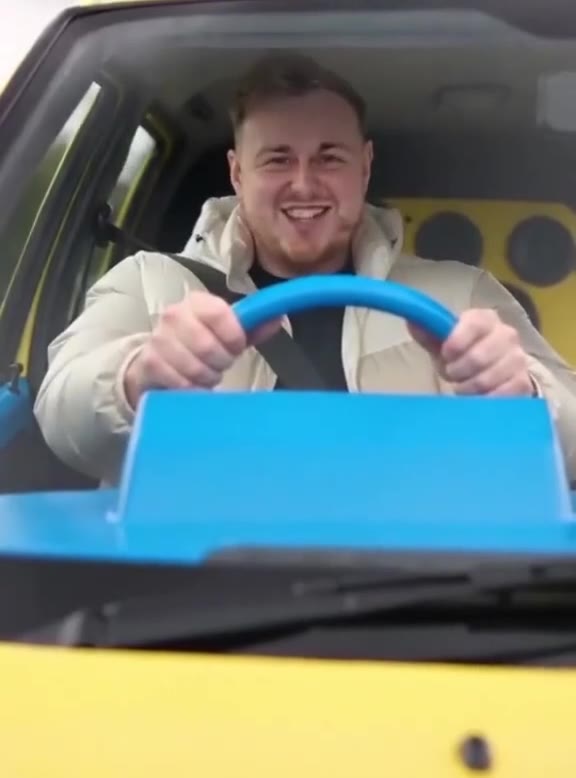
You are behind the blue steering wheel of the yellow car from the Ali G Indahouse opening, nodding to the beat and flinging an arm out as the street slides past. One photo of you is all it takes.
Updated : Page published.
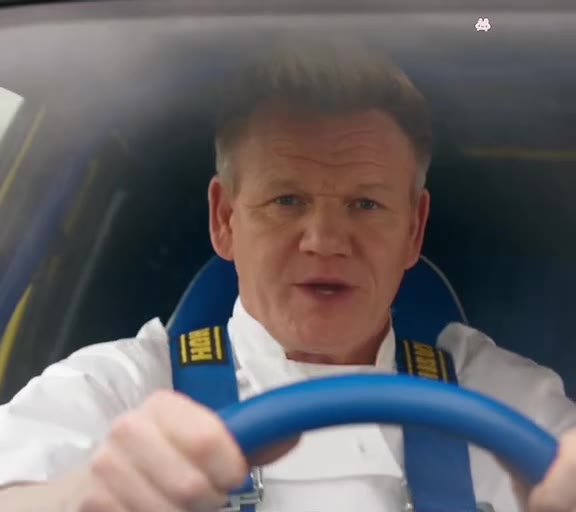
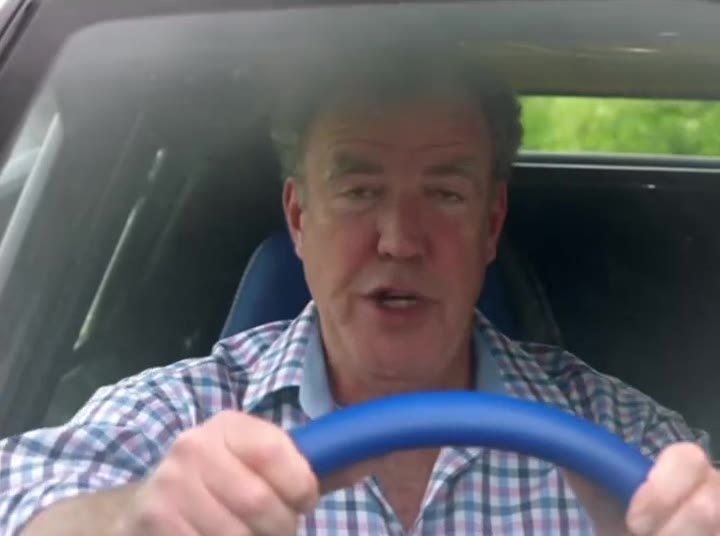
1Add your photo
What you'll get
Front-facing, well-lit selfies work best. One face per photo.
2Choose quality
By generating you confirm you have permission to use the people in your photos. Terms
No subscription needed · Ready in about 3 minutes · Failed renders are free
The Ali G driving scene is a 9-second AI video that puts a person at the blue steering wheel of the yellow car from the opening of Ali G Indahouse, nodding and throwing an arm to the beat; videosi makes it from one photo of you.
- Fast facts
- First seen
- Stage
- Just starting
- Started on
- TikTok (unconfirmed)
- Sound
- The music over the film's opening credits, with a heard hook of "jungle is massive". The credits name Adam F for the original score; the track title is not confirmed.
- Meaning
- The Ali G driving scene is the opening of the 2002 film Ali G Indahouse, in which the character cruises a modified yellow car through suburban Staines as if starring in a rap video; the AI trend puts other people at its blue steering wheel.
- Related trends
- Car Jump AI Video
Page updates
- November 1, 2026 — Page published.
The Ali G AI prompt and model
Ali G AI is made with Seedance 2.0 / 2.5 (you pick the tier) by ByteDance. The prompt behind it has 5 parts, and the timing is what makes or breaks it.
- Model
- Seedance 2.0 / 2.5 (you pick the tier)
- Mode
- Photo + motion reference to video
- Length
- 9 seconds, 9:16, 1:1 or 16:9
- Input
- 1 photo
- Identity lock Your photo is the only source for the face, hair, skin tone, build and clothes, and nothing of the film's driver stays.
- Motion reference A 9-second section of the scene supplies the cuts, the camera positions and the movement.
- Car The yellow hatchback, blue wheel, blue dashboard and yellow speaker panel stay as they are.
- Timeline Six beats, moving between the windscreen and side shots, with one flash of the speakers.
- Rules One person, five fingers per hand, no credits, bonnet lettering, plates, subtitles or watermark.
Replace the driver in Video 1, the man with the red beanie, tinted yellow glasses, goatee, yellow and black track top and gold rings.…
Why it goes wrong when you do it yourself
- Prompting the scene without a reference loses the cuts, and the clip becomes a generic person in a yellow car.
- The film driver's beanie, glasses or track top stay unless the prompt names each one and rules it out.
- The film's on-screen credits are part of the source footage and can come through into the render.
- Fast arm throws in the side shots are where hands blur and likeness slips, and each extra try costs credits.
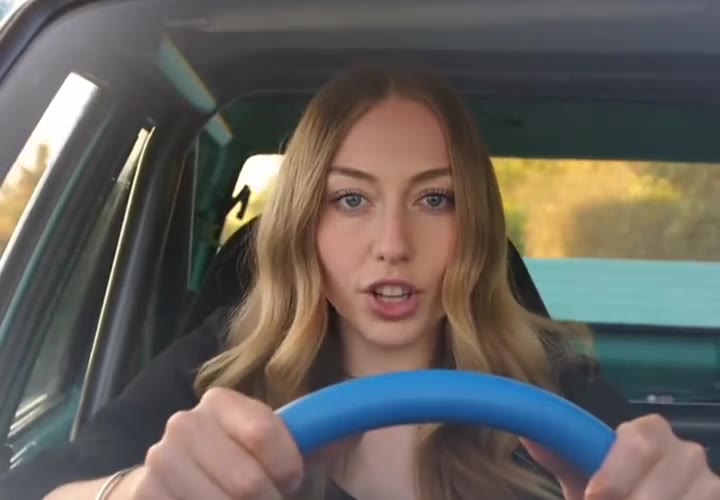
Ali G AI examples
How to make your Ali G AI video
Upload one photo of yourself
Face to the camera, head and shoulders or more in frame, even light. Your hair and what you are wearing in the photo are what you wear in the video.
Pick the model and the format
Choose the model and resolution, then 9:16 for TikTok, Reels and Shorts, 1:1 for a square post or 16:9 for a wide cut.
Generate and download
Press Generate and the 9-second clip is rendered for you. It is an MP4 with no watermark and the sound of the original scene already on it.
Post it
Post it as it is and turn on the platform's AI-generated label.
What is the Ali G AI trend?
Updated · videosi is an independent tool. It is not affiliated with TikTok, Instagram, YouTube, or with the owners of any trend, song, game or brand named on its pages.
The Ali G driving scene AI trend recreates the opening credits of the 2002 comedy Ali G Indahouse. In the film, Sacha Baron Cohen's character cruises a modified yellow hatchback with a blue steering wheel and a wall of speakers through the English suburb of Staines, gripping the wheel, nodding and throwing his arm around as if he were in a rap video. In the AI version, someone else is in the driver's seat.
The AI wave has only just started spreading. The earliest tutorials we found on TikTok are dated 18 October 2026, and a much larger batch appeared between 29 October and 1 November, also under the name Ali G car dance. Much of what is visible so far is tutorials and template accounts, and we found no single creator who started it. The film clip had an earlier life as a meme: one TikTok post captioned about passing a driving test reached about 335,000 views in May 2025.
Nobody films this version. It is generated by an AI video model from one photo of you, a 9-second reference from the scene that supplies the car, the cuts and the movement, and a written prompt. Your face, hair and clothes come from your photo, and the sound of the original scene is added to the finished clip.
The joke works best with someone unexpected at the wheel. Most remakes so far pick a person who is nothing like Ali G, wearing their ordinary clothes, doing the same swagger. Videosi is not affiliated with the film or its makers.
Ali G AI: shot by shot
- 0–2.5 s
Hands on the wheel
Windscreen shot. You grip the blue wheel, looking dead ahead and nodding on the beat.
- 2.5–3.5 s
The arm goes up
Cut to the side of the car interior. One arm flies up as you lean back.
- 3.5–6 s
Swagger through the glass
Back outside the windscreen, the street moving behind you, shoulders swaying with the wheel.
- 6–7 s
Second arm throw
The side shot returns, with one hand sweeping in the air and the other on the wheel.
- 7–7.5 s
The speakers
A quick cut to the yellow panel of speakers in the back.
- 7.5–9 s
Lean in
Side shot again, then the windscreen as you lean towards the wheel and the clip ends.
Tips for a better result
Show your shoulders and chest
The side shots show your whole upper body and arms. A tight face crop leaves the model to invent your clothes.
Take off your sunglasses
The windscreen shots are close on your face, and covered eyes make the likeness drift.
Avoid yellow against yellow
White, black or a pattern stands out inside the car. To lean into the Ali G look, a bright yellow top is your call.
Use a daylight photo
The scene is lit by soft outdoor daylight, so a daylight photo matches it better than a dark room.
Good to know before you make a Ali G AI video
- The yellow car, blue wheel and street are built in. This page does not put your own car or location in the clip.
- You keep your own clothes from your photo. There is no Ali G costume unless you are wearing it.
- The clip comes with the sound of the original scene on it, but the mouth does not follow any lyrics, and likeness is not guaranteed. A failed, timed-out or blocked render returns its credits automatically.
- This is a generated comedy clip inspired by the film, and it is not affiliated with the film or its makers. Keep both hands on the wheel in a real car.
Ali G AI: questions
What is the Ali G driving scene AI trend?
The Ali G driving scene AI trend, seen on TikTok since 18 October 2026, puts you in the blue-wheeled yellow car from the opening of the 2002 film Ali G Indahouse, nodding and flinging an arm to the beat. videosi makes a 9-second version from one photo, with the original driving music on it.
How do I make the Ali G driving scene from one photo?
On videosi, upload one clear photo of yourself, choose the model and format, and press Generate. The 9-second Ali G driving scene comes back with your face, hair and clothes in the yellow car, and the sound of the original scene on it. You do not write a prompt or install anything.
Is there an Ali G driving scene AI generator or website?
Yes. videosi.io has a dedicated Ali G driving scene page that works in a phone or desktop browser with one photo and no prompt. It renders a 9-second MP4 with no watermark. Other AI apps offer similar templates, but most ask you to copy a video link and pick the template yourself.
Is there an Ali G car dance CapCut template?
Yes, TikTok tutorials from late October 2026 show "Ali G car dance" CapCut and other app templates, though we cannot vouch for how long any one stays available. The videosi Ali G driving scene needs no template or video link: one photo produces the 9-second clip directly in your browser.
What AI model or prompt makes the Ali G driving scene?
The Ali G driving scene on videosi is made with ByteDance's Seedance video model (Seedance 2.0 Mini by default; Fast, Pro and Ultra are one click away), from a written prompt plus a 9-second reference clip. The reference keeps the cuts and timing, and the prompt swaps in your photo. The full prompt stays private.
How much does the Ali G driving scene cost, and is it free?
The Ali G driving scene on videosi is not free. A 9-second video costs 10 credits on the Standard model at 720p. Credit packs start at $6.99 for 10 credits and never expire. Purchases are final; a failed, timed-out or blocked render returns its credits automatically.
Why did my Ali G driving scene come out wrong or not look like me?
The usual causes are sunglasses, a dark photo or a face that fills the whole picture. For the videosi Ali G driving scene, use a front-facing daylight photo that shows your shoulders and chest. The 9-second clip has fast side-shot arm moves, where likeness and hands can drift, and likeness is not guaranteed.
Can I use someone else's photo or a pet?
You can use a photo of another adult who has agreed to it. videosi does not accept minors for the Ali G driving scene, and users must be 18 or older. The effect is written for 1 person at the wheel of the car, so it is not made for pets or two people.
Do I have to dress up like Ali G?
No. The videosi Ali G driving scene keeps the hair and clothes from your photo, so you will not get his yellow track top, red beanie or tinted glasses unless you wear them in your photo. Only 1 photo is needed; to get the full look, wear yellow in that photo.
What does the Ali G driving scene mean?
The Ali G driving scene refers to the opening credits of the 2002 comedy Ali G Indahouse, where Sacha Baron Cohen's character cruises a modified yellow car through suburban Staines as if it were a rap video. videosi turns it into a 9-second clip of you, and the joke is the gap between total swagger and a sleepy English street.
What song is in the Ali G driving scene?
The song in the Ali G driving scene is the music over the 2002 film's opening credits, with a heard hook of "jungle is massive". The credits on screen name Adam F for the original score, but we have not confirmed the track title or performer. videosi renders carry this 9-second section of it.
Is the Ali G driving trend still trending?
As of November 2026 the Ali G driving scene AI trend is at an early stage: the first tutorials we found are dated 18 October 2026 and most appeared between 29 October and 1 November. videosi covers it with a 9-second version. The film clip itself has circulated far longer, including a post with about 335,000 views from May 2025.
Will the mouth follow the lyrics?
No. The videosi Ali G driving scene adds the 9-second original sound after the video is rendered, so the mouth does not sing along or follow the lyrics. The driver's nods, arm throws and cuts follow the timing of the scene, which is what makes it read as the Ali G clip.
Can I put my own car in the clip?
Not on this page. The videosi Ali G driving scene uses the yellow car, blue steering wheel and speaker panel of the trend in all 9 seconds, because that car is how people recognise it. Only the driver changes, and a generated clip should be labelled as AI when you post it.
Trending this week
All trends this week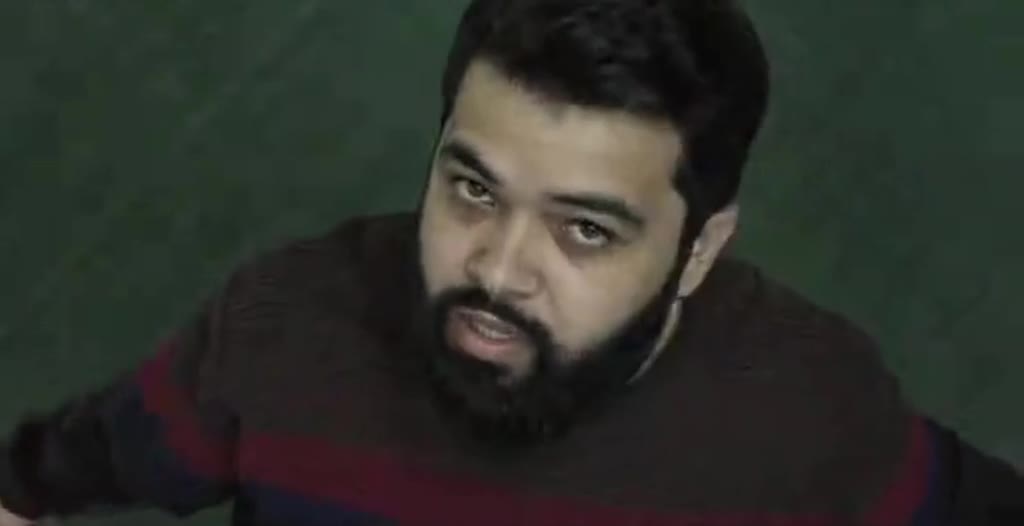

Make your Ali G AI video
Upload a photo and press Generate. 10 credits, refunded if it fails.
Get the next trend first
One email when new trends land on videosi, about once a week. Unsubscribe in one click.
See videosi first on Google
Add videosi as a preferred source and our trend pages show up first in your Top Stories and AI answers on Google.