Uptown Funk AI: Lead the Street Dance, Starring You
You strut down a retro city street at the front of a dancing crew, pointing at the camera and pumping your fist to Uptown Funk. One photo of you is all it takes.
Updated : Page published.
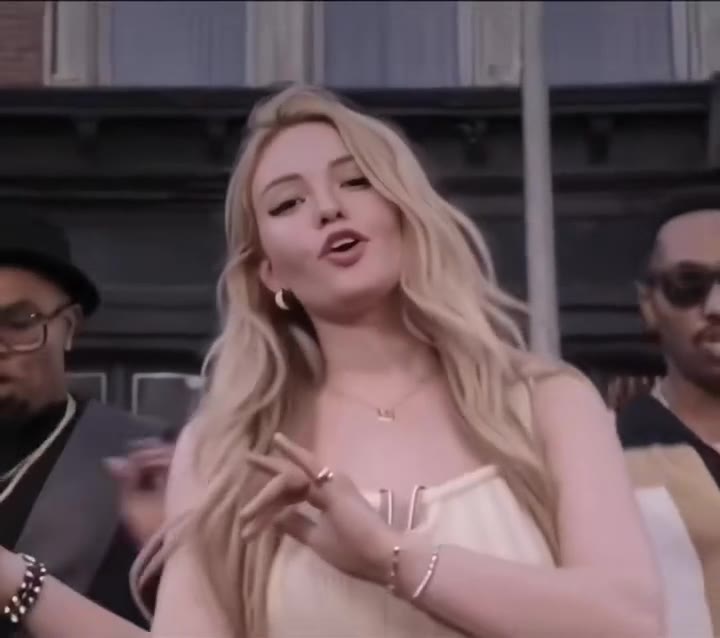
1Add your photo
Front-facing, well-lit selfies work best. One face per photo.
2Backup dancers
3Choose quality
By generating you confirm you have permission to use the people in your photos. Terms
In one sentence
The Uptown Funk AI video trend is an 11-second street dance clip in which you lead a line of backup dancers down a retro city street to Uptown Funk, styled after the 2014 music video; videosi makes it from one photo of you.
- Fast facts
- First seen
- Stage
- Spreading
- Started on
- TikTok (unconfirmed)
- Sound
- Uptown Funk — Mark Ronson feat. Bruno Mars
- Meaning
- The Uptown Funk AI video trend is a one-photo AI edit that makes you the lead dancer of the street dance from the 2014 Uptown Funk music video, also called the Uptown Groove trend.
- Related trends
- Gangnam Style AI, Turn the Lights Off AI
Page updates
- October 28, 2026 — Page published.
How it is made
The Uptown Funk AI Video prompt and model
Uptown Funk AI Video is made with Seedance 2.0 / 2.5 (you pick the tier) by ByteDance. The prompt behind it has 5 parts, and the timing is what makes or breaks it.
- Model
- Seedance 2.0 / 2.5 (you pick the tier)
- Mode
- Photo + motion reference to video
- Length
- 11 seconds, 9:16, 1:1 or 16:9
- Input
- 1 photo
- Replace the lead The lead dancer of an 11-second Uptown Funk style reference clip is swapped for the person in your photo, and every cut, move and camera position is kept.
- Identity lock Your photo is the only source for the face, hair, build and outfit, held in close-ups and wide shots, and nothing of the reference dancer is kept.
- Face shape Your face width, jaw and build stay as in your photo, so the close-ups do not slim or reshape you toward the reference.
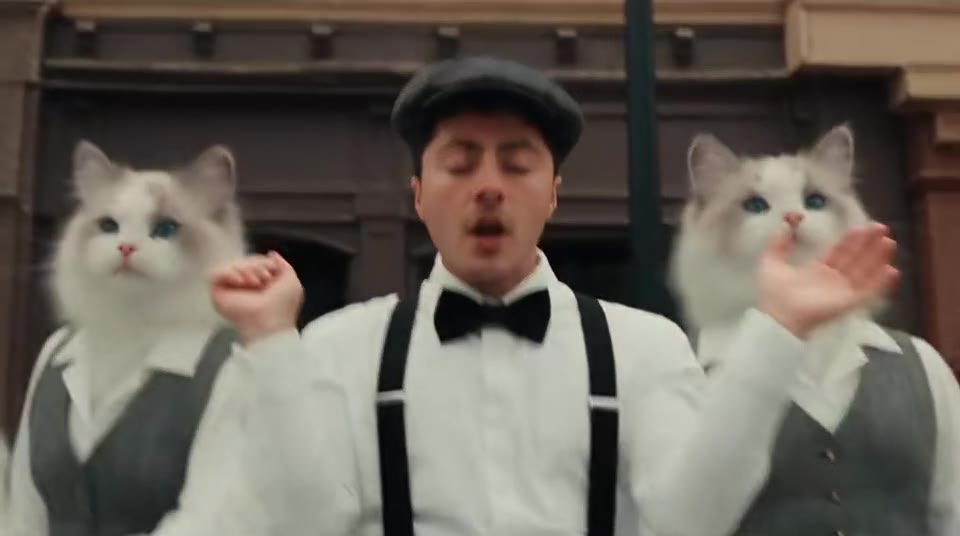
- Backup crew The line of dancers behind you stays a suited retro crew, or turns into cats in waistcoats.
- Rules One lead, adults only, five fingers, loose sing-along mouth instead of lip-sync, no logos, signs, text or watermark.
Replace the man in the red Hawaiian print shirt and light jeans who leads the dance in Video 1 with the person from Image 1…
Why it goes wrong when you do it yourself
- Typing the singers' names into a prompt gets blocked by most tools, and when it works you get a celebrity look-alike you should not post.
- Without a motion reference the cuts, the strut and the step-kick come out as a generic dance on the spot, and the crew does not move with you.
- General models often keep the reference dancer's face or hair, or slim your face in the close-ups, unless the replace instruction and identity lock come first.
- Each try costs model credits and several minutes, and getting six cuts and a full crew right in 11 seconds usually takes several tries.
Uptown Funk AI Video examples
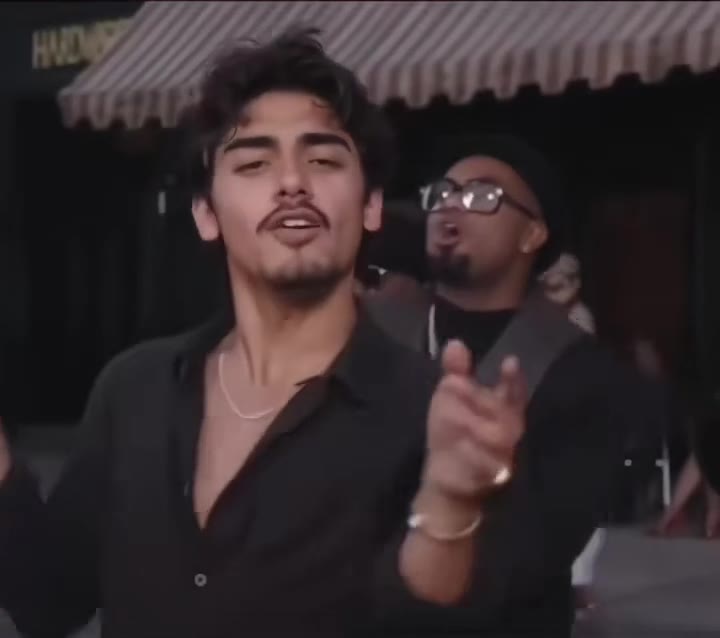
Black shirt lead dancer
Cat backup dancers
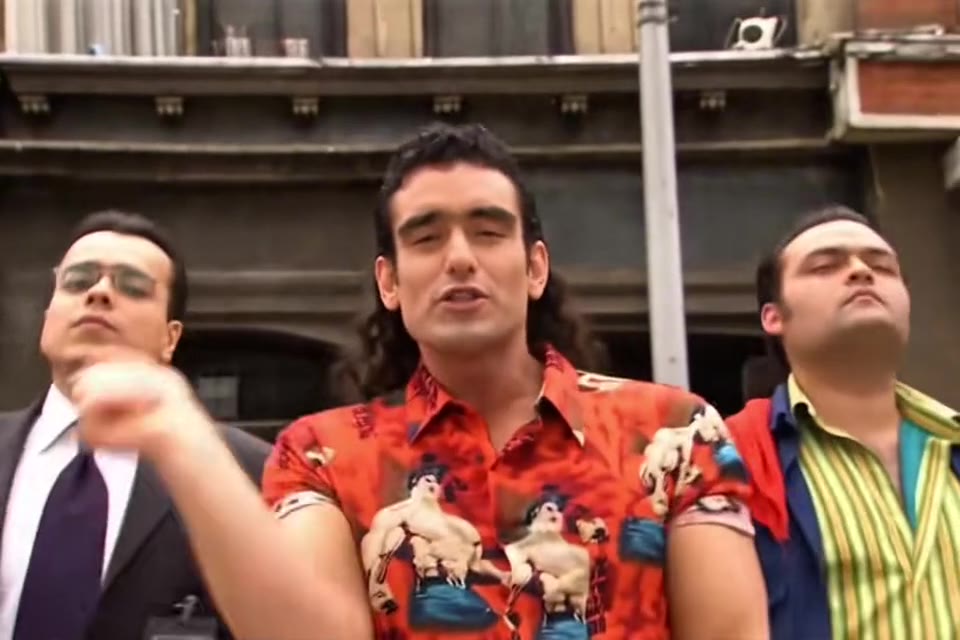
Red shirt street strut
How to make your Uptown Funk AI Video video
Upload one photo of yourself
Face to the camera, upper body in frame, even light. The outfit in the photo is the outfit you lead the dance in.
Pick the crew and the format
Choose the suited street crew or the cat crew, then 9:16 for TikTok, Reels and Shorts, 1:1 or 16:9.
Generate and download
Press Generate and the 11-second street dance is rendered for you, an MP4 with no watermark and the Uptown Funk sound already on it.
Post it
The trend sound is already on the video; swap it from your app's sound library if you like, and label the clip as AI-generated.
What is the Uptown Funk AI Video trend?
Updated · videosi is an independent tool. It is not affiliated with TikTok, Instagram, YouTube, or with the owners of any trend, song, game or brand named on its pages.
The Uptown Funk AI video trend puts a new face at the front of the street dance from the music video of "Uptown Funk", the 2014 hit by Mark Ronson featuring Bruno Mars. In each clip one person leads a line of backup dancers down a retro city street with shop fronts and a striped awning: a close-up while they sing along, a strut toward the camera, a point at the lens, a shoulder shimmy and a step-kick with the whole crew.
On TikTok the first AI versions, dated from 8 October 2026, swapped famous tech and political figures into the video as parodies. From about 22 October a one-photo version spread under the name "Uptown Groove": creators post tutorials that tell you to copy the video link into the PixVerse app and upload a photo. The burst radar marked it as spreading on 23 October 2026, and by 26 to 27 October dozens of near-identical "uptown groove ai edit" tutorials were being posted every day.
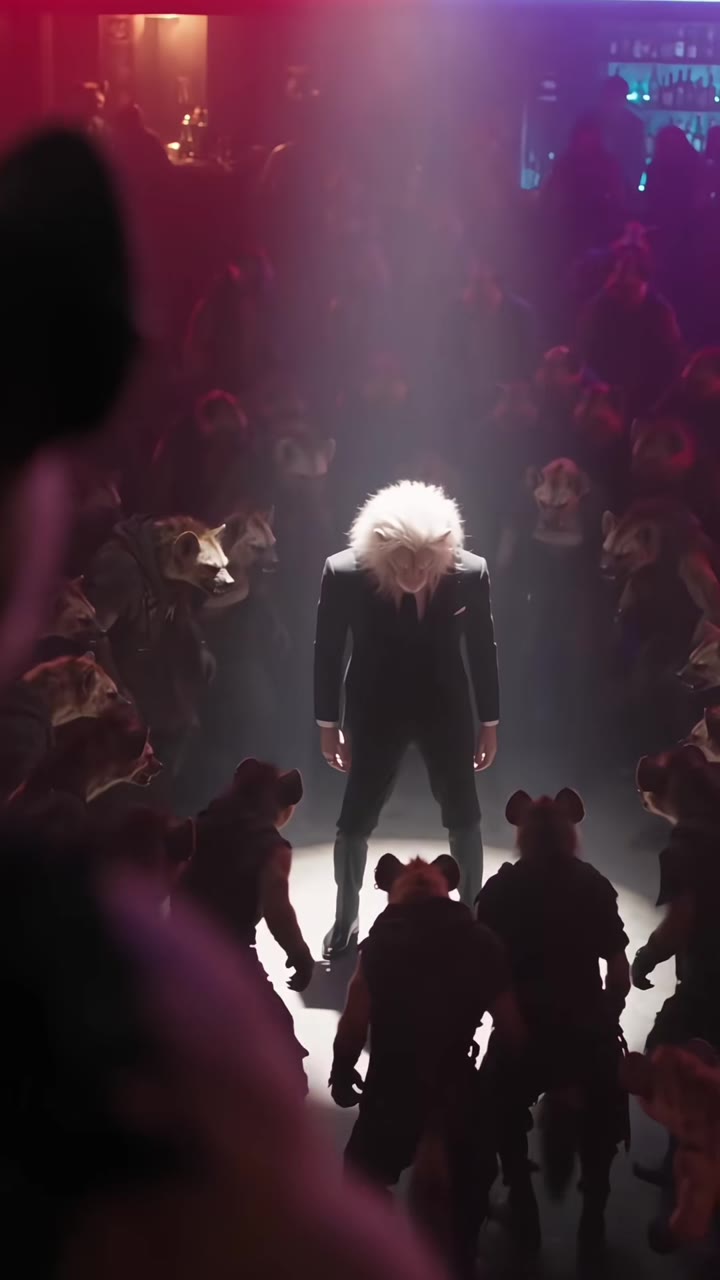
Variants seen so far include ordinary people in their own clothes as the lead, and a version where the backup dancers are fluffy cats in waistcoats.
This page makes your own 11-second version from one photo. You are the lead dancer in your own outfit, with a suited crew or a cat crew behind you, and the clip comes with the Uptown Funk sound already on it. It never uses the singers' faces.
Uptown Funk AI Video: shot by shot
- 0-2 s
Front and centre
Close-up of you singing along at the front, with a line of backup dancers at your shoulders on a retro city street.
- 2-3.8 s
The strut
Cut to a wide shot: you strut toward the camera with your arms swinging, the whole crew walking in step behind you.
- 3.8-5.5 s
Point at the lens
Medium shot: you throw a fist and point straight at the camera while the crew bobs to the beat.
- 5.5-8.3 s
Awning shimmy
Close-up under a striped shop awning: you shimmy your shoulders and wave a hand at the camera, cafe tables behind you.
- 8.3-9.2 s
Step-kick
Wide shot of the street: you and the crew hit the same step-kick together.
- 9.2-11 s
Fist pumps
Back to a medium shot: big fist pumps and swinging arms as the crew closes in around you.
Tips for a better result
Face the camera
The clip opens on a close-up of you singing. A straight, front-facing photo with your eyes visible gives the model your real face.
Show your outfit
Half of the clip is wide shots of you strutting. A waist-up or full-body photo shows the model your clothes and build, so the outfit stays the same in every cut.
Dress for funk
A bold shirt, a blazer or a hat you are already wearing in the photo fits the retro street look. Plain clothes work too; nothing is added that is not in your photo.
No sunglasses or masks
Clear glasses are fine. Sunglasses, masks and hands in front of the face hide what the close-ups are about.
Good to know before you make a Uptown Funk AI Video video
- The video comes with the Uptown Funk sound already on it. Your mouth moves loosely as if singing along, but it will not match the lyrics.
- You are the only lead: the backup dancers are new people (or cats) made by the model, not your friends.
- Likeness is not guaranteed and drifts most in the wide shots at 2 to 4 and 8 to 9 seconds, where your face is small.
- Only adults: photos of children, celebrities and public figures are not accepted. A failed, timed-out or blocked render returns its credits automatically.
Uptown Funk AI Video: questions
What is the Uptown Funk AI trend?
The Uptown Funk AI trend is a TikTok edit, spreading since October 2026, in which one photo turns you into the lead dancer of the street dance from the 2014 Uptown Funk music video. On videosi you make your own 11-second version from one photo, with a suited crew or a cat crew behind you and the song already on the clip.
What does Uptown Groove mean on TikTok?
On TikTok, Uptown Groove is the name TikTok tutorials use, since about 22 October 2026, for the same one-photo Uptown Funk street dance edit, after a template in the PixVerse app. videosi makes the same idea on the web: upload one photo and get an 11-second clip of you leading the dance, with no app to install and no link to copy.
How do I do the Uptown Funk AI dance trend from one photo?
Upload one photo of yourself to videosi, pick one of 2 crews (suited street crew or cat crew) and 9:16, 1:1 or 16:9, and press Generate. The Uptown Funk AI video is an 11-second MP4 with the trend sound on it, and you write no prompt: the cuts, the strut and the step-kick are built in. Rendering takes several minutes.
Is there an Uptown Funk AI video generator website?
Yes. videosi (videosi.io) is a web Uptown Funk AI video generator that turns one photo into the 11-second street dance, with no app to install. The motion, the crew and the prompt are built in, so you only choose the photo, the crew and the format. A standard video (Standard model, 720p) is 10 credits, with no watermark.
Is there an Uptown Funk CapCut template or TikTok filter?
Most Uptown Funk AI edits on TikTok in October 2026 point to a PixVerse template called Uptown Groove rather than a TikTok filter, and templates change or disappear often. videosi is independent and not affiliated with TikTok, CapCut or PixVerse. It is a web tool: upload one photo and download an 11-second MP4 with the sound on it.
What AI model or prompt makes the Uptown Funk AI video?
videosi makes the Uptown Funk AI video with ByteDance's Seedance model (Seedance 2.0 Mini by default; Fast, Pro and Seedance 2.5 Ultra are one click away) from a five-part prompt plus an 11-second motion reference clip. The full prompt is built in rather than published. Typed prompts alone usually lose the cuts and the crew.
How much does the Uptown Funk AI video cost?
The Uptown Funk AI video on videosi is not free: there is no free generation and no free trial. A standard 11-second video (Standard model, 720p) is 10 credits; better models and higher resolutions cost more. Credit packs start at $6.99 for 10 credits and never expire, plans start at $29.90 a month, and a failed render returns its credits.
Trending this week
All trends this week

More effects like this
All dance effects
Make your Uptown Funk AI Video video
Upload a photo and press Generate. 10 credits, refunded if it fails.
Get the next trend first
One email when new trends land on videosi, about once a week. Unsubscribe in one click.
See videosi first on Google
Add videosi as a preferred source and our trend pages show up first in your Top Stories and AI answers on Google.