The car jump AI video is a 10-second clip in which you snap your fingers and an off-road truck flies over the ridge behind you and lands at your back, and it is generated, not filmed. On videosi you make it from one photo with no prompt to write. This guide covers what the basic FAQ does not: the joke, the unconfirmed origin and song, the own-car version, why the prompt alone fails, and what to check before you post.
Key takeaways
- It is a gag about an unbothered person and a huge stunt behind them. The earliest posts we found are from 28 September 2026; the original creator and the song are unconfirmed.
- A prompt alone rarely works. The jump needs a motion reference clip to time the snap, the hang and the landing.
- The videosi clip is 10 seconds, silent and visuals only. You cannot upload your own car on this page yet.
- A standard 10-second video costs 9 credits, and a failed render returns them.
- Label the post as AI-generated before you publish.
In this guide
- What does the car jump trend mean, and why is it funny?
- Where did the car jump AI trend start?
- What song is used in the car jump trend?
- How do people make the car jump video with their own car?
- Why is the car jump AI video prompt not enough on its own?
- Why does the truck clip through the chair or morph mid-air?
- What photo works best for the car jump AI video?
- Desert, meadow or country road: which version should you pick?
- What should you know before posting the car jump video?
- Can you make the car jump AI video on your phone?
What does the car jump trend mean, and why is it funny?
The joke is the lack of reaction. A person sits on a folding camp chair in an empty landscape, snaps their fingers, and an off-road truck explodes over the ridge behind them. It hangs in the air above their shoulder and slams down at their back, while they keep looking into the lens like someone who just called a cab.
There is no deeper meaning. It is a flex built on contrast: huge, loud spectacle behind a person who is completely unbothered. The snap is what turns it into a punchline, because it makes the chaos look like something the person ordered. The slow-motion hang is the long beat where the audience waits for the landing.
Where did the car jump AI trend start?
We do not know who started it. The earliest posts we found are from 28 September 2026, and tutorials began appearing from 29 September 2026. One tutorial credits a creator as the source, but we could not find the original clip, so the first creator is unconfirmed and we do not name anyone.
What we can say is how it spread. It moved mostly through how-to videos and template accounts, not through a single famous post. It is still small and only just starting to travel, with desert, meadow and country road versions, and some people swapping in a picture of their own vehicle.
What song is used in the car jump trend?
This is unconfirmed. We could not verify a single track that most posts share, so we are not going to guess a title. Trend sounds in short-video apps also change quickly and can disappear from a region, so a name that was right last week may be wrong today.
The practical answer is to pick the sound inside the app. When you post, browse the sounds attached to recent car jump clips and choose the one that is available to you. The videosi clip is silent by design, so whatever you choose will not fight with generated audio.
How do people make the car jump video with their own car?
The own-car version is made with motion-transfer tools. You give the tool a clear photo of your vehicle plus a short reference clip that supplies the jump, and the tool replaces the vehicle in the reference with yours. Tutorials from 29 September 2026 show this done with Higgsfield's motion transfer, and later ones with CapCut's AI video tools. Those apps change often, so follow the steps inside them.
Our car jump AI video page does not support this yet. It takes one photo of you and puts you in front of one of three built-in generic off-road vehicles, with no badges, lettering or readable plate. You cannot upload a photo of your own car there.
Why is the car jump AI video prompt not enough on its own?
People search for the prompt, but the text is only half the recipe. The jump depends on timing: a hand rises at about 3 seconds, the snap lands at 3.5, the truck bursts up, hangs through the slow-motion stretch to about 8 seconds, then lands. A written prompt can describe those beats, but a video model has no reliable internal clock to place them.
A reference clip fixes that. It supplies the camera push-in, the moment of the snap, the arc of the jump and the landing, and the prompt then says what to take from it and, just as important, what to ignore. Without the reference, general video models tend to bring the truck in from the side, show it before the snap, or skip the slow-motion hang.
This is also why we do not publish our full prompt. Copied text alone rarely reproduces the trend, and it invites people to burn credits on tries that cannot work. The page builds the identity lock, the motion reference, the vehicle and place, the six-beat timeline and the rules for you.
Why does the truck clip through the chair or morph mid-air?
The landing is the hardest beat. Video models are good at plausible motion and weak at keeping two solid objects from overlapping, so a heavy vehicle coming down right behind a chair is where things go wrong. The truck can clip into the chair or into you for a few frames, or it can change shape.
Other common failures are a fifth wheel, a colour shift mid-air, a second vehicle that appears in the dust, and a face that drifts while the dust cloud passes. Dust is difficult because it hides detail and the model has to invent what is behind it.
The prompt guards against this by keeping the truck one rigid object, forbidding contact with the chair and locking the person's look to the photo. That reduces the problem; it does not remove it. Likeness is not guaranteed, and the seconds around the landing are where it slips most. If one render looks wrong, try again with the same photo before you change anything.
What photo works best for the car jump AI video?
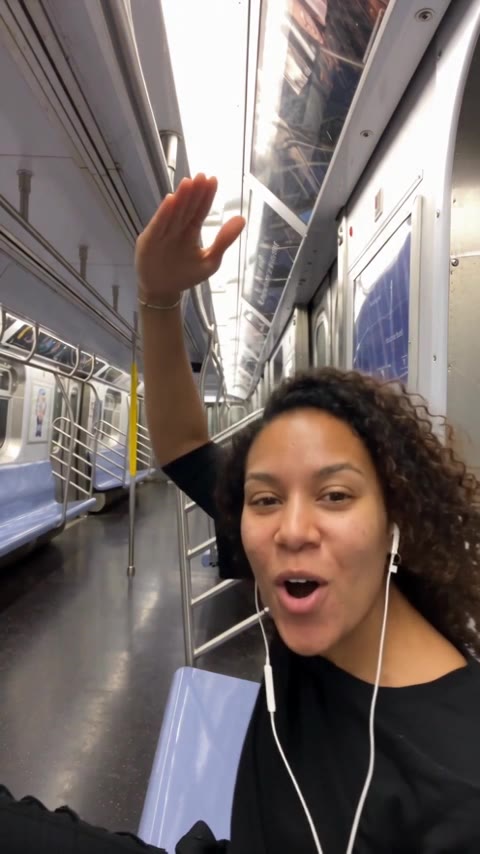
Use one front-facing photo of you with your upper body visible, ideally sitting, in soft and even light. The model copies your face, hair, build and outfit from that one image and holds them for all 10 seconds, so the photo sets the ceiling for the result.
Avoid tight face crops, sunglasses, hats, strong flash and heavy filters. A cropped face leaves the model to invent your body, and accessories can flicker once the dust starts. Wear the outfit you want to see, because the clothing is taken from the photo too, shoes included if they show.
Desert, meadow or country road: which version should you pick?
The three places change the mood, not the choreography. The snap, the jump and the landing are identical in all of them.
Desert has a red-orange pickup at golden hour with pale dunes behind you. It is the classic look and the one most people mean by the desert car jump, with strong low light and thick dust. The meadow version uses a hot-pink SUV on an autumn hillside at sunset and reads as the more playful take. The country road version has a dark grey pickup on a dirt road through green fields in bright afternoon sun, and it looks the most like an ordinary day going wrong.
What should you know before posting the car jump video?
First, label it. TikTok's community guidelines say creators must label AI-generated or significantly edited content that shows realistic-looking scenes or people, and unlabeled content can be removed, restricted or labeled by the platform. A realistic person with a flying truck is exactly that case, so use the in-app AI-generated content label when you post. You can read the rules in TikTok's guidance on edited media and AI-generated content.
In Europe, the EU AI Act is moving in the same direction. Article 50 requires deployers of deepfake-style content to disclose that it was artificially generated or manipulated, with a lighter duty for evidently creative or satirical work. A clip like this is clearly playful, but a plain disclosure costs nothing.
Second, do not attempt the stunt. Nothing about this is real, and a vehicle will not clear a ridge over a seated person. Make that obvious in your caption if you are worried viewers might copy it. Third, the videosi vehicles have no badges, lettering or plates, and you should avoid adding real brand logos or a recognisable plate in an own-car version, since those can raise trademark and privacy questions. Finally, make your own clip instead of re-uploading someone else's, which belongs to them.
Can you make the car jump AI video on your phone?
Yes. You can upload a photo from your phone, choose the vehicle and place, pick 9:16 for vertical posting and press Generate. Rendering takes several minutes, and the finished clip is saved in My creations, where you can download it as an MP4 without a watermark.
The limits are worth knowing. The clip is 10 seconds, silent, and visuals only, so you add the sound when you post. You cannot upload your own car. And there is no free generation: a standard 10-second video (Standard model, 720p) costs 9 credits, a single pack is $6.99 for 10 credits that never expire, and plans start at $29.90 a month. A failed render returns its credits.
Our model family is ByteDance's Seedance, which ByteDance Seed describes as offering stable, physically plausible movement. Ready? Open the car jump AI video page and upload one photo.