Thank You Baby AI: The Thank You Baby Trend, Starring Your Baby
Your little one grins at the camera, sways, laughs and tilts their head onto one shoulder, just like the Thank You Baby clips. One photo of your own baby is all it takes.
Updated : Page published.
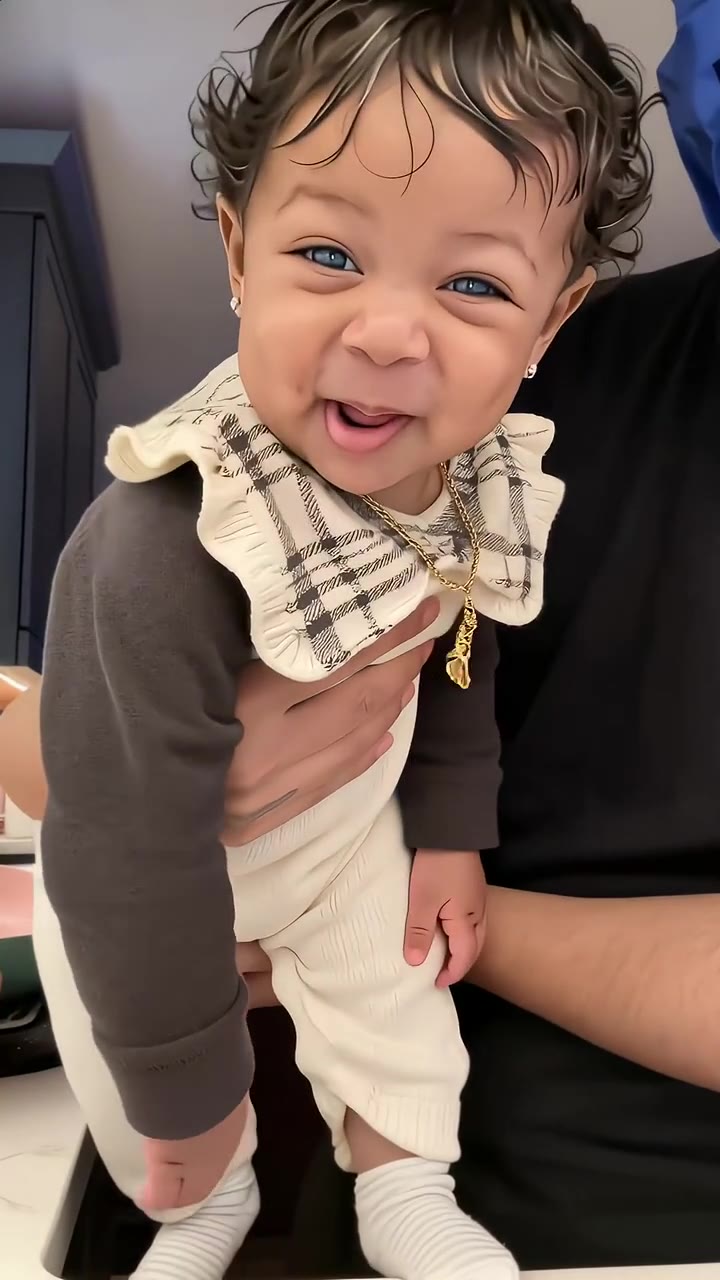
1Add your photo
Front-facing, well-lit selfies work best. One face per photo.
2Scene
3Choose quality
By generating you confirm you have permission to use the people in your photos. Terms
In one sentence
The Thank You Baby trend is a 15-second AI clip in which a toddler grins at the camera, sways, laughs and rests a cheek on one shoulder to a "thank you baby" sound; videosi makes it from one photo of your own baby.
- Fast facts
- First seen
- Stage
- Spreading
- Started on
- TikTok (unconfirmed)
- Sound
- Posts use a TikTok "original sound" with the words "thank you baby"; the source song is unconfirmed, and a link to a 50/50 Twins line dance is unconfirmed.
- Meaning
- "Thank you baby" is the caption and sound of an October 2026 AI trend in which a toddler grins at the camera, sways and shyly rests a cheek on one shoulder.
- Related trends
- AI Dance, Buggin Dance
Page updates
- October 26, 2026 — Page published.
How it is made
The Thank You Baby AI Dance prompt and model
Thank You Baby AI Dance is made with Seedance 2.0 / 2.5 (you pick the tier) by ByteDance. The prompt behind it has 5 parts, and the timing is what makes or breaks it.
- Model
- Seedance 2.0 / 2.5 (you pick the tier)
- Mode
- Photo + motion reference to video
- Length
- 15 seconds, 9:16, 1:1 or 16:9
- Input
- 1 photo
- Identity lock Your baby's photo is the only source for face, hair, skin tone and build, kept the same age in every frame, always normally dressed.
- Motion reference A 15-second clip of the original trend supplies the grin, sway, laugh, head tilt and timing, and nothing else.
- Scene The car back seat, a kitchen floor or a living room, described down to light, floor and camera height.
- Timeline Six beats over 15 seconds, from the first shy smile to the cheek on the shoulder and the proud smile.
- Rules One child, always dressed, no adult in frame, no falls, static scene, no text, logos or watermark.
Photorealistic handheld phone footage, 15 seconds, one continuous take, natural daylight, eye level with the child. Image 1 shows the parent's own baby or toddler…
Why it goes wrong when you do it yourself
- Without an identity lock that names the child's features, the model drifts toward a generic stock baby and the family cannot tell it is yours.
- Video models like to age babies up or down over 15 seconds; the prompt has to pin the age in every beat.
- Without a motion reference the head tilt lands early or never, and the cheek-on-shoulder moment that makes the trend is lost.
- Each try costs credits and several minutes, and a plain text prompt usually needs several tries to keep the face steady through the tilt.
Thank You Baby AI Dance examples
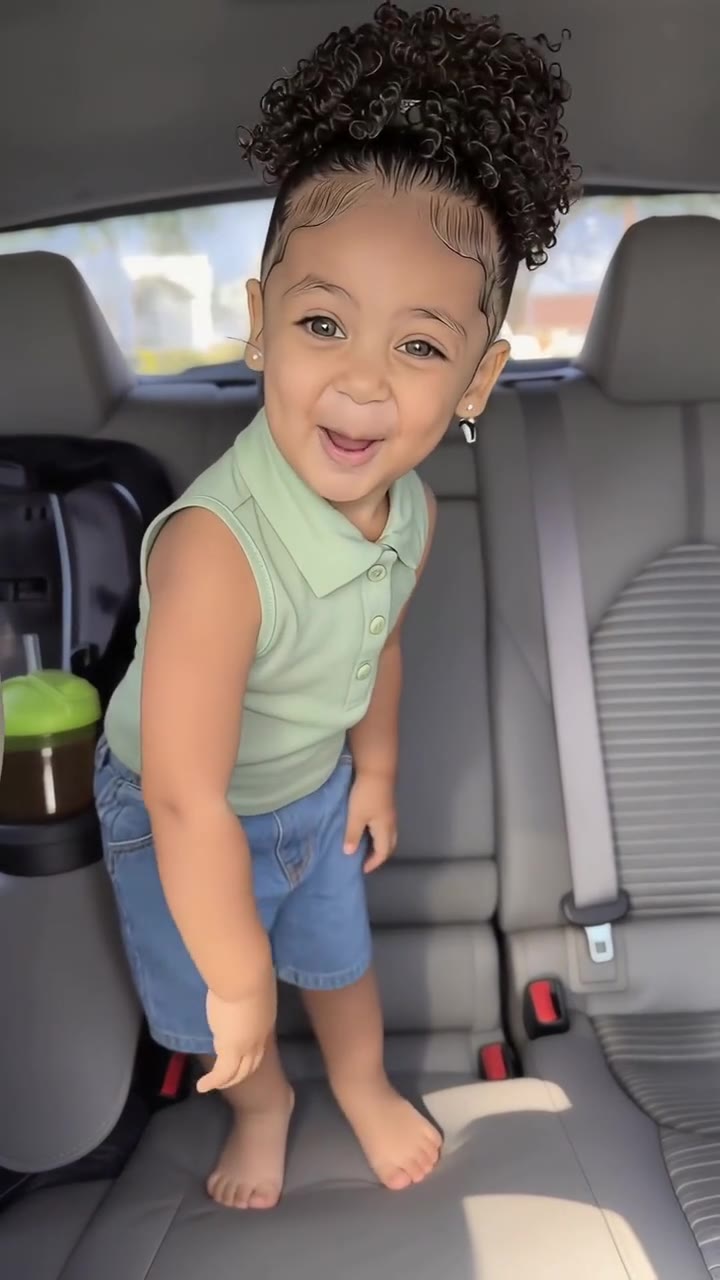
Car seat head tilt
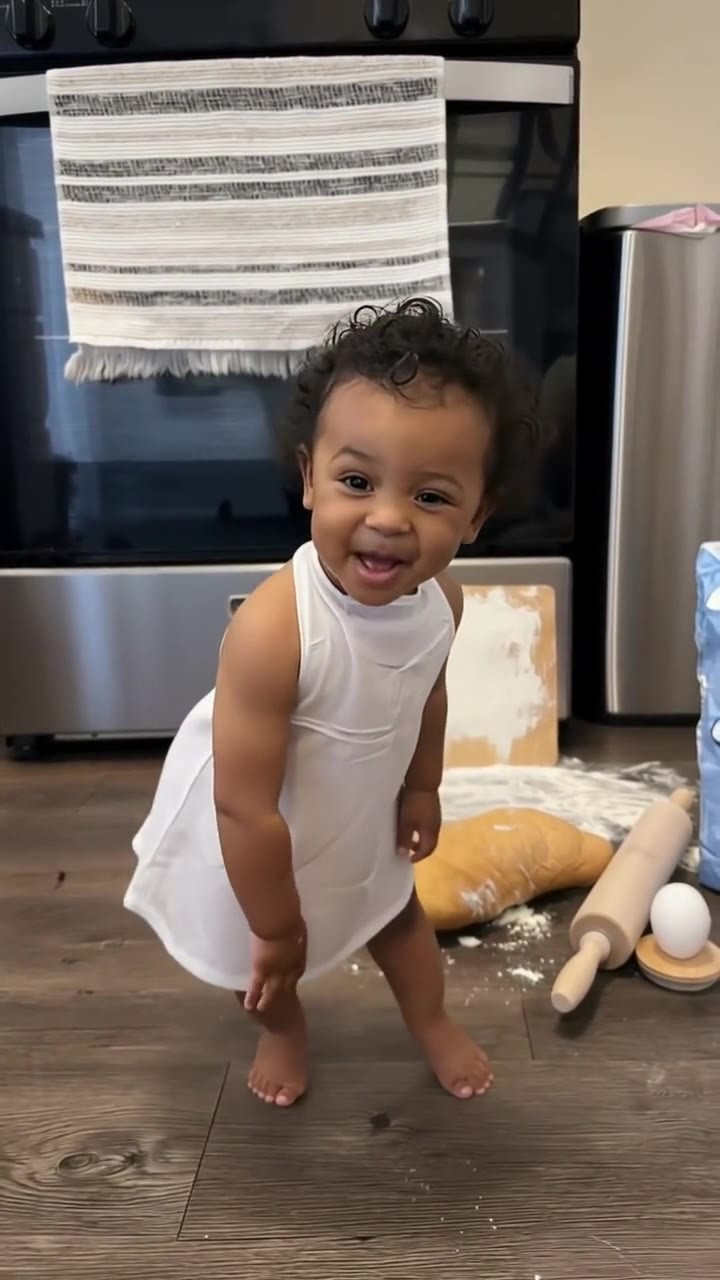
Kitchen floor sway
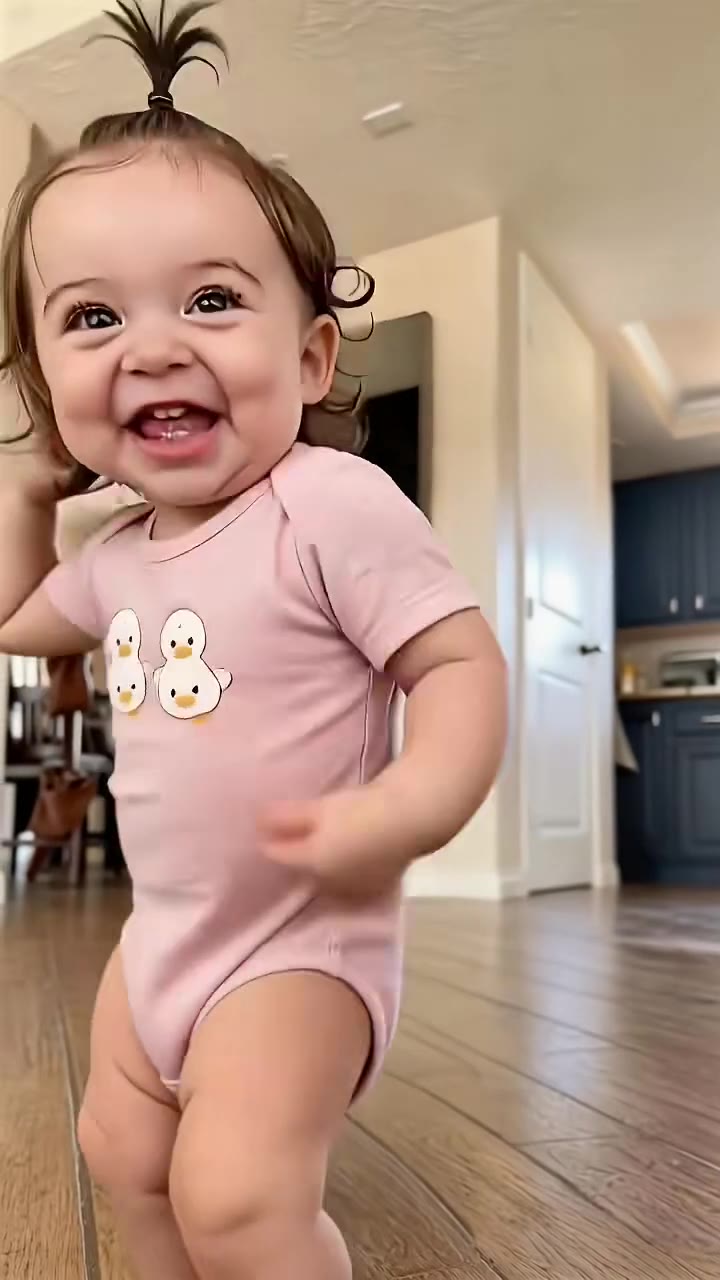
Speed version, living room
How to make your Thank You Baby AI Dance video
Upload one photo of your own baby
You must be the parent or legal guardian. Face to the camera, sharp and evenly lit, head to waist in frame, in normal everyday clothes.
Pick the scene and the format
Choose the car back seat of the original clip, a kitchen floor or a living room, then 9:16 for TikTok, Reels and Shorts, 1:1 or 16:9.
Generate and download
Press Generate and the 15-second Thank You Baby clip is rendered for you, a silent MP4 with no watermark.
Add the sound and post
The clip is silent. Add the "thank you baby" sound from TikTok's or Instagram's library when you post, and turn on the platform's AI-generated label.
What is the Thank You Baby AI Dance trend?
Updated · videosi is an independent tool. It is not affiliated with TikTok, Instagram, YouTube, or with the owners of any trend, song, game or brand named on its pages.
The Thank You Baby trend is a 15-second AI video of a toddler. The child stands facing a phone camera, breaks into a shy grin, sways from side to side, laughs, then tilts their head until one cheek rests on their shoulder, and ends with a proud, bashful smile. The caption is almost always just "Thank you baby", and the sound underneath says the same words.
The earliest clip we found was posted on TikTok on 5 October 2026: a toddler in a blue T-shirt standing on the back seat of a car, tagged #capcut, #capcutpioneer and #pioneertemplate, which marks it as a CapCut template. Within days the same moves appeared with other babies in kitchens and living rooms, a version with an adult's hands holding the baby passed a million views, a faster "speed" version with pointing, waving and face-covering arrived around 9 October, and "thank you baby tutorial" posts followed. As of late October 2026 it is still a young trend.
Most posts use a TikTok "original sound" rather than a named song, and nobody we could check has confirmed where the "thank you baby" audio comes from. Some TikTok pages link it to a line dance by the 50/50 Twins; that link is unconfirmed.
This page is for parents: upload one photo of your own baby or toddler, pick a scene, and videosi animates them through the same grin, sway and head tilt. The movement and the prompt are built in. It is not the general AI dance page (an adult dancing to any sound) and not the strawberry baby (your adult face on a dancing strawberry figurine).
Thank You Baby AI Dance: shot by shot
- 0–2 s
The shy grin
Your baby faces the camera, looks straight into the lens and a small smile breaks out.
- 2–6 s
The sway
A gentle side-to-side sway from the hips and shoulders, with a little bounce on the knees.
- 6–8.5 s
The big laugh
An open-mouthed laugh and a small lean toward the lens and back.
- 8.5–11 s
The head tilt
The head tilts slowly to one side with a sweet grin, shoulders lifting.
- 11–12.5 s
Cheek on the shoulder
One cheek rests on the shoulder and the eyes squint: the shy moment everyone replays.
- 12.5–15 s
The proud smile
Back upright, lips pressed into a proud closed-mouth smile, shoulders scrunched.
Tips for a better result
Only your own child
Upload a photo of your own baby or toddler, taken by you or your family. Never use another family's child, a stranger's photo or a photo from social media.
Everyday clothes only
Use a photo where your baby is dressed: a T-shirt, a romper, a onesie. Do not upload bath, beach or nappy-only photos.
A real smile helps
The whole trend is about the face. A photo where your baby is smiling at the camera carries the grin and the laugh far better than a sleepy or crying one.
Show more than the face
A photo from head to waist, or full body, gives the model the shoulders and arms for the sway and the head tilt. Avoid hats, dummies and hands over the face.
Good to know before you make a Thank You Baby AI Dance video
- This page is for a photo of your own baby or toddler, uploaded by a parent or legal guardian aged 18 or older. Photos of other people's children are not allowed.
- The head tilt is the hardest beat: when the face turns from the front view in your photo, the likeness can drift a little.
- The video is silent. Add the "thank you baby" sound yourself in the app you post from.
- Likeness is not guaranteed. A failed, timed-out or blocked render returns its credits automatically.
Thank You Baby AI Dance ideas and prompts
| Idea | Prompt | |
|---|---|---|
| Car back seat, like the original | Your toddler stands on the back seat of a parked car in afternoon sun, grins, sways and rests a cheek on the shoulder. | |
| Kitchen floor | Your baby sways barefoot on a warm kitchen floor by the oven, laughing into the camera before the shy head tilt. | |
| Living room | Your toddler grins and sways in a bright living room, the camera low at their eye level, then tilts onto one shoulder. |
Thank You Baby AI Dance: questions
What is the Thank You Baby trend on TikTok?
The Thank You Baby trend is a 15-second AI video, first seen on TikTok on 5 October 2026, in which a toddler grins at the camera, sways, laughs and rests a cheek on one shoulder to a "thank you baby" sound. videosi makes the same clip from one photo of your own baby, with no prompt to write.
How do I do the Thank You Baby trend with my baby's photo?
Upload one photo of your own baby to videosi, pick one of 3 scenes (car back seat, kitchen or living room) and 9:16, 1:1 or 16:9, then press Generate. You get a 15-second silent MP4 of the Thank You Baby moves. Rendering takes several minutes and the result is saved in My creations if you close the page.
Is there a website or generator for the Thank You Baby AI video?
Yes. videosi (videosi.io) is a web tool that makes the Thank You Baby AI video from one baby photo, on a phone or a computer. The grin, sway and head tilt and the prompt are built in, so you choose only the photo, the scene and the format. The 15-second MP4 downloads without a watermark.
Is Thank You Baby a CapCut template?
Yes, the first Thank You Baby posts from October 2026 are tagged #capcut, #capcutpioneer and #pioneertemplate, so they come from a CapCut template, and templates change or disappear often. videosi is independent of TikTok and CapCut: it makes a 15-second Thank You Baby video in your browser from one photo, then you add the sound where you post.
What does "thank you baby" mean in the trend?
"Thank you baby" is simply the caption and the words in the sound of the trend, which started on TikTok in October 2026; there is no hidden meaning. The toddler's shy grin and cheek-on-the-shoulder look read like a sweet thank-you. videosi makes the 15-second version with your own baby's face.
What is the Thank You Baby song on TikTok?
Most Thank You Baby posts use a TikTok "original sound" with the words "thank you baby", and the song it comes from is unconfirmed; some TikTok pages link it to a 50/50 Twins line dance, which we could not verify. The videosi Thank You Baby video is 15 seconds and silent, so add the sound from TikTok's library when you post.
How is the Thank You Baby AI different from AI dance, strawberry baby or Baby Dance AI?
The videosi Thank You Baby page animates a photo of your own baby through the trend's 15-second grin, sway and head tilt. The AI dance page makes an adult dance to any sound, and the strawberry baby page puts an adult face on a dancing strawberry figurine. Our sister site babydanceai.app makes the car-seat version with the sound already added.
Trending this week
All trends this week

More effects like this
All dance effects
Go deeper on Thank You Baby AI Dance
With the trend sound built in ↗
Our sister site Baby Dance AI makes the original car-seat Thank You Baby clip with the trend's sound already on the MP4, plus other AI baby dance templates. It has its own account and credits.
Dance as yourself ↗
Want a grown-up dancing instead? The AI dance page turns one full-body photo of an adult into a short pop, hip-hop or silly dance.
Make your Thank You Baby AI Dance video
Upload a photo and press Generate. 13 credits, refunded if it fails.
Get the next trend first
One email when new trends land on videosi, about once a week. Unsubscribe in one click.
See videosi first on Google
Add videosi as a preferred source and our trend pages show up first in your Top Stories and AI answers on Google.