Instagram Journey Trend: Your IG Receipt Prints Out, Starring You
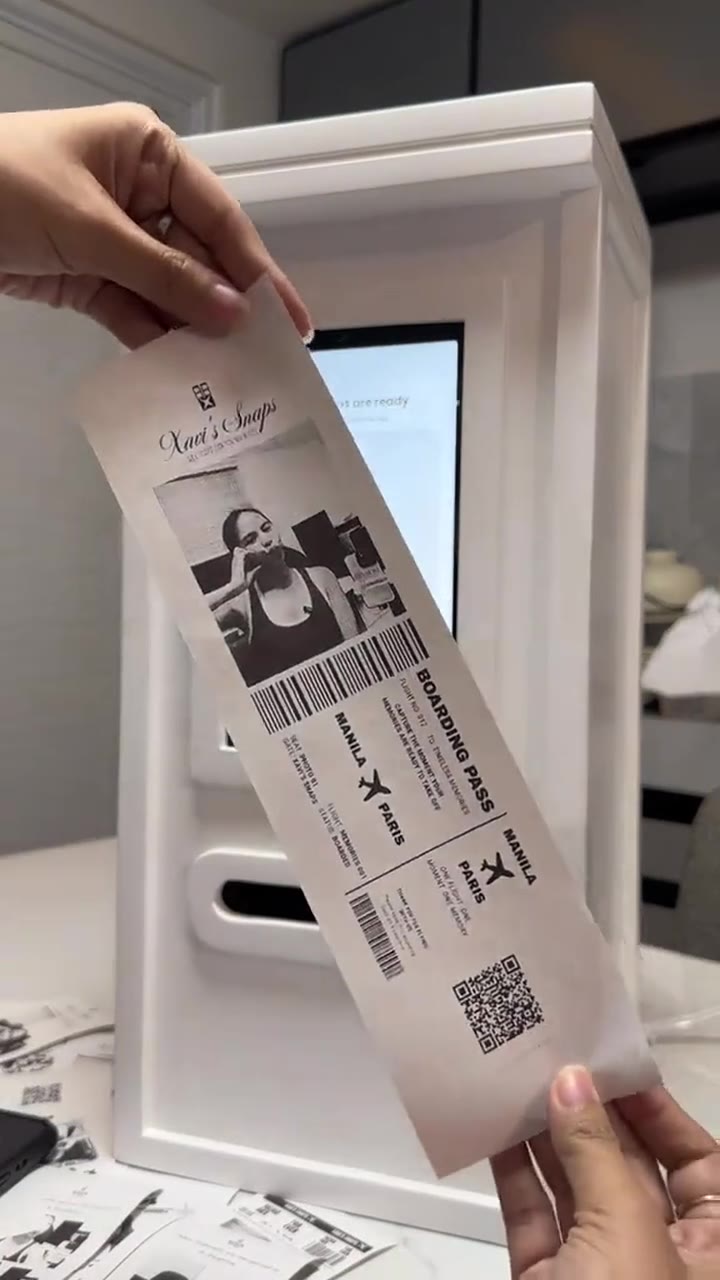
Your Instagram receipt slides out of a photobooth with your profile picture, username, followers and total years active circled in blue pen, then gets held up to the camera. All it needs is one screenshot of your profile.
Updated : Page published.
1Add your photo
Front-facing, well-lit selfies work best. One face per photo.
2Total years active
3Choose quality
By generating you confirm you have permission to use the people in your photos. Terms
In one sentence
The Instagram Journey trend is an IG receipt edit that lists your username, member-since year, posts, followers and total years active; videosi turns it into an 8-second clip of your receipt printing out of a photobooth, and videosi makes it from one screenshot of your profile.
- Fast facts
- First seen
- Stage
- Spreading
- Started on
- YouTube (unconfirmed)
- Sound
- No single sound; it started as a still photo edit.
- Meaning
- The Instagram Journey trend is a photo edit that shows an Instagram account as a crumpled receipt with the username, member-since year, posts, followers, following and a circled total years active line.
- Related trends
- Instagram Profile Cleaning AI Video
Page updates
- October 28, 2026 — Page published.
How it is made
The Instagram Journey Trend prompt and model
Instagram Journey Trend is made with Seedance 2.0 / 2.5 (you pick the tier) by ByteDance. The prompt behind it has 5 parts, and the timing is what makes or breaks it.
- Model
- Seedance 2.0 / 2.5 (you pick the tier)
- Mode
- Profile screenshot + motion reference to video
- Length
- 8 seconds, 9:16 or 16:9
- Input
- 1 photo
- Receipt swap The receipt in a real photobooth clip is replaced with your IG receipt; the booth, hands and camera stay.
- Identity lock The photo on the receipt is the face from your profile picture, printed in black and white.
- Receipt layout Username, member-since year, posts, followers, following and total years active in receipt type, with the blue pen circle and stickers.
- Timeline Four beats in 8 seconds: empty slot, printing, tear off, reveal.
- Rules One receipt, numbers copied from your screenshot, no flight details or booth brand, natural hands, no captions.
Replace the boarding-pass photo receipt in Video 1 with an Instagram Journey receipt built from the profile screenshot in Image 1.…
Why it goes wrong when you do it yourself
- Chat tools make a nice still receipt but cannot move it; animating that still in a second app usually melts the text.
- Without a fixed layout the model invents its own receipt: random prices, a shop name, a QR code, and no TOTAL YEARS ACTIVE line.
- Usernames and counts drift from frame to frame unless they are pinned to one screenshot and told to stay the same.
- Copied tutorial prompts ask for your join year, which you then have to look up and type by hand for every try.
Instagram Journey Trend examples
Receipt booth print
Catching the receipt
Showing off the print
How to make your Instagram Journey Trend video
Screenshot your profile
Open your Instagram profile, check that the profile picture shows your face, and screenshot the top of the page with the username and the three counts.
Pick your years
Choose your total years active, 1 to 12. The member-since year is worked out from it. Choose 9:16 for Reels.
Generate
Press Generate. The 8-second clip renders in the background and lands in My creations as an MP4 without a watermark, with the trend's original sound.
Post it
Post it as a Reel or story with your own caption about your Instagram journey, and switch on the AI label.
What is the Instagram Journey Trend trend?
Updated · videosi is an independent tool. It is not affiliated with TikTok, Instagram, YouTube, or with the owners of any trend, song, game or brand named on its pages.
The Instagram Journey trend, also called the IG receipt effect, turns an Instagram account into a crumpled shop receipt. The edit shows the profile picture, the @username, a MEMBER SINCE year, dotted lines for posts, followers and following, and the punchline: TOTAL YEARS ACTIVE, circled in blue ballpoint with a scribbled "omg!" and a few holographic heart and star stickers.
It spread as a photo edit. Around 28 October 2026 several YouTube tutorials titled "Instagram Viral Journey Trend Photo Editing" appeared within hours of each other, mostly from Indian creators, showing how to make the receipt with a pasted prompt in ChatGPT or Gemini. We have not found a single original post, and no single sound goes with it.
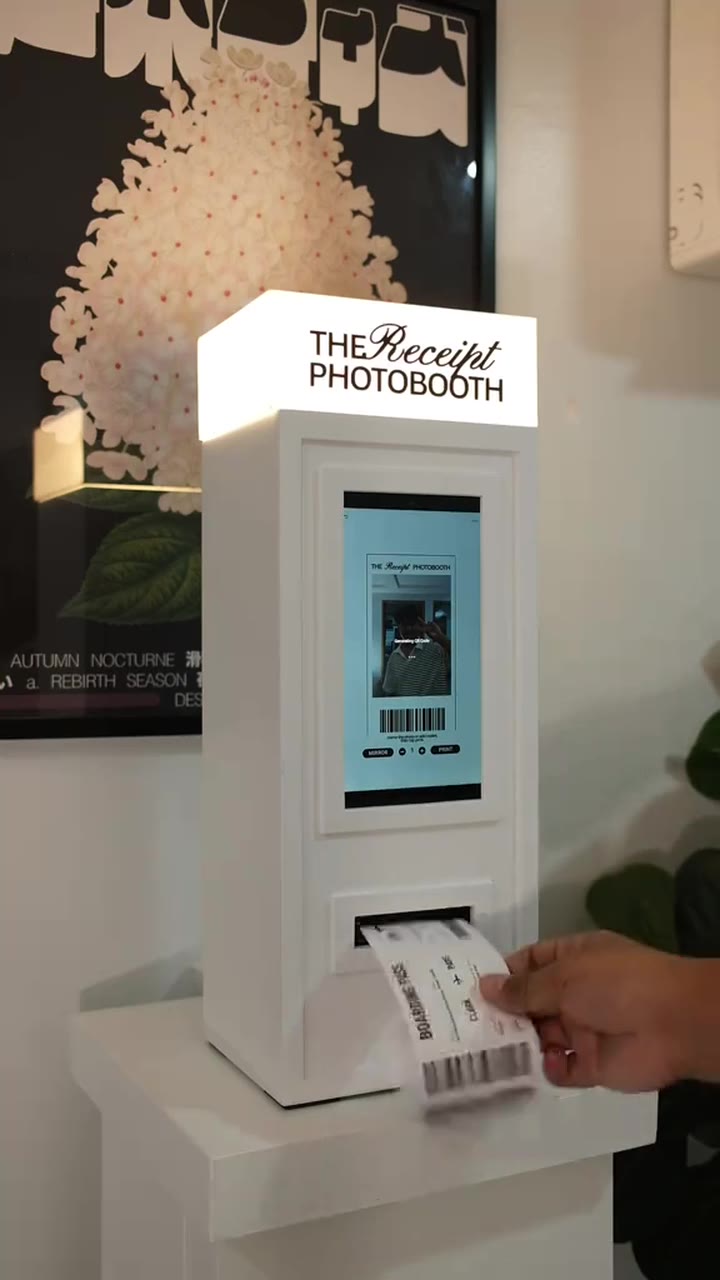
The still image is the whole trend so far. videosi makes the moving version: your receipt feeds out of a white photobooth, a hand tears it off and holds it up to the camera for the reveal. It follows a real receipt-photobooth clip for the motion and uses your profile screenshot for the photo, username and counts.
You choose the years active yourself, because a profile screenshot does not show when you joined. It has only just started spreading, so treat it as an early trend.
Instagram Journey Trend: shot by shot
- 0–0.5 s
Empty slot
A white photobooth with a lit screen fills the frame; a hand waits under the print slot.
- 0.5–3.5 s
Printing
The receipt feeds out of the slot line by line, your black-and-white profile photo first.
- 3.5–4.5 s
Tear off
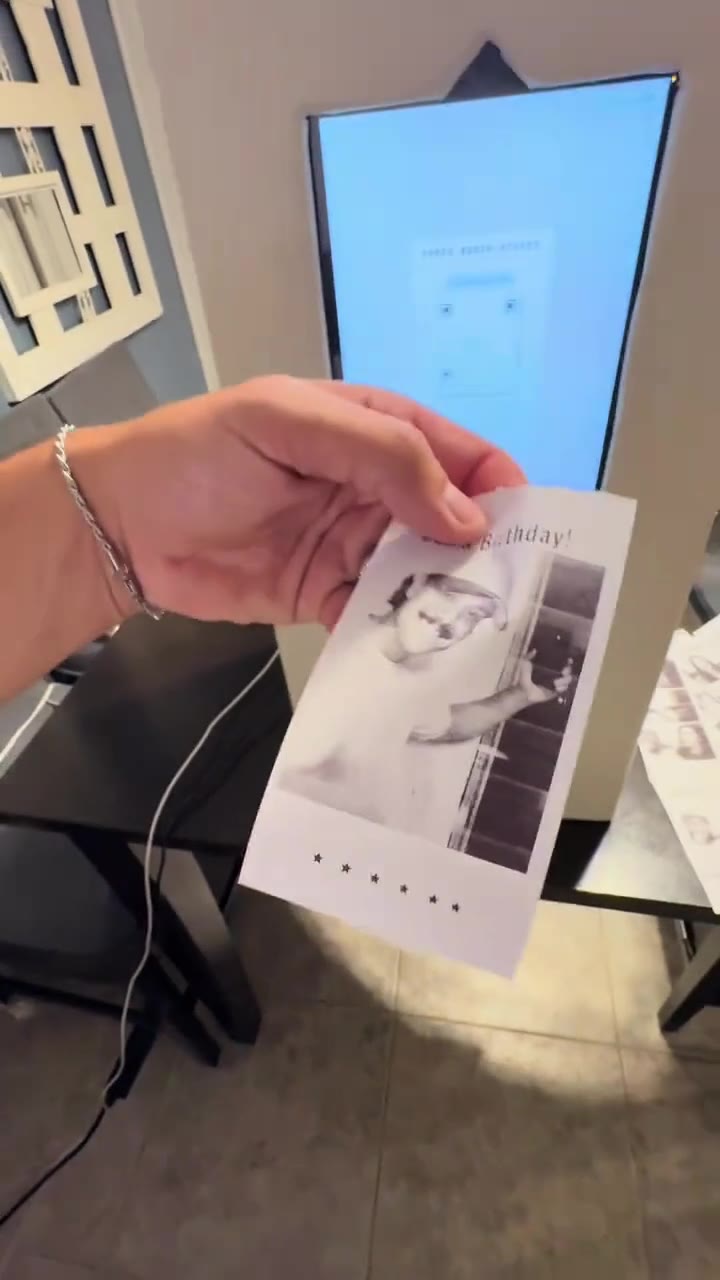
The hand grabs the paper and tears it off the roll in one pull.
- 4.5–8 s
The reveal
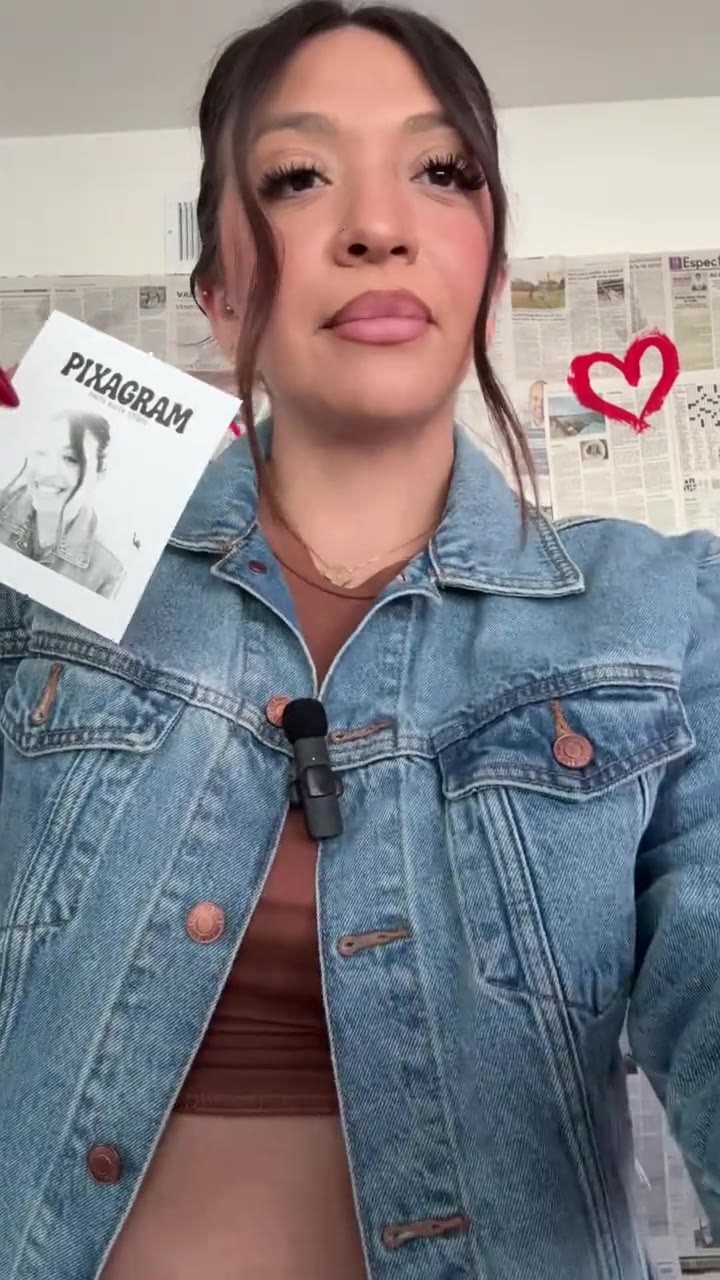
Both hands hold the receipt up diagonally in front of the booth: username, counts and the circled TOTAL YEARS ACTIVE line.
Tips for a better result
Big, sharp numbers
Crop the screenshot to the top of your profile so the username and the posts, followers and following counts are large. Small text is where errors creep in.
Face in the profile picture
The receipt photo comes from that small circle. A clear, front-facing photo of your face works best; logos, group photos and sunglasses do not.
Check your join date
Instagram shows it under About this account. Pick the matching years so the member-since line is right.
Hide what is private
Crop out notifications, story rings and anything personal in the bio before you upload.
Good to know before you make a Instagram Journey Trend video
- Small text such as the username and the counts can come out with a wrong digit or letter; exact text is not guaranteed.
- The face comes from a small profile picture and is printed in black and white, so likeness is weaker than with a full portrait.
- This is a video version of a photo trend: the receipt prints and is held up, it does not stay as a flat still image.
- A failed, timed-out or blocked render returns its credits automatically.
Instagram Journey Trend: questions
What is the Instagram Journey trend?
The Instagram Journey trend is a photo edit that turns your Instagram account into a crumpled shop receipt: your profile picture, @username, the year you joined, your posts, followers and following, and a TOTAL YEARS ACTIVE line circled in blue pen. Tutorials began spreading on YouTube around 28 October 2026. videosi makes an 8-second video version from one profile screenshot.
How do I make the Instagram Journey receipt with AI?
On videosi you upload one screenshot of your Instagram profile, pick how many years you have been active (1 to 12) and press Generate. You get an 8-second clip in which your receipt prints out of a photobooth and is held up to the camera, with the trend's original sound. There is no prompt to write.
Is there a website or generator for the Instagram Journey trend?
Yes. videosi (videosi.io) makes the Instagram Journey trend as an 8-second video from one profile screenshot, with the motion reference and prompt built in. A standard 8-second video (Standard model, 720p) is 7 credits, and the MP4 downloads without a watermark. Most tutorials only make a still photo with ChatGPT or Gemini.
Is there an Instagram filter or CapCut template for the IG receipt effect?
Not one we can confirm as of October 2026. The IG receipt is made with AI image tools from a prompt, not a live filter, and template links in tutorials come and go. videosi is independent and not affiliated with Instagram, Meta or CapCut; it turns one screenshot into an 8-second MP4 that you post yourself.
What is the Instagram Journey AI prompt, and which AI model is used?
Tutorials paste a long prompt into ChatGPT or Gemini to get the still receipt photo. videosi makes the moving version with ByteDance's Seedance video model (Seedance 2.0 Mini by default, with Fast, Pro and Ultra one click away), a five-part prompt and a real receipt-printing clip as motion reference. The full prompt is built in and not published.
How much does the Instagram Journey AI video cost? Is it free?
The Instagram Journey video on videosi is not free and there is no free trial. A standard 8-second video (Standard model, 720p) is 7 credits; better models and higher resolutions cost more. Credit packs start at $6.99 for 10 credits and never expire, purchases are final, and a failed render returns its credits.
Trending this week
All trends this week


More effects like this
All viral effects

Make your Instagram Journey Trend video
Upload a photo and press Generate. 7 credits, refunded if it fails.
Get the next trend first
One email when new trends land on videosi, about once a week. Unsubscribe in one click.
See videosi first on Google
Add videosi as a preferred source and our trend pages show up first in your Top Stories and AI answers on Google.