Fairy AI Video: The Fairy Transformation, Starring You
Your everyday photo turns into a fairy with glowing wings, standing in a moonlit forest or perched on a giant jack-o'-lantern. One photo of you is all it takes.
Updated : Page published.
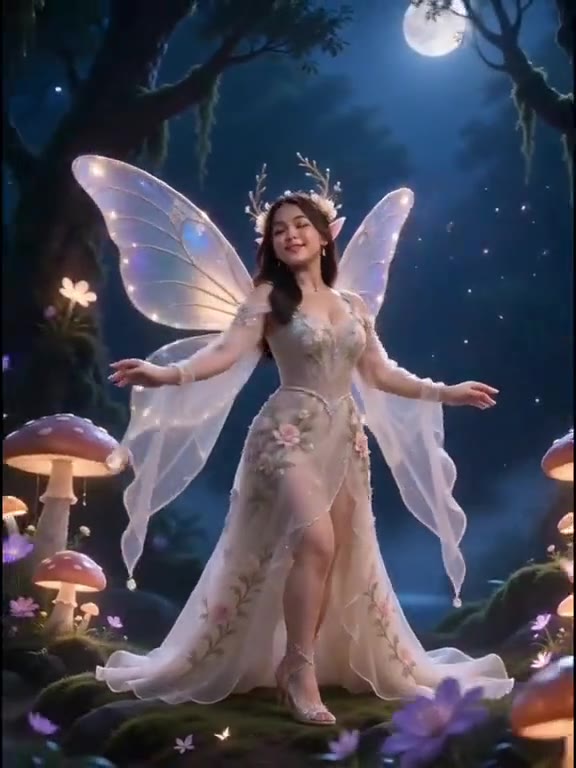
1Add your photo
Front-facing, well-lit selfies work best. One face per photo.
2Fairy look
3Choose quality
By generating you confirm you have permission to use the people in your photos. Terms
In one sentence
The fairy AI video is a 10-second transformation in which a normal photo of a person turns into an original fairy with translucent wings in a moonlit forest or on a glowing jack-o'-lantern; videosi makes it from one photo of you.
- Fast facts
- First seen
- Stage
- Just starting
- Started on
- TikTok (unconfirmed)
- Sound
- No original song is confirmed; the videosi video comes with the trend's original sound.
- Meaning
- The fairy AI video is a short glow-up in which an ordinary photo turns into a fairy transformation: the clothes become a gown, the backdrop melts into a night forest and translucent butterfly wings open behind the person.
- Related trends
- Flying Broom AI
Page updates
- October 18, 2026 — Page published.
How it is made
The Fairy AI Video prompt and model
Fairy AI Video is made with Seedance 2.0 / 2.5 (you pick the tier) by ByteDance. The prompt behind it has 5 parts, and the timing is what makes or breaks it.
- Model
- Seedance 2.0 / 2.5 (you pick the tier)
- Mode
- Photo + motion reference to video
- Length
- 10 seconds, 9:16 or 16:9
- Input
- 1 photo
- Identity lock Your photo is the only source for face, hair and skin tone, held identical from the first frame to the final close-up.
- Motion reference A silent 10-second transformation clip supplies the timing of the outfit change, the pull back and the push in, and nothing else.
- Scene and fairy look An original fairy gown, wings and setting: a moonlit blue forest or a Halloween night on a giant jack-o'-lantern.
- Timeline Six beats: portrait, butterflies and outfit change, forest reveal, wings opening, wide shot, close-up.
- Rules One person, the same face throughout, wings attached and steady, no wand, no film characters, no text or slow motion.
Photorealistic cinematic fantasy footage, 10 seconds, one continuous shot, soft moonlit lighting. Image 1 is the only source for the person: face, eye colour, skin tone…
Why it goes wrong when you do it yourself
- Without a motion reference the model often cuts straight to a fairy who is a stranger, because a full outfit change pulls the face away from the photo.
- Wings tend to multiply, change shape between shots or float off the back unless the prompt pins one pair to the shoulders.
- Asking for a "blue fairy" or a "fairy with a wand" drifts toward famous film characters, which platforms and stores may reject.
- Each try costs model credits and several minutes, and the timing of the change and the final close-up usually need several tries.
Fairy AI Video examples
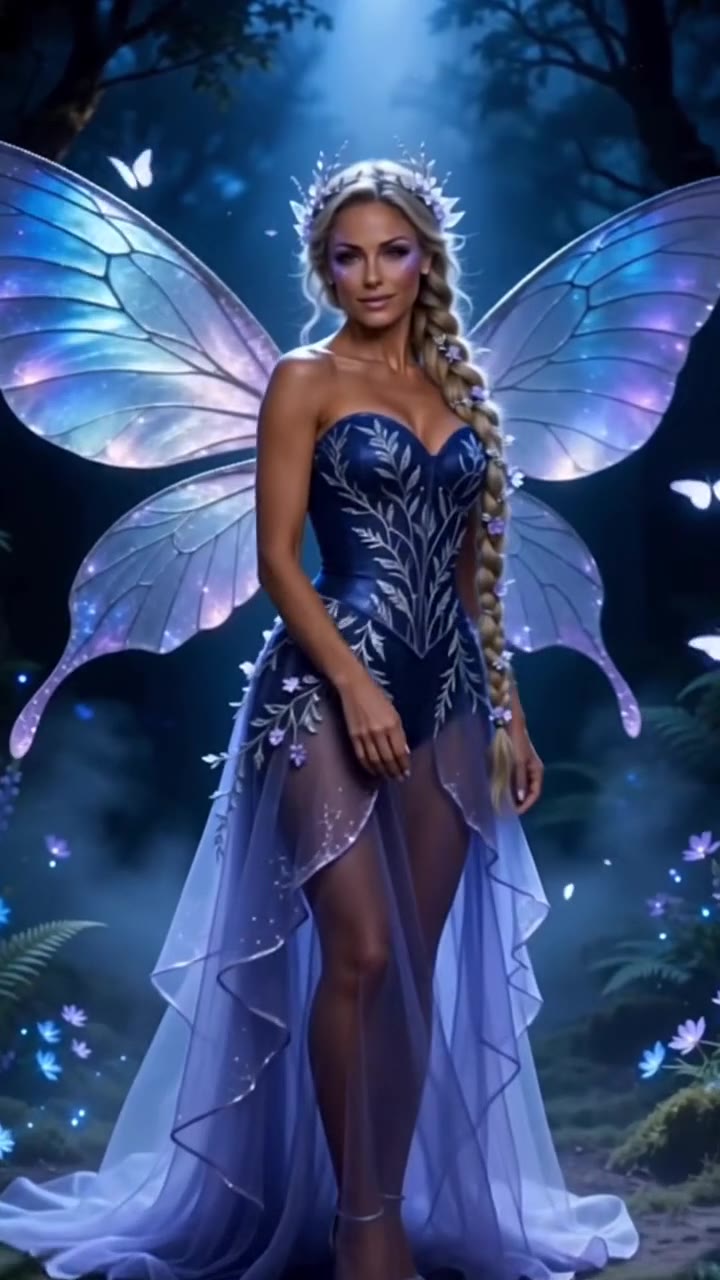
Navy gown blue fairy
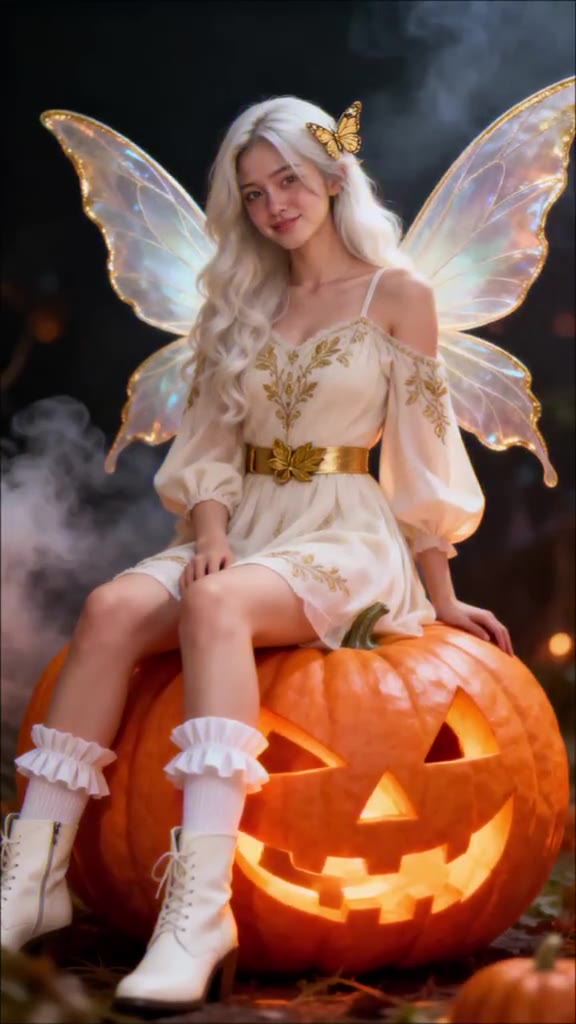
Street photo to pumpkin fairy
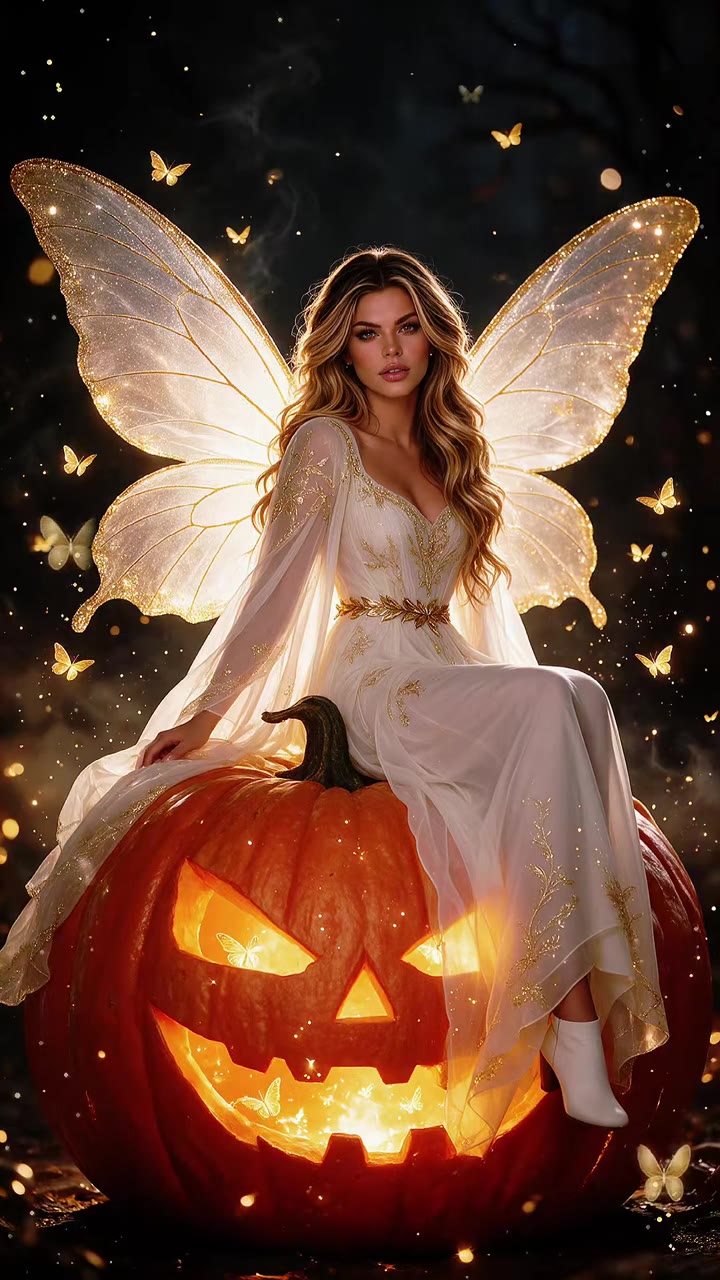
Golden wings on a jack-o'-lantern
How to make your Fairy AI Video video
Upload one photo of yourself
Face to the camera, ideally head to waist, in even light. Your face, hair and skin tone go straight onto the fairy.
Pick the fairy look and the format
Choose the moonlit blue fairy in a navy gown or the Halloween pumpkin fairy in a cream dress. Pick 9:16 for TikTok, Reels and Shorts, or 16:9.
Generate and download
Press Generate and the 10-second fairy transformation is rendered for you as an MP4 with the trend's original sound and no watermark.
Post it
Caption it "fairy transformation", turn on the AI-generated label and post; the sound is already on the video, and you can swap it on TikTok if you like.
What is the Fairy AI Video trend?
Updated · videosi is an independent tool. It is not affiliated with TikTok, Instagram, YouTube, or with the owners of any trend, song, game or brand named on its pages.
The fairy AI video is a short glow-up: it opens on an ordinary photo of someone in a T-shirt or a street selfie, a few butterflies drift in, the clothes ripple into a gown, the backdrop melts into a forest at night and a pair of translucent butterfly wings opens behind their shoulders. It ends close on their face, now wearing a crown of leaves, so friends can see it is really them.
It spreads on TikTok as "Fairy Transformation" and "turn your photo into a fairy". Template posts with those titles started appearing in the first days of October 2026, and two looks repeat most: a moonlit blue fairy in a navy gown, and a Halloween fairy in a cream dress sitting on a glowing jack-o'-lantern. In mid-October AI tool sites added fairy video prompt pages too. It has only just started spreading; no original creator or song is confirmed.
Nobody films it. Each clip is made by an AI video model from one photo of the person plus a short reference clip that sets the timing of the change and the camera move. That is why the results keep the person's face while everything else turns to fantasy.
This page does the whole recipe for you. The motion, the setting and the prompt are built in, and the fairy designs are original, not a film character. You choose the photo, the blue or pumpkin look, and the format. The video comes with the trend's original sound already on it.
Fairy AI Video: shot by shot
- 0–1.5 s
Just you
A close portrait of you as you are in your photo, in your own clothes, a cool beam of light from the side.
- 1.5–2.5 s
Butterflies arrive
White butterflies flutter round your shoulders and your clothes ripple into the fairy gown from the neckline down.
- 2.5–4 s
The forest appears
The camera pulls back as the backdrop darkens into a misty night forest and the gown starts to glow.
- 4–5 s
Wings open
Translucent iridescent wings unfold behind you in one smooth motion.
- 5–8 s
The full fairy
A wide shot: you stand in the moonlight or perch on the jack-o'-lantern, wings moving gently.
- 8–10 s
Close-up
The camera pushes in; you lift a hand near your face and smile, a crown of silver leaves in your hair.
Tips for a better result
Start with a plain, clear photo
The first second shows your photo almost as it is, so a sharp, well-lit picture with a simple background makes the before shot look clean.
Show your shoulders, not just your face
The gown and wings are built around your shoulders and body. A photo cropped tight to the face leaves the model guessing your build.
Leave the sunglasses and hat off
The video ends on a close-up of your face with a leaf crown; covered eyes or a cap make the likeness drift right at that moment.
Hair is kept, so pick a photo you like it in
Your hair colour and length come from the photo and only get small flowers woven in, so the fairy has your real hair.
Good to know before you make a Fairy AI Video video
- The two fairy looks and their settings are fixed; you cannot design your own gown or pick another place.
- Your own clothes appear only in the first second; after that you wear the fairy gown whatever your photo shows.
- Wings, hands and the raised hand in the close-up are where invented detail shows first.
- The video comes with the trend's original sound already on it, and likeness is not guaranteed. A failed, timed-out or blocked render returns its credits automatically.
Fairy AI Video ideas and prompts
| Idea | Prompt | |
|---|---|---|
| Moonlit blue fairy | A navy embroidered gown with a sheer lavender skirt and lilac wings, in a misty forest under blue moonlight. | |
| Halloween pumpkin fairy | A cream dress with gold embroidery and pearly wings, sitting on a giant glowing jack-o'-lantern on a smoky autumn night. |
Fairy AI Video: questions
What is the fairy AI video trend?
The fairy AI video trend is a 10-second transformation in which an ordinary photo of a person turns into a fairy with translucent wings; videosi makes it from one photo. It spreads on TikTok as "Fairy Transformation" and "turn your photo into a fairy", with template posts appearing from early October 2026, often with a Halloween pumpkin look. No original creator is confirmed.
How do I turn myself into a fairy with AI from one photo?
Upload one photo of yourself to videosi, choose the moonlit blue fairy or the Halloween pumpkin fairy, pick 9:16 or 16:9 and press Generate. The fairy AI video is a 10-second MP4 with the trend's original sound. Rendering takes several minutes, and you can close the page because the result is saved in My creations. You write no prompt.
Is there a fairy AI generator or website for the fairy transformation video?
Yes. videosi (videosi.io) is a web tool that makes the fairy AI video from 1 photo. The transformation timing, the camera move, the fairy designs and the prompt are built in, so you choose only the photo, the look and the format. A standard 10-second video (Standard model, 720p) is 9 credits, with no watermark.
Is there a fairy AI filter on TikTok or a CapCut template?
Many TikTok fairy transformation posts point to CapCut templates, and those change often, so check inside the app. videosi is independent and not affiliated with TikTok, CapCut or Dreamina. The videosi fairy AI video is a web tool rather than a live camera filter: you upload 1 photo and download a 10-second MP4 with the trend's original sound.
What AI model or prompt makes the fairy AI video, and can I do it myself?
The fairy AI video on videosi is made with ByteDance's Seedance video model (Seedance 2.0 Mini by default; Fast, Pro and Ultra, which is Seedance 2.5, are one click away), from a five-part prompt plus a 10-second transformation motion reference. By hand the usual failures are a fairy with someone else's face, extra wings or a hard cut. On videosi the prompt and reference are built in.
How much does the fairy AI video cost, and is it free?
The fairy AI video on videosi is not free: there is no free generation and no free trial. A standard 10-second video (Standard model, 720p) is 9 credits; better models and higher resolutions cost more. Credit packs start at $6.99 for 10 credits and never expire, and plans start at $29.90 a month. A failed render returns its credits automatically.
Trending this week
All trends this week
More effects like this
All transformation effects
Make your Fairy AI Video video
Upload a photo and press Generate. 9 credits, refunded if it fails.
Get the next trend first
One email when new trends land on videosi, about once a week. Unsubscribe in one click.
See videosi first on Google
Add videosi as a preferred source and our trend pages show up first in your Top Stories and AI answers on Google.