AI Crying Video: The Crying Trend, Starring You
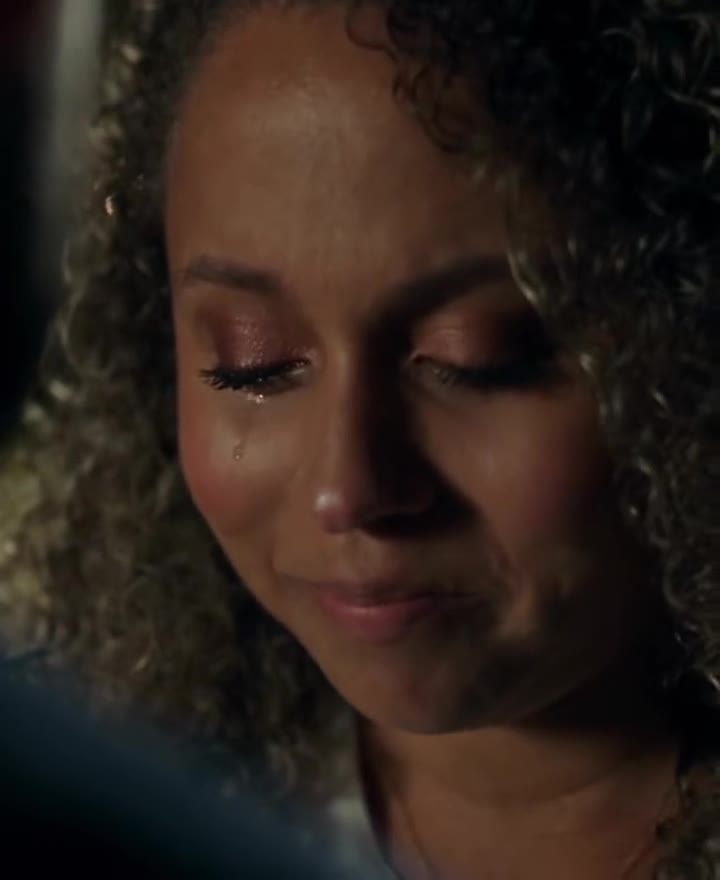
A brave little smile, eyes filling with tears, one tear down the cheek, then a slow walk away under the city lights. One photo of you is all it takes.
Updated : Page published.


1Add your photo
Front-facing, well-lit selfies work best. One face per photo.
2Setting
3Choose quality
By generating you confirm you have permission to use the people in your photos. Terms
In one sentence
The AI crying trend is a 10-second AI video in the style of a drama scene, in which a person smiles through welling tears at someone off camera, lets one tear fall and walks away into the night; videosi makes it from one photo of you.
- Fast facts
- First seen
- Stage
- Past its peak
- Sound
- No single sound: posts use many different sad sounds. The videosi video comes with the trend's original sound.
- Meaning
- The AI crying trend is a 10-second AI video in the style of a drama scene in which a person smiles through welling tears, lets one tear fall and walks away into the night.
Page updates
- October 21, 2026 — Page published.
How it is made
The AI Crying Video prompt and model
AI Crying Video is made with Seedance 2.0 / 2.5 (you pick the tier) by ByteDance. The prompt behind it has 5 parts, and the timing is what makes or breaks it.
- Model
- Seedance 2.0 / 2.5 (you pick the tier)
- Mode
- Photo + motion reference to video
- Length
- 10 seconds, 9:16 or 16:9
- Input
- 1 photo
- Identity lock Your photo is the only source for the face, hair, build and outfit, and tears are the only change allowed to the face.
- Motion reference A short clip supplies the over-the-shoulder framing, the slow push-in, the cut to profile and the walk away, and nothing else.
- Scene One night setting, city lights or rain, with a faceless, out-of-focus figure in the foreground.
- Timeline Five beats over 10 seconds, from glassy eyes to the brave smile, the single tear, the turn and the walk away.
- Rules Restrained, realistic tears with no sobbing or running make-up, your face in every shot, and no text or logos.
Photorealistic live-action cinematic footage, 10 seconds, shallow depth of field, the look of a night scene from a romantic drama. Image 1 is the only source for the main person…
Why it goes wrong when you do it yourself
- Asked simply to cry, video models overdo it: open-mouthed sobbing, distorted faces and make-up streaks instead of one quiet tear.
- Your face drifts in the close-up and is replaced by a generic face in the shot from behind unless the identity lock comes first.
- Without a motion reference the clip stays on one static close-up and loses the cut to the walk away, which is what makes it look like a drama.
- The foreground figure tends to turn around and grow a face of its own, and each retry costs credits and several minutes.
AI Crying Video examples
Teary smile, city lights
Crying in the rain
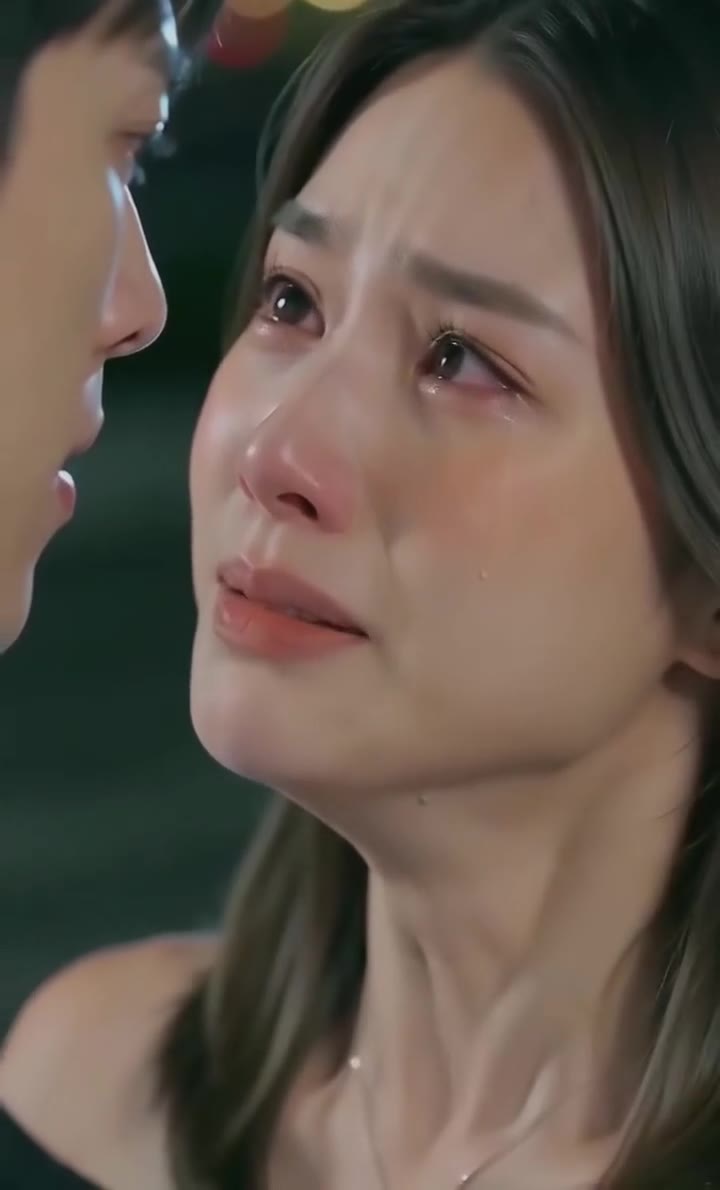
Drama goodbye at night
How to make your AI Crying Video video
Upload one photo of yourself
Face to the camera, head and shoulders in frame, even light and a neutral or slight smile. The clothes in the photo are the clothes in the video.
Pick the setting and the format
City lights at night is the classic look; rainy night adds wet hair and falling rain. Choose 9:16 for TikTok, Reels and Shorts, or 16:9 for a wide film look.
Generate and download
Press Generate and the 10-second scene is rendered for you. You can close the page; the result is saved in My creations.
Post it
The MP4 has no watermark and comes with the trend's original sound. Post it and label it as AI-generated.
What is the AI Crying Video trend?
Updated · videosi is an independent tool. It is not affiliated with TikTok, Instagram, YouTube, or with the owners of any trend, song, game or brand named on its pages.
The AI crying trend is a ten-second clip that looks like the saddest scene of a romantic drama. Someone stands at night facing a person we only see from behind. Their eyes are already wet, they try to smile, a tear runs down their cheek, and then they turn and walk away while the street lights melt into bokeh. Nobody in it is actually crying: the whole scene is generated by an AI video model from one ordinary photo.
The format started as an AI video template in CapCut in the last week of September 2026; the earliest clips we found are dated 24 and 25 September, and promotional posts told people to open CapCut and search for "cry". It spread in early October through tutorials in English, Spanish, Tagalog, Arabic, German and Russian that showed how to make a "crying video with just one photo". The radar behind this page first saw it on 2026-09-25, saw it spreading from 2026-10-12, and by 2026-10-17 it was already past its peak and declining. No single creator or song is confirmed; posts use many different sad sounds.
The joke is in the contrast: a selfie from your camera roll becomes the main character's heartbreak scene. People make it of themselves, or of a friend who is in on it, and post it with a dramatic sound. A rainy-night version with heavier tears circulates alongside the city-lights one.
This page builds the scene for you. The shots, the timing and the prompt are already in place, so you only choose the photo, the setting and the shape of the video.
AI Crying Video: shot by shot
- 0–2 s
Over the shoulder
We look past a blurred shoulder at you. Your eyes are already glassy and red, your lips tremble as if you are about to say something.
- 2–4.5 s
The brave smile
The camera slowly pushes in. You force a small smile while the tears well up, then glance down.
- 4.5–6.5 s
One tear
Your eyes close and a single tear runs down your cheek. You look up one last time.
- 6.5–7.5 s
Turning away
Cut to your profile: head down, you turn your back on the scene.
- 7.5–10 s
The walk away
From behind, you walk slowly away down the street while the night lights blur, which is where the clip ends.
Tips for a better result
Use a clear, front-facing photo
The close-ups are tight on your eyes. A sharp photo looking at the camera gives the model the detail it needs to keep you recognisable while you cry.
Keep your face uncovered
Sunglasses, a hand over the mouth or hair across the eyes make the likeness drift, because the eyes and mouth are what move most.
Show your hair and shoulders
The last shot is from behind, so your hairstyle and top carry the likeness there. A photo cropped tight to the face leaves the model to invent them.
Night-friendly photos work best
Both settings are dark with warm or cold highlights. Indoor and evening photos blend in more naturally than a bright beach selfie.
Good to know before you make a AI Crying Video video
- The clip has one main character, you, plus a faceless blurred figure in the foreground. Nobody else is added, and the figure is not a real person from your photos.
- The crying is deliberately gentle: wet eyes, a trembling smile and one or two tears, not sobbing or a breakdown.
- It is built around a human face. A pet photo can work for a funny version, but expect a less natural result in the close-ups.
- The video comes with the trend's original sound, and likeness is not guaranteed. A failed, timed-out or blocked render returns its credits automatically.
AI Crying Video ideas and prompts
| Idea | Prompt | |
|---|---|---|
| City lights at night | Teary smile over a blurred shoulder, one tear, then a slow walk away down a night street full of warm bokeh. | |
| Rainy night | The same goodbye in steady rain under a cold backlight, with wet hair and reflections on the ground. |
AI Crying Video: questions
What is the AI crying trend on TikTok?
The AI crying trend is a 10-second AI video that turns one photo into a drama scene: the person smiles through tears, lets one tear fall and walks away at night. videosi found the first clips on 24 and 25 September 2026 as a CapCut template. It spread through tutorials in early October and was already declining by mid-October.
How do I make the AI crying video from one photo?
Upload one front-facing photo to videosi, pick city lights or rainy night and a format, and press Generate. The AI crying trend video is 10 seconds long and renders in several minutes. You write no prompt, and you can close the page because the result is saved in My creations.
Is there a website or generator for the AI crying trend?
Yes. videosi (videosi.io) is a web tool that makes the AI crying trend video from one photo, with the shots, timing and prompt built in. A standard 10-second video (Standard model, 720p) is 9 credits, and the MP4 downloads without a watermark. It works in any phone or desktop browser.
Is there a crying AI filter on TikTok or a CapCut crying template?
The trend started as a CapCut AI template in September 2026, and template apps change their line-up often, so check inside them. videosi is independent and not affiliated with TikTok, CapCut or Dreamina. The videosi AI crying trend is a web tool: you upload a photo and download a 10-second MP4 with the trend's original sound.
Is the AI crying trend a live camera filter?
No. The AI crying trend is not a real-time lens like the old Snapchat crying face filter. It is a generated video: videosi takes one still photo and renders a new 10-second scene with tears, camera moves and a walk away. That is why it looks like a film and takes a few minutes instead of working live.
What AI model or prompt makes the crying AI video?
The AI crying trend on videosi is made with ByteDance's Seedance video model (Seedance 2.0 Mini by default; Fast, Pro and Ultra on Seedance 2.0 and 2.5 are one click away), from a five-part prompt plus a motion reference clip. The full prompt is not published; the page shows its structure and why a copied prompt often over-acts the crying.
How much does the AI crying trend cost, and is it free?
The AI crying trend on videosi is not free: there is no free generation and no free trial. A standard 10-second video (Standard model, 720p) is 9 credits; better models and higher resolutions cost more. Credit packs start at $6.99 for 10 credits and never expire; plans start at $29.90 a month. A failed render returns its credits automatically.
Trending this week
All trends this week

More effects like this
All viral effects



Make your AI Crying Video video
Upload a photo and press Generate. 9 credits, refunded if it fails.
Get the next trend first
One email when new trends land on videosi, about once a week. Unsubscribe in one click.
See videosi first on Google
Add videosi as a preferred source and our trend pages show up first in your Top Stories and AI answers on Google.