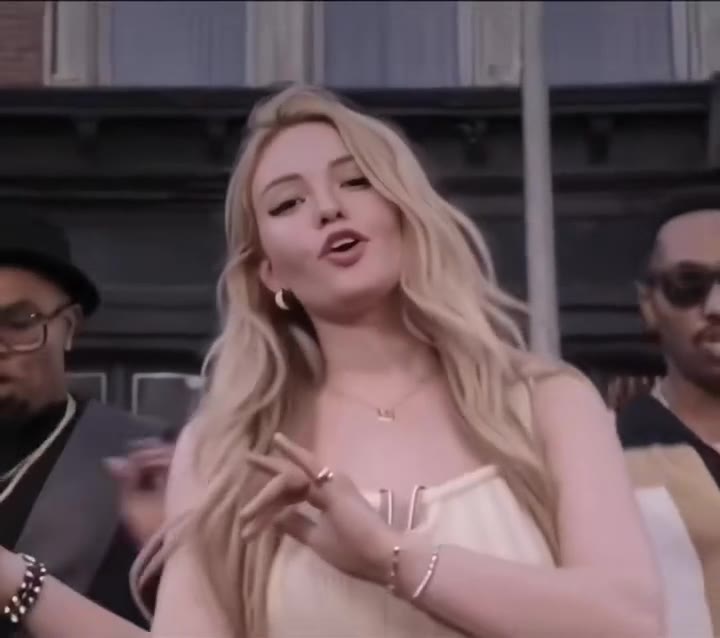
The friends disco dance AI video is a 12-second clip in which you and a friend dance face to face under a mirror ball in 1970s outfits, then lean in shoulder to shoulder and grin into the camera. videosi makes it from one photo of each of you, or one photo of you both, with no prompt to write.
This guide skips the basics and answers the questions people ask once they have seen the clip: how to choose photos, how the left and right sides work, why it stops at two people, and how to post it. The tool itself is on the friends disco dance AI page.
Key takeaways
- Use one sharp, eye-level photo per person, head to hips, and put the person you want on the left in Photo 1.
- The video is built for exactly two adult friends. It is friendly dancing, with no hugging, kissing or hand-holding.
- Your own outfit colours become your disco outfit, so wear the colour you want to see in sequins.
- Faces drift most in the spin and the final close-up; likeness is not guaranteed.
- A standard 12-second video (Standard model, 720p) is 10 credits, there is no free tier, and a failed render returns its credits.
In this guide
- How do I choose the two photos?
- Can one group photo replace two photos?
- Who goes on the left and who goes on the right?
- Why does the video only have two people?
- Where do the 70s disco outfits come from?
- Which disco club should I pick?
- How is this different from TikTok AI Cast?
- Why does my face change in the final video?
- Can I make it with a sibling or a parent?
- How do I caption and post it?
How do I choose the two photos?
Pick photos for the last three seconds of the clip, because that is where the camera is closest. The ending is a tight shoulder-to-shoulder close-up, so each face has to be sharp, lit evenly and looking at the camera. Soft daylight works better than a flash, and sunglasses, heavy filters or a turned head are the usual reasons a face comes out wrong.
Frame each photo from head to hips. The dancing shots need to know your build, and a face-only crop makes the model invent the body. Crop each photo to a single adult, keep the background plain if you can, and avoid photos where someone else is half in the frame.
It also helps to choose photos taken at a similar distance. If one friend is a close selfie and the other is a full-length mirror shot, their scale in the dance can look uneven. Two photos with a similar angle and light keep the pair looking like they were in the same room.
Can one group photo replace two photos?
Yes. The page has a one-photo mode in which you upload a single picture with both of you in it, you on the left and your friend on the right. It is the easy route when you only have a photo from a night out.
It works best when you stand side by side with a little space between you, so the faces do not overlap. If you are hugging, or one head is partly hidden behind the other, the two faces are more likely to blend. When in doubt, two separate photos give the model a cleaner source for each person.
Who goes on the left and who goes on the right?
Photo 1 is the left dancer and Photo 2 is the right dancer. That tie matters because the model has to keep each face on its own side for 12 seconds. Without it, two faces tend to blend or swap places halfway through the clip.
The two sides do get slightly different moments. The spin belongs to one dancer and the camera pushes in on both for the ending, so neither side is a background role. Decide which of you wants the left slot, then keep the order the same in both modes: left is you, right is your friend.
Why does the video only have two people?
Some posts you will see online show three friends. On videosi the friends disco dance takes exactly two people, left and right, because with a third person the model tends to blend faces. We would rather give you two faces that look like the two of you than three that look like a mix.
There is a second reason. The motion reference is a two-person dance with a defined left and right, and the whole clip is built on replacing those two dancers while everything else stays as it is: the low shot of the feet, the tilt up, the spin, the close-up. A trio version would need a different reference clip, and it is not offered on this page yet.
Where do the 70s disco outfits come from?
You do not choose them. Your own clothes are restyled as 1970s disco wear in the same main colours, using sequins, satin or velvet, with flared trousers or a disco dress. That is why a red jacket in your photo turns into a red sequin blazer instead of a random colour.
The look follows what the decade really wore. According to the Wikipedia article on disco, men wore shiny polyester shirts, double-knit suits and flared bell-bottoms, women wore flowing dresses or loose flared trousers, and glitter, sequins and gold lame caught the club lights. Platform shoes and heels finished the outfit for both sexes. The video borrows that vocabulary, which is why the opening shot of sequin trousers and heels on a glossy floor reads as disco at once.
Which disco club should I pick?
There are three, and the choice changes the light and the mood, not the dance.
- Mirror-ball club. The dark club from the original clips, with a big silver ball throwing white light spots over the ceiling and a glossy wooden floor. It is the classic look.
- Gold 70s ballroom. Warm amber light, gold neon trim and a honey-coloured floor. It flatters skin tones and suits warm outfits.
- Light-up dance floor. Glowing coloured squares, purple and blue beams and pink neon signs with no readable words. It is the loudest and most colourful option.
The mirror ball itself has a long history in clubs. The Wikipedia article on the disco ball notes that mirrored balls appeared in nightclubs as early as the 1920s and were standard equipment in discotheques from the 1960s to the 1980s. The light-up floor is just as period-correct, since major clubs of the 1970s had illuminated floors that flashed in time with the beat.
How is this different from TikTok AI Cast?
Most friends disco posts on TikTok carry the #aicast tag, so they appear to be made with TikTok's AI Cast, a feature that puts people and friends who allow it into AI videos. It lives inside TikTok and depends on your friends having set it up.
videosi is independent and not affiliated with TikTok or CapCut. It works on the web from ordinary photos, so your friend does not need to sign up or enable anything. You get a 12-second MP4 with no watermark that you can post anywhere. The trade-off is plain: you upload photos yourself, and you should only upload people who agreed to be in the video.
Why does my face change in the final video?
Faces move the most in two places: the 2-second spin, when hair and jackets fly across the frame, and the closing close-up, where the model is tempted to drift toward the reference dancers. The prompt is written to resist this, with each face locked to its own photo and a list of what must not carry over, but likeness is not guaranteed.
If a result looks off, the fix is nearly always the photo, not the settings. Swap in a sharper, more frontal picture, remove sunglasses or a hat that hides the hairline, and try again. Each try costs credits and takes a few minutes, so improve the photos before you retry rather than rerolling the same ones.
Can I make it with a sibling or a parent?
Yes, with any two adults who agree to it: siblings, a parent and a grown-up child, coworkers, a flatmate. The clip is friendly dancing and nothing in it is romantic, so it suits relatives as well as best friends. That is also why it will not put two real people into a couple scene.
Do not use photos of children, and do not use photos of people who have not said yes. Because the face is the whole point of the video, asking first is both the polite thing and the safe one.
How do I caption and post it?
Download the MP4 and pick the ratio that matches where you post: 9:16 for TikTok, Reels and Shorts, 1:1 for a feed post, or 16:9 for a wide format. The clip already has the disco sound on it. There is no single confirmed song in this trend, since each post uses its own sound, so you can keep ours or swap in another 70s disco track on the platform.
For the caption, keep it short and personal. Tag your friend, say what the joke is ("us at 2 a.m. in 1977" does the job), and label the clip as AI-generated, which is good practice and expected when a video shows realistic people. Adding the 70s disco hashtags you would normally use is fine.
The trend is early. Our trend radar first flagged the phrase on 2026-10-23, new clips were still going up daily in late October 2026, and single posts have small view counts so far. That makes now an easy time to post one. Ready to try it? Open the friends disco dance AI video page, upload your photos and press Generate.
What does it cost?
A standard 12-second video (Standard model, 720p) is 10 credits. The Single pack is $6.99 for 10 credits, and the Basic plan is $29.90 a month. There is no free generation, and a failed render returns its credits.